Internal Tool Builder: Build Your Business Tools with AI
Create dashboards, automate workflows,and launch production-ready applications:
Key Features of Enter Pro Internal Tool Builder
Map Business Processes Before Development Starts
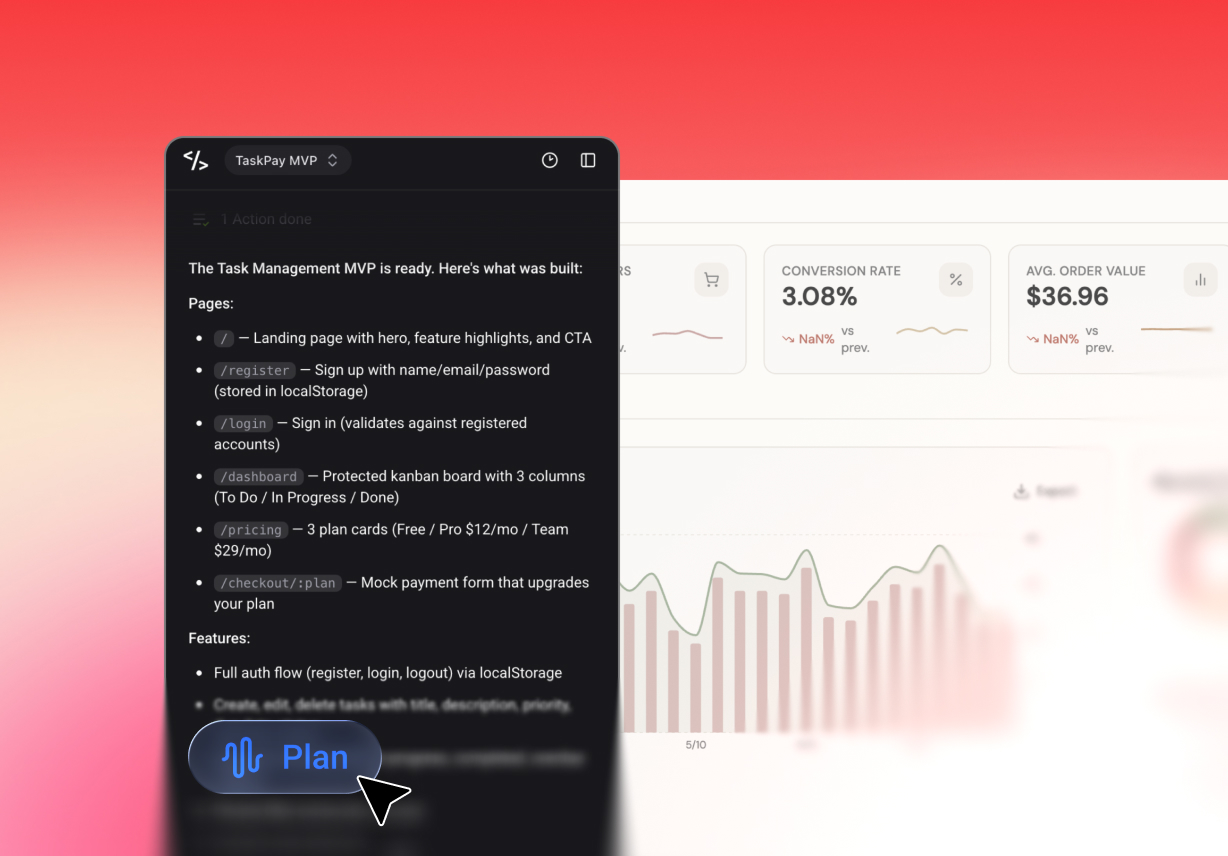
Successful business software begins with a clear structure. Enter Pro's Plan Mode, which analyzes your requirements and creates user permissions, workflows, data models, and application architecture before generating code.
Connect Your Data and Business Services Instantly
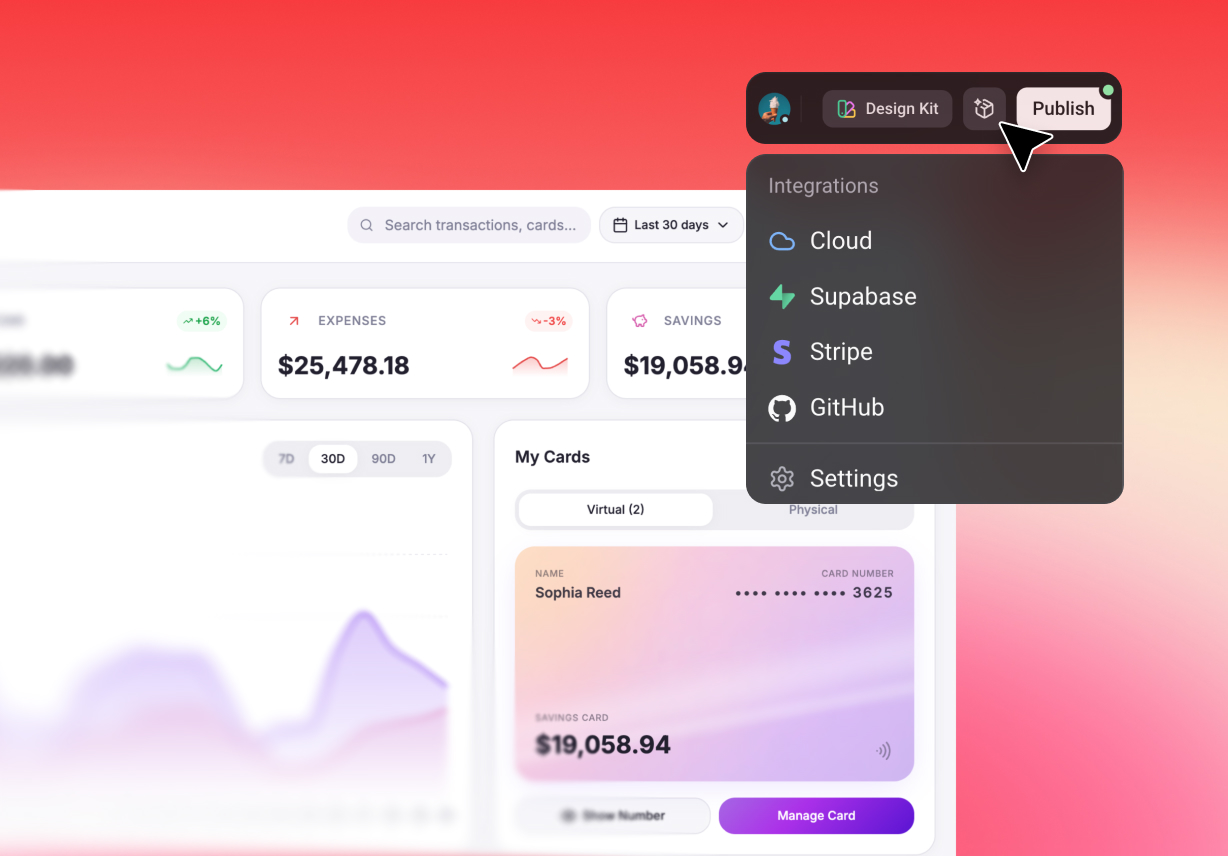
Most operational platforms need more than a user interface. Enter Pro connects databases, payment systems, analytics tools, and third-party services directly from prompts. Instead of spending days configuring integrations, you can focus on solving business problems.
Refine Workspaces Through Real-Time Visual Editing
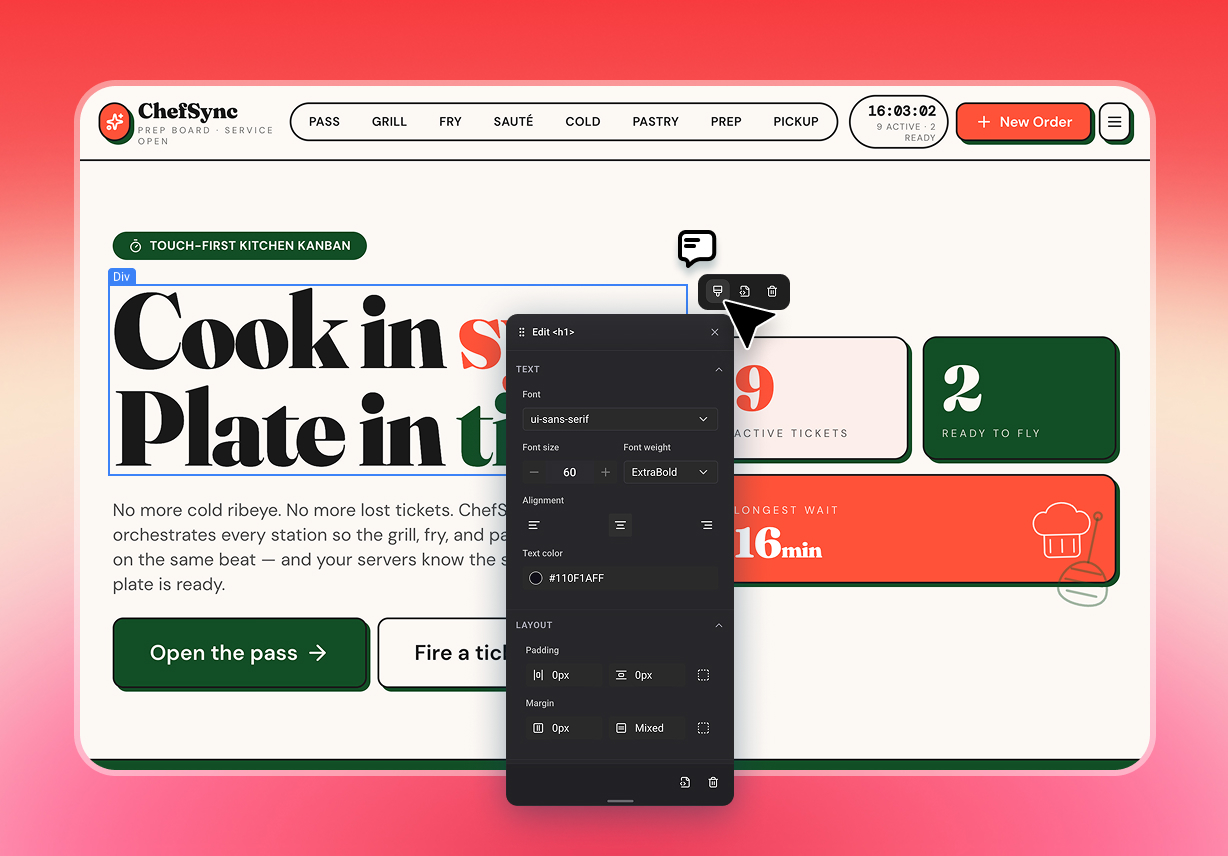
That's why Enter Pro combines AI generation with a live visual editor. Adjust layouts, forms, reports, and workflows directly on the canvas while keeping full control over how your application looks and functions.
Access Leading AI Models from One Platform
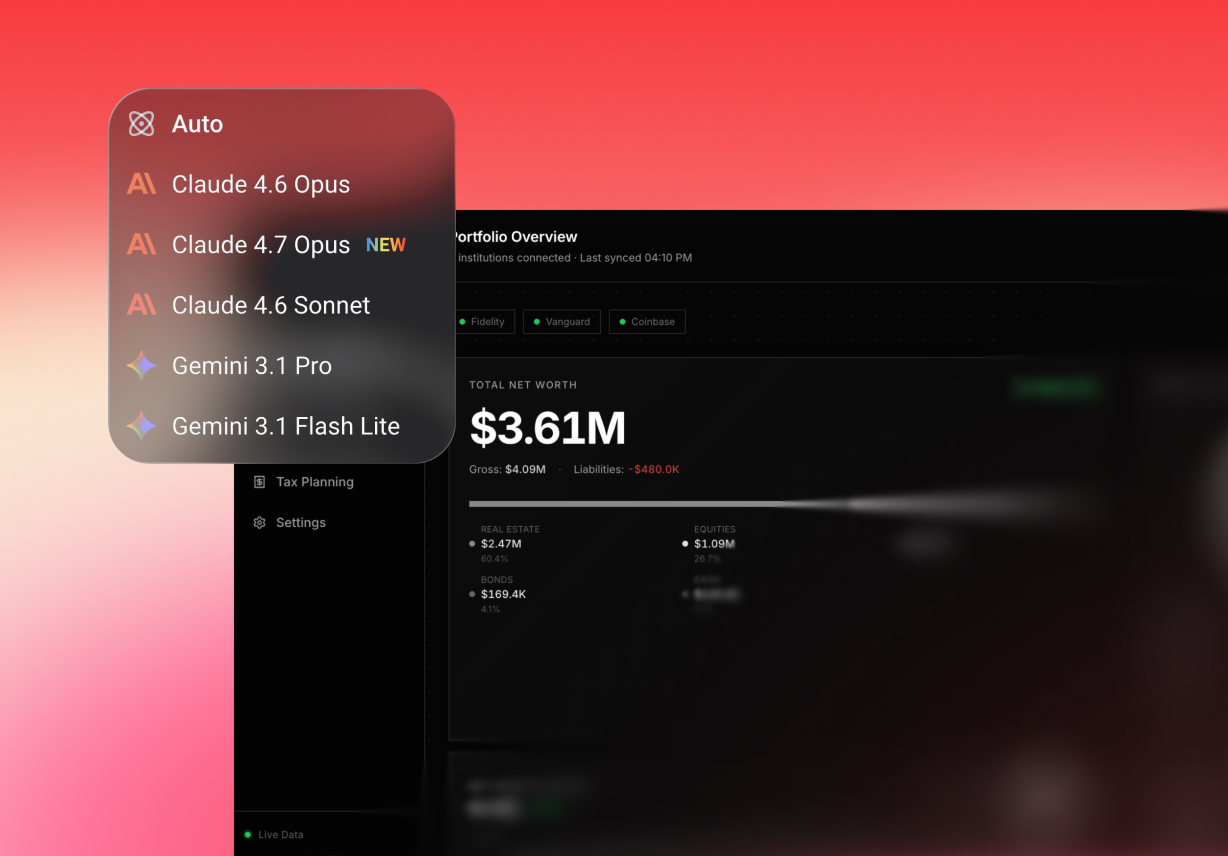
Switch between advanced models, including Claude, GPT, Gemini, and Grok, without managing multiple subscriptions. Generate interfaces, automate workflows, build business logic, and refine processes from a single workspace.
Why Teams Choose Enter Pro for Operational Software Development

Eliminate Manual Work Across Departments
Many organizations still rely on spreadsheets, email chains, and disconnected tools. Enter Pro helps centralize processes into purpose-built applications that improve visibility and reduce repetitive tasks.

Create Software That Matches Your Operations
Off-the-shelf platforms often force teams to adapt their workflows. Enter Pro helps you create systems that align with how your organization already works, reducing adoption challenges and process friction.

Maintain Complete Ownership of Your Applications
Your software should belong to your business. Enter Pro gives you full ownership of the generated code, making future expansion, customization, and migration far easier.
How to Build Business Applications with Enter Pro
Describe Your Workflow
Explain the process you want to improve, the data you need to manage, and how team members interact with the system. Then select your preferred AI model and submit your prompt.
Generate and Customize Your Platform
Plan Mode automatically organizes workflows, permissions, databases, and interfaces. Review the generated application and refine details through the visual editor.
Deploy and Start Using It
Once your application is ready, publish it instantly. Connect your team, monitor activity, and begin managing operations through your new platform.
Real-World Use Cases for Enter Pro

Operations Management Dashboards
Track company performance, inventory, projects, budgets, and team productivity from a centralized reporting environment that keeps decision-makers informed.

Employee Portals and Approval Systems
Create solutions for onboarding, leave requests, expense approvals, equipment tracking, document management, and internal communication workflows.

Customer and Sales Management Platforms
Build tailored CRM tools that support lead tracking, account management, pipeline visibility, customer communication, and reporting requirements.
What Teams Are Saying About Enter Pro
Overcoming the Data Wall "As a designer, I always hit a wall when it came to managing relational databases. Enter's Plan Mode architected my entire table views just by me explaining my business logic. I finally feel confident managing internal tools development without ever touching a command terminal."

Priya Kapoor
Brand Strategist & First-time Founder
Eliminating SaaS Overhead "We've replaced three separate expensive operations subscriptions by creating our own custom internal tools inside Enter Pro. Software liberation is real—we own our administrative software assets now, and our monthly operational overhead has dropped by 40%."

Julian Sterling
Founder of Sterling Web Labs
Seamless Prototyping "I use Enter Pro to build high-fidelity, live internal dashboards that handle real client production data. It has completely removed the communication wall between my product vision and the engineering team. We are iterating on operational features 5x faster than before."

Maya Lindholm
Lead Product Architect
FAQs
Build the Software Your Team Actually Needs
Launch custom business applications faster.