Visual Editor: Build Full-Stack Apps & Websites Visually
Create projects faster using this visual editor with drag-and-drop tools, AI-powered templates, live preview, and real-time collaboration.
Top Features of Our Visual Editor
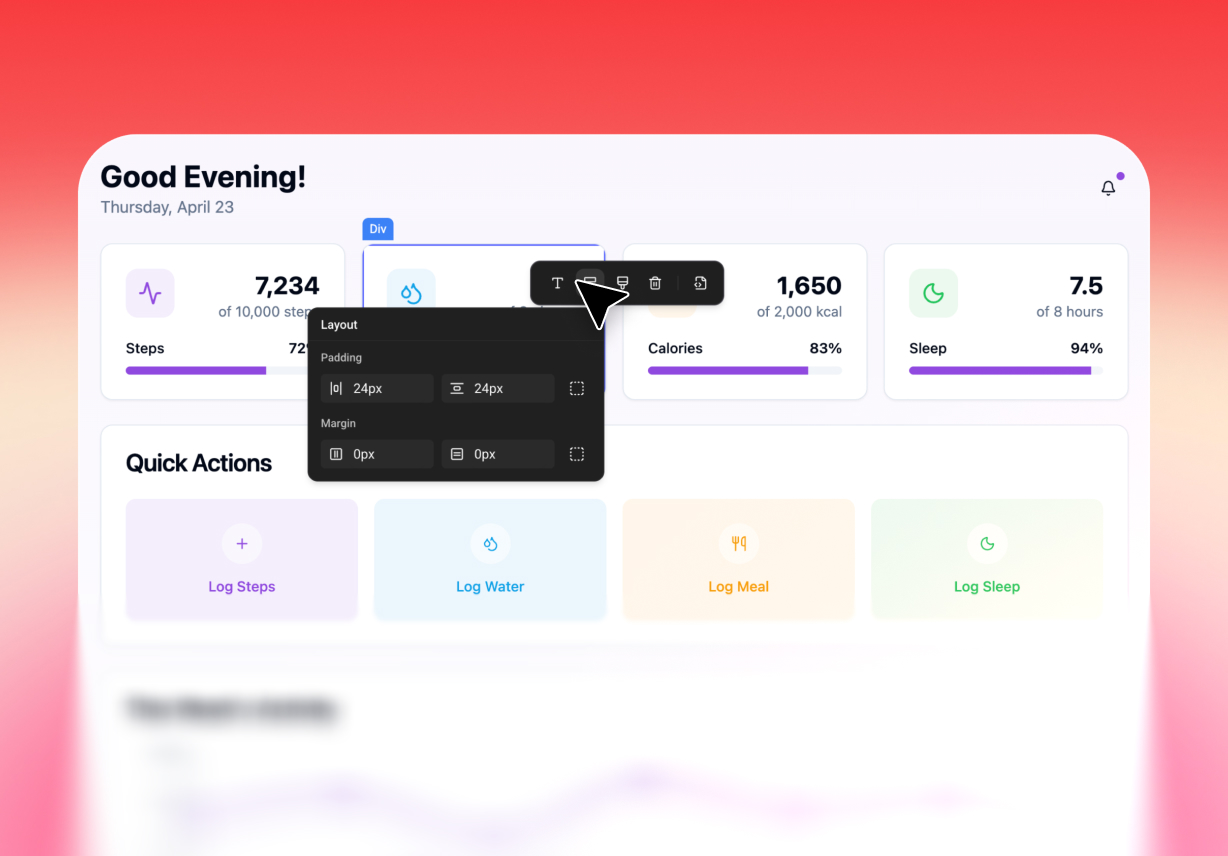
Drag and Drop Interface
Some users want to adjust the page by looking at it. They do not want to hunt through layers of code. A drag-and-drop style workflow makes the design feel more natural. Users can move sections, place content, and reshape the page with less effort using visual editing.
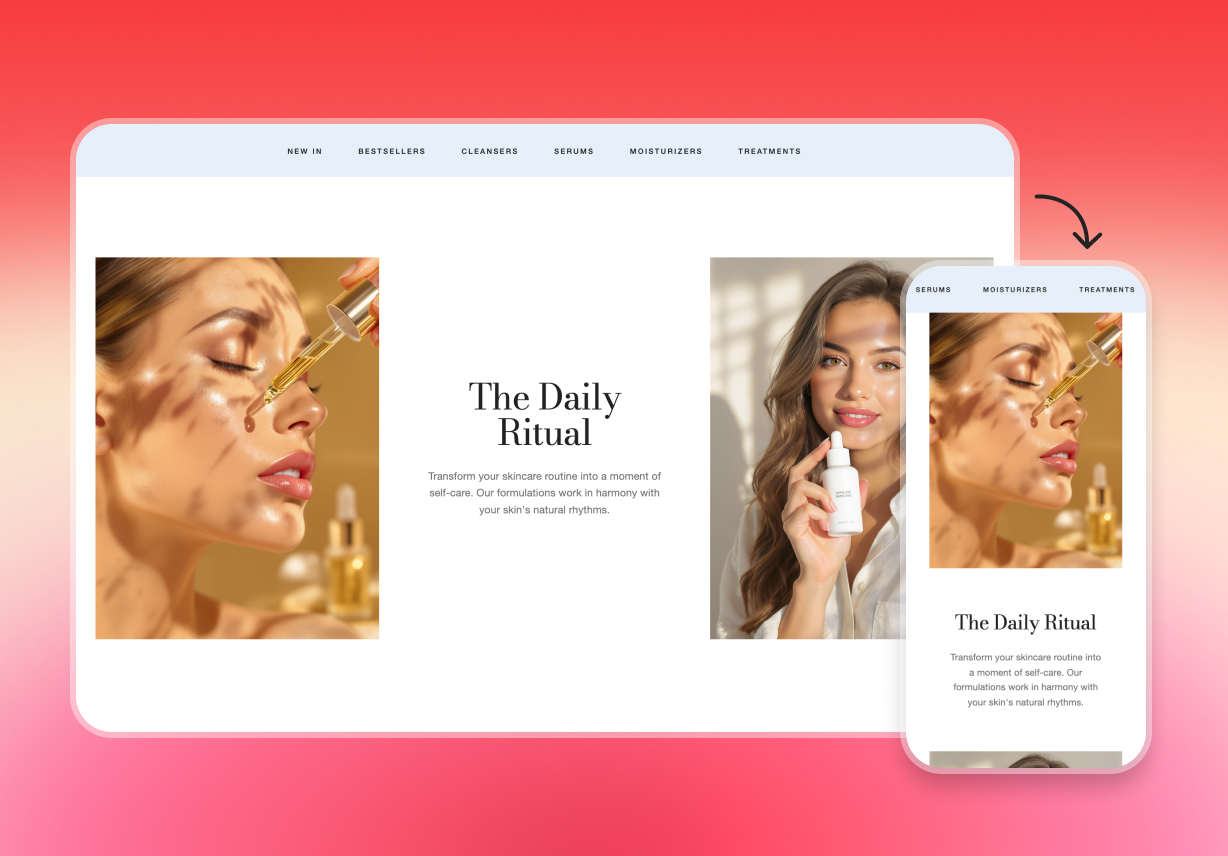
Responsive Design
Responsive support helps layouts stay readable across phones, tablets, laptops, and desktops. This gives a visual workflow more real-world value because users are not designing for only one view. A good visual editor online experience should help users think beyond the desktop alone.
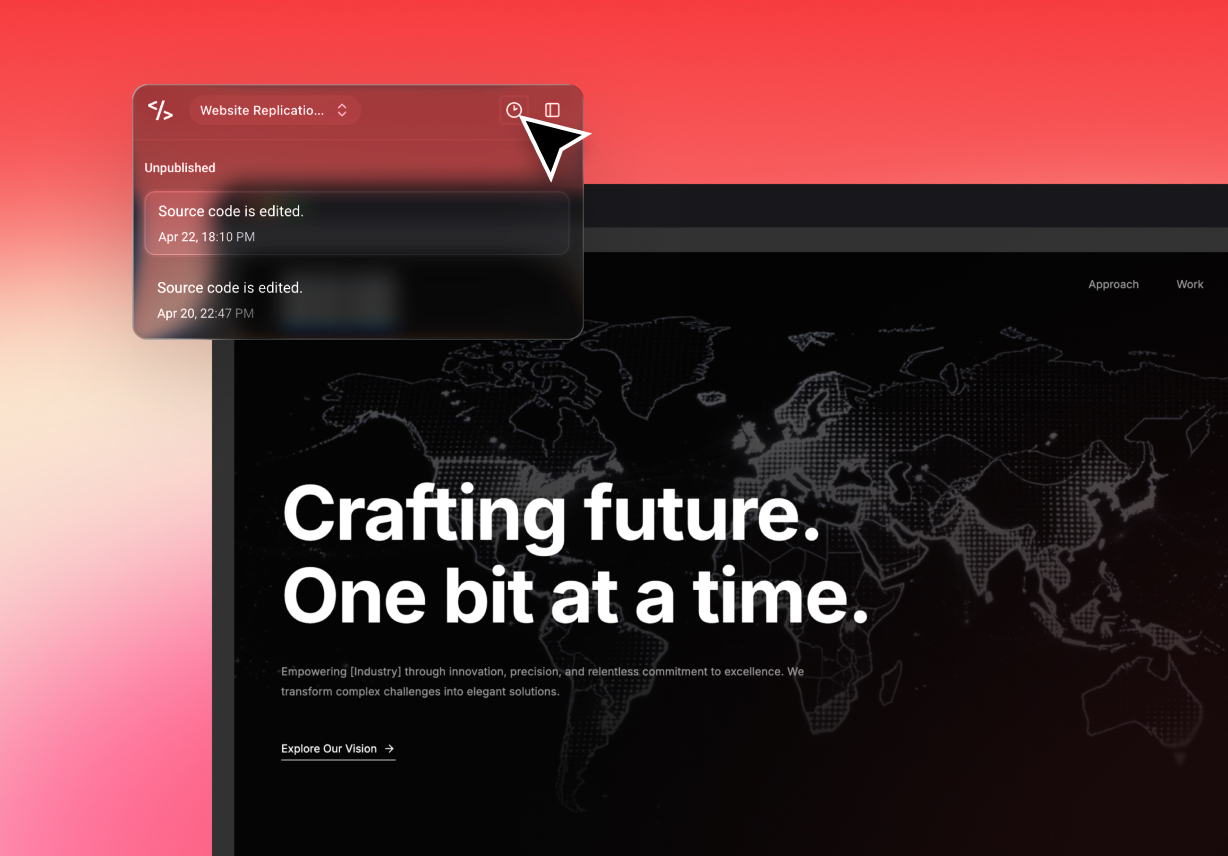
Live Preview and Version Control
Design changes should be easy to check. People need to see the result while they work. The platform also supports version history across projects, which helps users review earlier changes and work with more confidence. Together, these features make a visual builder more practical for ongoing website work.
AI-Powered Layout Generation
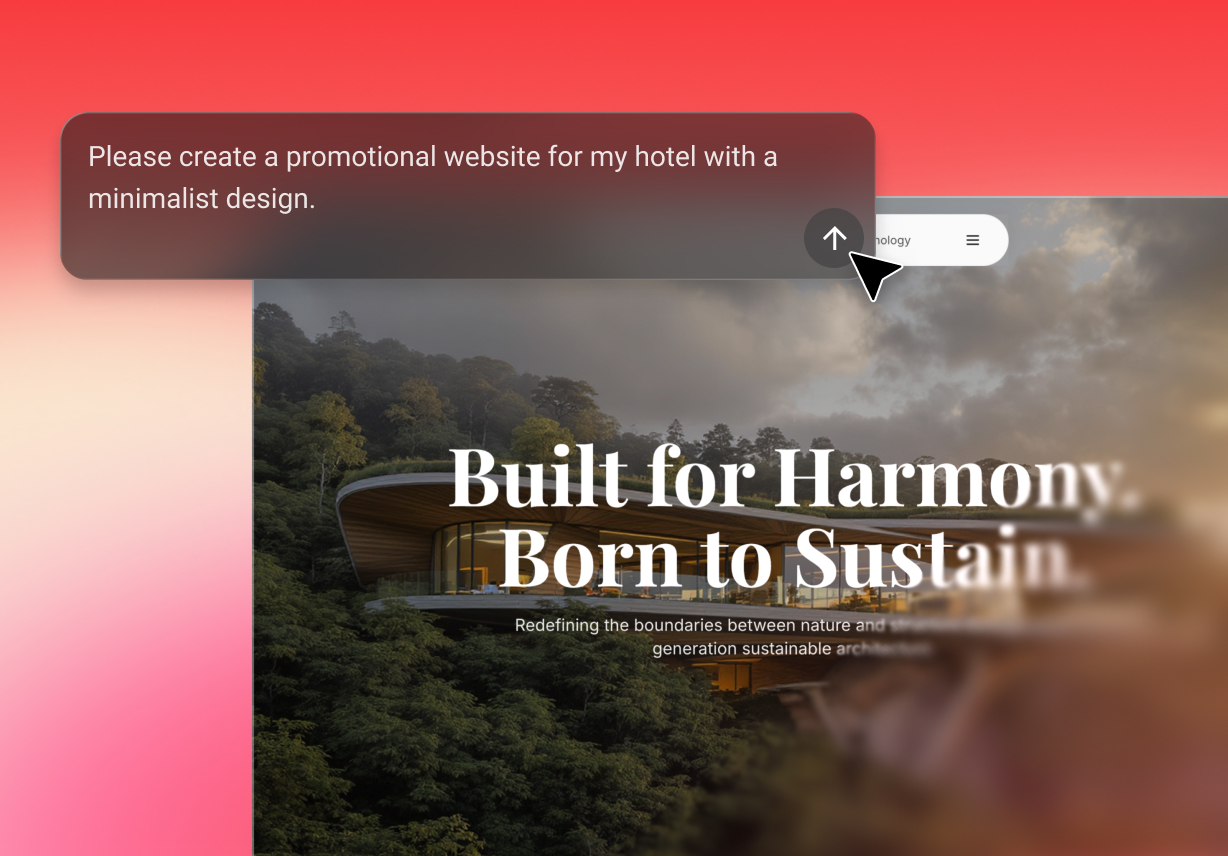
AI helps reduce that first block. Users can describe a page idea, then begin with a layout instead of a blank screen. This makes code editing more tangible because the first draft already has structure. It also gives users more time to refine the design instead of planning every block from scratch.
Full Code Portability & Ownership
Ensures that the generated code is never locked to the platform, offering clean, human-readable exports that users fully own and can host anywhere. The output is developer-friendly, making it easy to integrate or extend outside the editor at any time.
How Does the Visual Editor Help in Creating Perfect Websites?

No Coding Required
Not every user wants to begin with code. Some want to shape the page first. A visual workflow gives those users a better entry point. They can focus on layout, content, and design direction before dealing with technical details. That makes the visual editor helpful for creators, founders, marketers, and small teams who want a faster start

Fast Development
Speed matters when ideas are still fresh. AI-assisted generation helps users move from concept to draft much sooner. A page can begin with a structure, then improve through visual changes and quick refinement. This gives the visual builder a stronger role in early development, especially when teams want results without a long setup phase.

Save Time
Long development cycles cost time and energy. Many teams need a lighter path. A faster workflow can reduce repeated design effort and shorten the time spent building first versions. That makes visual editing a practical option for lean teams that want better output without stretching resources too far.
How to Use Our Visual Editor
Enter Your Design Prompt
Start by describing the page you want to build in the "Prompt" box to continue.
Drag-and-Drop Editing
Here, adjust the sections, update text, place images, and refine the layout while checking how the page looks.
Preview and Publish
Now, preview the design, make sure the page looks right, then press the "Publish" button.