How to Build a Client-Facing Tool Instead of Sending a PDF
Stop sending PDFs. Learn how to build live proposals, reports, and client portals with Stripe payments that win more consulting deals.
A PDF ends the conversation. A URL keeps it open. Here is what that shift actually changes.
Every consultant, freelancer, and agency owner knows this moment. You have spent days on a proposal, a report, a strategic analysis. You export it to PDF. You attach it to an email. You press send.
And then you wait. You have no idea whether they opened it. No idea which section they spent time on. No idea whether the pricing page made them pause. The document that represents your thinking — your recommendation, your methodology, your case for why you are the right choice — has left your hands completely. It is static. It cannot update. It cannot react. It cannot do anything when the client decides to buy.
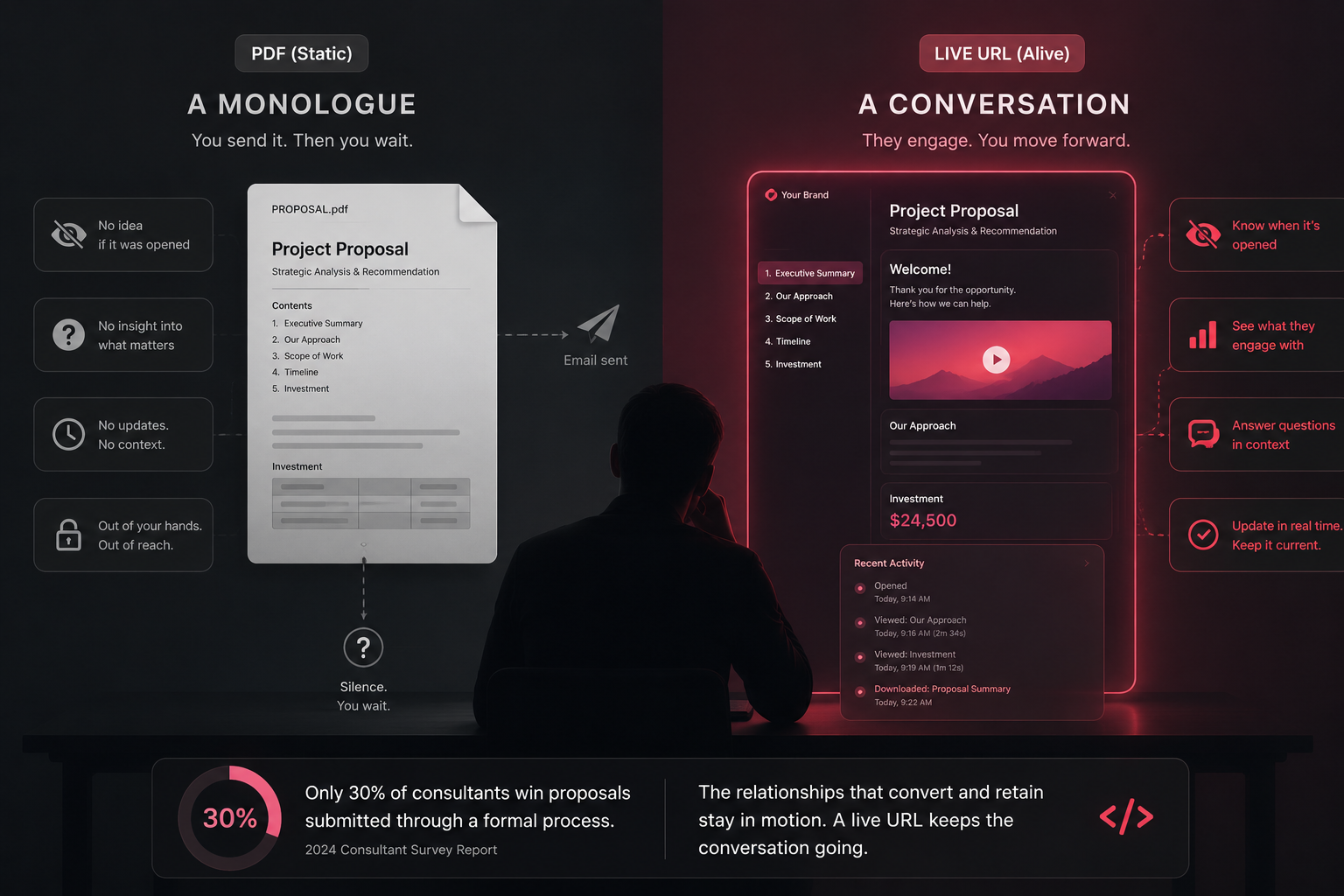
Only 30% of consultants win proposals submitted through a formal process (2024 Consultant Survey Report). The reasons are many. But one of them is structural: a PDF is a monologue. It says its piece and stops. The consulting relationships that convert and retain are the ones that stay in motion — where the client can see progress, check status, ask questions, and feel like they are inside the engagement rather than waiting outside it.
A live URL does that. A PDF never can.
Our goals for this article:
- Understand what actually changes when your deliverable is a URL instead of a file
- Build three formats: a live proposal, a live report, and a client portal
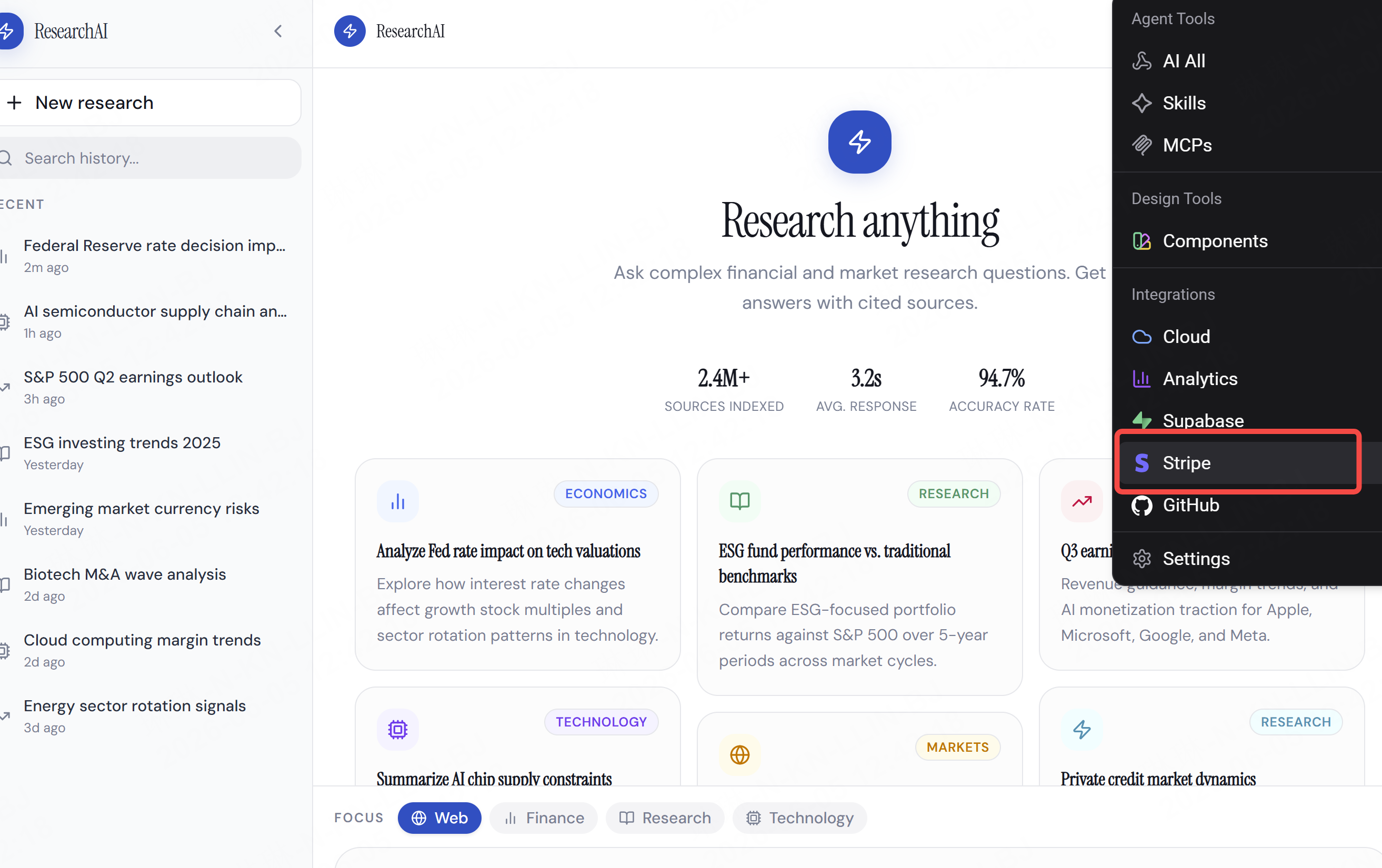
- Add payment directly into the deliverable with Stripe
- See how this changes the business model of consulting at every scale
What Changes When Your Deliverable Is Live
This is not about aesthetics. A nicer-looking PDF is still a PDF. The shift is functional.
| Live URL | ||
| Can you update it after sending? | No — resend a new version | Yes — update once, client sees it immediately |
| Do you know if they read it? | No | Yes — view tracking, time on page |
| Can they interact with it? | No | Yes — book a call, approve, pay, comment |
| Does it go out of date? | Immediately | Never — it reflects current data |
| Can you personalise per client? | Only by reprinting | Instantly, per URL |
| Can they pay from it? | No | Yes — Stripe embedded |
| Does it feel premium? | Increasingly, no | Yes — a URL in 2025 signals craft |
The deeper shift is relational. A PDF client receives a deliverable and the engagement ends. A portal client logs in, checks their metrics, sees what changed this week, and feels the engagement is ongoing — even if your billable hours are the same. That perception of continuity is what retainers are built on.
Format 1 — The Live Proposal
Replace the PDF attachment with a URL that does what a PDF cannot.
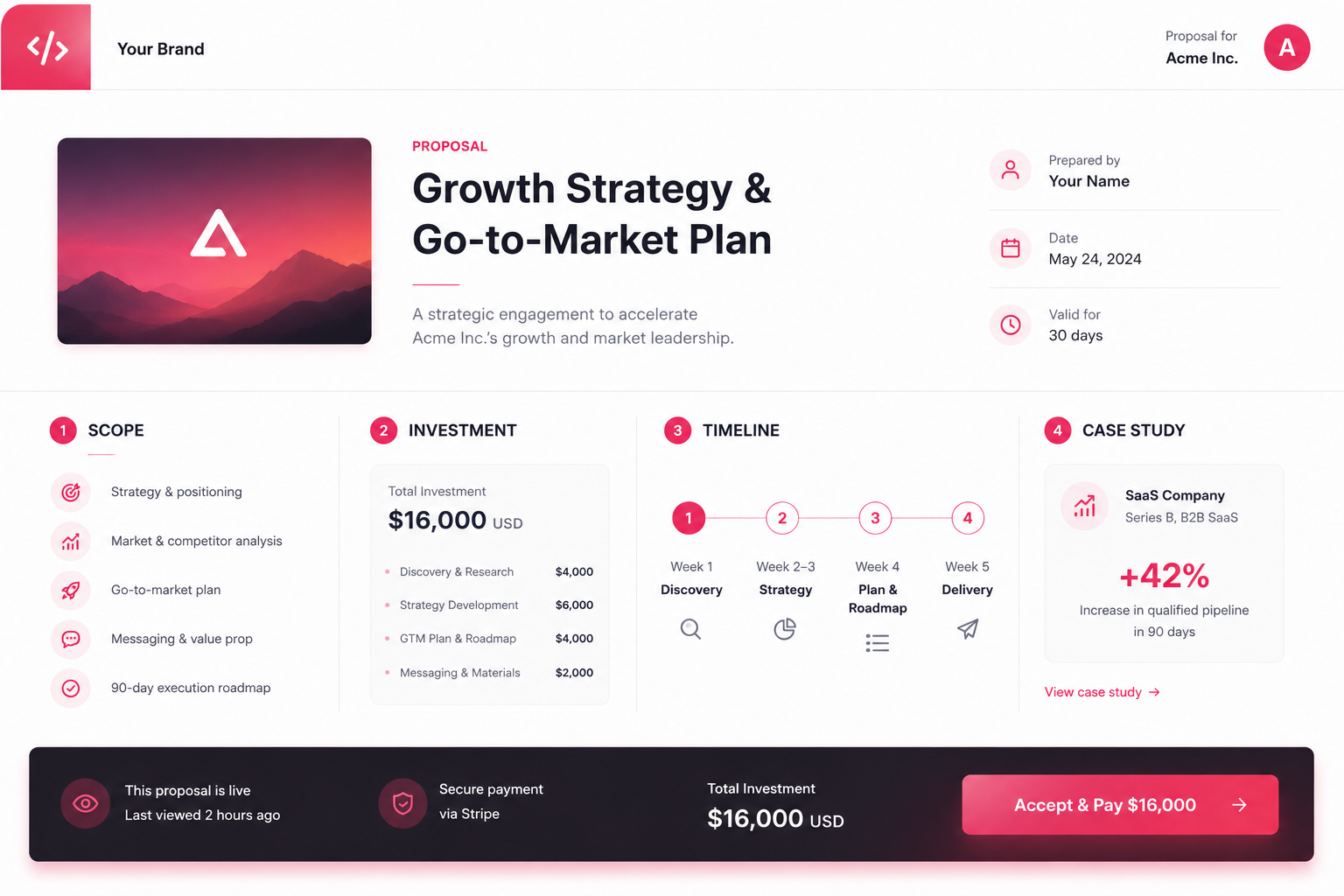
What a live proposal needs:
- Your scope of work, clearly structured
- Pricing with a clear breakdown
- Your timeline or process
- Social proof — a relevant case or result
- A single, clear action button: Book a Call or Accept & Pay
The difference from a PDF: when a client forwards your proposal internally — and they will — the recipient sees the same live version. If you update the pricing after a conversation, every link updates. If you add a case study that is more relevant to them, it appears. The document is never out of date.
Database structure:
| Table | Key columns |
| proposals | id, client_name, client_email, scope_text, price, status, created_at, viewed_at |
| proposal_sections | id, proposal_id, section_title, content, order_index |
Build prompt:
"Build a client proposal page. Clean, premium feel — white background, generous spacing, your branding in the header. Sections: a short hero with the client's company name and project title, scope of work with bullet points, investment breakdown table with line items and total, timeline as a horizontal step diagram, one case study block with a result headline and two-sentence description, and a fixed bottom bar with an 'Accept & Pay' button connected to Stripe for [your price]. Store each proposal as a row in the proposals table and update the viewed_at field when the page loads."
After sending, you will know the moment they open it. If the viewed_at timestamp never updates, follow up. If they opened it three times in one day and did not click Accept — call them.
Format 2 — The Live Report
The monthly PDF report is one of the most time-consuming deliverables in consulting. You pull data, format it, write a summary, export, send. The client glances at it. It goes into a folder. Next month you do it again.
A live report changes the dynamic entirely. The data updates automatically. The client can check it any time — not just when you send it. And your time goes into the insight layer, not the formatting layer.
What a live report needs:
- A summary section with the key metric or finding, written by you
- Charts and tables that pull from a database you update (or that update automatically)
- A timestamp showing when data was last refreshed
- An optional comments section for async questions
Database structure:
| Table | Key columns |
| report_data | id, client_id, metric_name, metric_value, period, updated_at |
| report_summaries | id, client_id, period, summary_text, published_at |
| client_comments | id, client_id, report_id, comment_text, created_at |
Build prompt:
"Build a monthly client report dashboard. Header with client logo placeholder and reporting period. Top row: three large KPI cards showing the three main metrics for this client — pull values from the report_data table filtered by the current period. Below: a line chart showing metric performance over the last six months. Below that: a 'Summary & Insight' section that displays the current entry from report_summaries — this is where I write the analysis. At the bottom: a comments section where the client can leave questions. Minimal design, dark header, white content area."
To update the report each month:
"Update the report_data table for [client name] with these new values for [period]: [paste your numbers]. Also update the report_summaries table with this month's insight text: [paste your summary]."
The client sees the update the moment you make it. No email needed. No new PDF version. The report is always the current one.
Format 3 — The Client Portal
The most valuable format — and the one that most directly changes the economics of consulting.
A client portal is a self-serve interface where clients can check project status, view deliverables, track milestones, and find answers without emailing you. In 2026, clients now expect a centralised hub for active engagements (Jobbers, 2026). The consultants and agencies offering one stand apart from those who do not.
What a client portal needs:
- Project status board — current phase, next milestone, percentage complete
- Deliverables section — links to live reports, approved proposals, completed work
- Timeline view — what was done, what is upcoming
- A message or request form — so client questions have a home that is not your inbox
Database structure:
| Table | Key columns |
| projects | id, client_id, project_name, status, phase, percent_complete, start_date, end_date |
| milestones | id, project_id, title, due_date, completed, completed_at |
| deliverables | id, project_id, title, type, url, delivered_at |
| client_requests | id, project_id, request_text, status, created_at |
Build prompt:
"Build a client project portal. The client logs in with their email. They see their active project: a status bar showing current phase and percentage complete, a milestone timeline showing completed and upcoming items with dates, a deliverables section with links to each piece of completed work, and a request form at the bottom. Clean and professional — white background, your brand color as the accent. Pull project data from the projects, milestones, and deliverables tables filtered by their client_id."
Adding Stripe: When the Deliverable Is Also the Invoice
The proposal format is the clearest use case. But Stripe can live anywhere in your client-facing tool.
Three places it fits naturally:
Adding Stripe to a proposal prompt:
"Add a Stripe payment integration to the proposal page. The 'Accept & Pay' button triggers a Stripe checkout for $[amount]. On successful payment, update the proposal status in the database to 'accepted', show a confirmation message on the page, and send a confirmation email via [your email service]."
The client pays. Your database updates. You get notified. No invoice email. No chasing. The deliverable handled the entire close.
The Business Model Shift
Here is the insight that matters beyond the build.
A PDF deliverable is priced as a one-time output. You spend time, you produce a document, you invoice for it. That is a transaction.
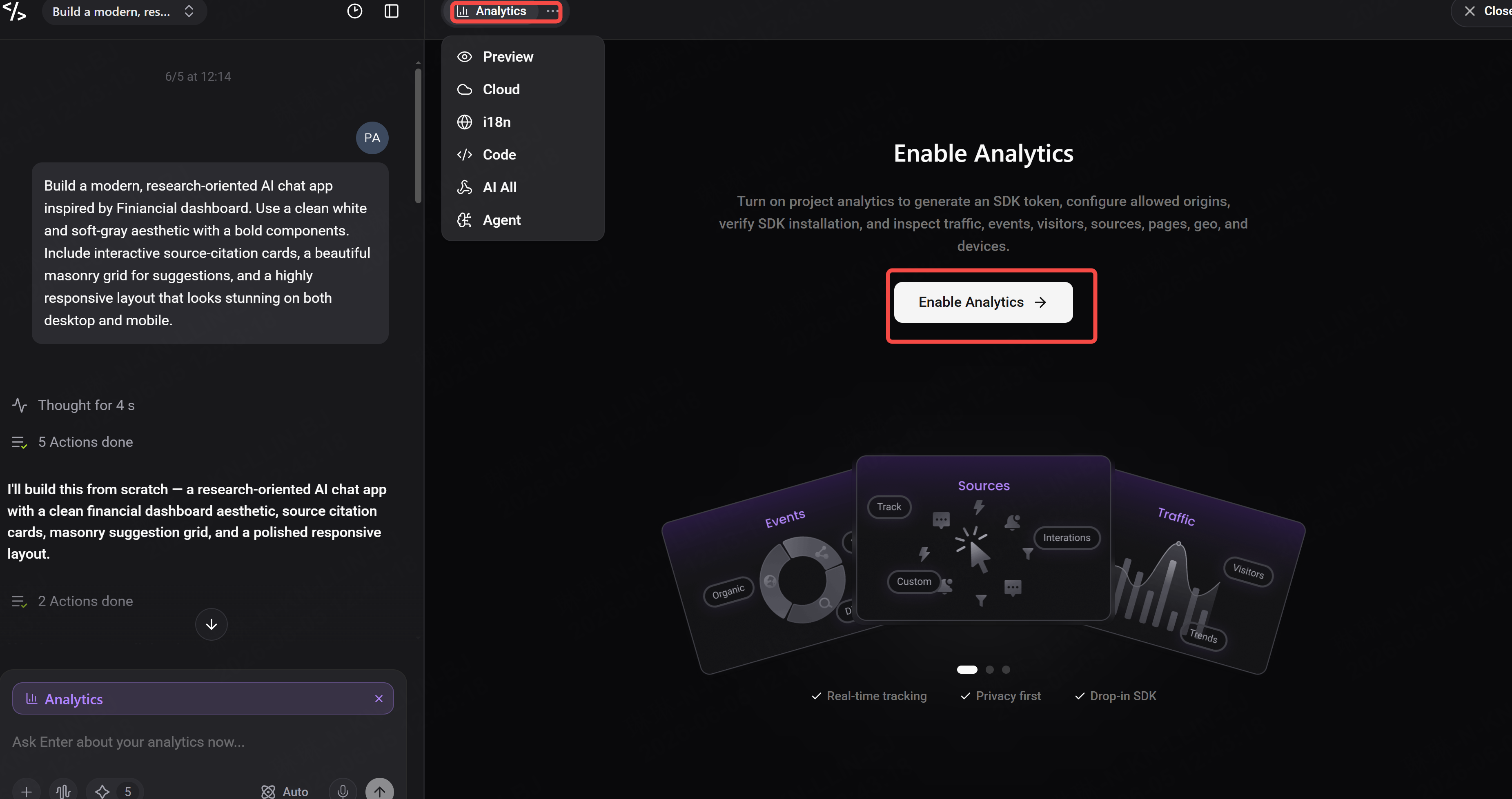
You can also add up the analytics directly on Enter to monitor your page natively:
A portal deliverable opens the door to a different pricing model entirely. Because the portal is live — because it requires your ongoing input to stay current and useful — it creates a natural justification for a retainer. The client is not paying for a document. They are paying for access to a live view of their business that you maintain.
Some consultants charge separately for portal access. Others include it as the reason the retainer exists. Either way, the shift from PDF to URL is a shift from transaction to relationship — and relationships retain at a fundamentally different rate than transactions do.
Build the portal once. Charge for it every month.