How to Build a Student Portfolio That Gets You Hired
Learn how to build a student portfolio that stands out. Discover what to include, how to showcase your work, and how to publish on a custom domain fast.
You are about to enter one of the most competitive job markets in recent memory — and the only thing standing between you and the shortlist is whether the person reviewing your application can actually see what you are capable of.
A CV tells them what you have done. A portfolio shows them how you think.
Most students know this. Most students still do not have a portfolio. And the ones who do often have something that looks like everyone else's — a template that screams "I picked a free theme and filled in the blanks."
This article is about building the real thing. A site that reflects your work, has your name on a real domain, and gives the person reading it a reason to reach out.
Our goals for this article are simple:
- Understand why most student portfolios do not work — and what the ones that do have in common
- Know exactly what to put on yours, regardless of your field
- Build and publish it on Enter, with a custom domain, in one session
Why Most Student Portfolios Do Not Work
Before building, it is worth understanding what goes wrong.
| The mistake | Why it fails |
| A generic template | Looks like everyone else's — no point of view |
| Listing skills without showing them | Anyone can write "proficient in Python" — show a project |
| A LinkedIn link instead of a real site | LinkedIn is a network, not a portfolio |
| A PDF CV uploaded as a webpage | A PDF is not a portfolio |
| No domain — just a platform subdomain | signals "I did the minimum" |
| Never updated after the first build | Outdated work is worse than no work |
The underlying problem: most student portfolios describe the person. The ones that get people hired reveal the person — the way they think, the choices they make, what they care about.
What a Portfolio That Actually Gets You Hired Looks Like
A hiring manager or recruiter spends less than 30 seconds on a first pass. In those 30 seconds, your portfolio needs to answer three questions:
- Who is this person? — One clear sentence that explains what you do and what you are looking for
- What have they actually built or done? — Two to four projects with context, not just titles
- How do I reach them? — Contact, clearly placed
That is the entire job. Everything else is decoration.
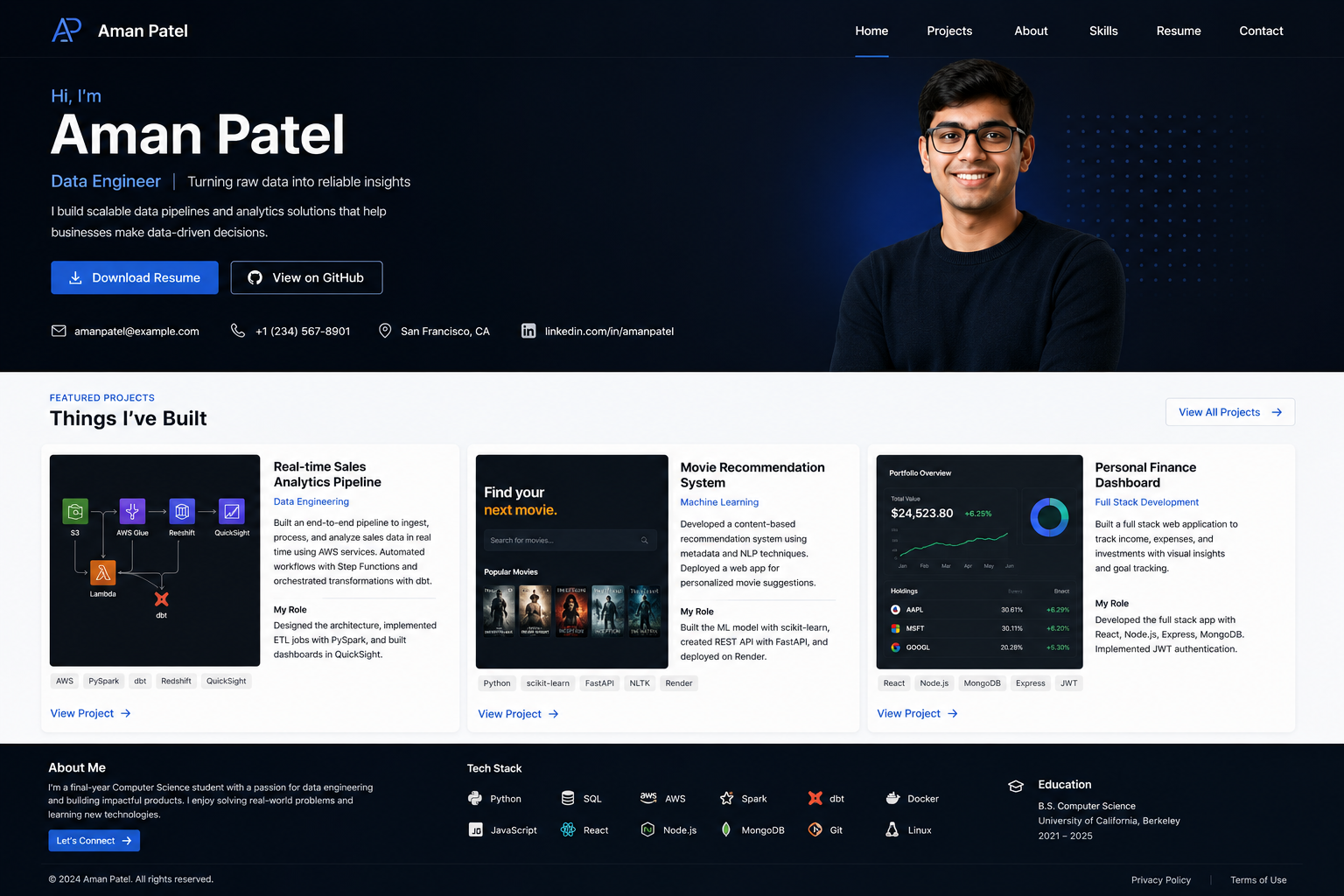
What distinguishes a strong student portfolio:
- ✅ Shows work, does not just list it
- ✅ Has a point of view — the design itself says something about you
- ✅ Explains your role specifically ("I built the data pipeline" not "I worked on a team project")
- ✅ Lives on a real domain (yourname.com, not a platform subdomain)
- ✅ Loads fast and works on mobile
- ✅ Is short — three strong projects beat ten weak ones
Step 1 — Know What You Need Before You Build
Before opening Enter, answer three questions:
Who will read this?
| Reader | What they care about |
| Recruiter | Can I place this person? What's their focus? |
| Hiring manager | Can they do the job? Do they think clearly? |
| Professor / Program | Does their work meet the standard? |
What do you want them to feel after 30 seconds? Not impressed — clear. The best portfolios do not dazzle, they communicate. The reader should know exactly who you are and what you are good at before they have scrolled halfway down.
What is the one thing you want to be known for? You are a student, not a ten-year veteran — you do not need to show everything. Pick a direction. A portfolio that says "I build data tools for non-technical users" is more memorable than one that says "I know Python, Java, Figma, Excel, and project management."
Step 2 — Gather Your Content First
Build the content before you build the site. Trying to write your About section while you are also adjusting spacing is how you end up with a portfolio that says nothing.
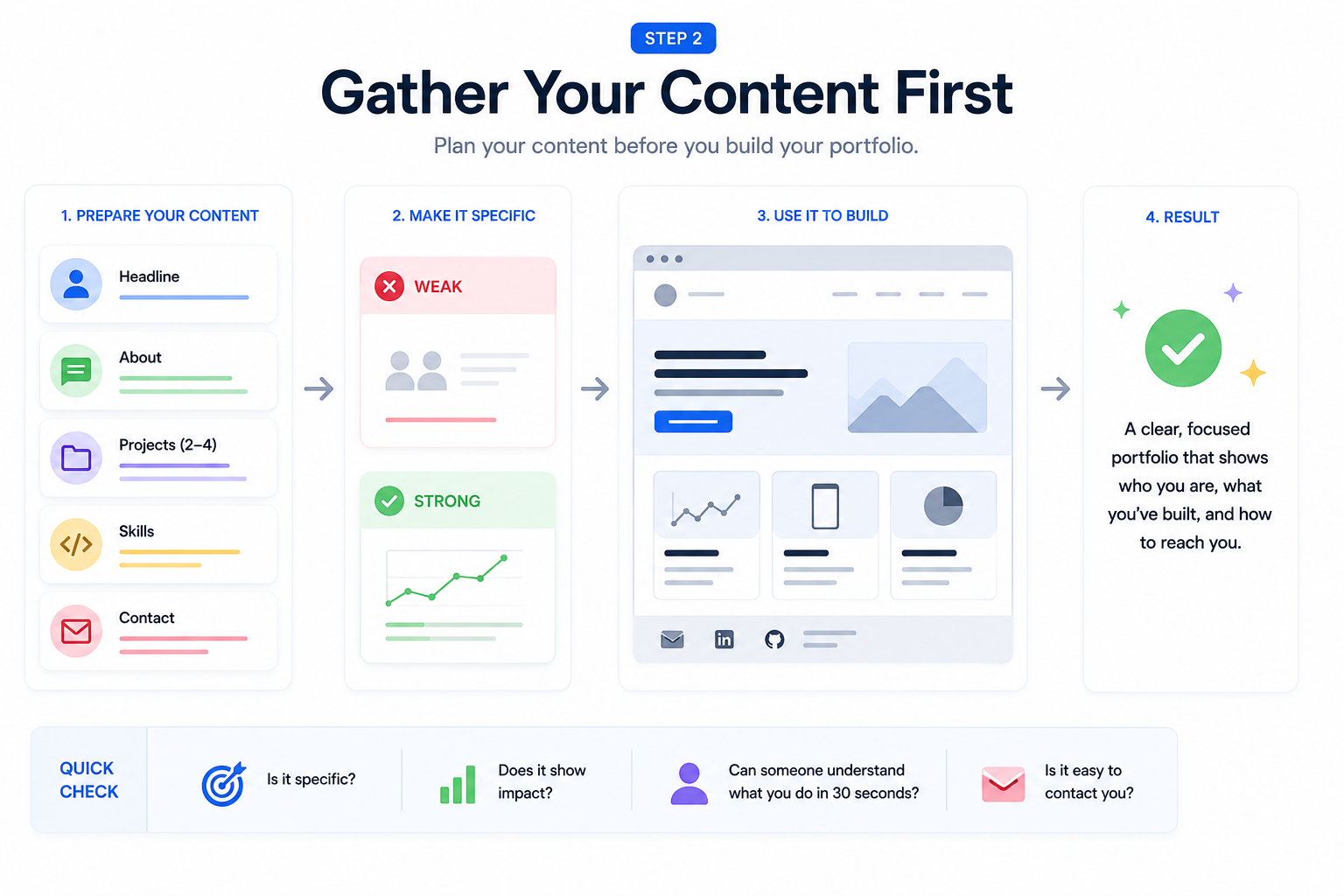
What to prepare:
| Section | What it needs |
| Headline | One sentence: who you are + what you are looking for. "Computer science student specializing in data visualization, looking for a summer internship in product." |
| About | Two to three sentences. Not your CV summary — your perspective. Why do you build what you build? What problems interest you? |
| Projects (2–4) | For each: title, one-line description, what you specifically did, the outcome or what it demonstrates, and a link if it is live |
| Skills | Short, honest, specific — only include things you could be asked about in an interview |
| Contact | Email, LinkedIn, GitHub if relevant. One clear call to action. |
What your projects need to say:
| ❌ Weak | ✅ Strong |
| "Group project for data structures class" | "Built a graph visualization tool in Python that reduced manual mapping time by 60% — my role was the backend logic and the user interface" |
| "Designed a mobile app" | "Designed the onboarding flow for a food-sharing app — focused on reducing drop-off at the permission-request step" |
| "Internship at Company X" | "Built internal reporting dashboards for the marketing team at Company X — replaced a manual Excel process used by 12 people" |
The difference is specificity. Name what you did. Name what it did.
Step 3 — Build It on Enter
Open Enter. Write a prompt that describes:
- What kind of work you do (design, engineering, business, research)
- The feeling you want (professional, editorial, minimal, bold, warm)
- The structure you need (hero → about → projects → contact)
- Your visual direction (colors, typography, density)
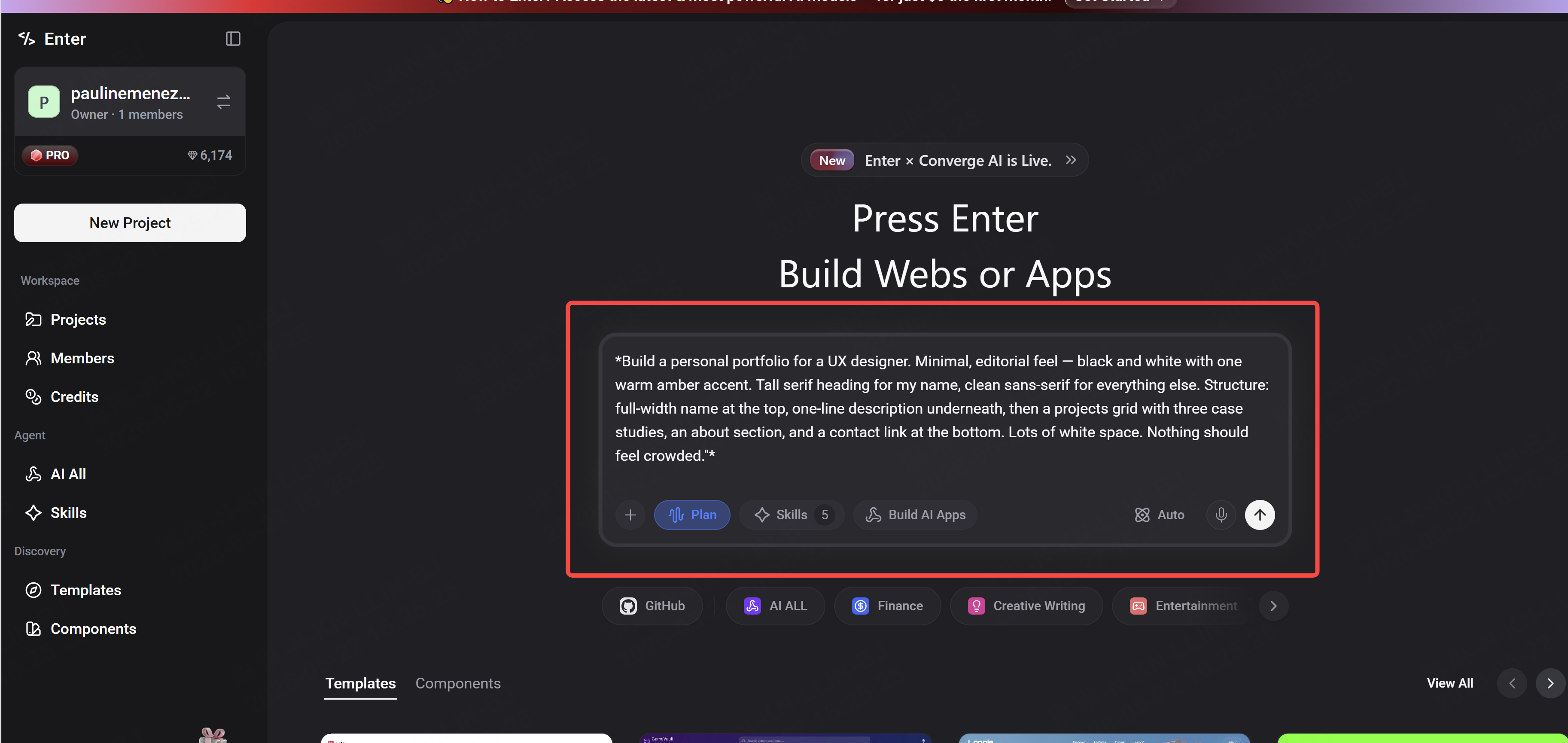
Example prompt for a design student:
"Build a personal portfolio for a UX designer. Minimal, editorial feel — black and white with one warm amber accent. Tall serif heading for my name, clean sans-serif for everything else. Structure: full-width name at the top, one-line description underneath, then a projects grid with three case studies, an about section, and a contact link at the bottom. Lots of white space. Nothing should feel crowded."
Example prompt for an engineering student:
"Build a portfolio for a software engineering student. Clean and technical — dark background, white text, green code-style accent. Structure: short intro, featured project with screenshot, three more projects listed with GitHub links, skills section, contact. Feels confident and straightforward — no unnecessary decoration."
Once something generates, use the Visual Editor to close the gap between what appeared and what you have in your head:
- Click any element to adjust font size, color, spacing, or layout directly
- No new prompt needed for small changes
- Use it for the last 20% — AI gets you there fast, the Visual Editor makes it precise
Step 4 — Connect a Custom Domain
This is the step most students skip. It is the one that matters most to a first impression.
The difference is immediate:
| ❌ Platform subdomain | ✅ Custom domain |
| yourname.wixsite.com/portfolio | yourname.com |
| Signals: I did the minimum | Signals: I take this seriously |
| Free — and it looks it | Free for our Enter Pro users |
A custom domain costs roughly what you spend on one lunch per month. It is the cheapest professional upgrade available to a student.
Naming your domain:
| Format | Works well for |
| firstname-lastname.com | Most students — clean, direct, searchable |
| firstnamelastname.com | If the hyphenated version is taken |
| firstname.design (or .dev, .io) | If your field has a recognized extension |
In Enter, connecting a custom domain takes a few minutes. Buy the domain, follow the connection steps in your project settings, and your portfolio is live at your own address.
Step 5 — Publish, Share, and Keep It Updated
When it feels right, hit publish. Enter deploys instantly — no configuration, no waiting.
Then:
- Add the URL to your CV, your LinkedIn, and your email signature
- Send it to one person whose opinion you trust — watch them navigate it for 60 seconds
- Note where they slow down or hesitate — that is what to fix next
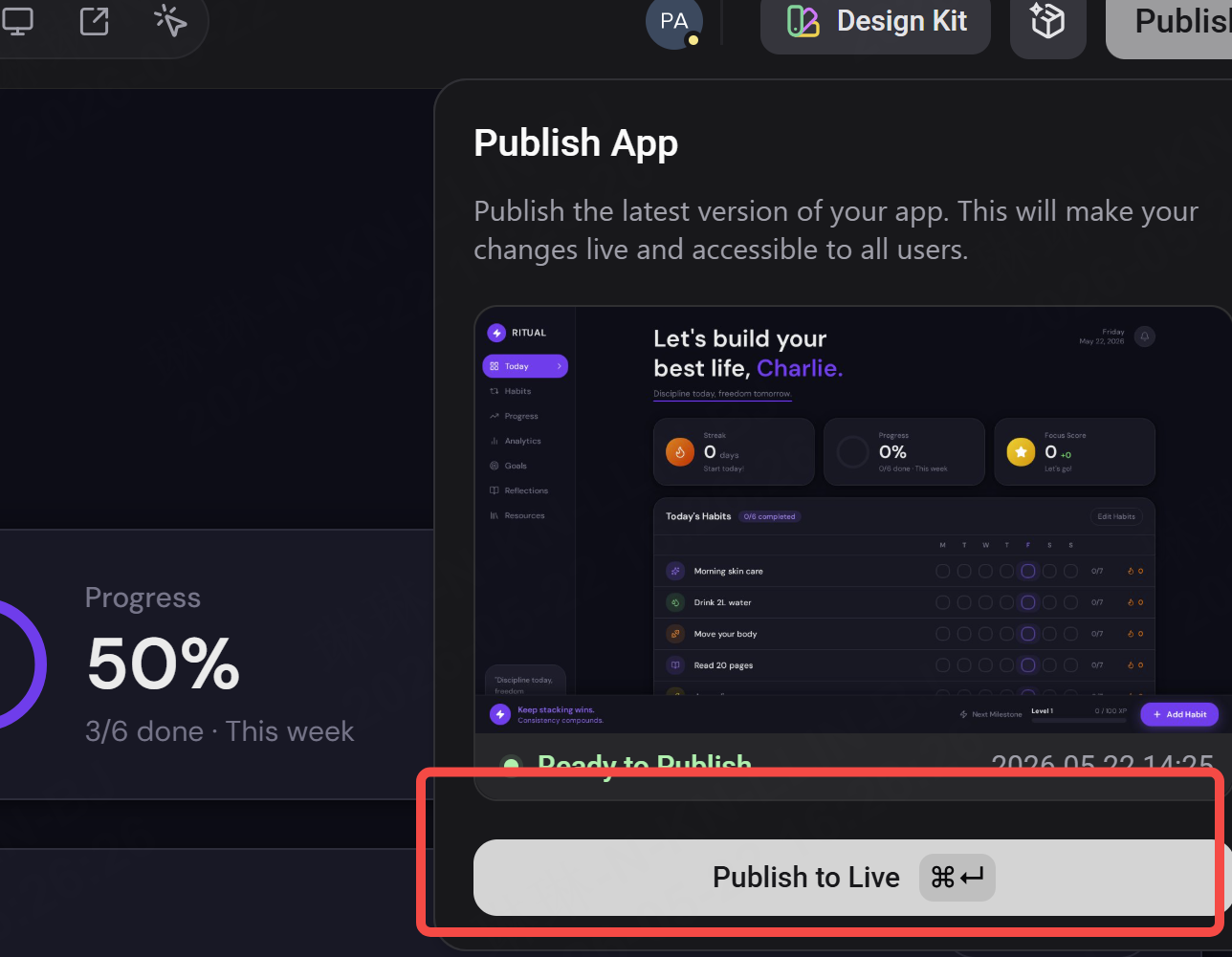
A portfolio is not done when you publish it. It is done when you get hired — and then you update it again. Set a reminder every three months to check:
- Is your featured project still your best work?
- Have you completed anything worth adding?
- Does the contact information still work?
A portfolio that shows growth over time is more compelling than a perfect static snapshot.
See you soon !