How to Build a Real Estate Listing Tool for Independent Agents
Learn how to build your own property listing tool as an independent agent. Capture leads, showcase listings, and own your data — no developer needed.
There is a version of independent real estate that looks like this: you close a deal, you pay a referral fee, you pay your brokerage split, you pay your CRM subscription, you pay your IDX feed provider, you pay the lead generation platform — and somewhere in what remains, there is a business.
The platforms that agents depend on were not built for independent agents. They were built for volume. For teams. For the largest brokerages in the country. The independent agent — the one who knows every street in their zip code, who has built their reputation over a decade of handshakes — pays enterprise prices for a tool where their brand is a footnote.
This article is about building the alternative. A property listing tool that is yours, runs on your domain, captures leads directly, and tracks inquiries without a middleman.
No developer required. One weekend to build it.
Our goals for this article:
- Understand what a functional agent listing tool actually needs
- Build property pages, lead capture, and inquiry tracking on Enter
- Deploy it under your own domain for a fraction of what the platforms charge
What Independent Agents Are Currently Paying

The math on enterprise real estate platforms is worth looking at directly:
| Platform type | Typical monthly cost | What you control |
| IDX website + CRM bundle | $300–$600/month | Almost nothing — their template, their branding |
| Lead generation platforms | $500–$2,000+/month | Your budget, not your leads |
| Premium listing placements | $300–$1,000+/month per zip code | Visibility on their platform, not yours |
| Custom developer-built site | $5,000–$20,000 upfront | Everything — but only after a long build |
What most of these give you: your listings live inside someone else's ecosystem. The lead that comes in through Zillow is a Zillow lead first. Your branding is secondary. Your data lives in their database. If you stop paying, it disappears.
What you actually need is simpler — and entirely buildable.
What Your Listing Tool Needs to Do
Before building, define the brief. A functional independent agent tool has five jobs:
| Feature | What it does | Why it matters |
| Property pages | One page per listing — photos, price, details, description | Your listings, your brand, your URL |
| Search and filter | Let visitors narrow by price, bedrooms, location, type | Buyers expect to filter — if they can't, they leave |
| Lead capture | A contact form on every listing | Every inquiry goes directly to you, not to a platform |
| Inquiry tracking | A database that logs who asked, about what, and when | Replaces the chaos of an email inbox |
| Your branding | Your name, your colors, your domain | This is your business — it should look like it |
That is the entire product. Nothing else is required at launch.
Step 1 — Write Your Brief
Before opening Enter, answer three questions. These become your first prompt.
Who is this for? Your buyers and renters — people actively looking in your market. They are searching on their phone, comparing multiple listings, and deciding in seconds whether to reach out. The experience needs to be fast, clear, and easy to contact you from.
What is your market? Your listings tool should feel like your market. A luxury agent in a coastal city and a family-home specialist in a mid-sized market have different audiences with different expectations. Name your niche — it shapes every design decision.
What does your branding look like?
- Your colors (even approximate — "deep navy and warm gold" is enough)
- Your typography direction (professional and traditional, or clean and modern?)
- Your tone (formal and authoritative, or approachable and local?)
Step 2 — Build Your Property Pages
Open Enter and write a prompt that describes the listing experience you want.
Example prompt:
"Build a real estate listing website for an independent agent specializing in family homes in suburban markets. Clean, professional, trustworthy. Navy and white with warm gold accents. Each listing has a full-width photo gallery at the top, followed by the property details — price, bedrooms, bathrooms, square footage, address — then a full description, and a contact form at the bottom. Navigation has my name/logo on the left and a 'View All Listings' link on the right. The homepage shows a grid of active listings with a search bar that filters by price range and number of bedrooms."
What each property page needs:
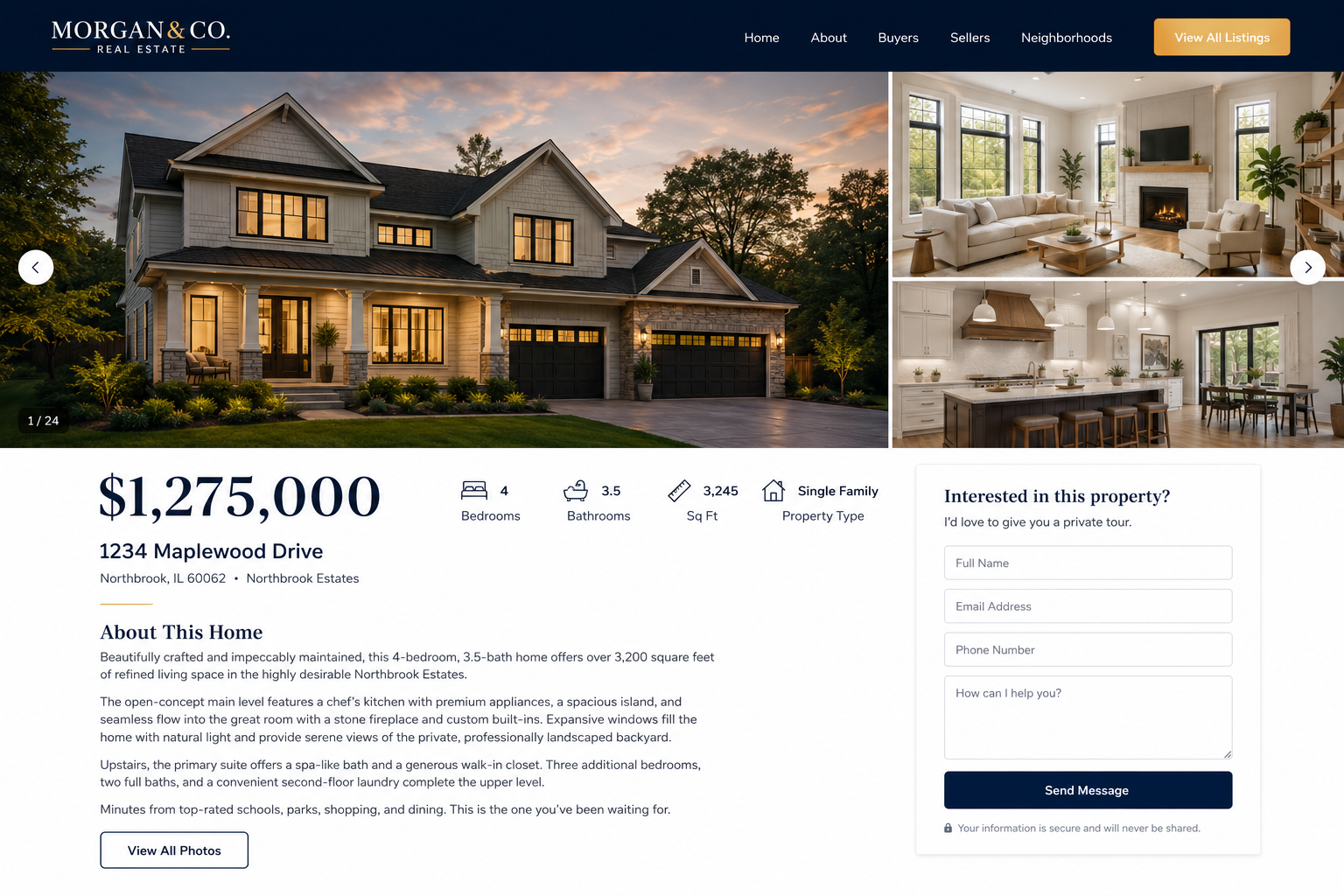
| Field | Notes |
| Photos | Full-width gallery — first image is the hero |
| Price | Large, prominent — first thing the eye finds |
| Key stats | Bedrooms, bathrooms, square footage, property type |
| Address | With neighborhood context if relevant |
| Description | Written by you — this is where voice matters |
| Contact form | Name, email, phone, message — directly to your inbox |
Once the structure generates, use the Visual Editor to close the gap between what appeared and what you want:
- Click on the price display to make it larger or bolder
- Adjust the photo gallery layout
- Fine-tune the spacing between sections so nothing feels crowded
Step 3 — Set Up Enter Cloud DB for Listings and Inquiries
This is where Enter Cloud DB changes the game. Instead of managing listings in a spreadsheet and tracking inquiries in your email inbox, everything lives in one connected database.
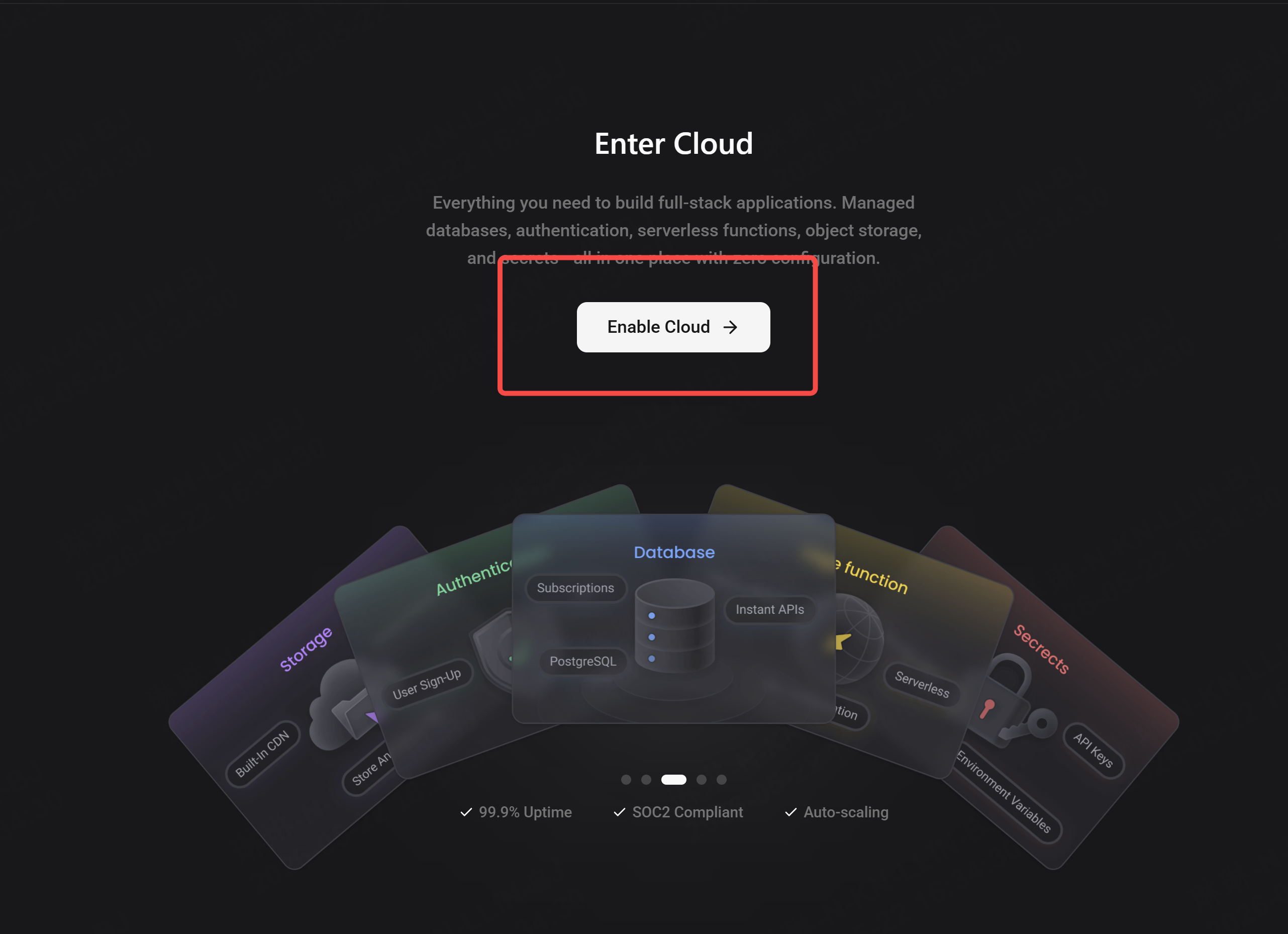
Two tables that Enter will set up:
Listings table — one row per property:
| Field | Type |
| Property address | Text |
| Price | Number |
| Bedrooms | Number |
| Bathrooms | Number |
| Square footage | Number |
| Status | Active / Under offer / Sold |
| Description | Long text |
| Photos | File / URL |
| Date listed | Date |
Inquiries table — one row per lead:
| Field | Type |
| Name | Text |
| Text | |
| Phone | Text |
| Property they asked about | Linked to Listings |
| Message | Long text |
| Date received | Date |
| Status | New / Contacted / Qualified / Closed |
When a visitor submits the contact form on a listing page, their inquiry goes directly into the Inquiries table — linked to the exact property they asked about. No more searching your inbox for "which house did this person mean?"
What this gives you:
- Every lead is logged automatically
- You can see which listings are generating the most inquiries
- You can track where every lead is in your follow-up process
- You own the data — it lives in your Enter project, not on a platform
Step 4 — Add Lead Capture That Actually Converts
Every listing page should have a contact form. But where the form sits and what it says matters more than most agents realize.
What converts vs what does not:
| ❌ Common mistake | ✅ Better approach |
| Generic "Contact me" form at the bottom | Property-specific form: "Ask about [address]" |
| Asking for everything upfront (10 fields) | Three fields maximum at first — name, email, message |
| No confirmation after submission | Immediate confirmation message + email auto-reply |
| Form that looks like every other form | Form styled to match your brand — makes it feel trustworthy |
The lead capture formula:
- Short headline: "Interested in this property?"
- Three fields: name, email, message (phone optional — do not require it)
- One clear button: "Send Enquiry" or "Get More Details"
- Confirmation message: "Thanks [name] — I will be in touch within 24 hours."
Step 5 — Deploy on Your Own Domain
This is the step that separates a professional tool from a side project.
The comparison:
| ❌ Platform subdomain | ✅ Your own domain |
| yourname.enter.pro | yourname-realty.com |
| yourname.wixsite.com/listings | janesmith-properties.com |
| Signals: this is temporary | Signals: this is a real business |
A domain is free for our Enter Pro users. It takes five minutes to connect in Enter. The difference in perception is immediate.
Naming your domain:
| Format | Works well when |
| firstname-lastname-realty.com | Your name is your brand |
| [neighborhood]-homes.com | You are positioning as the local expert |
| [city]propertygroup.com | You are building toward a team |
Once deployed, your listing tool is live, indexed by search engines, and shareable with a URL that is yours — not rented from a platform.
Step 6 — Keep It Updated
A listing tool is only useful if it is current. Set a simple rhythm:
| When | What to update |
| New listing | Add to database → page publishes automatically |
| Under offer | Update status field → page reflects it |
| Sold | Mark as sold → move to archive or remove from main feed |
| Every month | Review inquiry status — follow up on anything marked New |
The database does the heavy lifting. You maintain the data.
What You Have Built
At the end of this session, you have:
- ✅ A branded listings website on your own domain
- ✅ Individual property pages with photos, details, and contact forms
- ✅ A live database of all your listings and their status
- ✅ An inquiry log that captures every lead automatically
- ✅ A tool you own completely — no platform fees, no middleman
What you are paying: your Enter subscription and a domain name. What you are not paying: $500–$2,000 per month to a platform that puts your brand in second place.
See you soon!