How to Build an Education Tool Around What You Know
Learn how to build a quiz app, flashcard system, or structured guide using Enter Cloud DB and AI. Discover business models and prompts to launch your education tool.
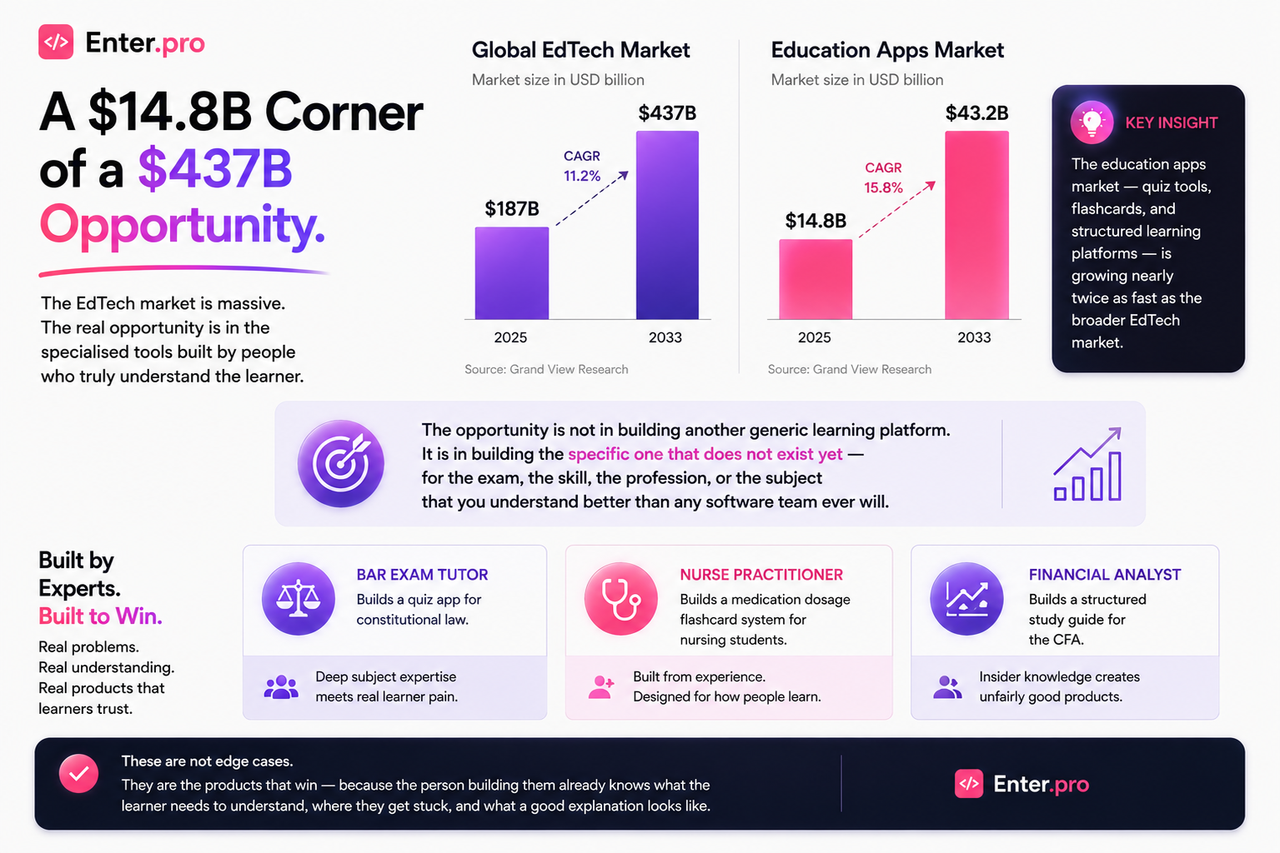
Duolingo crossed $1 billion in revenue in 2025. It is, at its core, a quiz and flashcard app. The market is not the constraint. The specificity is.
This article covers both halves: how to build it, and how to make it a business.
Our goals for this article:
- Choose the right format for your knowledge — quiz app, flashcard system, or structured guide
- Understand the business models that work for education tools at different stages
- Build a working version on Enter with Cloud DB and AI Agent
- Leave with specific prompts for each type of tool
Three Formats — Pick One to Start
Education tools tend to work best when they do one thing well. Here are the three most buildable formats and when each one fits:
| Format | Best for | Core mechanic | Example |
| Quiz app | Exam prep, certification, compliance training | Questions, scoring, progress tracking | Bar exam prep, CFA practice, food safety certification |
| Flashcard system | Vocabulary, concepts, terminology, memorisation | Spaced repetition, card flipping, deck management | Medical terminology, language learning, legal definitions |
| Structured guide | Step-by-step skills, processes, frameworks | Chapters, checkpoints, progress tracking | How to close your first sales deal, how to read a balance sheet |
Pick the format that matches how your knowledge is best transferred. If the learner needs to recall information under pressure — quiz or flashcard. If they need to follow a process and understand a sequence — structured guide.
The build steps differ slightly. This article will walk through all three.
The Business Model First
Most builders think about monetisation after they build. The mistake is that your business model shapes what you build — the features you need, the database structure, the user flow. Decide this before you write your first prompt.
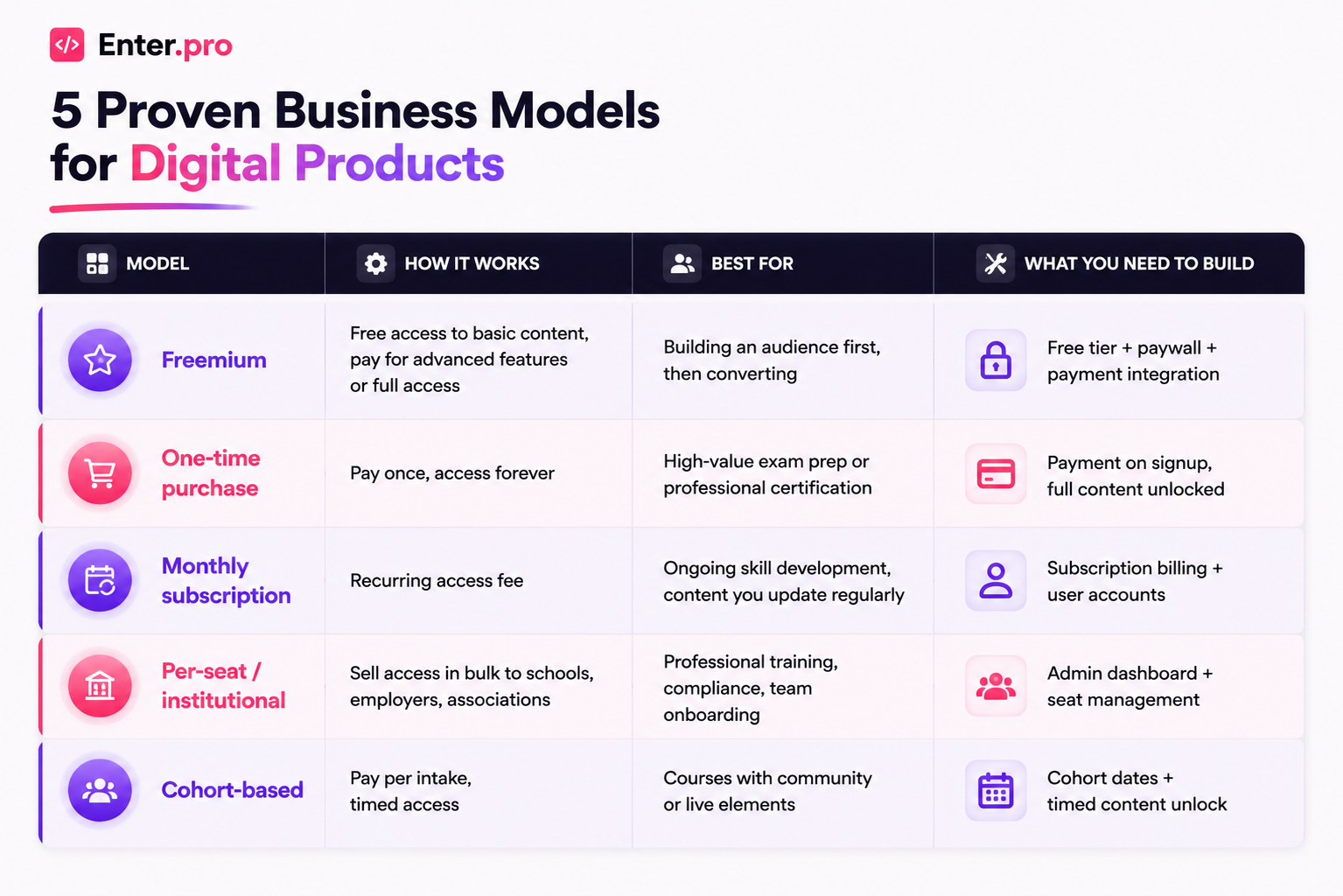
The fastest to ship: one-time purchase or freemium. Both require user accounts and a payment layer — Enter's Cloud DB handles the user side, and Stripe integration handles the payment.
The highest long-term revenue: subscription or institutional. Both require more infrastructure but generate predictable recurring income.
For a first version, start with freemium or one-time purchase. Prove the content works. Then layer subscription on top.
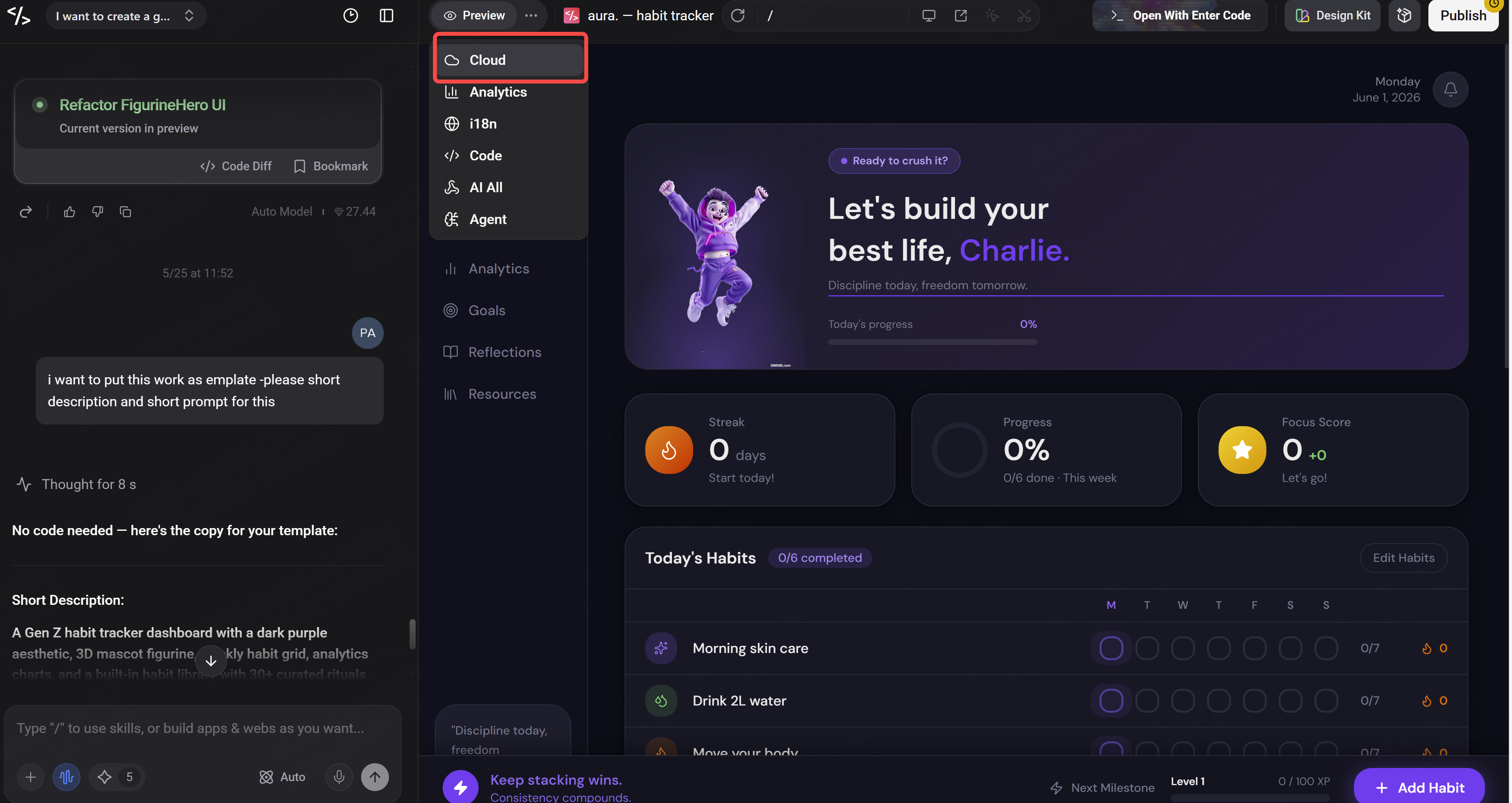
What Enter Cloud DB Does Here
Enter Cloud DB is the database layer that makes your education tool a real product — not a prototype.
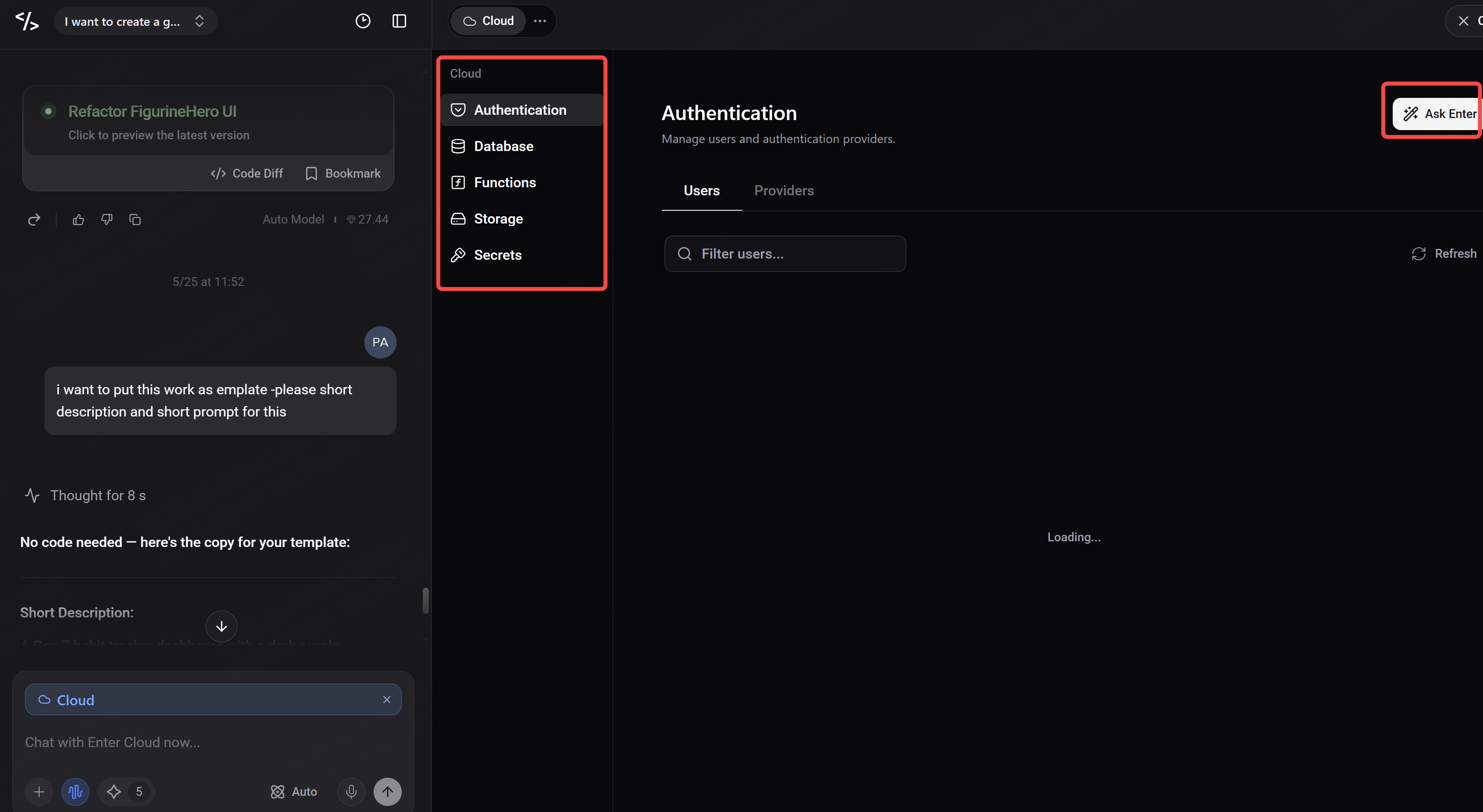
It stores:
- User accounts — who has access, what they have paid for, when their access expires
- Progress data — which questions answered, which cards reviewed, which chapters completed
- Content — your questions, cards, or guide sections, structured and queryable
- Results — scores, streaks, performance over time
Without a database, your tool resets every session. With Enter Cloud DB, it remembers. That memory is what turns a one-time build into a product people pay for and return to.
Build 1 — Quiz App
What it needs:
- A question bank stored in your database
- A quiz flow: question → answer → score → next
- User progress tracking: which questions answered, overall score, weak areas
- A results screen with performance breakdown
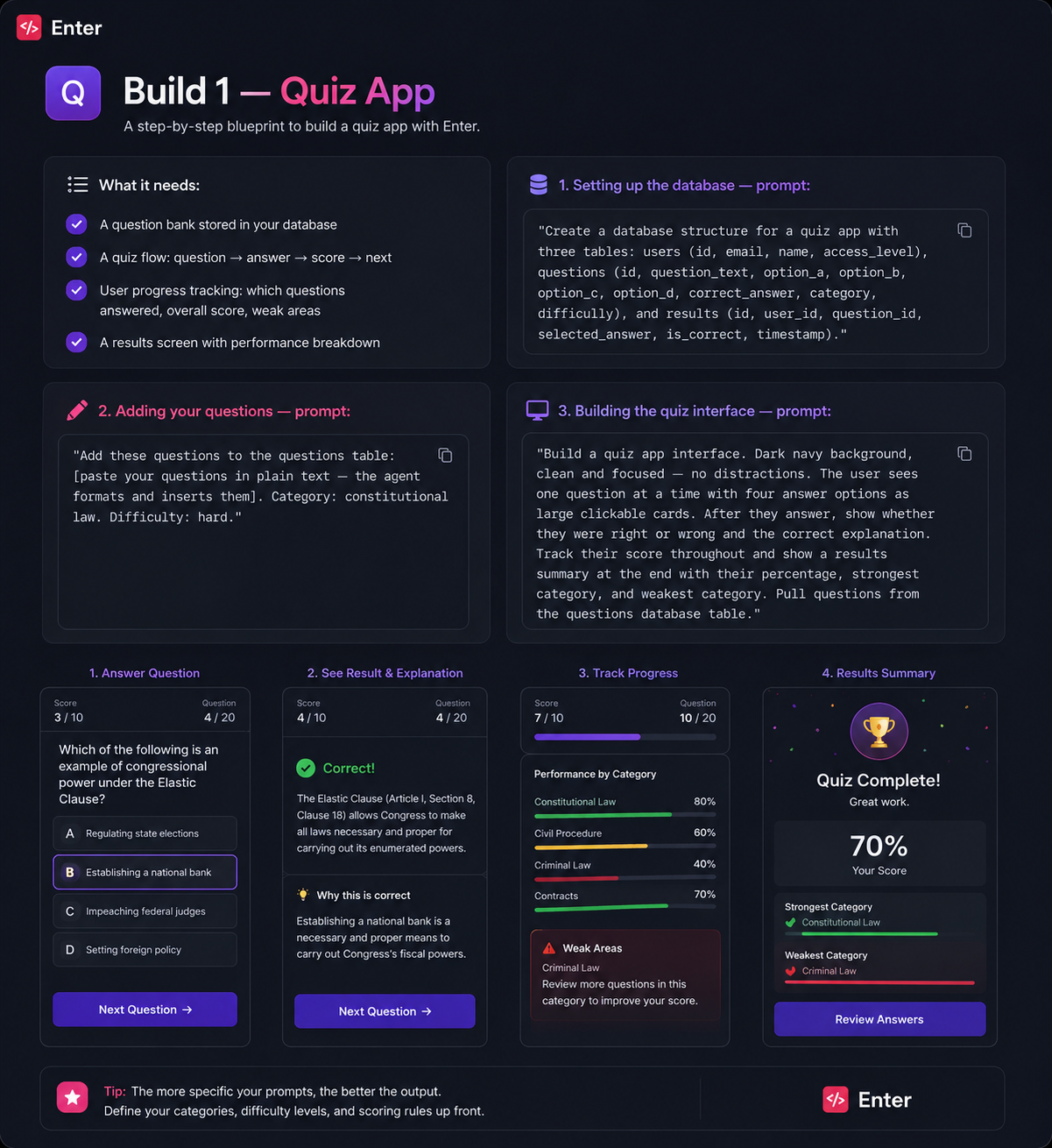
Setting up the database — prompt:
"Create a database structure for a quiz app with three tables: users (id, email, name, access_level), questions (id, question_text, option_a, option_b, option_c, option_d, correct_answer, category, difficulty), and results (id, user_id, question_id, selected_answer, is_correct, timestamp)."
Adding your questions — prompt:
"Add these questions to the questions table: [paste your questions in plain text — the agent formats and inserts them]. Category: constitutional law. Difficulty: hard."
Building the quiz interface — prompt:
"Build a quiz app interface. Dark navy background, clean and focused — no distractions. The user sees one question at a time with four answer options as large clickable cards. After they answer, show whether they were right or wrong and the correct explanation. Track their score throughout and show a results summary at the end with their percentage, strongest category, and weakest category. Pull questions from the questions database table."
Build 2 — Flashcard System
What it needs:
- A card database with front (term/question) and back (definition/answer)
- Deck organisation by topic or difficulty
- A flip interaction
- Spaced repetition logic: cards you get wrong appear more frequently
Setting up the database — prompt:
"Create a database with two tables: decks (id, name, description, category) and cards (id, deck_id, front_text, back_text, difficulty, times_reviewed, times_correct). Also create a user_progress table (id, user_id, card_id, last_reviewed, next_review_date, ease_factor) for spaced repetition tracking."
Building the flashcard interface — prompt:
"Build a flashcard app. Clean white background, minimal design — nothing competes with the card. The card is large and centered. Front shows the term, click to flip and reveal the definition. After seeing the answer, the user marks it as Easy, Hard, or Again. Use that input to adjust when the card appears next — cards marked Again appear within the same session, Hard within 24 hours, Easy in 3 days. Show a progress bar and a streak counter at the top."
Build 3 — Structured Guide
What it needs:
- A content structure: chapters, sections, key concepts
- Progress tracking: which sections completed
- Checkpoints: short questions to confirm understanding before moving on
Setting up the database — prompt:
"Create a database with three tables: chapters (id, title, description, order_index), sections (id, chapter_id, title, content_text, order_index), and user_progress (id, user_id, section_id, completed, completed_at)."
Building the guide interface — prompt:
"Build a structured learning guide. Left sidebar shows all chapters and sections with a progress indicator for each. Main panel shows the current section content with clean typography — readable, spacious, not cramped. At the bottom of each section, a short checkpoint question must be answered before the next section unlocks. Track completion in the user_progress table and show overall progress at the top."
Adding the Payment Layer
For any of the three formats, adding a payment gate follows the same pattern in Enter:
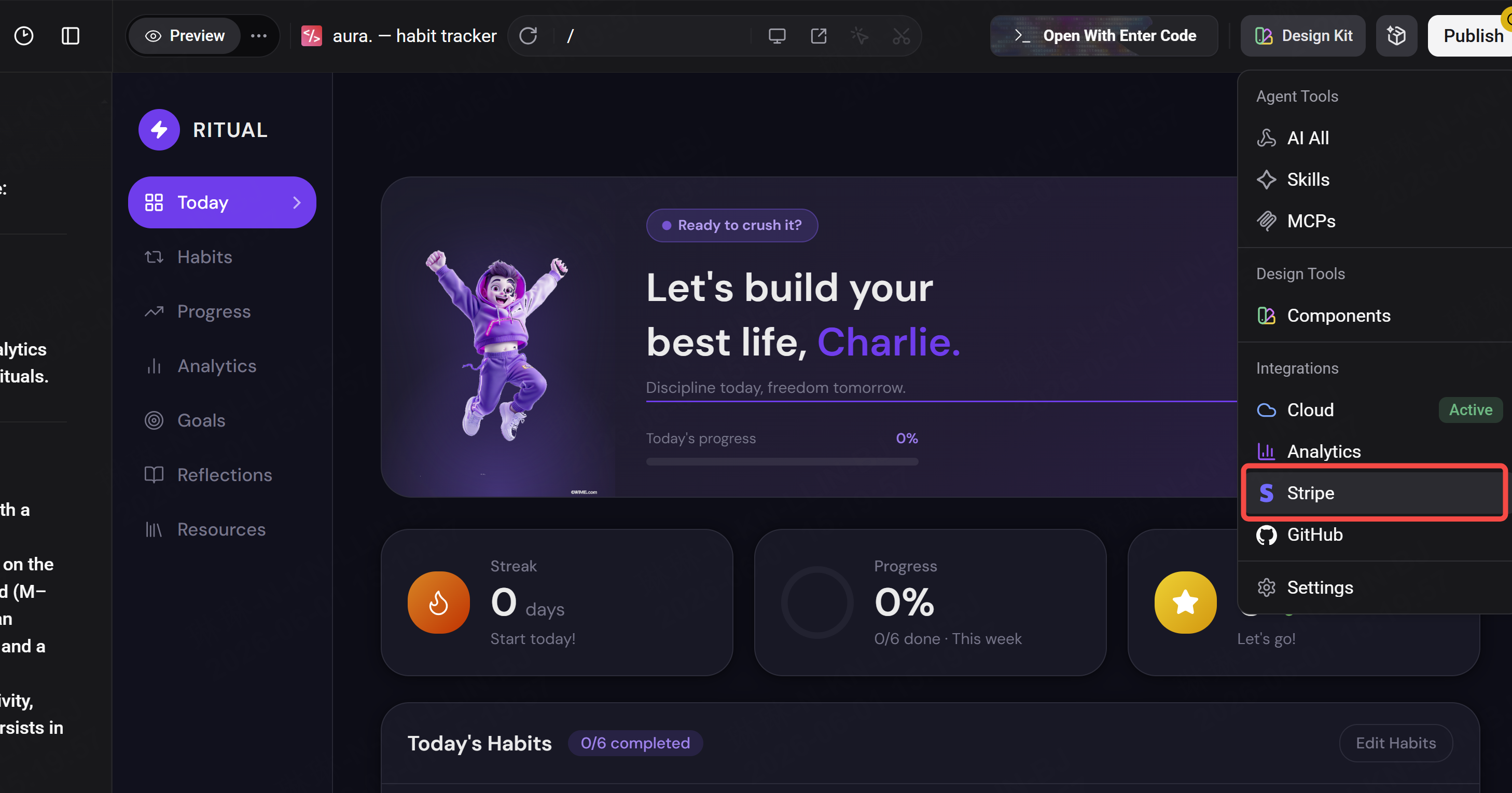
"Add a paywall to this app. Users can access the first 10 questions / 2 decks / 1 chapter for free. To unlock full access, they pay a one-time fee of $29. Integrate Stripe for payment processing. After payment is confirmed, update their access_level in the users table to 'full' and unlock all content."
Enter integrates Stripe natively — no separate developer setup required.
The Content Is the Moat
The platform, the design, the database structure — all of that can be replicated. What cannot be replicated is the specific way you have organised your knowledge, the explanations you have written, and the gaps you have filled because you have lived inside the subject.
A generic quiz app for the CFA exam has hundreds of competitors. A quiz app built by a CFA charterholder who knows exactly which concepts fail candidates in the morning session — and has written explanations that address those specific failure points — has almost none.
The EdTech market is $187 billion because people will pay to learn. They will pay more to learn from someone who actually knows. Build the specific version. The market for it already exists.
See you soon, happy build !