More Build, Fewer Credits: Practical Tips for efficient AI development
Build Better with Fewer Credits on Enter AI All. Master cost-effective AI application development with our professional guide on model selection, direct editing, and precise debugging strategies
More Build, Fewer Credits: Practical Tips for Efficient AI Development
Building great AI apps starts with efficiency.
By applying a few strategic habits, you can achieve superior results while significantly reducing your credit consumption. Here is our guide on building smarter with Enter.
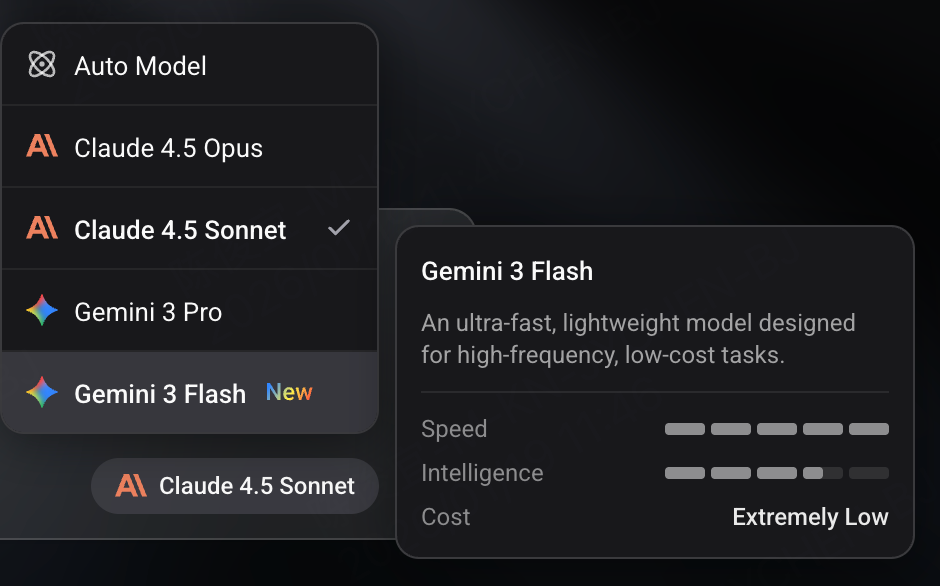
1. Right Model for the Task
Choosing the right model tier is the single most effective way to save credits. Think of them by their roles:
- Tier 3 Models (e.g., Gemini Flash): Best for UI layouts, page structures, and template code. It's fast and extremely cost-effective for the initial drafting phase.
- Tier 2 Models (e.g., Claude Sonnet/Gemini 3 Pro): Your daily workhorse. Use this for feature implementation, data handling, and most standard execution tasks. It offers the best balance between performance and price.
- Tier 1 Models (e.g., Claude Opus): The "Architect". Reserve these for high-level planning, structural design, or complex logic puzzles.
2. “Zero Credits” Rules
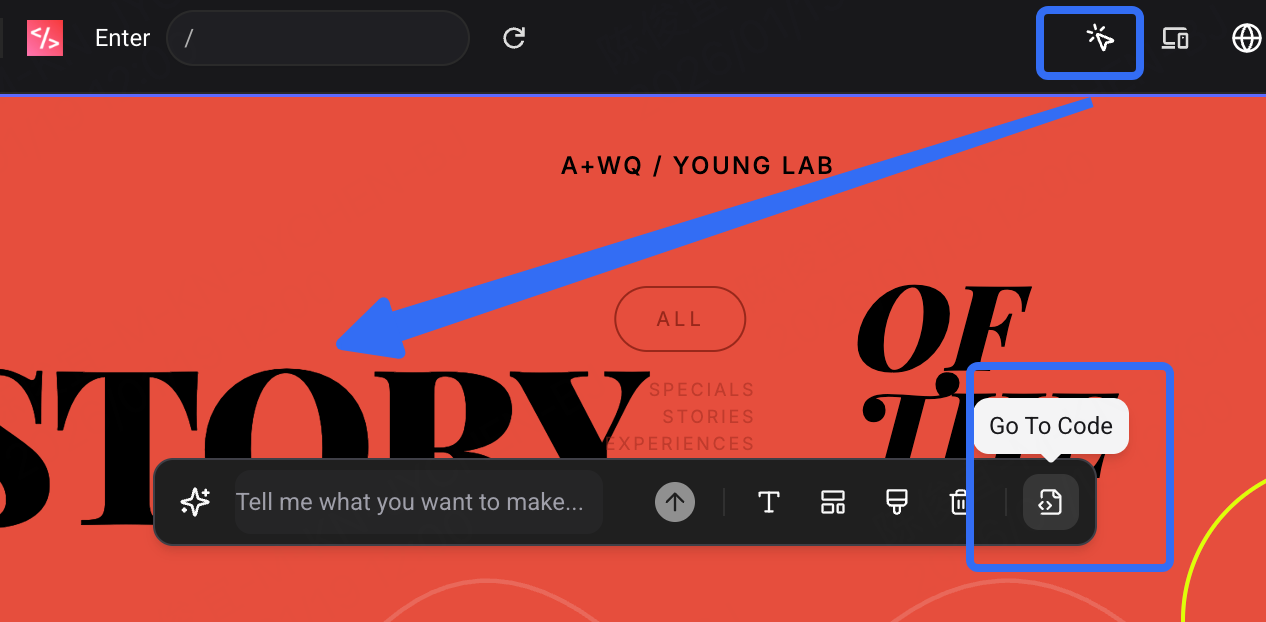
Direct Editing for Minor Changes. Use the "Go to Code" button to manually tweak colors, fonts, or padding. It’s completely free and gives you instant, precision control over your UI.
3. Build from a Blueprint
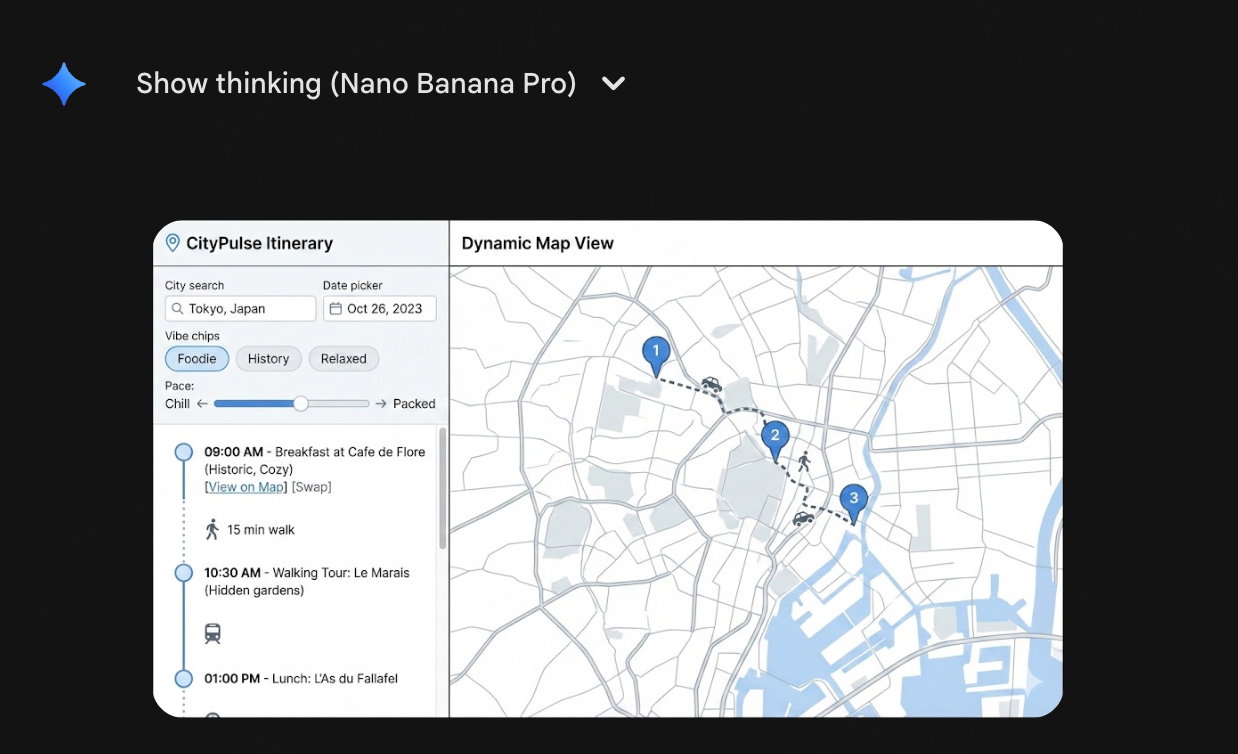
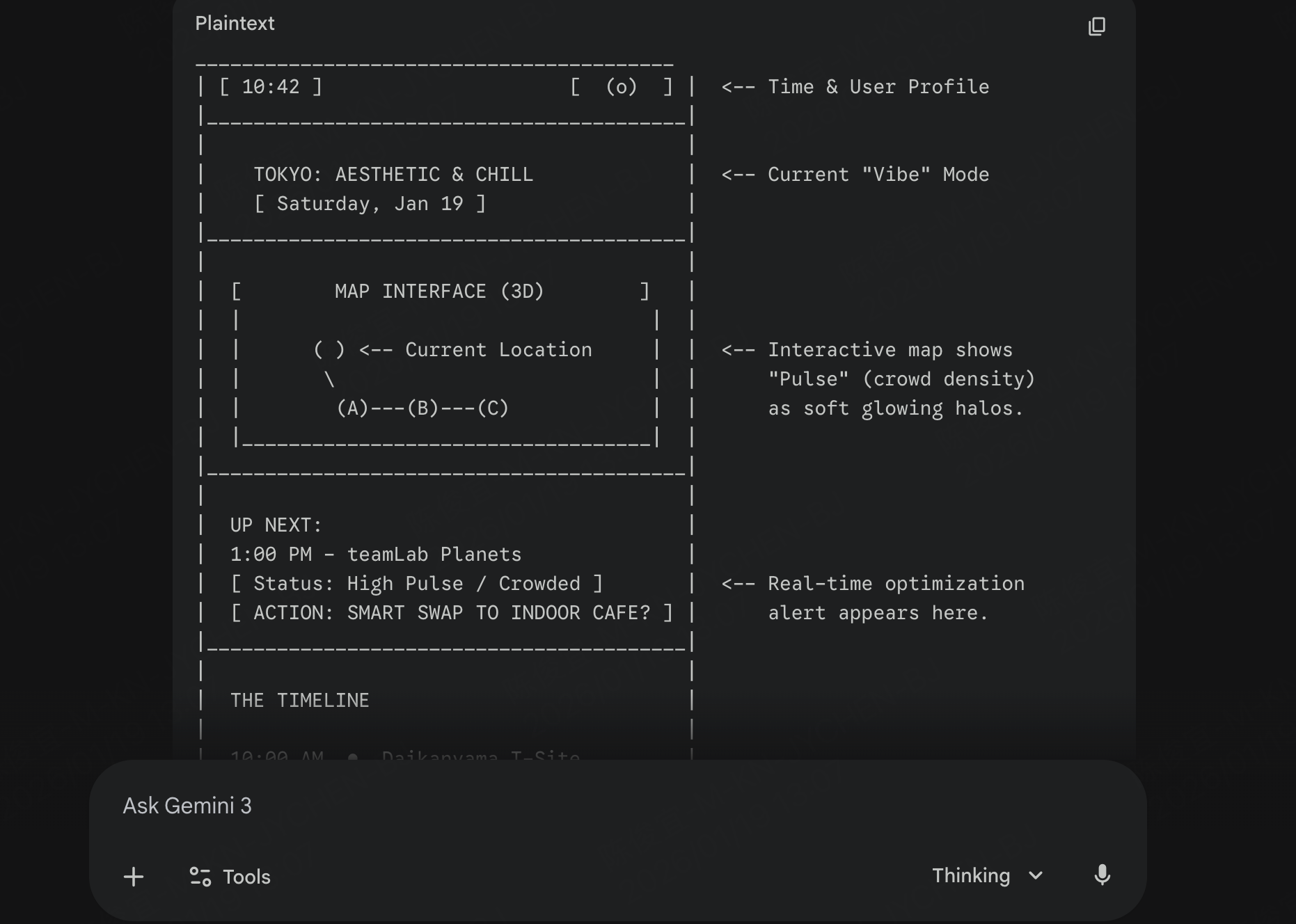
Before building in Enter, use external tools to refine your vision.
- Example: Use third-party tools (like Gemini or specialized UI generators) to generate a visual sketch or a structured prompt.
- Why? Providing Enter AI All with a clear, pre-optimized description or a structured blueprint reduces the number of iterations (and credits) needed to reach the final product.
4. Debug with Context
Better results come from giving the AI better context. When a feature breaks, use these strategies to find the root cause before spending your next credit:
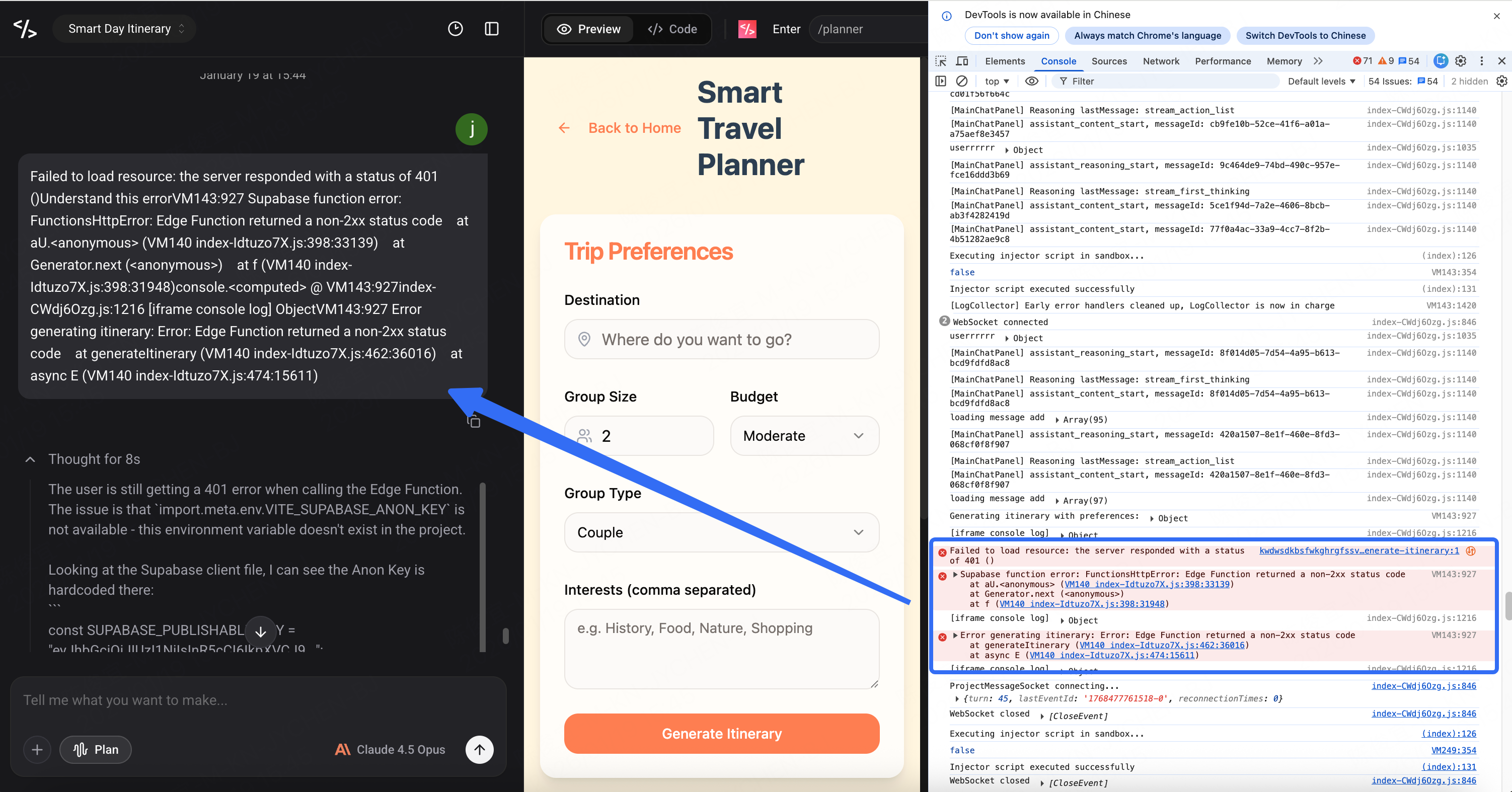
- The F12 Console: Use F12 (Developer Tools) to find the exact line where the code is failing. Copying the raw error message from the console back to Enter. This gives AI the "eyes" it needs to see your runtime environment.
- Differential Diagnostics: Narrow the scope by using a "Before/After" framework. Tell the AI: "The feature worked at X, but broke after I added Y." This specific context significantly increases the fix rate on the first attempt.
- External Auditing: For complex logic errors, consult an external agent like Gemini. Use it to parse your logs or brainstorm the logic for free. Once you have a clear diagnosis, bring the specific solution back to Enter for execution.
Ready to optimize?
Log in to Enter and start building smarter today.