Mureka V8 and Suno V5 Are Now Live in Enter Pro
Mureka V8 and Suno V5 are now in Enter Pro AI All. Generate production-ready music directly in your dashboard — no extra subscriptions, no API keys. Long-form tracks or fast polished audio, pick your model and build.
Two professional AI music generation models — Mureka V8 and Suno V5 — are now available in Enter Pro.
If you're building apps, prototypes, or content that requires custom audio, you can now generate production-ready music directly from your Enter Pro dashboard — no separate subscriptions, no API keys, no platform switching.
What's New
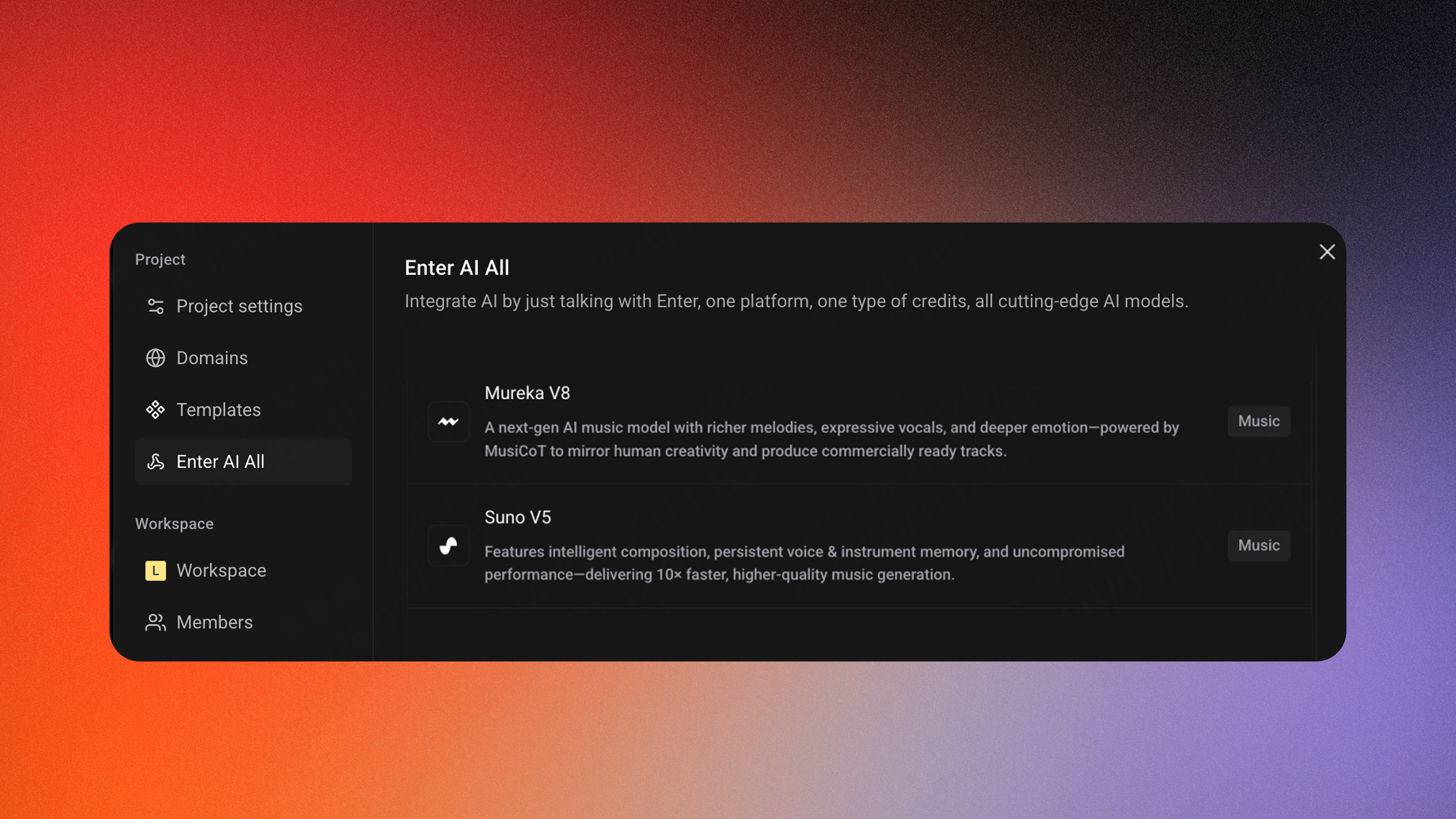
Mureka V8 is built for long-form, expressive music generation. It produces complete songs up to 4+ minutes in length, with studio-quality vocals, advanced emotional expression, and professional-level arrangement. Whether you need a full-length track for a demo video or custom background music for a web app, Mureka V8 delivers high-fidelity audio suitable for production use.
Suno V5 focuses on speed and clarity. It processes 10x faster than earlier versions while delivering dramatically improved audio quality — clearer instrument separation, smoother vocal integration, and enhanced stereo imaging. The result is polished, mix-ready music that sounds professional out of the box.
What This Means for Enter Users
Inside Enter Pro, AI All now gives you direct access to both models:
- Generate custom soundtracks while building your app — no need to leave the platform
- No separate subscriptions or API keys — both models are included in your Enter Pro plan
- Production-ready audio for demos, MVPs, content, and shipped products
- Flexible model selection — choose Mureka V8 for expressive, long-form tracks, or Suno v5 for fast, polished output
Whether you're prototyping a mobile app that needs UI sound design, building a SaaS landing page that needs ambient music, or creating a video demo that needs a custom soundtrack — you can now generate it inside Enter Pro without switching tools or managing multiple accounts.
Available Now
Mureka V8 and Suno V5 are live in Enter Pro AI All.
How to Access
1️⃣ Open your Enter Pro 2️⃣ Enable AI All → Choose Mureka V8 or Suno V5 3️⃣ Describe your track and generate
We'd love to hear how these models perform in your projects — try them out and share your feedback.