Zero to Hero: The 5 Mistakes That Kill Your First Build Session
Avoid the 5 most common vibe coding mistakes that derail first build sessions. Learn how to fix vague prompts, full rewrites, and more to build faster.
You have the prompt. You have the idea. Here is what gets in the way — and how to skip it entirely.
So you have had your first build session. Something appeared on the screen. Maybe it looked great. Maybe it was close but not quite there. Maybe you found yourself stuck in a loop, not sure why things were not working the way you expected.
That is completely normal. Vibe coding is a new way of working, and like any new skill, there are a handful of patterns that trip people up almost every time — especially in the first few sessions. The good news: they are the same five patterns, every time. Once you know them, you can see them coming.
This article is about giving you that shortcut.
Our goals for this article are simple:
- Name the five mistakes that end most first build sessions early
- Explain why each one happens (it is never about the AI)
- Show you exactly how to fix each one before it costs you another hour
Mistake 1 — The Vague Loop
1- What it looks like
You generate something, it is not quite right, so you type "make it look better." The AI changes it. Still not right. You type the same thing again. Thirty minutes later, you have seen four versions — none of them what you had in your head.
2- Why it happens
The AI does not know what better means to you. It has no reference for your taste or the specific thing bothering you. So it guesses — and guesses against an unclear brief are almost never right.
3- The fix: stop giving judgments, start giving directions
| ❌ Vague | ✅ Specific |
| "Make it look better." | "The heading font is too thin — make it heavier and increase the size so it dominates the top of the page." |
| "Improve the design." | "The background is too dark and makes the text hard to read — switch to off-white with dark grey text." |
Before you type a refinement prompt, ask:
- What specifically is wrong?
- What specifically should replace it?
Answer those first. Then type.
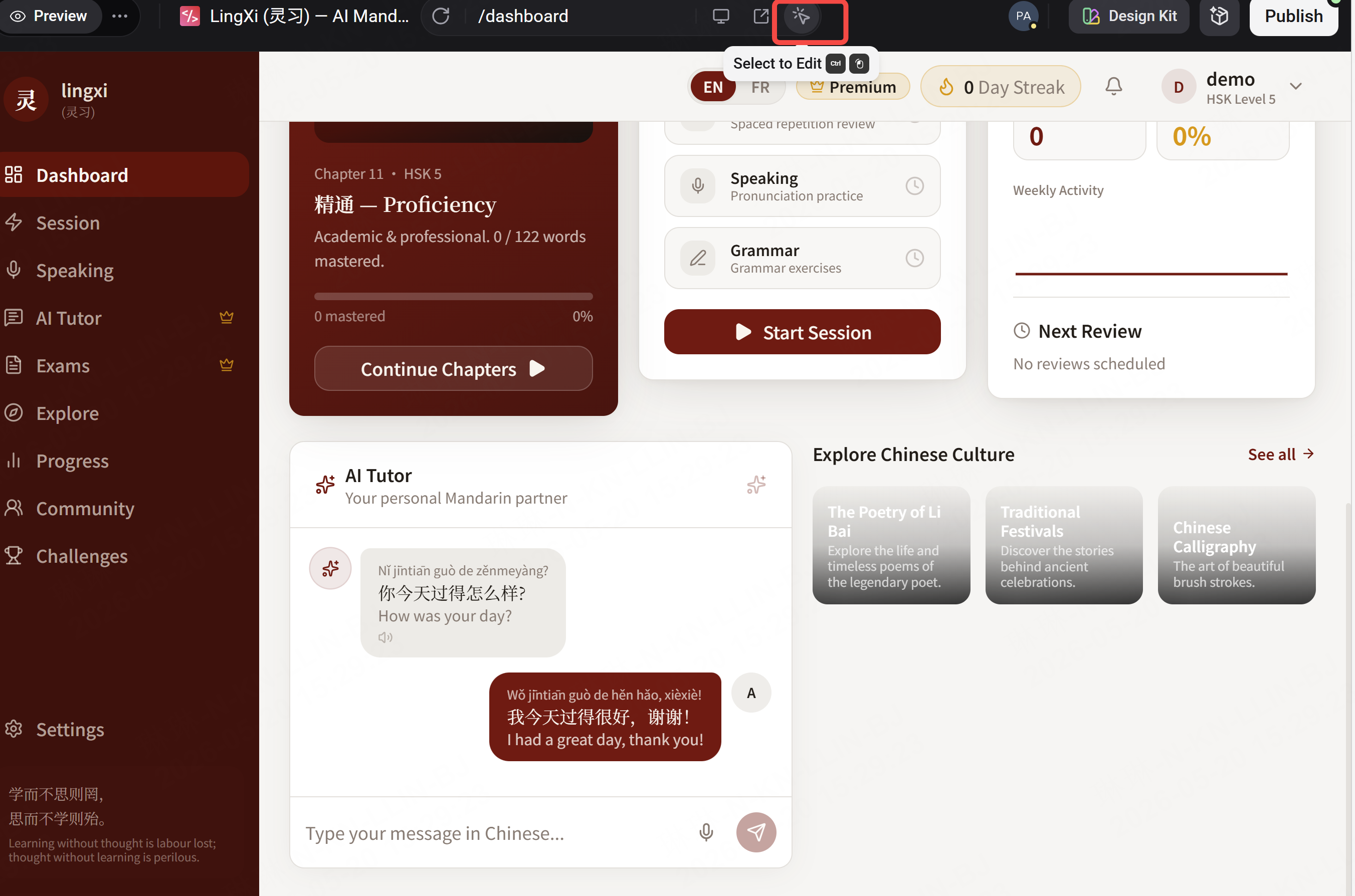
Can't name what's wrong yet?** Use Enter's Visual Editor — click the element, adjust directly, then describe what you changed as your next prompt. Clicking + describing is faster than guessing through prompts alone.
Mistake 2 — The Full Rewrite Trap
1- What it looks like
Something is not working, so you ask the AI to start over. The new version has different problems. You ask it to start over again. An hour later, you have seen five completely different versions — and lost everything that was working in the previous ones.
2- Why it happens
Starting over feels decisive. It feels like progress. It is neither. Every full rewrite throws away not just what was wrong — but everything that was right.
3- The fix: surgical, not nuclear
Before you ask for a rewrite, ask yourself:
- Is the whole thing broken?
- Or is one specific element broken?
Almost always, it is one specific element. Find it. Name it. Fix only that.
| ❌ Nuclear | ✅ Surgical |
| "Start over, I don't like this." | "The navigation bar is too tall — reduce its height, make the links smaller. Everything else stays." |
Fix the specific thing. Keep what is working.
Mistake 3 — Feature Creep
1- What it looks like
The core is working — not perfectly, but working. So you add something: a user profile page, an onboarding flow, a sharing feature. Now you are building on top of a foundation you have not finished. The new feature breaks something else. You are debugging something you should not have built yet.
2- Why it happens
When something works, the instinct is to expand. But the core is never as solid as it feels in the moment you decide to move past it.
3- The fix: finish one thing before you build the next
Before adding any feature, ask yourself:
- Does the core work well enough that adding this makes it better?
- Or am I adding this to avoid finishing the core?
In a first build session, the answer is almost always the second one.
4- Define done for your core:
- What is the minimum version genuinely useful to one real person?
- Not impressive — useful
- Does it work end to end?
Build that first. Then add the next thing.
Mistake 4 — The Perfectionist Pause
1- What it looks like
You have something that works. But the button color is not exactly right — twenty minutes on that. The heading spacing is slightly off — another twenty minutes. Two hours pass. The product looks marginally better, and you have not shown it to a single person.
2- Why it happens
Perfecting feels safer than shipping. When you are still working on it, it cannot be wrong yet. The moment someone else sees it — they might not get it.
3- The fix: good enough to show is the goal
What thirty seconds of someone else using your product tells you:
- Where they click (vs. where you expected)
- Where they stop or hesitate
- What they miss that you assumed was obvious
Your own eye — after staring at the same screen for hours — cannot tell you any of that.
4-The rule:
When it is good enough to show to one real person, stop refining and show it. Not when it is perfect — when it is good enough to show.
Ship the imperfect thing → learn from it → then improve.
Mistake 5 — The Solo Silo
1- What it looks like
You build alone, refine alone, iterate alone. The product makes complete sense to you. When you finally show it to someone, they are confused within the first ten seconds.
You could have learned that three hours ago.
2- Why it happens
Building feels personal, especially the first time. Showing something unfinished creates vulnerability. What if they do not get it? What if they think it is badly designed?
Those are real fears. They are also exactly what you need to find out.
3- The fix: publish early, share the link, watch what happens
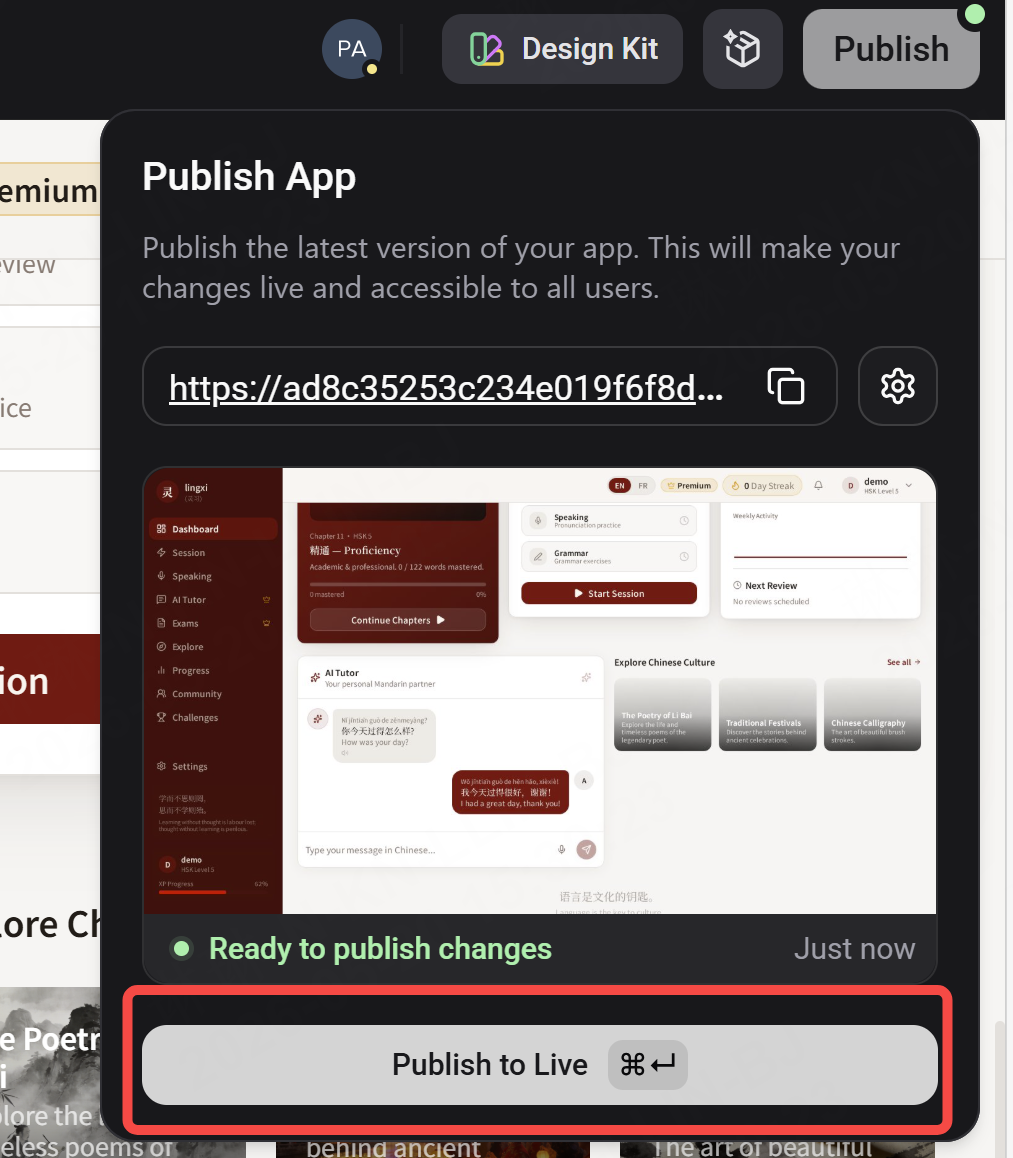
Enter deploys your project instantly to a live URL. Send it to one person — not for approval, for observation.
Watch for:
- Where do they click that you did not expect?
- Where do they pause or get stuck?
- What do they miss that felt obvious to you?
One person navigating your product as a stranger for sixty seconds tells you more than a week of solo refinement. The confusion they feel in the first ten seconds is signal. Act on it.
Publishing early is not vulnerability — it is the fastest way to know what to build next.
The Pattern Underneath All Five
| Mistake | The real problem |
| The Vague Loop | Describing a feeling instead of a direction |
| The Full Rewrite Trap | Replacing everything instead of fixing one thing |
| Feature Creep | Expanding before the foundation is solid |
| The Perfectionist Pause | Refining instead of shipping |
| The Solo Silo | Building instead of learning |
What's Next in the Series
You know the mistakes. You know how to avoid them. The foundation is getting stronger.
See you soon!