Adalo App Builder Review: Is It Still the Best No-Code Tool?
Looking for an easy way to build mobile apps without coding? Discover our detailed Adalo app builder review covering features, pricing, pros, cons, and why Enter Pro stands out as a smarter AI-powered alternative.
The Adalo app builder has been a popular no-code platform for entrepreneurs, freelancers, and small businesses looking to create mobile and web apps without writing code. With its intuitive drag-and-drop interface and support for native Android and iOS publishing, it lowers the barrier to app development. However, as AI tools evolve rapidly in 2026, users increasingly seek faster, more scalable solutions. This Adalo app builder review examines its key features, strengths, weaknesses, pricing, and who it suits best. We'll also explore a modern alternative —Enter Pro — that combines AI "vibe coding" with rapid deployment for those wanting to build apps even quicker.
What is Adalo?
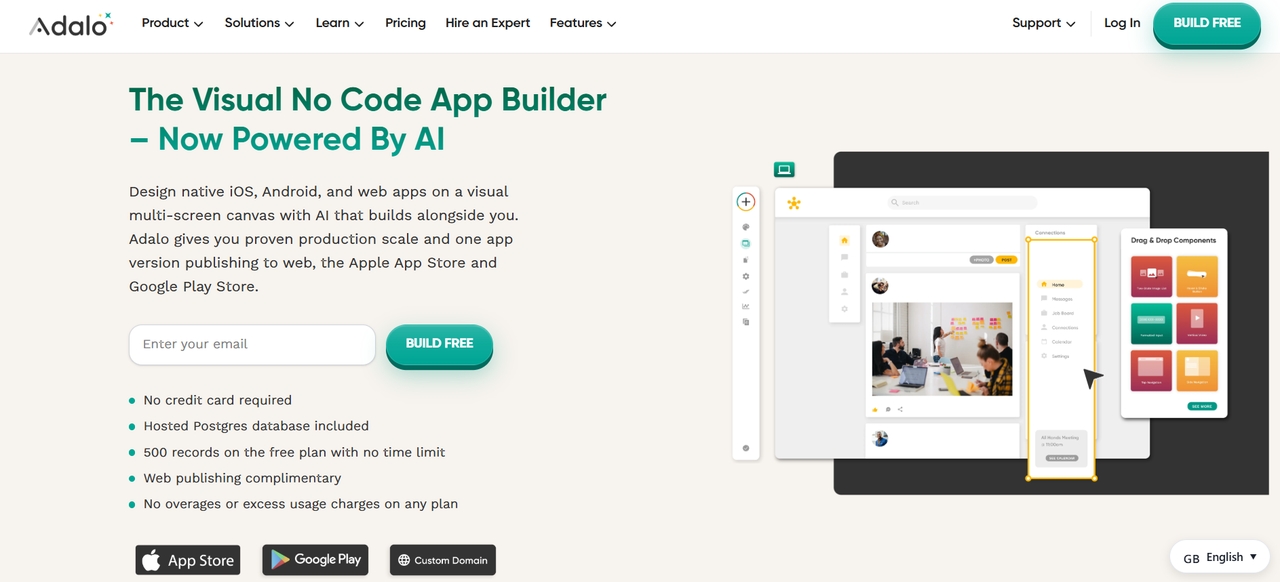
Adalo is a popular no-code app builder that allows anyone to create professional-looking mobile and web applications without writing a single line of code. Launched as a user-friendly platform, it uses a drag-and-drop visual editor where users can design screens, add components, set up databases (called Collections), and implement logic through simple actions.
Adalo stands out for its ability to publish truly native apps to the Apple App Store and Google Play Store. It also supports web app publishing, third-party integrations (like Stripe, Zapier, and APIs), and recently added AI features such as MagicStart for automatic database setup and MagicAdd for generating new components.
Ideal for entrepreneurs, small businesses, and freelancers, Adalo simplifies MVP development and client projects.
Key features of Adalo AI app builder
- Drag-and-drop visual editor
Adalo's visual editor lets you build app screens by placing and customising elements like buttons, forms, images, lists, and text blocks. It's beginner-friendly and requires no prior design experience.
- Built-in database
Every Adalo project includes an internal database where you can store and retrieve user data, orders, records, and more. This makes it ideal for founders who want to build data-driven apps without setting up external infrastructure.
- Native iOS and Android publishing
One of Adalo's biggest strengths is native app publishing. You can generate AAB files for Google Play and IPA files for the Apple App Store directly from the platform —a major advantage for anyone building a public-facing mobile product.
- Component marketplace
Adalo offers a marketplace of reusable UI components — progress bars, date pickers, sliders, and more — that you can add to your app through drag and drop. These extend your app's functionality without requiring custom development.
- API integrations
The Adalo app builder supports custom API actions and integrates with third-party tools like Zapier and Airtable. This lets you connect your app to external data sources or automate workflows beyond Adalo's built-in capabilities.
- Ada AI builder
Adalo has introduced Ada, its AI assistant, that lets users describe an app concept in plain language and generates a starting structure. Features like Magic Start and Magic Add allow for prompt-based app creation, with a more complete AI Builder planned for 2026.
How to build an app using Adalo
Step 1: Log in and choose your app type
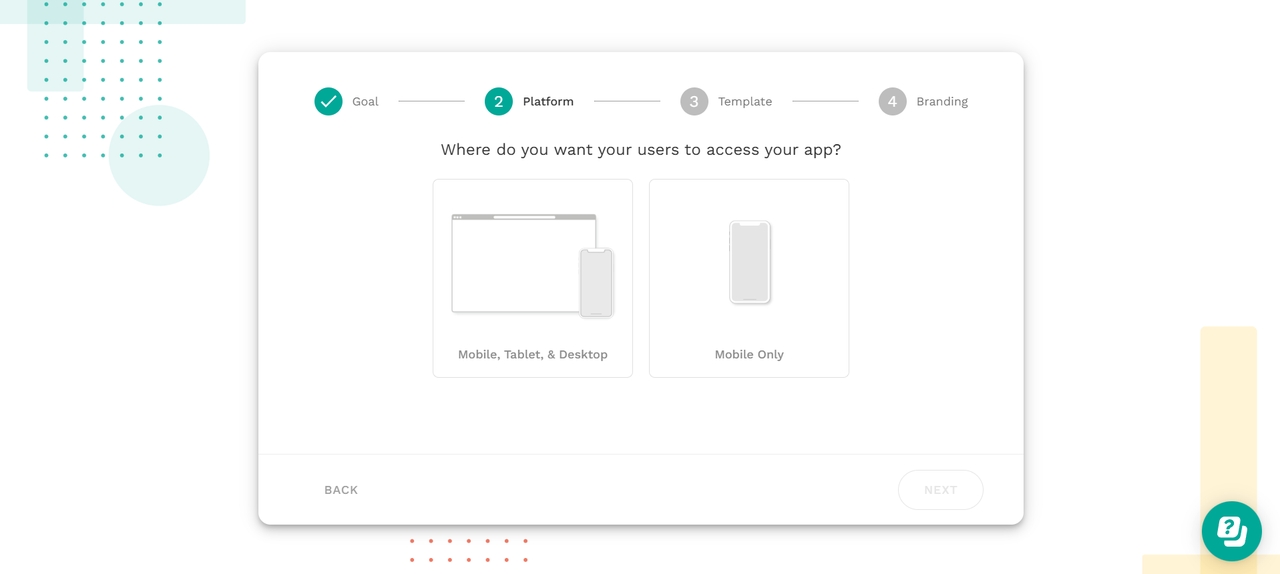
Log into your dashboard, name your project, and choose your layout type (Responsive for web and mobile devices, or Mobile Only). You can start with a blank canvas, select an industry template, or use Magic Start (Adalo's AI assistant, Ada) by typing a prompt like "Build a booking app for a pet grooming business" to generate your initial screens automatically.
Step 2: Configure your database collections
Before fine-tuning your visual design, click the Database icon to set up your backend. Adalo structures data into Collections (tables like Users, Products, or Bookings) and Properties (individual data fields like names, prices, or dates). If you already have business data stored elsewhere, you can link Google Sheets directly using Adalo’s SheetBridge feature.
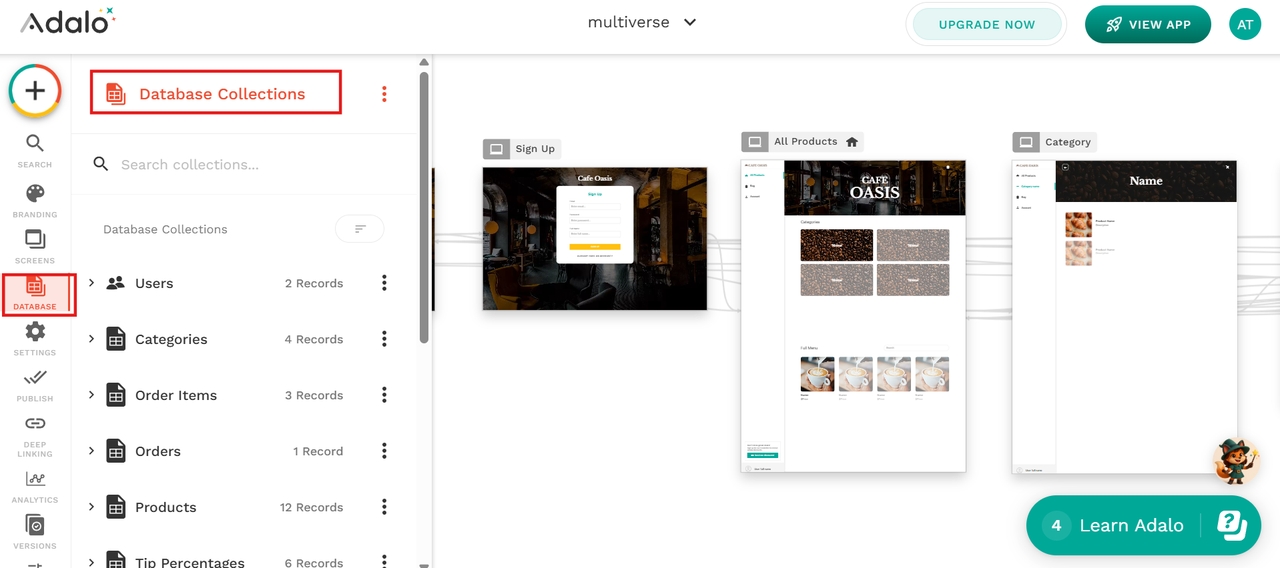
Step 3: Assemble and style the UI
Use the vertical left-hand editing dashboard to drag UI elements —such as forms, lists, maps, and payment buttons—onto your multi-screen building canvas. Adalo displays your entire application map simultaneously, allowing you to easily maintain visual consistency across dozens of screens.
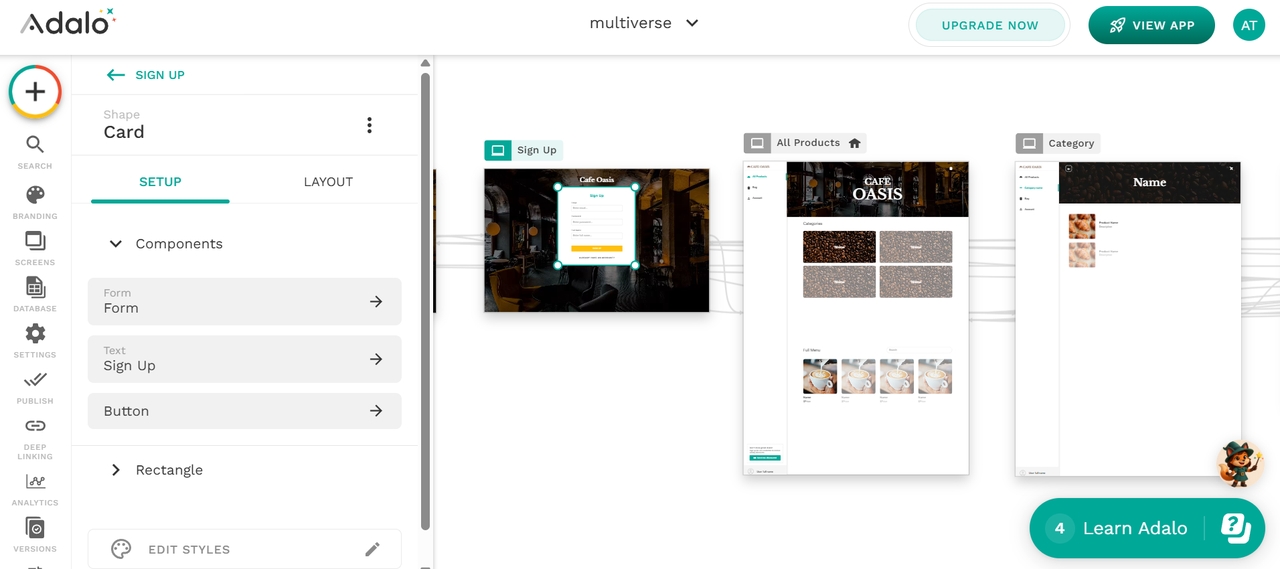
Step 4: Map out app logic and component actions
Select a UI component (like a "Submit" button) and assign an Action to it. You can program buttons to trigger database changes (e.g., Create New Record), link users to a different screen, send automatic push notifications, or call external APIs via Zapier and Make integrations.
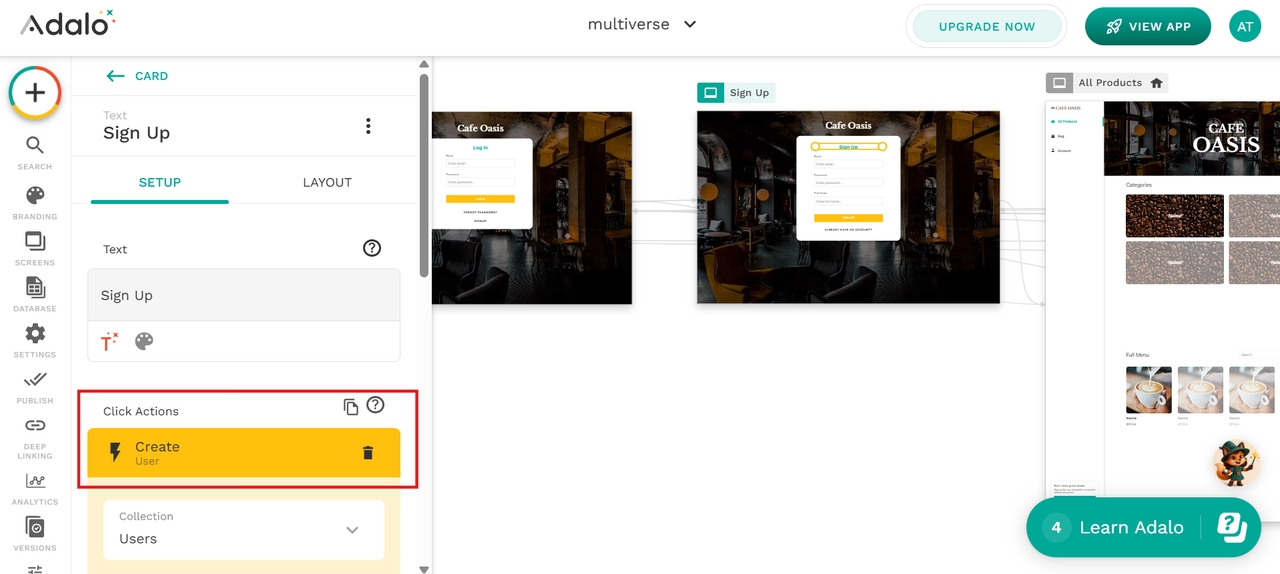
Step 5: Preview, test, and multi-platform publish
Click the "View App" button at the top of your screen to interact with a live, responsive version of your app. Test your workflows, input forms, and data updates on simulated smartphone and desktop screens. Once everything functions correctly, use Adalo's native compilation tools to deploy your build simultaneously to the web, the Apple App Store, and Google Play.
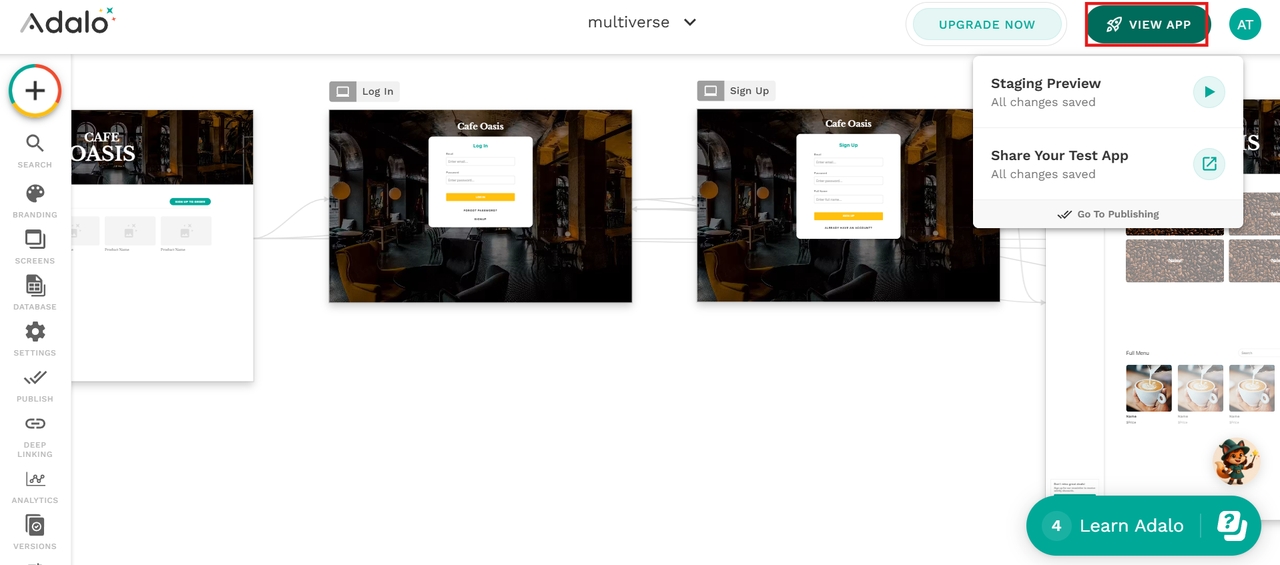
Adalo app builder pricing
Adalo offers flexible pricing plans for beginners, startups, and growing businesses. Users can start free and upgrade as they need more publishing options, integrations, storage, and advanced app-building features. Pricing is subscription-based with monthly or annual billing options.
| Plan | Pricing* | Best For | Key Features |
| Free | $0/month | Testing & prototyping | Unlimited test apps, 500 records/app, drag-and-drop builder, Ada AI assistant |
| Starter | $36/month | Founders & entrepreneurs | 1 published app, custom domain, web publishing, app store publishing |
| Professional | $52/month | Small businesses & growing apps | 2 published apps, custom integrations, analytics, push notifications, 5 collaborators, 25GB storage |
| Team | $160/month | Agencies & teams | 5 published apps, APIs, Xano integration, white labeling, priority support |
*Prices are based on annual billing and may change over time. Monthly billing is available at higher rates.
Adalo app builder review: Pros and cons
Every development ecosystem involves engineering trade-offs. Comprehensive Adalo app builder review summaries highlight the following strengths and limitations:
Pros
- Beginner-friendly interface: Adalo offers one of the easiest no-code builders for beginners. Its drag-and-drop editor, visual workflows, and simple navigation help non-technical users create apps quickly without needing programming experience or complex setup processes.
- Native mobile app publishing: Adalo supports publishing apps directly to Android and iOS App Stores. Unlike some no-code builders that mainly create web apps, Adalo focuses strongly on native mobile app experiences.
- Built-in database with no setup: Adalo's internal database is included out of the box. You do not need to configure a separate backend, connect to Supabase, or understand cloud infrastructure. For first-time app builders, this removes a significant technical barrier.
- Adalo 3.0 performance improvements: The late 2025 infrastructure overhaul made apps 3–4x faster and addressed many of the performance complaints that historically held Adalo back. For new projects started post-3.0, performance is meaningfully better than older reviews suggest.
Cons
- Performance drops at scale: While the framework operates smoothly for light utilities, internal business tools, and MVPs, database-heavy applications with intricate filtering systems or thousands of concurrent active users can experience notable latency.
- Complete vendor lock-in: You cannot export the underlying source code (such as clean React Native or Flutter files) to host independently. If you outgrow the ecosystem, you must rebuild your application from scratch.
- Performance limitations: Many users report slower performance as apps become more complex or data-heavy. Large databases, multiple screens, and advanced workflows can affect app speed and responsiveness significantly.
- Limited advanced customization: While Adalo works well for simple apps, advanced customization options remain limited. Developers needing deep logic, custom code control, or enterprise-level functionality may outgrow the platform quickly.
Who should use Adalo?
Adalo is a great choice for users who want to build apps quickly without learning traditional programming. Its no-code interface makes app development more accessible for beginners, startups, and small teams.
- Startups building MVPs
Startups can use Adalo to create and test MVPs without hiring a full development team. The platform helps founders validate ideas quickly while keeping development costs lower.
- Entrepreneurs and Solopreneurs
Business owners and creators who want to launch apps independently will find Adalo beginner-friendly. Its drag-and-drop builder simplifies app creation for users with no coding background.
- Small businesses
Small businesses can build booking systems, customer portals, internal tools, and mobile apps using Adalo. The platform works well for companies needing functional apps without enterprise-level complexity.
- Freelancers and Agencies
Freelancers and agencies can use Adalo to deliver client projects faster. Templates, reusable components, and visual workflows help reduce development time for simple to medium-sized apps.
- Educational and Community Projects
Schools, nonprofits, and online communities can use Adalo to create apps for communication, directories, events, and member engagement without needing advanced technical resources.
Enter Pro: A next-gen alternative to Adalo
While Adalo is a solid no-code platform, it comes with several limitations that slow down development and restrict growth. Issues like performance lag with complex apps, time-consuming manual drag-and-drop workflows, limited advanced logic, steep learning curve for databases, and platform lock-in push many users to look for better alternatives in 2026.
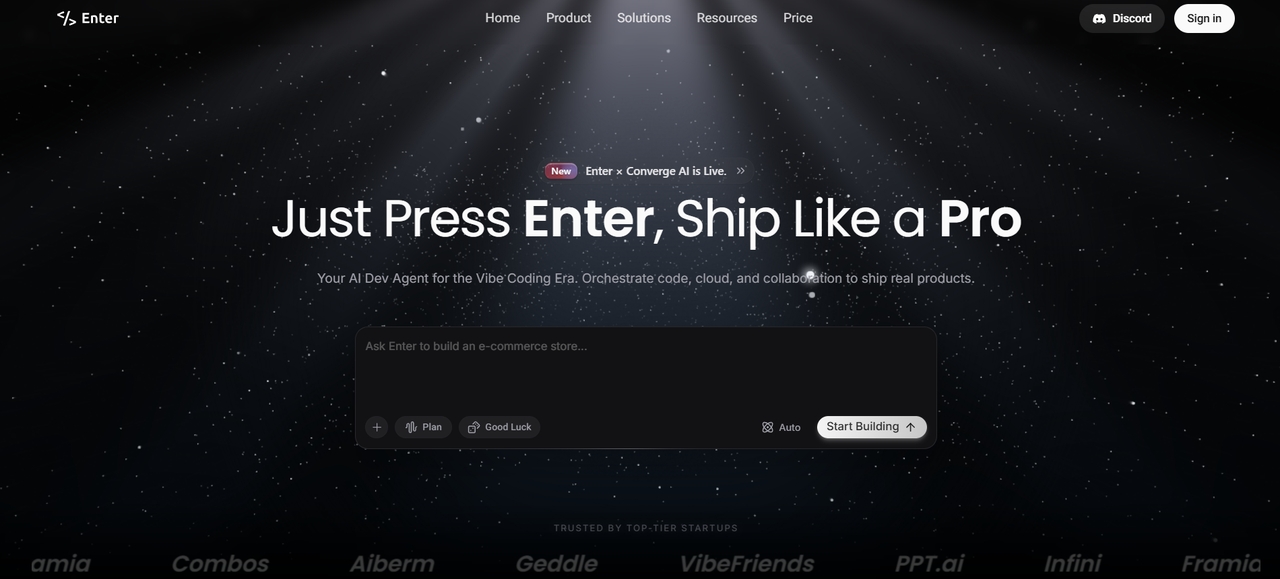
Enter Pro is an AI app builder designed for “vibe coding” — where you describe your app idea in natural language, and the AI agent builds, iterates, and deploys real, production-ready applications, websites, and AI agents in minutes.
Key features of Enter Pro to build apps
- Conversational AI building
Describe your entire app idea in plain English, and Enter Pro's AI agent instantly builds a fully functional application including frontend, backend, database, and business logic. This “vibe coding” approach eliminates hours of manual work, allowing you to go from concept to working app in minutes.
- Native AI at the core
Enter Pro integrates multiple leading AI models (GPT, Claude, Gemini, Grok, etc.) natively. You can switch between models on the fly while building, ensuring you always get the best performance and intelligence for different parts of your project.
- Visual editor with direct click-and-edit
Alongside AI generation, Enter Pro includes a visual editor where you click any canvas element and edit styles or code instantly. No prompting needed for minor adjustments. It gives you AI speed for the big build and precise control for the fine-tuning.
- 100% source code ownership
Every line of code Enter Pro generates belongs to you. Export the full React and Tailwind codebase at any point and take it anywhere — to a developer, to custom infrastructure, or to your own repository. There is no lock-in.
- One-click global deployment
Finished projects deploy to a global edge network in a single click, with custom domain support included. No hosting account, no deployment pipeline, no DevOps knowledge required. Your app goes from built to live without an additional workflow.
- Template marketplace
Enter Pro's community template marketplace offers full-stack starting points — frontend, backend, and database included. These are real working foundations for SaaS tools, dashboards, internal platforms, and more, not design-only shells that still require significant build work.
Steps to build an app using Enter Pro
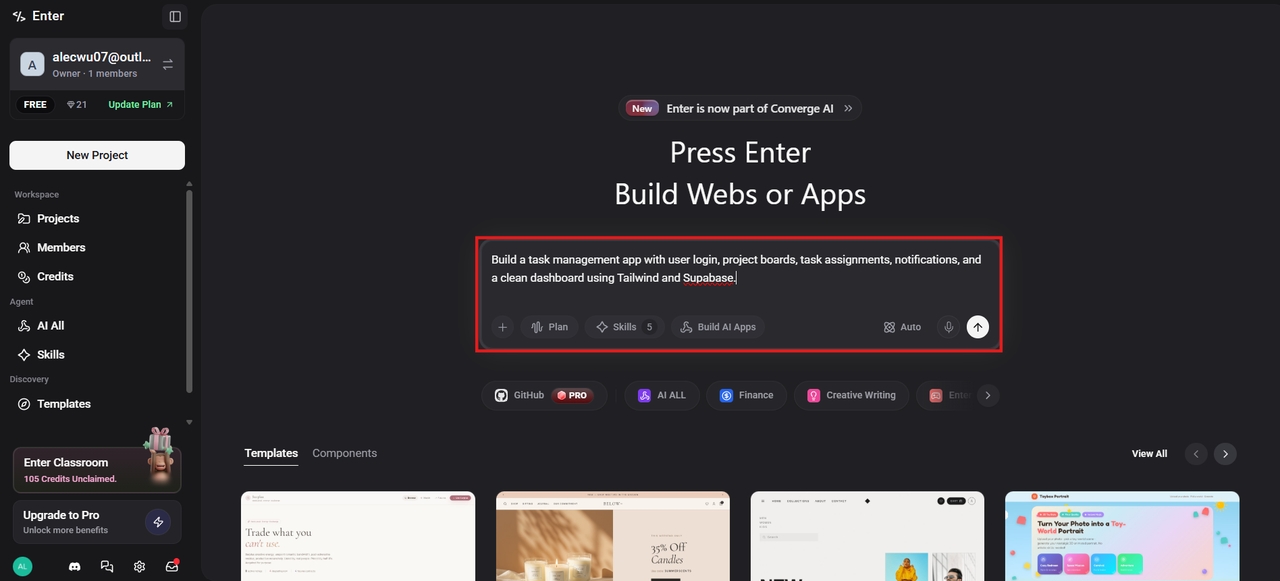
Step 1: Describe your app idea
Log in to Enter Pro and start a new project. Then clearly describe your app idea in plain English to the AI. For example, you can say something like "Build a task management app with user login, project boards, task assignments, notifications, and a clean dashboard using Tailwind and Supabase." Then, hit "Build
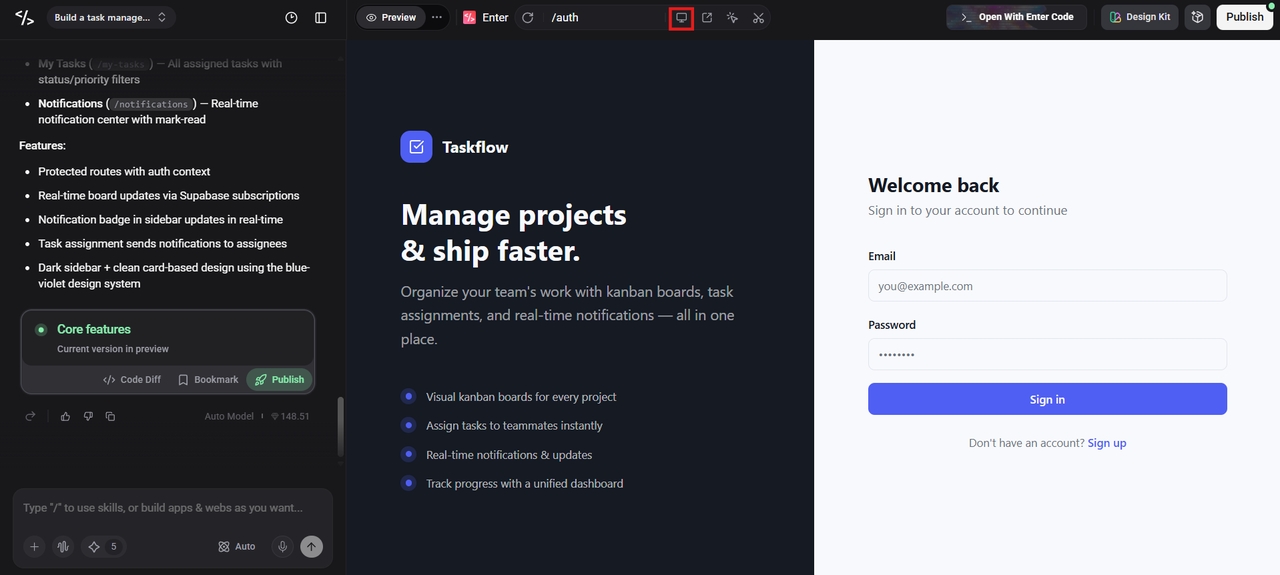
Step 2: Preview and refine
Once the initial app is generated, use the live preview feature to see how it looks and works on both desktop and mobile. Chat with the AI to make improvements, such as "Add dark mode and improve the navigation," "Fix the login flow" or "Add payment integration with Stripe." You can also use the visual editor to click on any element and adjust it directly until the app feels exactly how you want.
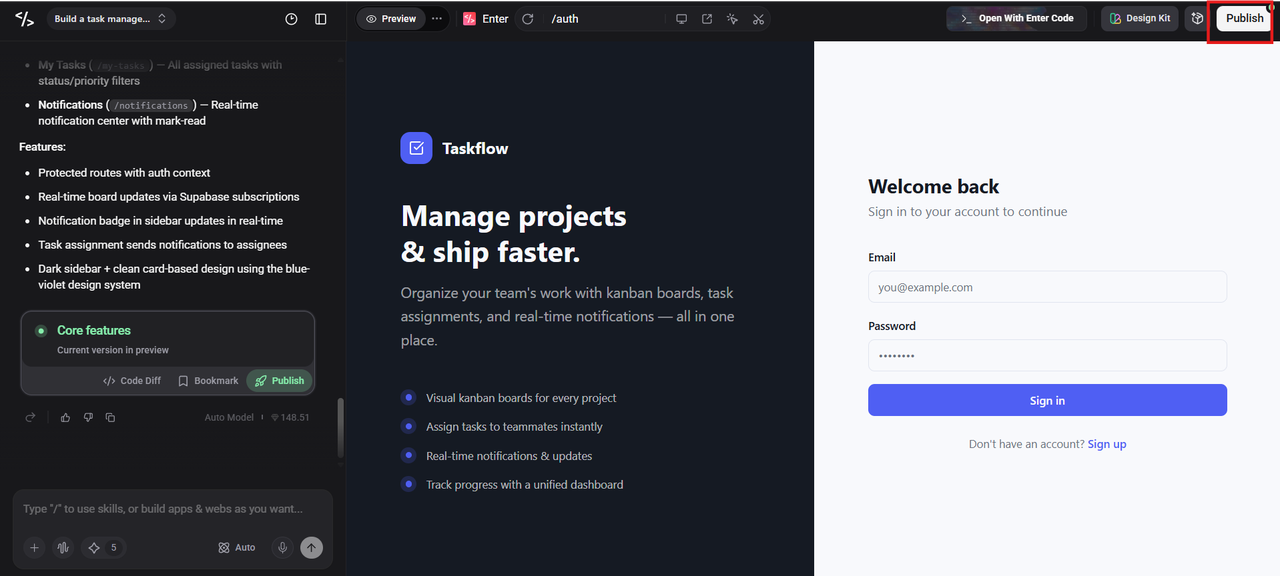
Step 3: Publish the app
After you are satisfied with the app, click the "Publish" button to deploy it instantly and get a live shareable URL. You can also export the full source code to host it yourself or make further custom changes. This step makes your app publicly accessible in just one click.
Conclusion
Adalo remains a capable no-code app builder in 2026, especially for beginners who prefer a visual drag-and-drop approach and need straightforward native app publishing. However, its manual workflows, performance limitations, and slower development speed are becoming increasingly apparent as AI technology advances.
For founders and teams seeking speed, scalability, and a more intelligent building experience, Enter Pro emerges as the superior choice. Its conversational AI, powerful Convex backend, and visual editor allow you to build production-ready apps in a fraction of the time.
FAQs
Is Adalo completely free to use?
Adalo offers a free plan that allows users to design and test apps without paying. However, advanced features like custom domains, app publishing, external integrations, and higher database limits require a paid subscription plan.
Can Adalo build real, native mobile apps?
Yes. Adalo generates true native iOS and Android apps — not web wrappers. It produces IPA files for the Apple App Store and AAB files for Google Play, which you can submit directly without needing a developer or Xcode configuration.
Is Adalo better than other no-code tools?
Adalo excels at native mobile publishing. However, for faster development and better scalability, many users now prefer AI-powered alternatives like Enter Pro that reduce manual work significantly.
Can I publish Adalo apps to the App Store and Google Play?
Yes, Adalo supports publishing apps to both the Apple App Store and Google Play Store. Users can also publish web apps from the same platform, making it easier to manage multiple versions together.
Is Adalo good for building an MVP?
Yes, MVP development is one of Adalo's strongest use cases. The platform lets you go from idea to a working, app-store-ready product in days rather than months, without hiring developers. It is widely used by early-stage founders for rapid product validation.