Cline vs Cursor: Which AI Coding Assistant Should You Choose?
Looking for the best AI coding assistant? Explore this detailed Cline vs Cursor comparison, including features, pricing, workflow support, and an alternative solution from Enter Pro for AI-powered development.
AI coding assistants are changing how developers build and manage software. Cline and Cursor are two leading solutions, but they take different approaches. Cursor focuses on AI-assisted coding within an editor, while Cline emphasizes autonomous task execution. This Cline vs Cursor comparison explores their features, differences, and an alternative from Enter Pro.
Introducing Cline and Cursor
Before diving into the Cursor vs Cline difference, it is important to understand what each platform offers.
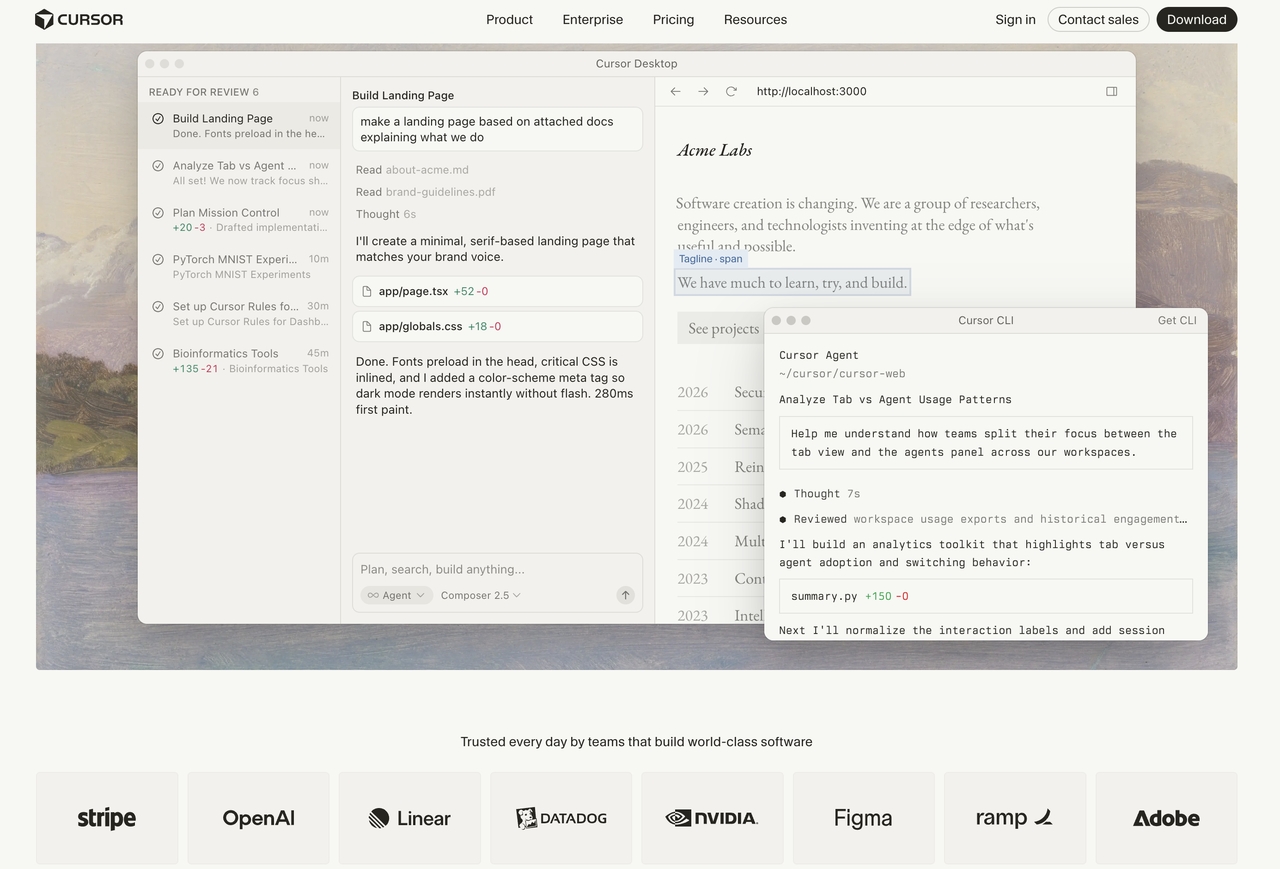
Cursor is an AI-powered code editor built on top of Visual Studio Code. It combines traditional coding features with AI assistance directly inside the editor. Developers can generate code, refactor files, explain functions, and navigate large codebases through natural language prompts.
Cline, on the other hand, operates as an autonomous coding agent within VS Code. Instead of only generating suggestions, it can execute commands, interact with terminals, inspect files, and perform multi-step development tasks with user approval.
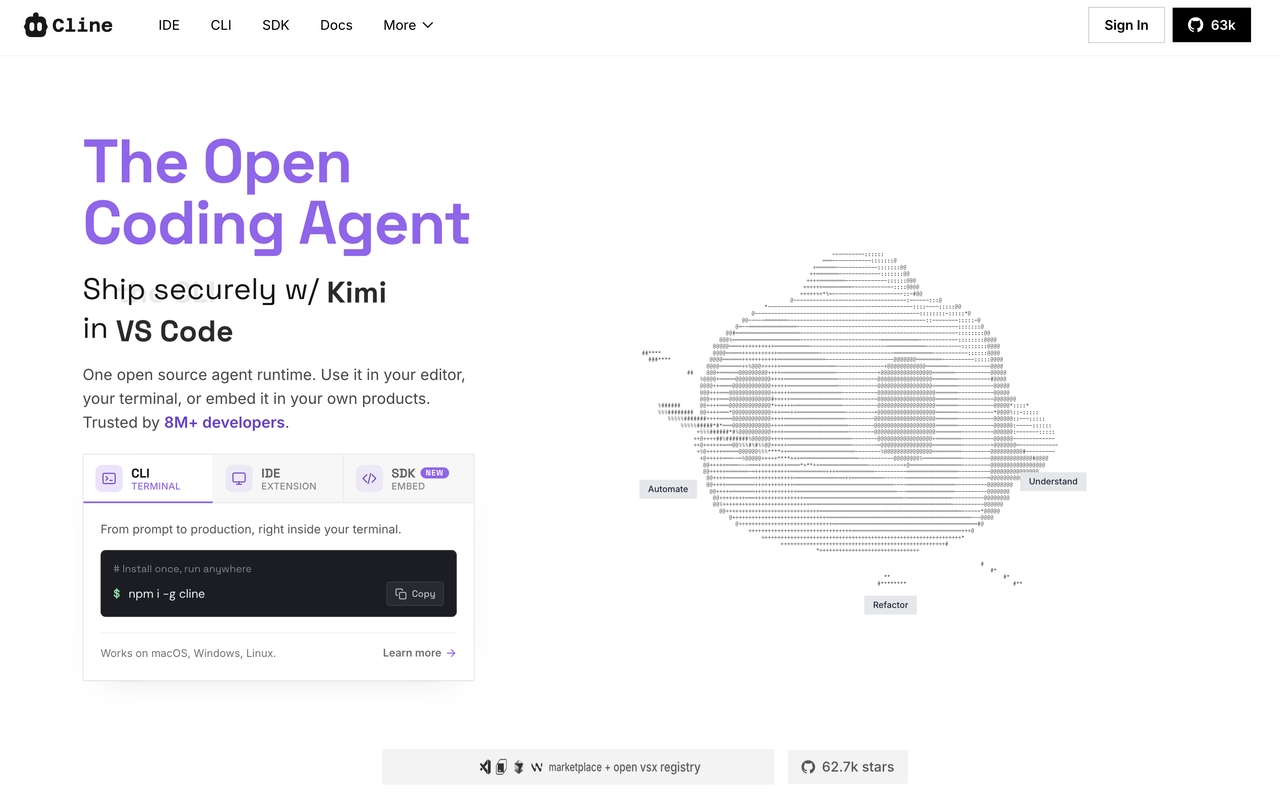
Both platforms use leading AI models, but their workflows are fundamentally different.
Cursor key focus
- AI-first code editor: Built specifically for AI-assisted software development.
- Context-aware coding: Understands project files and repository structure.
- Fast code generation: Produces code snippets and complete implementations quickly.
- Integrated chat interface: Enables conversational coding assistance.
Cline key focus
- Autonomous AI agent: Performs actions beyond code generation.
- Terminal access: Can execute commands after user approval.
- Multi-step task execution: Handles larger development workflows.
- Development automation: Reduces manual effort for repetitive tasks.
Deep Dive: Cline vs Cursor AI Coding
When evaluating Cline vs Cursor AI coding capabilities, looking under the hood reveals that their day-to-day developer experiences differ wildly across input methods, system architecture, and overall autonomy.
1. Architectural Differences & Autonomy
The absolute biggest divergence in this Cline vs Cursor comparison is how they execute tasks.
- Cursor operates primarily as an interactive assistant. It suggests code blocks, rewrites functions via inline prompts ($$Ctrl+$$ or $$Cmd+$$), and provides a chat window ($$Ctrl+$$ or $$Cmd+$$) to reason through bugs. However, you are still the pilot. You have to manually accept changes, create new files, and execute terminal commands to see if the AI's code actually works.
- Cline is a fully agentic system. When you give Cline a prompt—such as "Build a login page and connect it to my database"—it doesn't just give you code snippets to copy and paste. It creates the files, writes the code, opens your terminal, runs
npm run dev, reads the error logs if it fails, and automatically fixes its own mistakes until the page works.
2. Context Windows & Model Selection
How these tools handle context determines how effectively they can work on large codebases without losing track of your project's architecture.
- Cursor manages context automatically behind a sleek, centralized subscription. It uses proprietary indexing algorithms to scan your codebase, creating a vector embedding of your files so it can pull in relevant context whenever you type
@codebase. It relies heavily on optimized, fine-tuned versions of Claude 3.5 Sonnet, GPT-4o, and its own fast custom models. - Cline relies on a Bring-Your-Own-Key (BYOK) model. It exposes the raw power of the underlying LLM's context window directly to the user. Because it is optimized for Claude 3.5 Sonnet's extensive tool-calling capabilities, it can parse massive amounts of data through raw API connections via Anthropic, OpenRouter, AWS Bedrock, or local models via Ollama.
3. Pricing and Cost Structures
Cline: Pay-Per-Token
The extension is free. You pay your model provider directly based on token consumption. Some realistic monthly costs:
| Tier / Usage Profile | Monthly Platform Cost | Expected Model Token Spend |
| Free Tier | $0 (Extension is Free) | $0.00 |
| Budget Tier | $0 (Extension is Free) | $10 – $30 / month(or $1–$3 per heavy day) |
| Premium Tier | $0 (Extension is Free) | $10 – $40 / month |
Cline's Teams plan (launching Q2 2026) adds centralized billing and shared contexts for $20/month, with the first 10 seats free.
Cursor: Subscription + Credits
Cursor switched to credit-based billing in June 2025. Your subscription includes a monthly credit pool that depletes based on model usage:
| Plan Tier | Price (Monthly) | Tab Completions | Premium Model Credit Pool / Usage |
| Hobby | $0 | Limited | Limited trial requests |
| Pro | $20 | Unlimited | $20 premium credit pool |
| Pro+ | $60 | Unlimited | $60 premium credit pool (3x Pro) |
| Ultra | $200 | Unlimited | $200 premium credit pool (20x Pro) |
| Teams | $40 / user | Unlimited | Per-user Pro pools |
Where Cline Excels and Where Cursor Excels
To figure out where to place your bets in the Cline vs Cursor debate, it helps to look at the specific developer scenarios in which each tool completely outclasses the other.
Where Cursor Wins:
- Rapid, Low-Latency Prototyping: If you want instant tab-autocomplete that predicts your next three lines of code with eerie accuracy, the cursor is unmatched.
- Polished, Out-of-the-Box UX: Cursor requires zero setup. You download the app, log in, and you instantly have a world-class AI coding workspace with automatic codebase indexing.
- Refactoring and Micro-Edits: For quickly jumping into a file, highlighting twenty lines of messy code, and fixing it inline, Cursor's native integration feels incredibly fluid.
Where Cline Wins:
- Autonomous Agentic Tasks: If you want to sit back and watch an AI agent spin up a repository, install dependencies, run tests, and fix compilation errors completely on its own, Cline is vastly superior.
- Total Data and Privacy Control: Because Cline is open-source and lets you integrate your own API keys, you can route your requests through secure enterprise endpoints or run entirely local models (like Llama 3) via Ollama. Your code never hits a centralized third-party server.
- Advanced Terminal Interaction: Cline's ability to safely run terminal commands, inspect build outputs, and use a browser tool to visually verify your web app's UI gives it an operational capability that Cursor simply doesn't offer.
Introducing Enter Pro as an Alternative for AI-Powered Development
Cline and Cursor are designed to help developers write and manage code with AI. If your goal is to generate complete applications from natural language prompts, Enter Pro offers a different approach. Enter Pro is an AI-powered platform for full-stack application generation. It can create frontend interfaces, backend logic, and deployment-ready application structures from a single prompt, while also providing visual editing tools and built-in integrations.
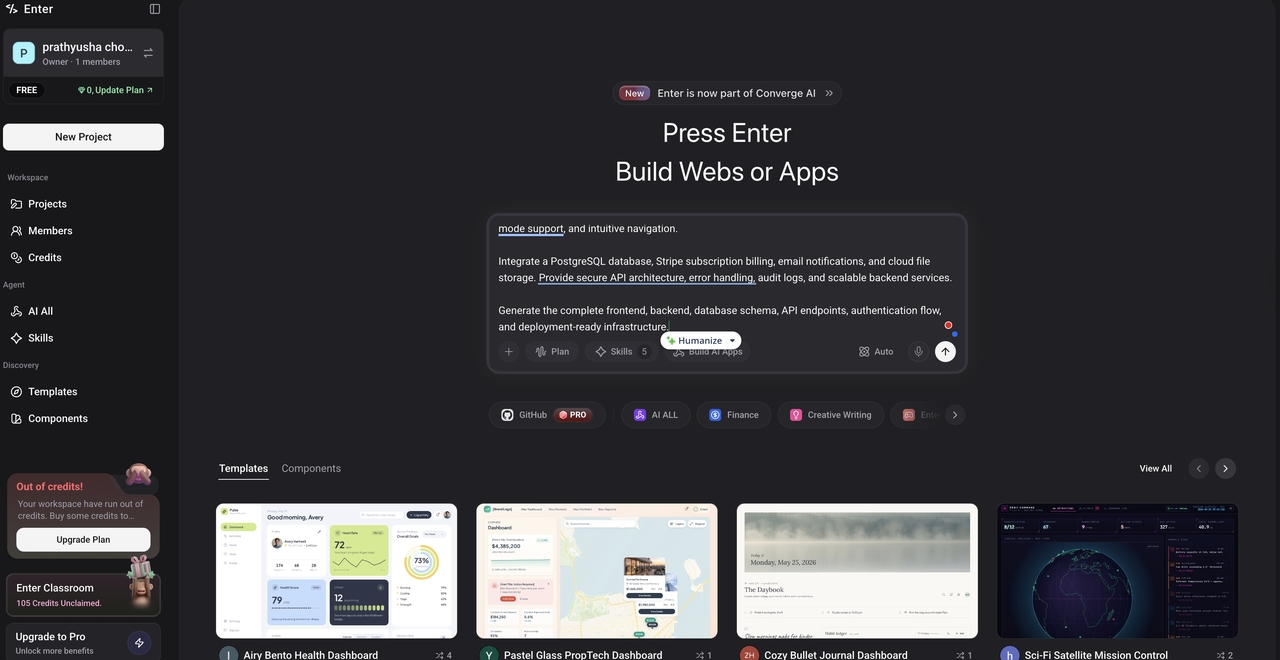
Depending on your workflow, Cline and Cursor are suitable for AI-assisted coding, whereas Enter Pro may be worth considering for end-to-end application generation.
Key features of Enter Pro
- AI-powered workflow automation: Enter Pro helps teams automate repetitive business and operational processes through intelligent workflows. This reduces manual effort and allows employees to focus on higher-value tasks rather than routine operations.
- Custom AI agents: Organizations can create AI agents tailored to specific business functions, such as customer support, knowledge management, or internal operations. These agents can streamline processes and improve productivity across teams.
- Enterprise-ready integrations: Enter Pro connects with existing business systems, databases, and tools to create a unified workflow environment. This enables seamless data flow and minimizes disruptions to established processes.
How to use Enter Pro
Whether you're comparing Cline vs Cursor or looking for broader AI-powered automation, Enter Pro provides a streamlined environment for building and managing intelligent workflows.
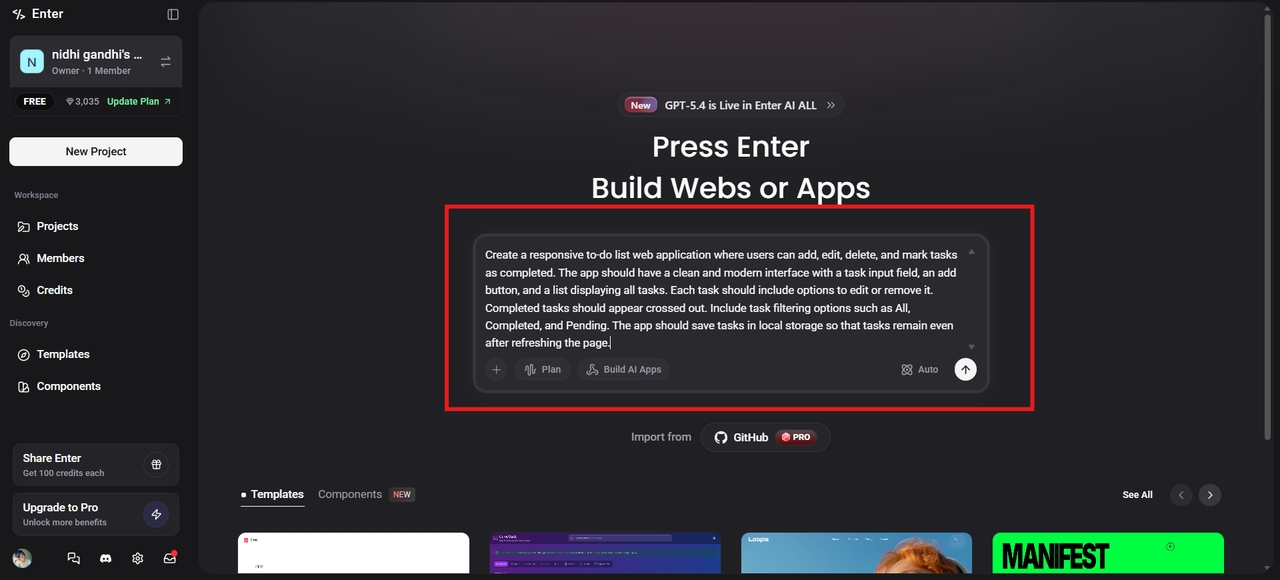
Step 1: Define your coding task or project goal
Start by opening Cline or Cursor and describing what you want to build. You can ask the AI to generate code, create features, explain existing code, or help solve development challenges. The platform analyzes your request and uses AI models to provide relevant code suggestions or execute tasks based on your requirements.
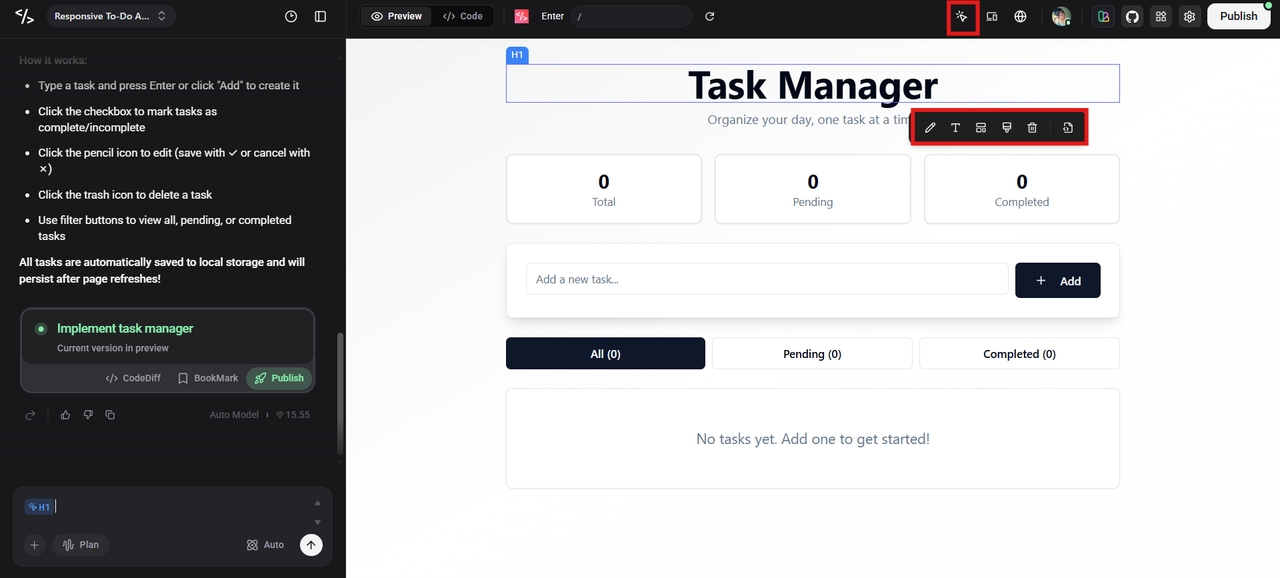
Step 2: Use the Visual Editor to make the changes
After the web app is generated, you can customize and improve it using the Visual Editor. The Visual Editor allows you to modify the app’s design and features through an interactive interface rather than writing code. You can move elements around the page, change colors, edit text, add images, or insert new sections such as buttons, forms, or navigation menus.
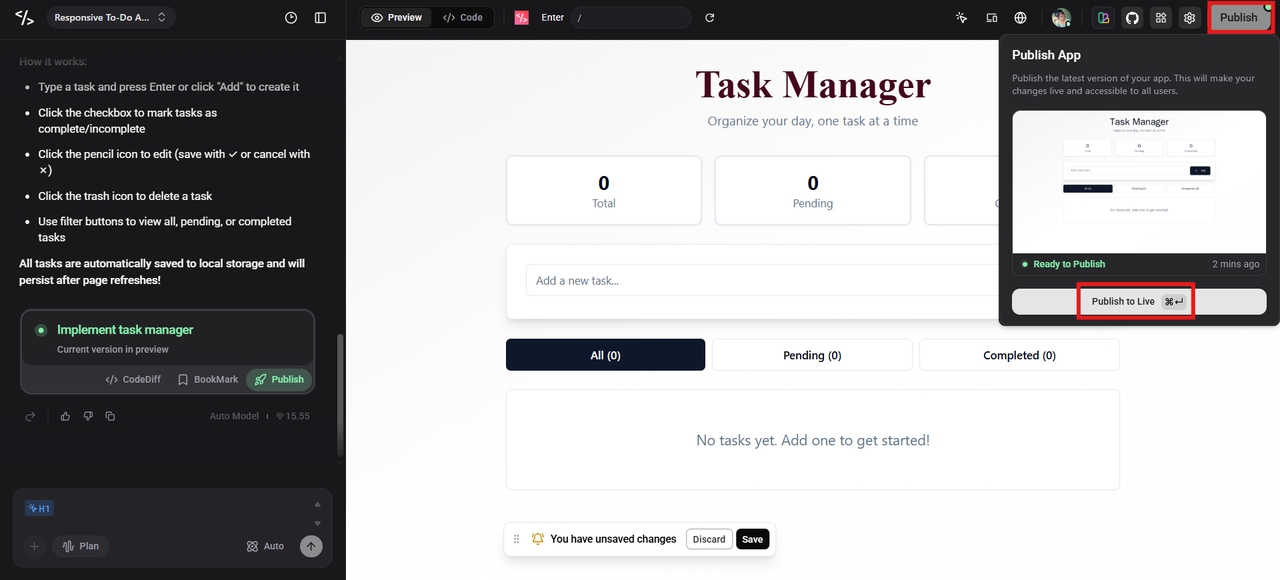
Step 3: Publish the app and go live
Once you are satisfied with the design and functionality of your web app, the final step is to publish it so that it becomes accessible on the internet. Click the "Publish" button at the top to go live with your app. Publishing deploys the app to a server and generates a public web address (URL) that people can use to visit the app.
Conclusion
The choice between Cline and Cursor ultimately depends on your development workflow and automation needs. Cursor is an excellent option for developers seeking a user-friendly AI-powered editor that enhances coding, debugging, and code navigation. Cline, in contrast, is designed for users who want an autonomous AI agent capable of handling multi-step tasks, exploring repositories, and executing commands. In any Cline vs Cursor comparison, neither platform is universally better, as each serves a different purpose. If your goal extends beyond coding assistance to business process automation and internal application development, Enter Pro offers a broader AI-powered solution.
FAQs
Which is better: Cline or Cursor?
The better option depends on your workflow. Cursor is ideal for developers who want AI-powered coding assistance within a familiar editor, while Cline is better for those seeking autonomous task execution and workflow automation. For teams looking to extend AI beyond coding and into business operations, Enter Pro offers tools for building AI-powered applications and automated workflows.
What is the biggest difference between Cline and Cursor?
The biggest difference is that Cursor primarily assists with coding inside an editor, whereas Cline acts as an AI agent that can perform tasks, execute commands, and manage multi-step workflows. As a result, Cursor is often preferred for interactive coding and code generation, while Cline is better suited for developers seeking greater automation throughout the development process.
Is Cline better for AI coding automation?
Yes, Cline is generally stronger when it comes to automating development tasks because it can interact with files, terminals, and project workflows. However, businesses that want to automate operational processes, internal tools, and team workflows can benefit from broader automation platforms such as Enter Pro.
Which platform is better for teams?
Both platforms can support team environments, but the best choice depends on how your team works. Cursor is often preferred for collaborative coding, while Cline is valuable for teams focused on automation. If multiple departments need AI-powered solutions beyond software development, Enter Pro can support broader organizational use cases.
Is Enter Pro a replacement for Cline or Cursor?
Not necessarily. Enter Pro focuses on full-stack application generation from prompts, while Cline and Cursor are AI-assisted coding tools for existing development workflows. The best choice depends on your development needs.