GitHub Copilot Coding Agent Review: Can AI Really Build Software for You?
Discover GitHub Copilot coding agent features, pricing, and updates. A complete guide covering real developer feedback, limitations, and practical use cases for modern software teams.
The world of software development is undergoing a major transformation, and AI coding agents are at its center. What once required, entire engineering teams can now be partially handled by intelligent systems that understand, generate, and modify code.
The GitHub Copilot coding agent is one of the most talked-about advancements in this shift. Unlike traditional coding assistants that only suggest snippets, this system moves closer to an execution-based model where AI can work across entire repositories.
In this review, we break down how it works, its real-world strengths, limitations, and pricing structure. We also explore how modern platforms like Enter Pro are shaping a new era in which building apps becomes significantly more accessible, even for non-developers.
Understanding GitHub Copilot Coding Agent Evolution
The GitHub Copilot coding agent represents a shift from traditional AI autocomplete tools to a more autonomous coding assistant. Instead of only suggesting lines of code, it can understand tasks, analyze repositories, and execute structured multi-step changes.
The coding agent GitHub Copilot behaves like a junior developer inside a repository. It interprets instructions, breaks them into steps, and applies changes across multiple files.
Key capabilities include:
- Task-level understanding instead of line-by-line suggestions: Understands complete development tasks rather than generating isolated code snippets.
- Full repository context awareness: Uses the entire codebase context to make more accurate code changes.
- Automated workflow execution inside GitHub: Performs development tasks directly within GitHub workflows with minimal manual intervention.
- Structured pull request generation: Automatically creates pull requests with organized changes for developer review.
Early developer feedback from platforms like Hacker News highlights strong potential but also notes that the system is still evolving in reliability and consistency.
How GitHub Copilot Coding Agent Works
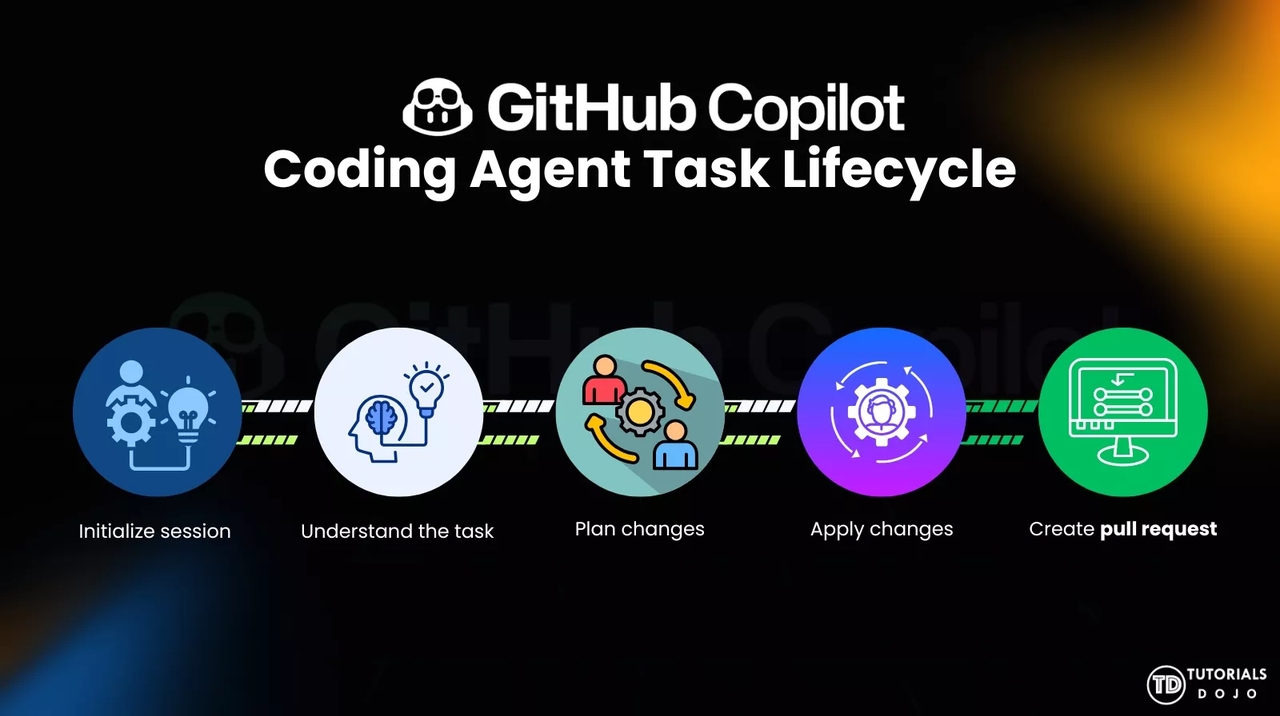
The GitHub Copilot coding agent runs in a cloud-based environment integrated with GitHub workflows. When a task is assigned, it clones the repository, analyzes the codebase, and performs structured modifications across multiple files.
The GitHub Copilot new coding agent follows a step-by-step reasoning process similar to how human developers approach real-world tasks.
Workflow (Step-by-step process)
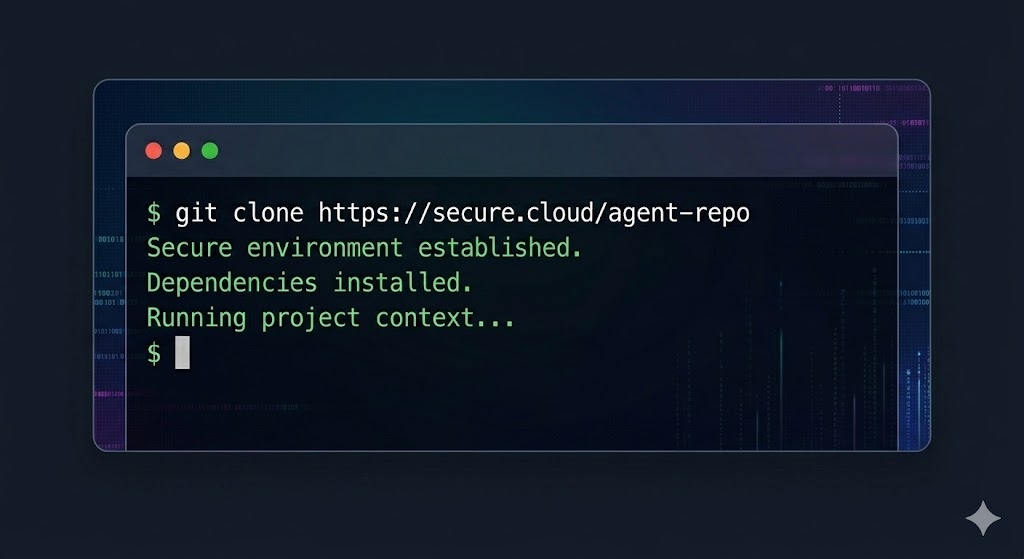
Step 1: Repository cloning and environment setup The agent starts by cloning the target repository into a secure cloud environment and setting up all required dependencies to understand and run the project in context.
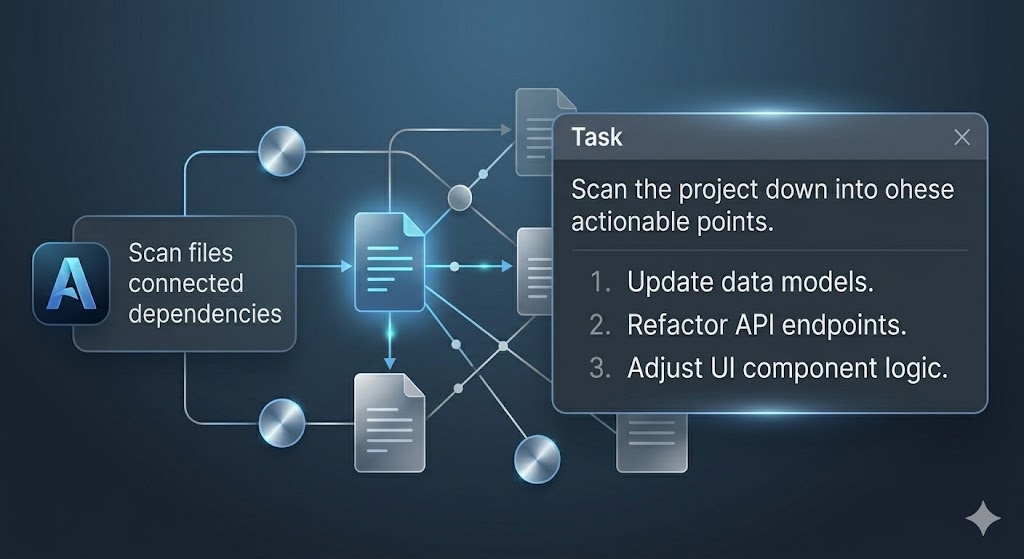
Step 2: Codebase analysis and task breakdown It scans the entire codebase to understand structure, dependencies, and relationships between files, then breaks the assigned task into smaller, actionable steps.
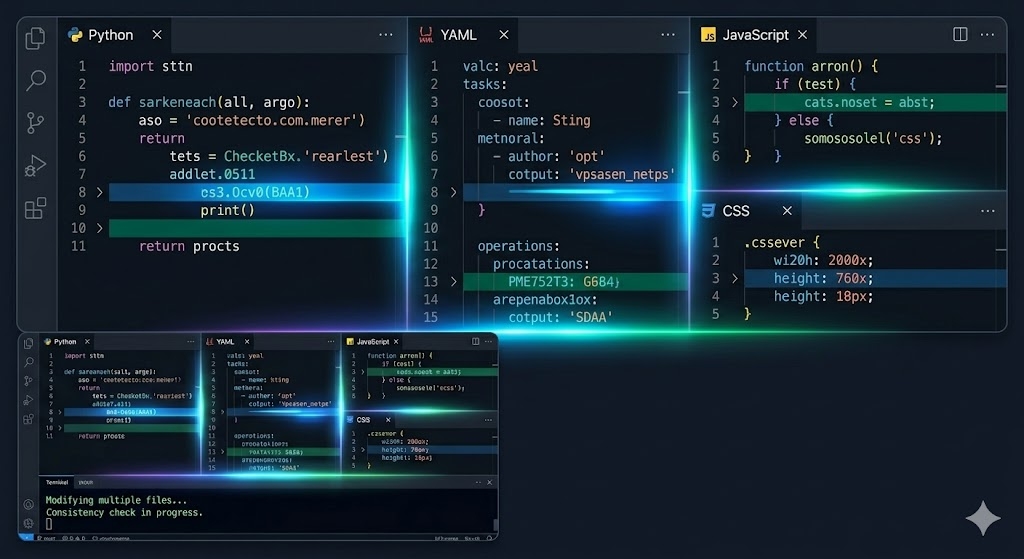
Step 3: Multi-file code execution The agent applies changes across multiple files at once, ensuring consistency throughout the project while implementing the required updates.
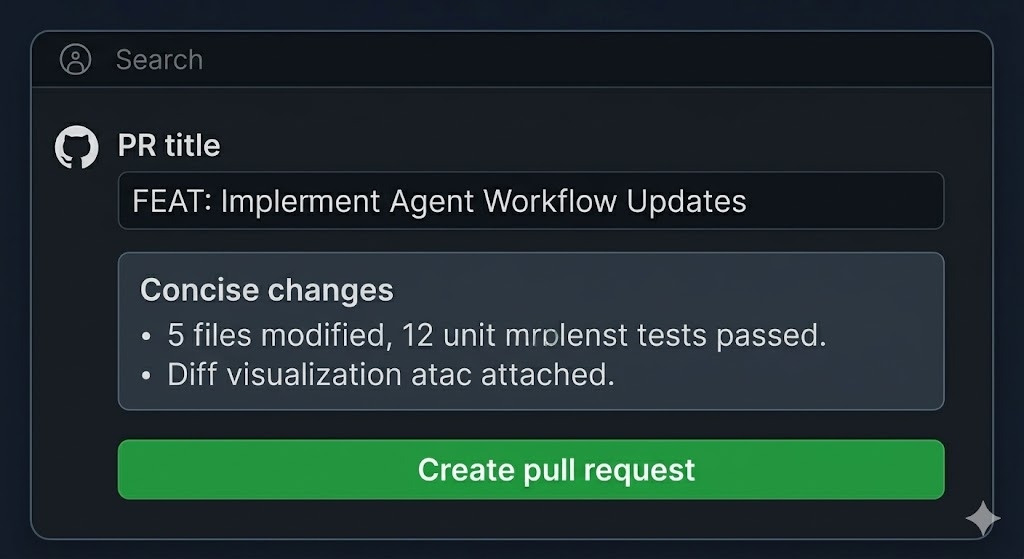
Step 4: Pull request generation for review Finally, it generates a structured pull request summarizing all changes, allowing developers to review, test, and approve before merging into the main branch.
While this workflow is efficient, developers still note that complex tasks often require clearer instructions and human supervision to ensure accuracy in production-level codebases.
Key Features of GitHub Copilot Coding Agent
The GitHub Copilot coding agent features focus on end-to-end development automation rather than simple code suggestions.
Core features:
- Multi-file editing across entire projects: Allows the agent to modify multiple files in a project simultaneously, maintaining consistency across the codebase.
- Autonomous pull request generation: Automatically creates structured pull requests with all changes for developer review and approval.
- Context-aware reasoning using repository structure: Understands the full project structure to make more accurate and relevant code changes.
- GitHub Actions and CI/CD integration: Integrates directly with deployment pipelines to automate testing and delivery workflows.
- Issue-based task execution: Converts GitHub issues into actionable coding tasks and executes them step by step.
Additional capabilities:
- Automated bug fixing from issue descriptions: Detects and fixes bugs based on written issue reports without manual intervention.
- Code refactoring across modules: Improves and restructures code across multiple modules for better performance and readability.
- Documentation updates and maintenance: Keeps project documentation updated automatically as code changes are made.
These features make the tool a semi-autonomous development assistant rather than a replacement for engineers.
GitHub Copilot Coding Agent Pricing
The GitHub Copilot coding agent pricing is included within GitHub Copilot subscription tiers rather than being a separate product.
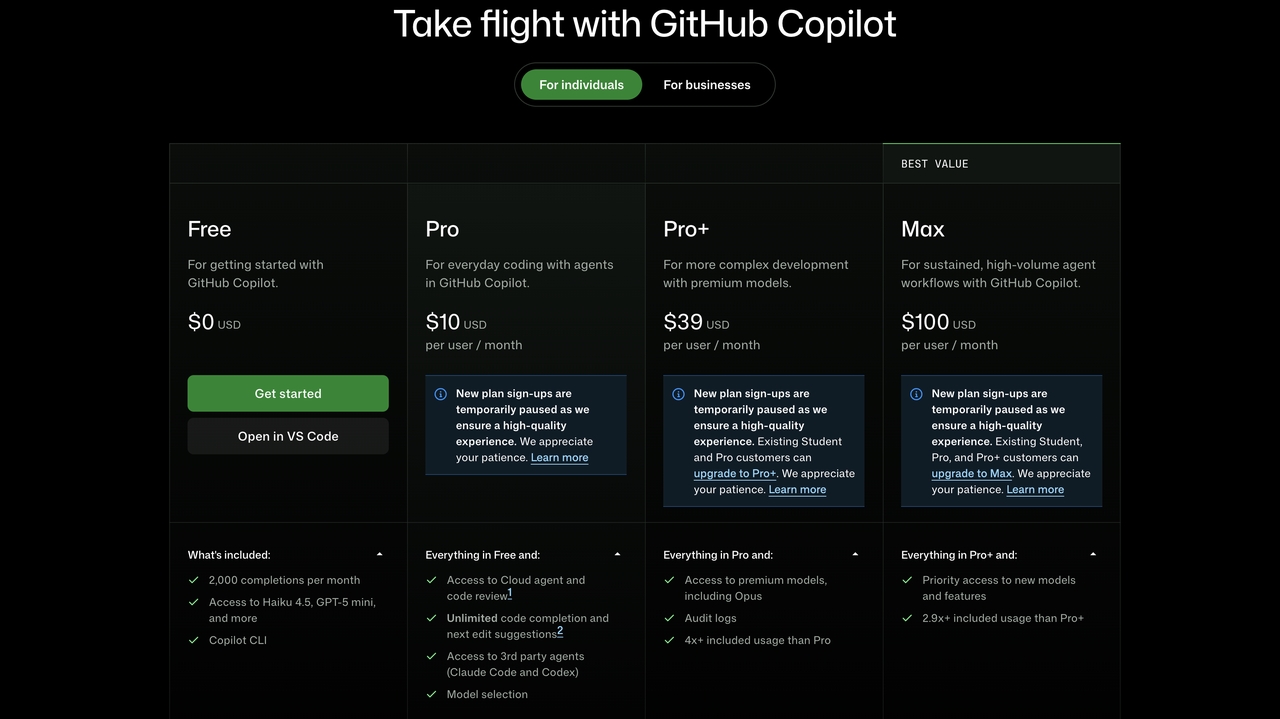
Pricing structure for Individuals
- Free Plan ($0): 2,000 monthly completions with basic AI coding assistance, limited model access, and Copilot CLI support for beginners.
- Pro Plan ($10/month/user): Includes unlimited completions, cloud agent access, code review, third-party agents, and model selection for everyday development.
- Pro+ Plan ($39/month/user): Adds premium models like Opus, audit logs, and 4x higher usage limits for advanced development needs.
- Max Plan ($100/month/user) provides the highest usage limits, priority access to the latest models, and optimized performance for heavy AI agent workflows.
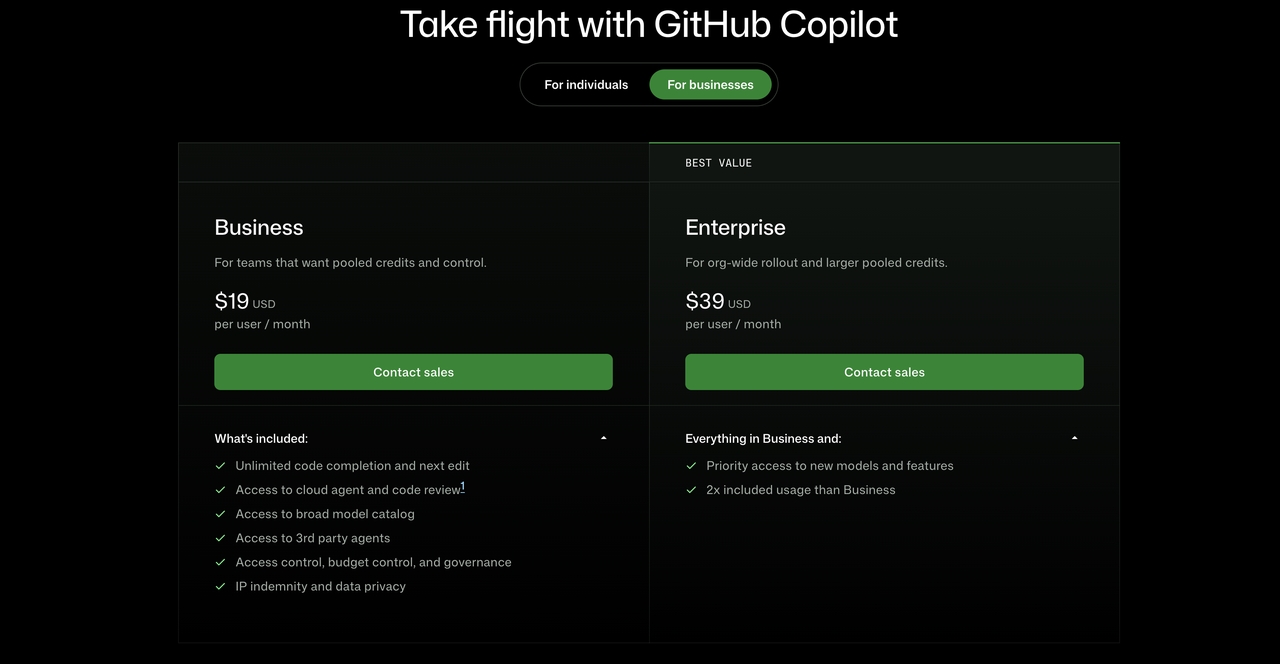
Pricing Structure for Businesses
- Business ($19/user/month): For teams needing AI coding tools with shared control and governance in one workspace.
- Enterprise ($39/user/month): For large organizations requiring higher limits, priority access, and advanced scalability features.
Overall, it is cost-effective compared to manual development efforts, but it requires monitoring during large-scale use.
Developer Feedback, Use Cases, and Limitations
The GitHub Copilot coding agent has received mixed feedback from developers, with optimism and caution in equal measure.
Positive Feedback
- Speeds up repetitive coding tasks: Automates routine development work, allowing developers to focus on higher-value tasks.
- Useful for boilerplate generation: Quickly generates standard code structures and project scaffolding.
- Reduces manual effort in small tasks: Handles minor fixes and updates without requiring extensive developer involvement.
- Improves workflow productivity: Accelerates development cycles by reducing time spent on repetitive work.
Concerns
- Inconsistent results in complex codebases: Performance can vary when working with large or highly customized projects.
- Requires human review before production use: Generated code should be validated before deployment to ensure accuracy.
- Occasional misunderstanding of instructions: May misinterpret prompts and produce unintended results.
- Not fully reliable for large-scale systems: Complex enterprise-level applications still require significant developer oversight.
Common Use Cases
- Ready-to-Use Integrations: Automates backend setup and connects APIs, databases, and services with minimal configuration.
- Bug fixing from structured issue descriptions: Resolves coding issues based on clearly defined bug reports.
- Boilerplate generation for faster development: Creates foundational code quickly to accelerate project setup.
- Refactoring support across modules: Improves code structure and maintainability across multiple components.
- Documentation updates and maintenance: Keeps technical documentation aligned with code changes automatically.
Limitations
- Weak performance in architectural decisions: Struggles with high-level system design and complex technical planning.
- Requires validation before deployment: Outputs should be reviewed and tested before going live.
- Variable performance across projects: Results can differ depending on project complexity, structure, and requirements.
Enter Pro: An alternative approach to AI-assisted development
GitHub Copilot Coding Agent is designed to automate coding tasks within existing repositories, making it well-suited for teams that already have established development workflows.
Enter Pro offers a different approach focused on end-to-end application generation. Rather than primarily assisting with coding tasks, it helps users create full-stack applications from natural language prompts while providing tools for editing, integrations, and deployment.
Key advantages of Enter Pro include:
- Ready-to-Use Integrations: Connect Stripe, Supabase, and third-party APIs instantly without complex backend setup.
- Full-Stack App Generation: Turn simple prompts into complete frontend, backend, and database-powered applications.
- Visual Editor: Modify UI and application logic in real time using an intuitive visual editing experience.
- Built-In Deployment Workflows: Launch production-ready applications quickly with streamlined deployment tools.
- Integrated Ecosystem: Build, manage, and scale complete products from a single AI-powered development platform.
Both platforms are designed to improve software development but serve different use cases. GitHub Copilot Coding Agent is well suited for developers who want AI assistance within existing codebases, while Enter Pro may appeal to users looking for an AI platform that supports creating complete applications from an initial idea.
How to Use Enter Pro for AI-Powered Development
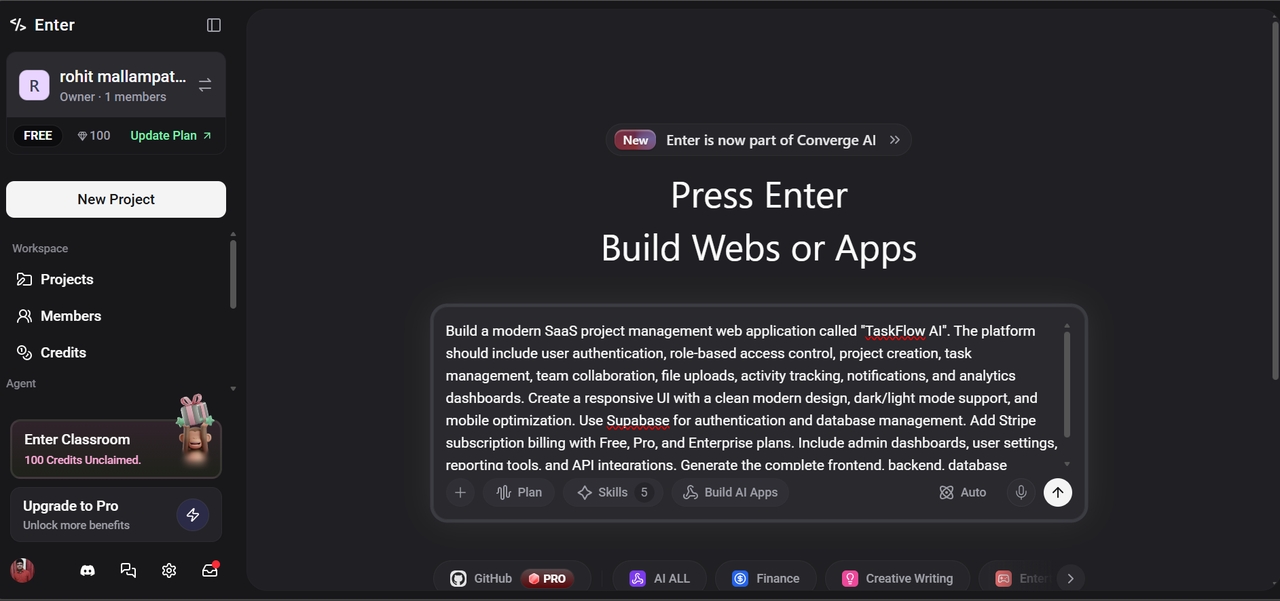
- Step 1: Define your app idea using a natural prompt. Start by describing your project in plain language, so Enter Pro can understand the full scope and intent.
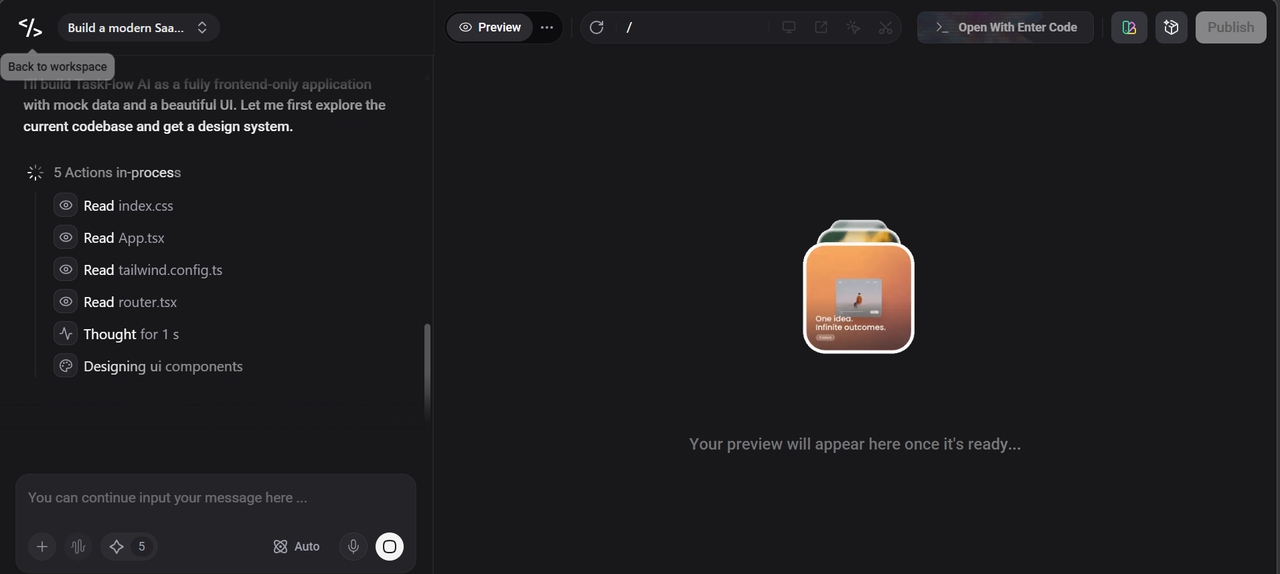
- Step 2: Generate and refine your full-stack app. Instantly build frontend, backend, and database structure, then refine UI, logic, and integrations using AI-powered visual editing.
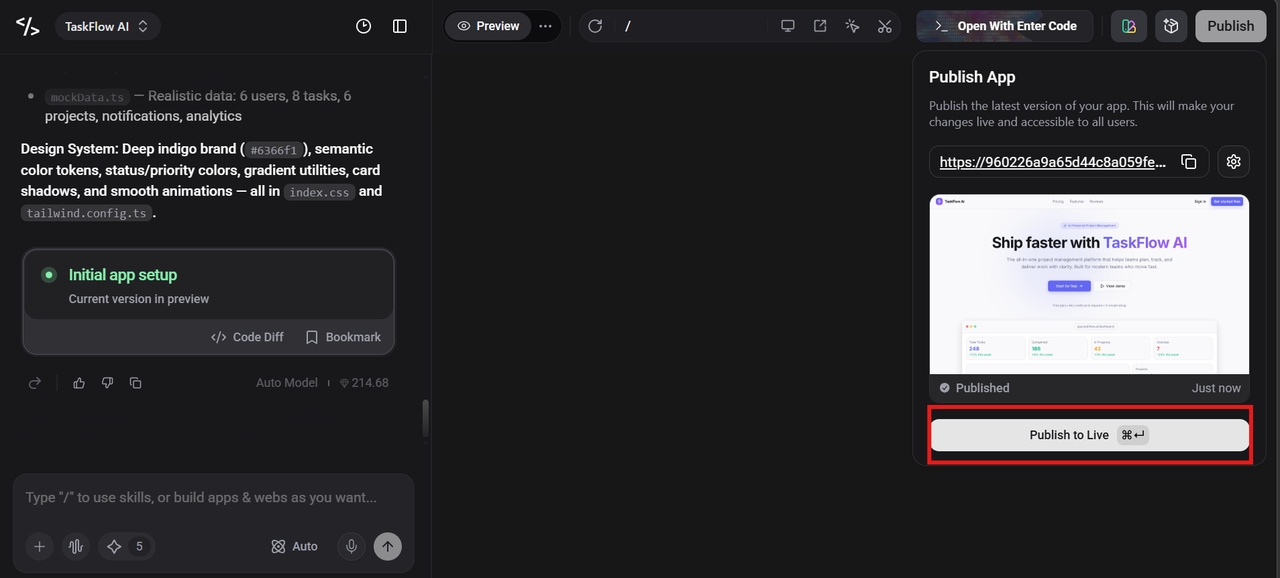
- Step 3: Deploy and scale instantly. Launch your application with one click, seamlessly moving from development to production-ready deployment.
Conclusion
The GitHub Copilot coding agent marks a significant advancement in AI-assisted development. Unlike traditional autocomplete tools, it can analyze repositories, update multiple files, and generate pull requests. While its features are powerful and available through Copilot plans, it works best for well-defined tasks and may struggle with complex architecture or large-scale changes. Rather than replacing developers, it improves productivity within existing workflows. Meanwhile, platforms like Enter Pro reflect a shift toward all-in-one AI development environments that simplify building, deploying, and scaling applications. A balanced approach combines AI-driven speed with human expertise for design and production readiness.
Frequently Asked Questions (FAQs)
What is the GitHub Copilot coding agent? The GitHub Copilot coding agent is an AI system that performs multi-step coding tasks inside repositories, including editing code, fixing bugs, and generating pull requests. While it works within GitHub workflows, many developers compare its evolution to platforms like Enter Pro, which aim to simplify full application building beyond just code changes.
How does the coding agent GitHub Copilot work? It runs in a cloud environment, clones a repository, analyzes the codebase, breaks tasks into steps, and executes changes before generating a pull request for review. In contrast, tools like Enter Pro focus on reducing the need to manage these workflows manually by enabling more end-to-end app creation through AI.
What are GitHub Copilot coding agent features? Key features include multi-file editing, autonomous pull request creation, GitHub Actions integration, issue-based automation, and context-aware reasoning. Platforms like Enter Pro expand on this idea by combining similar AI capabilities with visual building tools and integrated deployment workflows.
What is GitHub Copilot coding agent pricing? Pricing is included in GitHub Copilot subscription plans such as Copilot Pro and enterprise tiers, with usage-based limits depending on workload. Some modern platforms, like Enter Pro, are also exploring bundled AI development experiences in which tooling, development, and deployment are more unified.
Is GitHub Copilot coding agent reliable for production use? It is reliable for simple and repetitive tasks but still requires human review for complex or production-level changes. Many teams use it alongside platforms like Enter Pro or other AI development tools to reduce workload while maintaining control over the final output.