
The Complete Guide to the Pi Coding Agent: Features, Pricing, & More
Is the Pi coding agent right for your team? Explore our full review of this terminal-native AI, featuring secure models and zero vendor lock-in. Also, learn about how Enter Pro can be a worthwhile alternative.
Pi.dev (also known as Pi coding agent) stands out in the evolving AI landscape as a highly secure, terminal-native coding agent designed specifically for regulated enterprise environments.
It has rapidly emerged as the preferred solution for technical engineering teams handling highly sensitive source code and strict compliance workloads. Therefore, in this article, we will be taking a deep-dive into Pi's features, pricing, and its various advantages & disadvantages.
What is Pi coding agent?
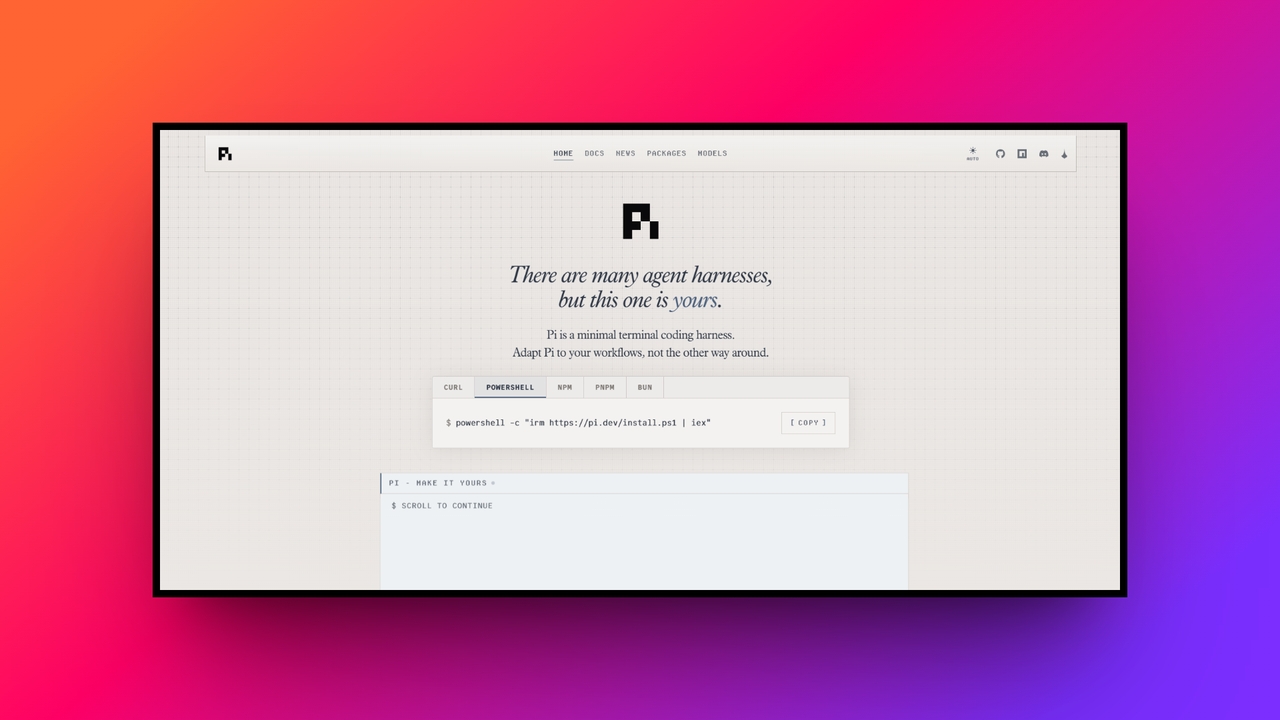
Pi coding agent or Pi.dev is an advanced, open-source AI coding agent designed to operate entirely within your command-line interface.
Unlike traditional AI assistants that exist as browser extensions or integrated development environment (IDE) plugins, Pi.dev acts as an autonomous terminal native. It can read your local file system, write code, execute bash commands, and manage complex developer workflows directly from your shell.
By seamlessly connecting to powerful external or locally hosted language models, Pi.dev essentially functions as a virtual junior developer sitting right at your keyboard. It automates repetitive coding tasks, assists with deep debugging, and orchestrates local system operations while keeping the developer in absolute control.
Powerful features of Pi coding agent Github
Terminal-native execution
Pi.dev operates entirely within your command-line interface, significantly reducing the auditable attack surface compared to browser-based alternatives. It reads, writes, and executes files strictly under the developer’s local user account. This means your existing endpoint detection, file-integrity monitoring, and shell-history logs capture all agent activities perfectly out of the box.
Extensive model provider support
The platform supports more than fifteen model providers, completely transforming how teams handle data. You can authenticate via API keys to giants like Anthropic and OpenAI, or crucially, connect to self-hosted, on-premise inference endpoints. This ensures your proprietary source code never traverses any public API or violates strict compliance agreements.
Tree-structured session history
Every interaction is automatically saved locally as a highly detailed JSONL file featuring a unique tree structure. If a coding session goes wrong, you can instantly branch the conversation from any previous point, restoring earlier states. This provides a brilliant undo graph without ever losing your highly valuable prompt history.
Four distinct operating modes
Flexibility is at the core of Pi.dev, featuring four versatile operational modes. Interactive mode delivers a standard terminal experience, while Print/JSON mode accommodates seamless scripting. RPC mode exposes the agent locally, and SDK mode allows engineers to directly embed the coding agent into custom built Node or TypeScript applications.
Minimalist built-in toolset
Deliberately avoiding opinionated bloat, Pi.dev ships with exactly four foundational core tools: read, write, edit, and bash. The underlying language model utilizes these to interact with your system. Everything else, from complex sub-agents to custom UI widgets, is added strictly through customizable prompt templates, installable skills, or bespoke TypeScript extensions.
How to use Pi coding agent AI tool online?
To start using Pi in the best possible manner, simply follow our suggested steps below and you will be good to go.
Step 1: Open Pi and sign-in Visit the official website of Pi coding agent (Pi.dev), and install and launch Pi. Sign in using a supported AI provider account or connect your API key to start using coding features.

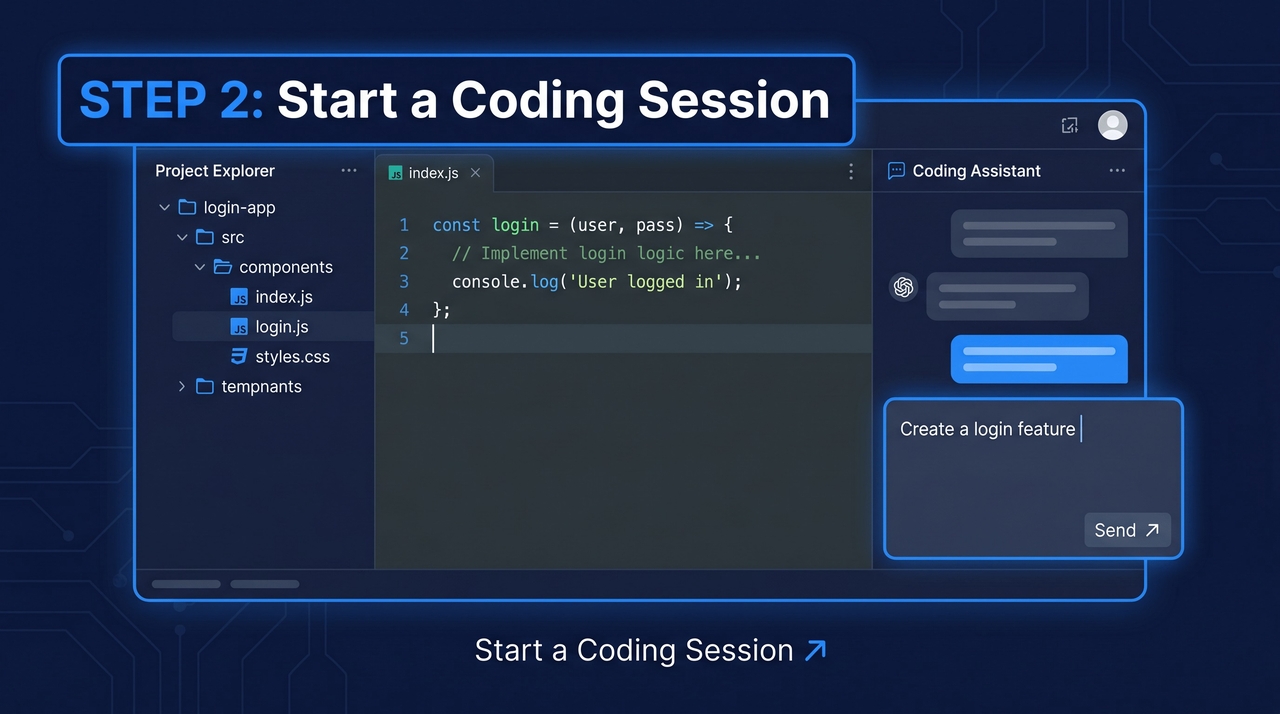
Step 2: Start a coding session Open your project folder and launch Pi. Describe your coding task in plain language, such as creating features, fixing bugs, reviewing code, or generating files.
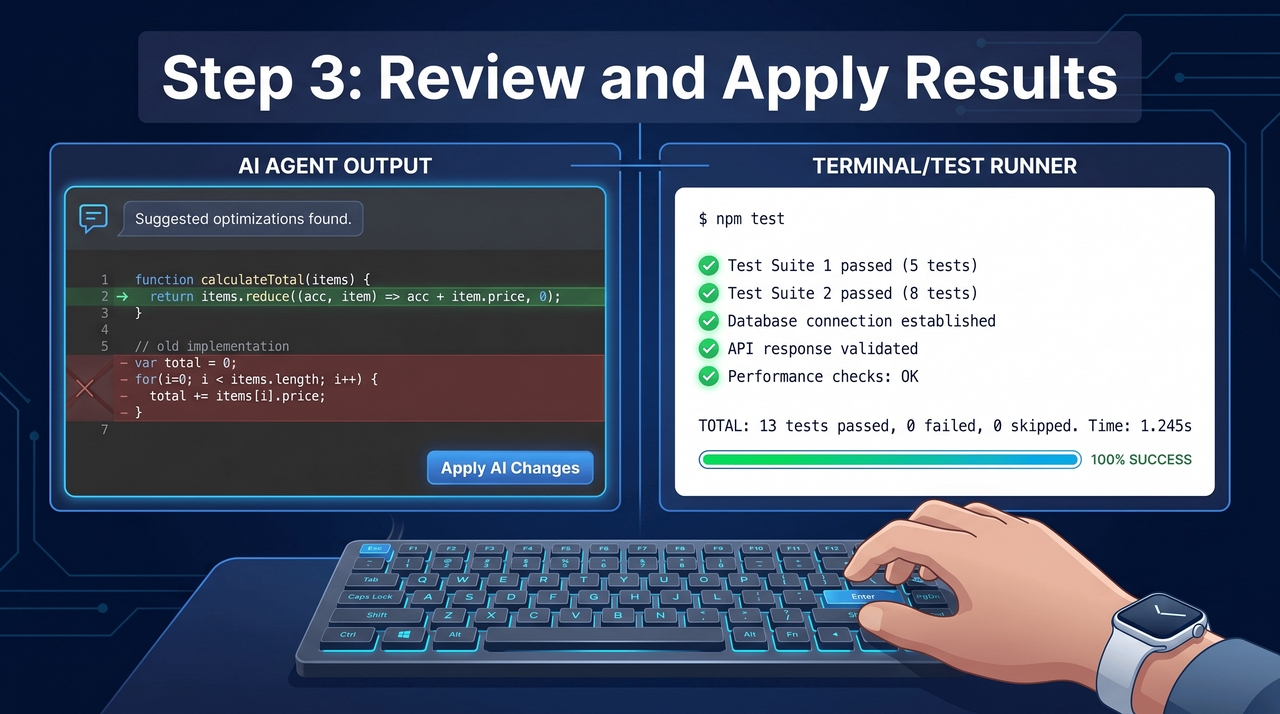
Step 3: Review and apply results Pi analyzes your request, edits code, runs tools when available, and suggests changes. Review the generated output, test your project, and continue iterating.
Pi coding agent: pricing tiers
Because Pi.dev is an open-source tool published under the MIT license, the software itself is completely free to install and use.
There are no monthly SaaS subscriptions, enterprise seat licenses, or hidden vendor fees. You only pay for the actual inference costs of the external AI models you choose to connect.
If you link Pi.dev to a self-hosted model, your operational cost is zero beyond existing infrastructure. To illustrate how Pi.dev compares economically to commercial alternatives, here is a breakdown:
| Platform | Base Software Cost | Model Usage Costs | Estimated Total |
| Pi.dev | $0 (Open Source) | Pay-per-token API fees | $5 - $20 (API dependent) |
| Cursor | $20/month per user | Included in subscription | $20+ |
| GitHub Copilot | $19 - $39/month | Included in subscription | $19 - $39 |
| Claude Code | $0 (Requires API) | Pay-per-token API fees | $10 - $30 |
This makes Pi.dev highly cost-effective for engineering teams willing to manage API keys.
Major strengths & weaknesses of Pi coding agent
To help you learn more about the platform, the following set of pros and cons can be useful in your understanding process.
| Advantages | Disadvantages |
| Ultimate data privacy: By supporting fully self-hosted model endpoints, the system ensures proprietary code and sensitive data never leak to public clouds.Comprehensive audit logging: Every single terminal session is automatically stored locally as plain JSONL files, making security audits and compliance reporting incredibly straightforward.Zero vendor lock-in: As an MIT-licensed, open-source tool with no corporate backing, development teams face zero risk of sudden vendor pricing subscription hikes.Highly extensible architecture: Developers can easily expand functionality by writing custom TypeScript extensions, allowing seamless integration directly into specialized workflows and CI pipelines. | High technical barrier: The lack of an automated onboarding process means non-technical users will struggle significantly to properly configure API keys and environments.No visual interface: Relying entirely on terminal commands strictly isolates visual learners and users who strongly prefer the comfort of modern drag-and-drop interfaces. |
Who should use Pi coding agent and who should not?
Pi coding agent isn't a one-size-fits-all. That's why we have segregated the ideal audience for Pi Dev from its not-so-ideal audience.
| Who should use the Pi coding agent | Who should not use the Pi coding agent |
| Seasoned technical Teams: Ideal for experienced developers and system administrators who are highly comfortable with command-line operations.Regulated industries: Perfect for teams in healthcare, defense, and finance that regularly handle CUI, PHI, or ITAR data.Privacy-focused organizations: A great fit if your company mandates zero third-party data egress and requires strict vendor compliance.Tinkerers: Best for engineers who want absolute control over their model infrastructure and love customizing tools using TypeScript. | Non-technical founders: Absolutely not suitable if you are looking for an intuitive, "works right out of the box" platform.Visual learners: Lacks a polished graphical interface, drag-and-drop functionality, and visual project management tools.Junior developers: The sheer rawness of the tool and the need for complex configuration will likely feel overwhelming and counterproductive.Teams without dedicated engineers: Demands a robust understanding of API tokens, environment variables, and local permissions, which will slow down rapid prototyping teams. |
Moving towards a more intuitive platform: introducing Enter Pro
While Pi coding agent excels in raw terminal control, its high technical barrier and complete lack of a visual interface leave non-technical founders and rapid-prototyping teams behind.
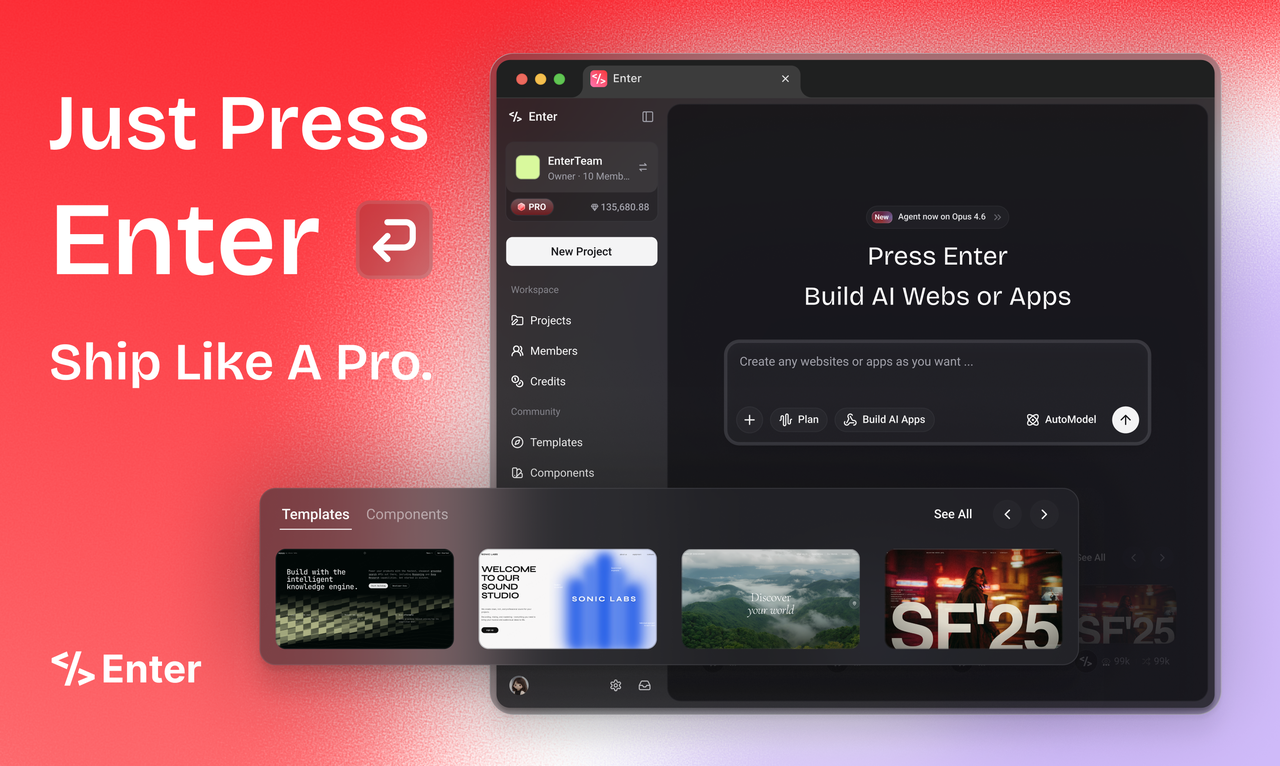
If you need the immense power of AI development without constantly wrestling with complex command-line configurations, Enter Pro offers a visual, no-code approach that may suit users who prefer not to work in a terminal, for seamlessly transforming ideas into modern, fully functional websites or applications.
Why is Enter Pro the better choice?
- Conversational vibe coding: Enter Pro shifts development from writing manual syntax to natural language prompting. Users can generate frontend designs and backend logic simply by chatting, making software creation more accessible.
- Intelligent "Plan" mode: Before writing code, the system acts as a virtual lead architect. It drafts a comprehensive structural plan for your application, ensuring stability, logical flow, and scalable modular components during development.
- Unified multi-model access: Instead of relying on one provider, Enter Pro seamlessly connects to leading models like GPT, Claude, and Gemini through a centralized API, dynamically utilizing the best intelligence for specific tasks.
- Integrated cloud deployment: Eliminating external hosting headaches, the platform features a built-in cloud deployment environment. You can seamlessly manage databases, handle user authentication systems, and launch your SaaS product live within mere minutes.
How to use Enter Pro in 3 simple steps?
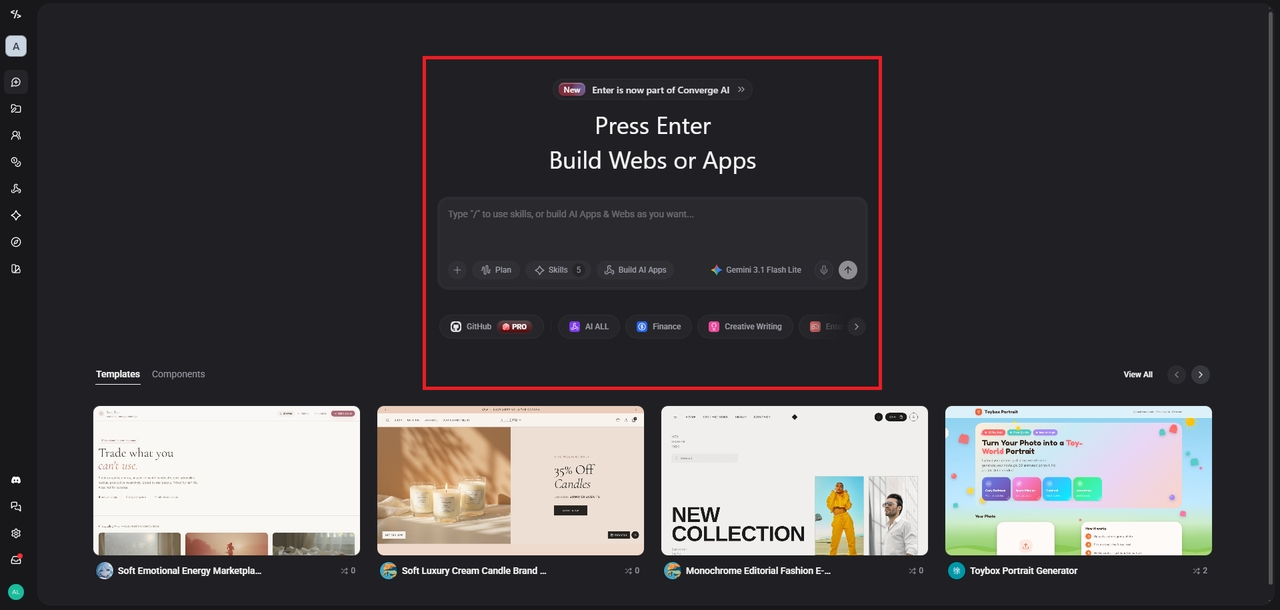
Step 1: Access Enter Pro's dashboard and select your AI model
Log in to Enter Pro and access the intuitive dashboard. Browse available AI models such as Claude or GPT, compare their capabilities, and choose the one best suited to your project requirements and goals.
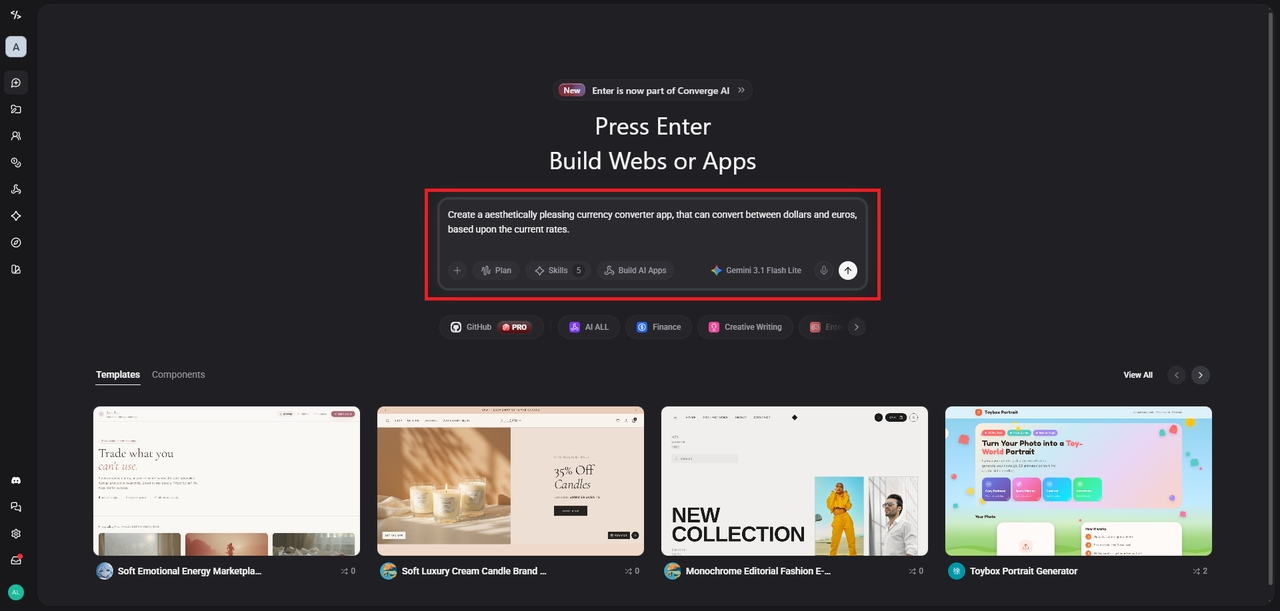
Step 2: Enter your prompt for creation of app or website
Describe your app or website idea using a detailed prompt. Specify features, design preferences, functionality, and objectives, allowing the AI to generate a tailored solution efficiently.
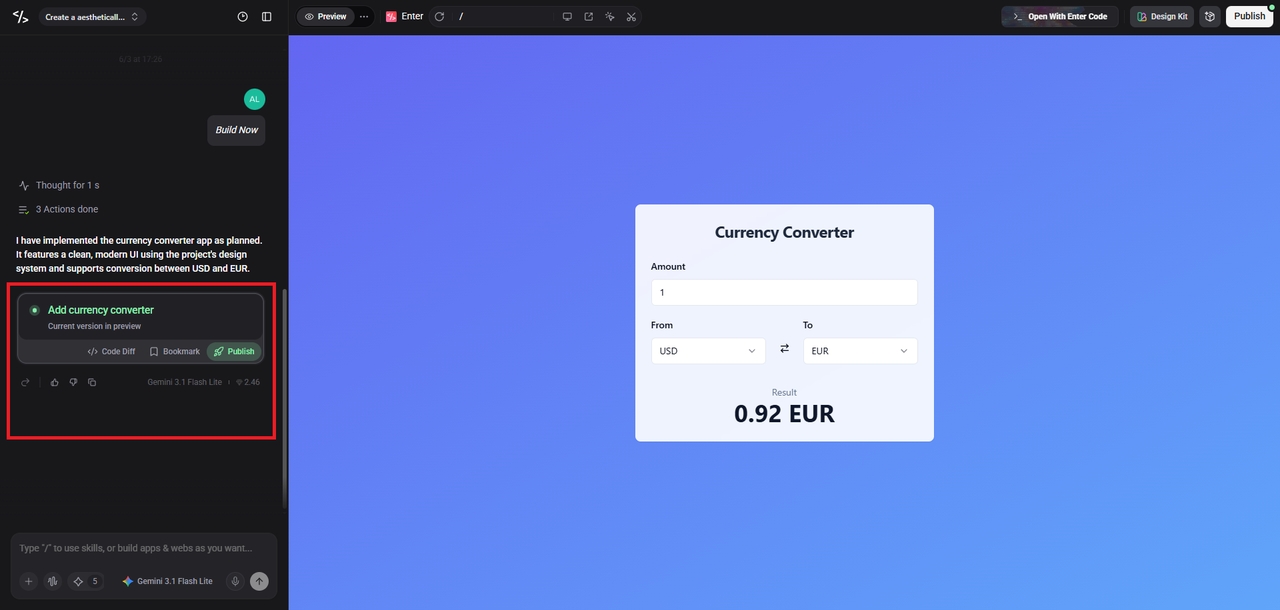
Step 3: Finalize and publish your creation
Review the generated app or website, make any desired adjustments, test functionality, and finalize the project. Once satisfied, publish your creation and share it instantly.
Signing off
The landscape of AI coding agents is diverging rapidly to serve vastly different needs.
For highly regulated enterprise teams handling sensitive data, Pi.dev is an unparalleled terminal-native powerhouse, offering absolute privacy, auditability, and the vital ability to utilize self-hosted models. It requires technical expertise but rewards you with ultimate control.
On the other end of the spectrum, Enter Pro democratizes software creation for solo founders and creatives, replacing complex code with intuitive natural language and visual deployment.
Ultimately, choosing between them depends entirely on your technical background and whether your priority is strict compliance or rapid, frictionless product launches.
FAQs
Is Pi coding agent genuinely free to use for commercial projects?
Yes, Pi.dev is fully open-source and MIT-licensed, meaning you pay nothing for the software itself. You only cover the independent API inference costs from your chosen external AI language model provider networks.
Does Pi coding agent work offline?
Pi.dev can operate completely offline if configured correctly. By connecting the terminal agent to a locally hosted, on-premise model like an Ollama server, absolutely no internet connection is required for executing code.
Can beginners build applications using Enter Pro without experience?
Yes. Enter Pro is explicitly designed for non-technical users and solo founders. It reduces the need for manual coding by using natural language and visual tools, making development accessible to users with limited coding experience.
How does Enter Pro handle database management and deployment?
Enter Pro features a fully integrated cloud environment that automatically handles backend infrastructure. It manages your databases, user authentication systems, and live web hosting without requiring any separate third-party server management configurations.
Does Pi coding agent provide a graphical user interface or dashboard?
No, Pi.dev is strictly a command-line tool lacking any graphical visual dashboard. It operates exclusively through terminal prompts and local files, which maximizes platform security but severely steepens the immediate learning curve.