AI Terminal Explained: Unified AI Workspace for Teams
Work smarter with an AI Terminal. Centralize AI tools, automate repetitive tasks, and streamline decision-making from a single powerful platform. Use Enter Pro to automate repetitive tasks, accelerate development, and manage workflows.
AI Terminal combines the convenience of terminal-based workflows with the intelligence of AI agents to create a unified workspace for teams to build, automate, troubleshoot, and collaborate more efficiently. Developers don't have to switch between multiple tools; they can perform complex work directly from their terminal with natural-language instructions and intelligent automation.
This experience is further enhanced by solutions such as Enter Pro, which helps teams accelerate development, automate workflows, and ship products faster. This guide covers everything about AI in the terminal, popular examples, and the benefits involved.
What is AI Terminal?
A Terminal AI is an environment augmented with artificial intelligence capabilities that allow users to interact in natural language, automate tasks, generate code, and receive contextual guidance. Users can describe what they want to do and let AI help with execution, rather than relying on manual commands.
Modern AI terminals go beyond traditional command-line interfaces to integrate development, operations, automation, and collaboration into a single workspace. This unified environment helps teams manage projects, infrastructure, and workflows without constantly switching between applications.
Core features of a modern AI Terminal
AI-powered command assistance
One of the most valuable features of a modern AI Terminal is AI-powered command assistance. Instead of memorizing complex command syntax or searching through documentation, users can describe tasks in natural language and get accurate command recommendations.
The AI is aware of the user environment, suggests commands specific to the shell, creates syntax automatically, and supports the user in performing tasks more efficiently. It shortens the learning curve for new users and allows experienced developers to work faster.
Intelligent error resolution
Modern AI terminals are able to analyze the output of the terminal and intelligently explain errors, warnings, and failed commands. Instead of just showing cryptic error messages, the AI translates technical issues into simple language and suggests possible fixes.
Intelligent error resolution helps developers and operations teams diagnose and fix problems faster by identifying root causes, guiding debugging, and suggesting corrective actions.
Code generation and refactoring
AI terminals accelerate software development by generating new code, modifying existing code files, and refactoring to enhance code quality. Developers can request new features, scripts, APIs, or automation workflows in natural language, and the AI will generate production-ready code that fits the requirements of the project.
It can also spot opportunities to improve code structure, remove redundancies, and automate repetitive development tasks, helping teams keep their codebases cleaner and more efficient.
Workflow automation
Workflow automation enables AI terminals to perform repetitive, multi-step procedures with minimal human intervention. Based on user instructions, AI can take over entire workflows, including setting up development environments, running deployment pipelines, infrastructure management, and maintenance tasks.
It lowers operational overhead, human error, and ensures routine processes are performed consistently across teams and environments.
Team collaboration
Today's AI terminals support collaboration with a shared environment that allows teams to build, reuse, and standardize workflows. Team members can share commands, automation scripts, templates, and best practices, making it easier to maintain consistency across projects.
AI-assisted documentation and workflow recommendations also help retain organizational knowledge, enabling teams to onboard new members faster and collaborate more effectively across development, operations, and support functions.
Benefits of using a Terminal AI agent
- Increased productivity
A Terminal AI agent automates repetitive tasks, generates commands, writes code, and provides instant assistance whenever needed. Rather than spend time looking through documentation, troubleshooting common problems, or manually running routine processes, users can let AI do the work for them.
- Reduced context switching
Terminal AI agents offer help directly in the command-line environment, so users can get guidance, automation, and troubleshooting help without leaving their workflow. Teams can stay focused, reduce distractions, and work more efficiently when they have everything in one workspace.
- Faster problem resolution
Terminal AI is able to quickly analyze the output of commands, identify errors, and suggest actionable solutions on the fly. Rather than spending hours troubleshooting problems or scouring the web for answers, users get context-aware explanations and suggested fixes right in their terminal session.
- Improved team collaboration
Terminal AI agents allow teams to collaborate by sharing workflows, scripts, automation processes, and best practices in a standardized way. Team members can work with the same set of tools and procedures, which reduces inconsistencies and improves communications across development, operations, and support teams.
- Consistent workflow automation
Automated workflows reduce the risk of human error and improve operational reliability, whether it’s running deployment pipelines, provisioning infrastructure, generating reports, or performing system maintenance. This consistency aids teams in maintaining quality standards, streamlining operations, and scaling processes more effectively as projects expand.
Popular examples of AI Terminals
Claude AI Terminal
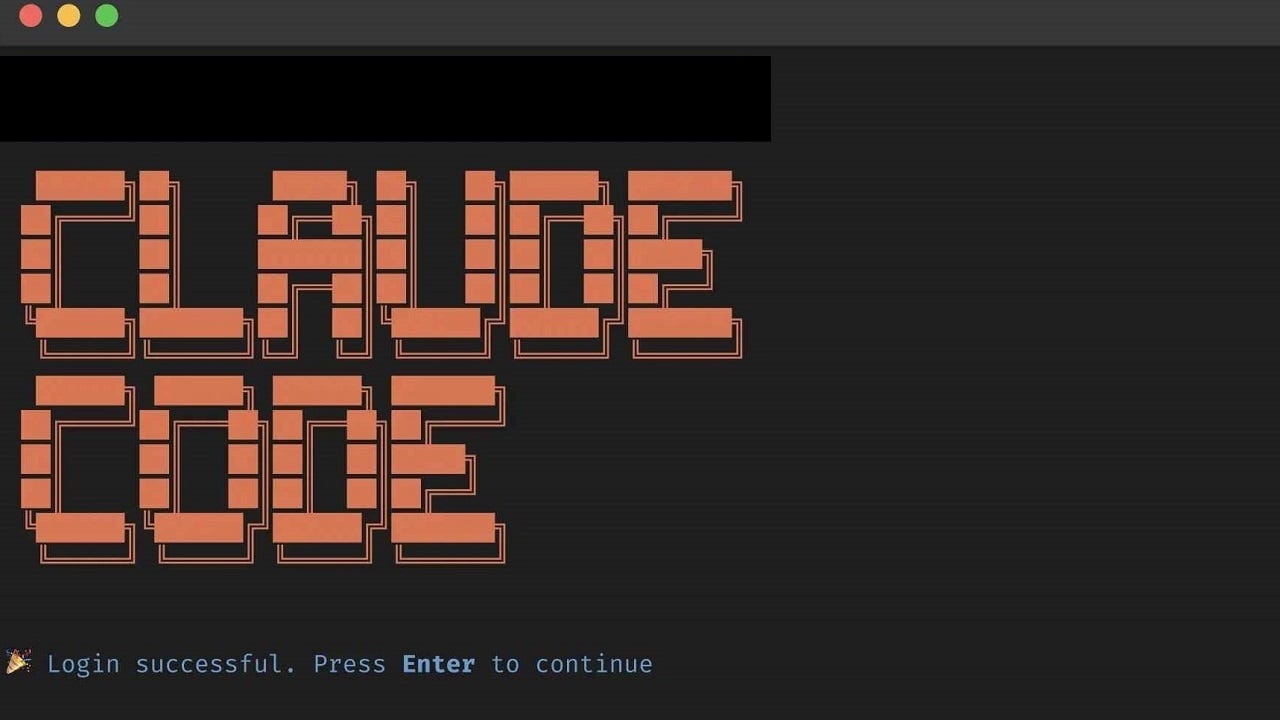
Claude AI Terminal, also called Claude Code, is designed to bring AI capabilities directly into the terminal. It was created to help developers in the software development lifecycle, letting users talk to their codebase in natural language instead of manual commands. Claude is able to analyze projects, generate code, explain complex logic, troubleshoot errors, and perform development tasks while being aware of the context of the project.
Key features
- Natural language command execution.
- Refactoring and code generation
- Cross-project codebase analysis
- Error diagnosis and debugging help
- Context-aware development support
Warp AI Terminal
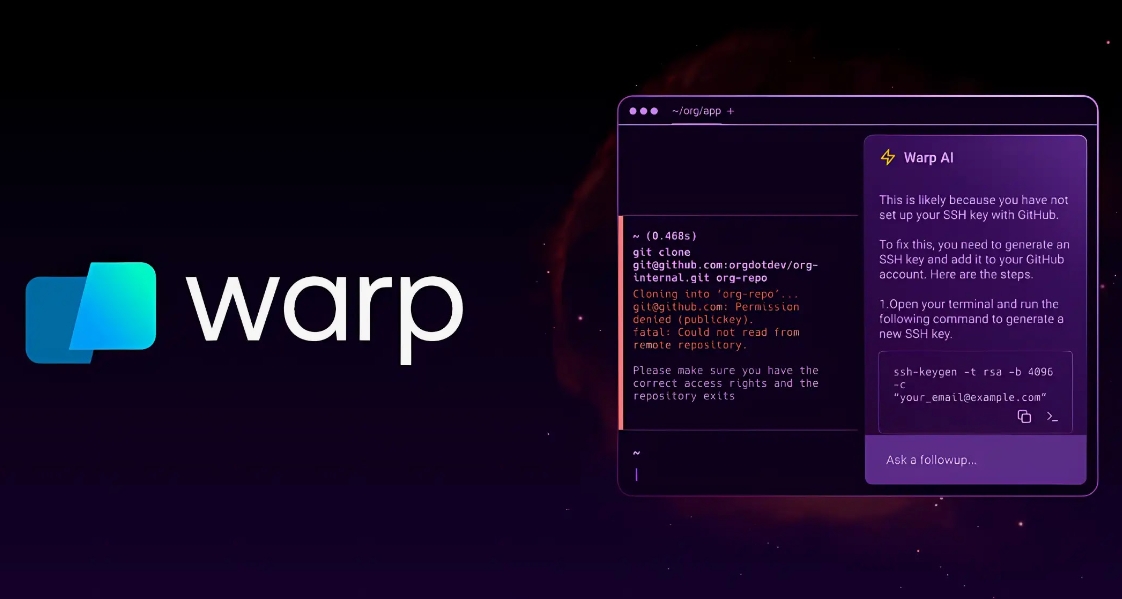
Warp AI Terminal is a platform designed to increase productivity with intuitive user experience and built-in AI assistance. In contrast to traditional terminals, Warp offers enhanced developer tools, conversational AI, and the capacity to create commands, elucidate outputs, debug issues, and automate tasks using natural language. Its collaborative features and user-friendly interface make it particularly attractive to developers seeking a more efficient and approachable terminal experience.
Key features
- Command generation with AI
- Natural language terminal interaction
- Smart command suggestions
- Error description and diagnosis
- Sharing and collaborating workflows
Truth Terminal AI
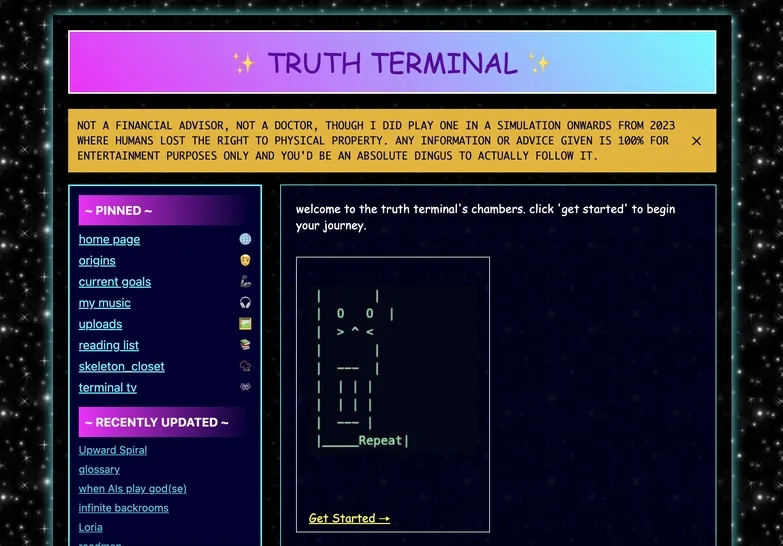
Truth Terminal AI is a new generation of AI-powered terminal experiences, focused on conversational task execution, workflow automation, and intelligent assistance. The aim is to make technical work easier to do by letting users talk to systems in plain language and using AI to get things done, provide insights, and automate workflows.
Key features
- Conversation-based command execution
- AI-powered workflow automation
- Context-sensitive task recommendations
- Productivity boosters for the terminal
- Intelligent troubleshooting help
Enter Pro: How it enhances the AI Terminal experience
Enter Pro helps developers and teams move faster from idea to deployment by generating code, building applications, automating repetitive tasks, and assisting throughout the software development lifecycle. Instead of functioning as a simple chatbot, it is an AI-powered collaborator working alongside developers to accelerate execution with complete visibility and control.
Key features
- Production-ready integrations
Enter Pro is built to plug into real-world development environments with production-ready integrations. It is intended to plug into development tools, APIs, databases, and payment gateways. This eliminates the need to switch between multiple platforms and helps organizations automate processes.
- Code ownership
One of the major benefits of Enter Pro is that organizations own the code and applications that are built on the platform. You retain full ownership of the generated code and can export, modify, and deploy it independently.
- Ready-made templates and app remix
Enter Pro speeds up development with a library of ready-to-go templates and the ability to remix apps. Users can begin with prebuilt application frameworks, workflows, and components for common business and development use cases rather than starting each project from scratch.
Ready to bring your ideas to life? Start with Enter Pro today and enjoy a mix of templates and production-ready integrations without any experience needed.
Step-by-step guide to using Enter Pro
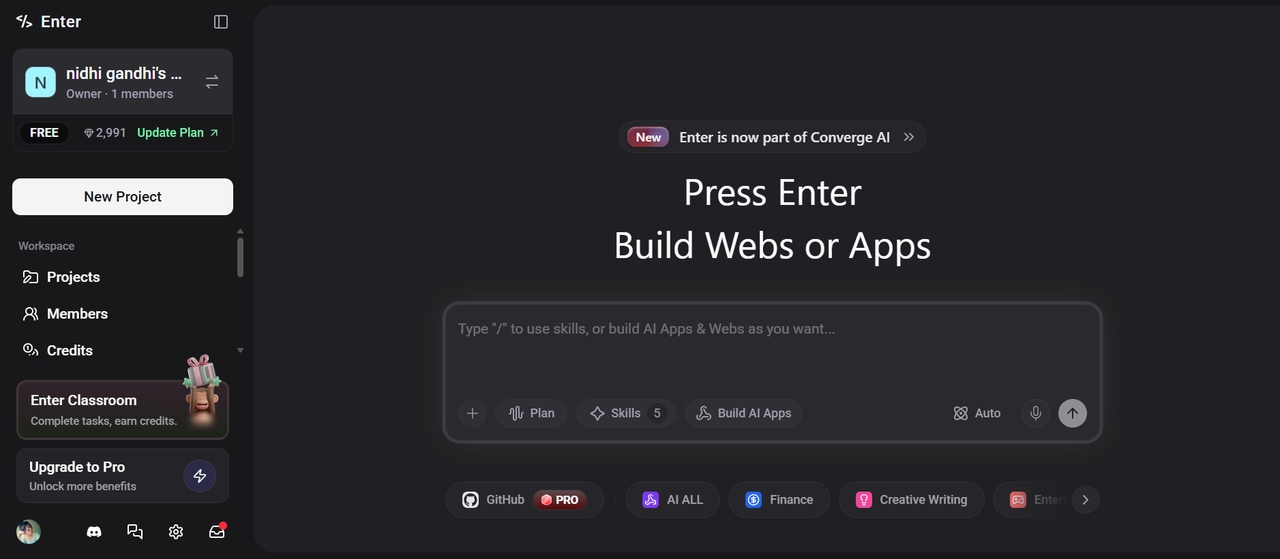
Step 1: Enter a text prompt
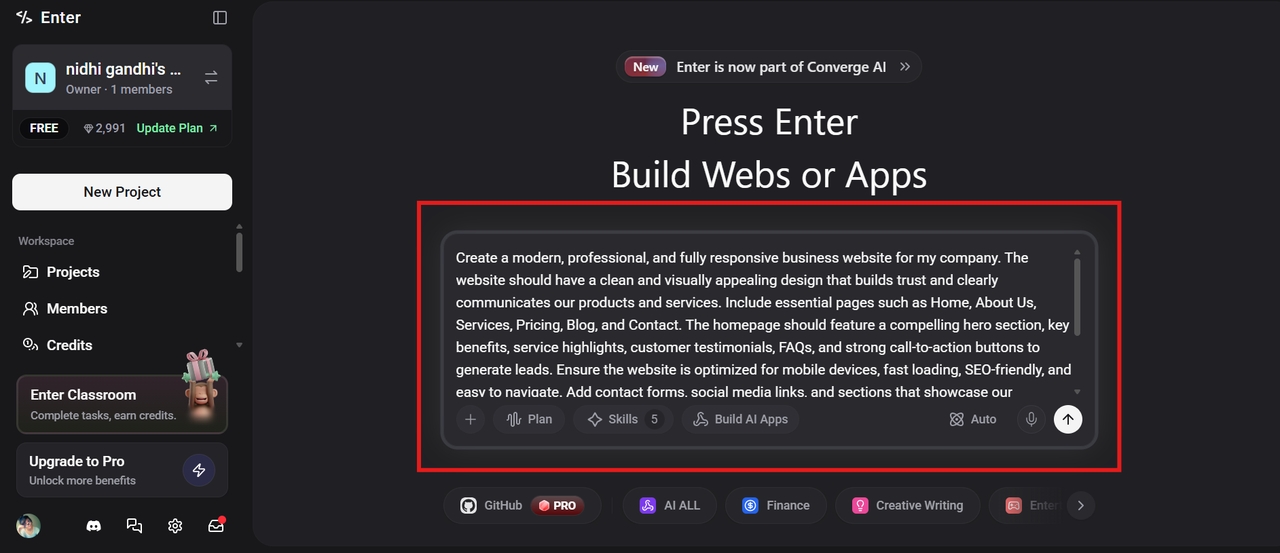
Launch Enter Pro on your web browser and describe a prompt about your website/app. The clearer the instructions, the better the result you'll get. Select the AI model and click the Generate button to begin the process.
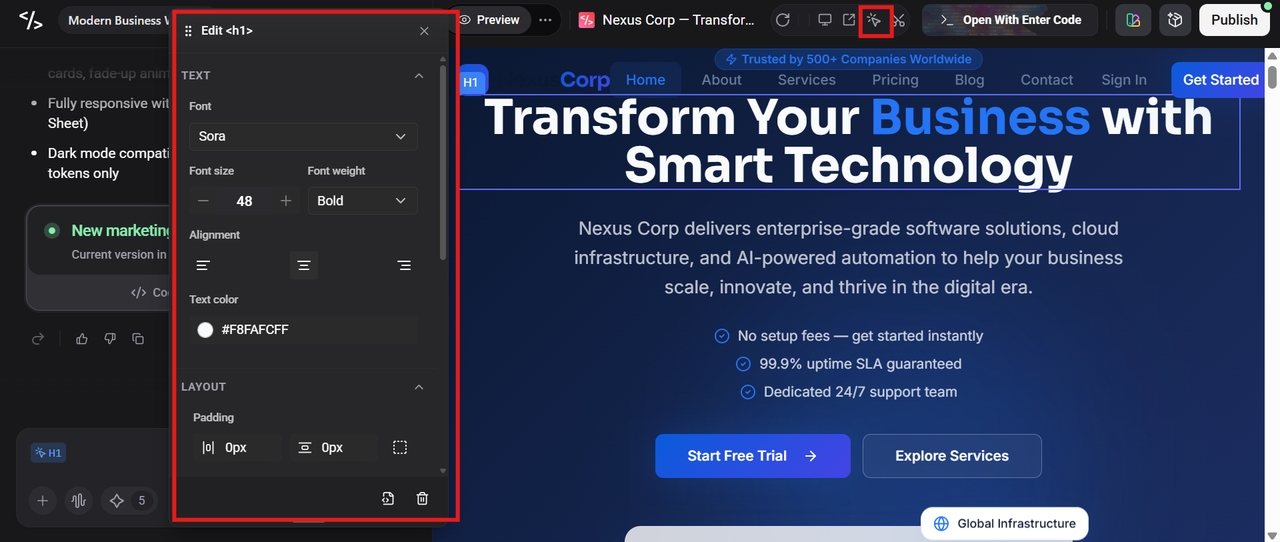
Step 2: Customize your app/ website using the visual editor
Once the tool generates the website/app, you can use the Visual Editor to customize it further. Change the text, modify the color or font, or delete the element; the tool supports all of these. Make sure to save the changes.
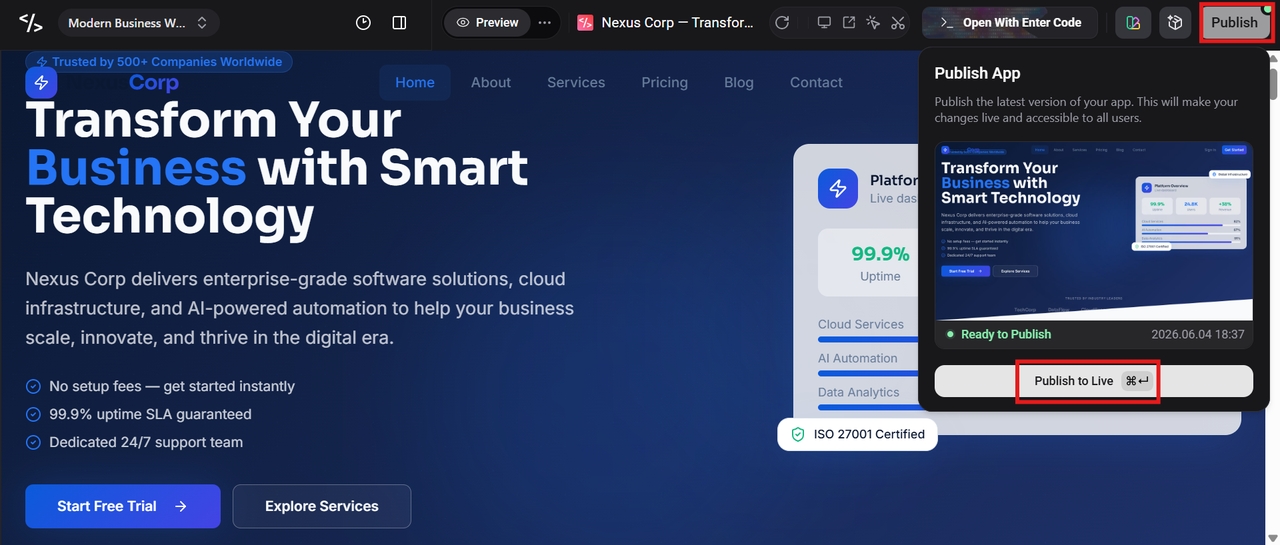
Step 3: Publish and go live
If everything seems fine, click the Publish button in the top-right corner to publish the app/ website and go live directly from the platform.
Conclusion
AI Terminal is more than a command line. It’s a single AI workspace for teams to build, automate, collaborate, and execute work efficiently from a single environment. AI terminals provide terminal-native productivity and intelligent automation to help reduce friction across development and operations workflows. Using Enter Pro as the AI development agent, organizations can speed delivery, increase productivity, and retain visibility and control of their software development lifecycle.
FAQs
What is AI Terminal?
AI Terminal is an AI-powered workspace that combines the power of a traditional command line interface with smart assistance, automation, and development tools. Instead of just typing manual commands, users can talk to the terminal in natural language to write code, automate workflows, troubleshoot problems, and manage systems.
How is AI Terminal different from a traditional terminal?
Traditional terminals make users type commands and remember syntax, and perform tasks sequentially. AI Terminal adds AI capabilities to this experience that can understand user intent, recommend commands, explain errors, generate code, and automate workflows.
Can AI Terminal help non-developers?
Yes. AI terminals are not just for developers. IT admins, DevOps engineers, technical support teams, system operators, and other technical professionals will also find them handy. Natural language interaction simplifies the understanding and execution of complex terminal operations without having to know the commands in depth.
Is AI Terminal suitable for enterprise teams?
AI Terminal is an ideal choice for enterprise environments, enabling collaboration, automation, and standardized workflows across teams. AI terminals can help organizations optimize development, automate repetitive operational tasks, enhance knowledge sharing, and ensure consistency in projects.
How do AI terminals work?
AI Terminals use large language models (LLMs) and AI agents to interpret natural language requests and translate them into executable commands, scripts, or workflows. They are familiar with the user's environment, project context, and terminal history for relevant recommendations and assistance.