
What is an API Endpoint? Meaning, Examples, and How It Works?
Understand what an api endpoint is, explore common rest api endpoint patterns, and view clear illustrations. Leverage Enter Pro to connect external data and deploy secure digital solutions without writing a single line of code.
Modern applications depend on constant communication between systems. Whether you open a mobile app, log into a website, or request data from a cloud service, a structured communication process takes place in the background. APIs power that process, and the exact point where this communication happens is known as an API endpoint.
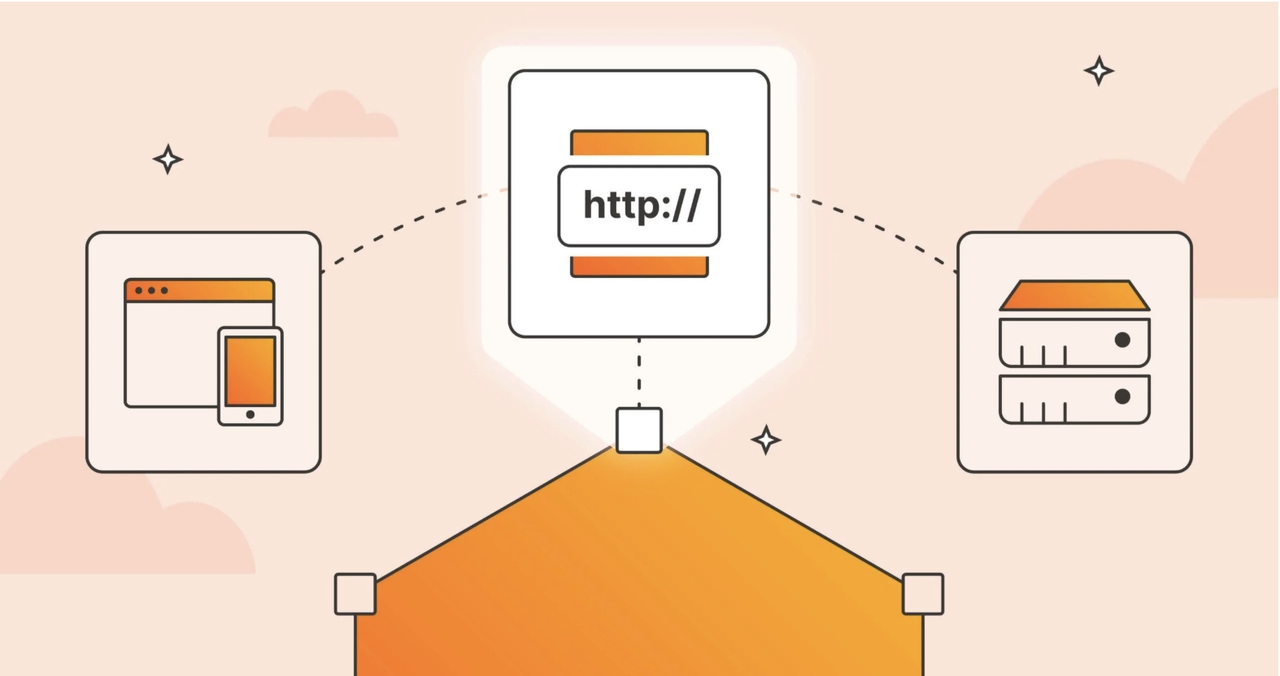
An API endpoint is the point at which a request is sent, and a response is returned. It acts as a connection point between two systems. Without it, applications would not be able to efficiently share or retrieve information.
This guide explains what api endpoints are, how they work, real world api endpoint examples, and how Enter Pro simplifies working with endpoints in modern development.
What is an API endpoint: Meaning/definition
To thoroughly comprehend the core definition of an API endpoint, it is critical to step back and examine the structural concept of an API (Application Programming Interface) as a whole. Think of an API as a highly structured digital translator or a logistics courier operating between two separate software ecosystems. The API defines a strict set of guidelines, protocols, and data formats that a client system (such as a customer-facing web browser, a mobile application, or an external IoT sensor array) must use to securely request data from a host backend server or corporate database. The API receives the request, translates the intent, verifies permissions, executes the instruction against the database layer, and returns the result back to the initiating client.
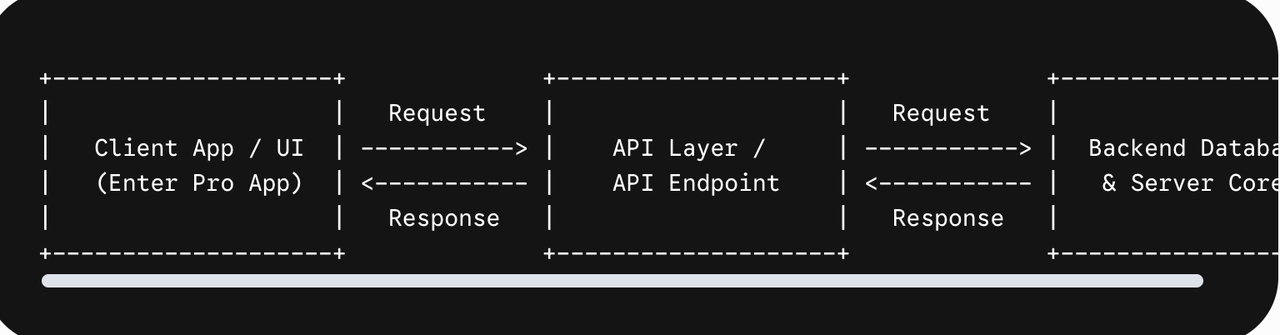
So, what is an API endpoint inside this communications highway? To define endpoint accurately in network infrastructure, it is the exact, specific digital destination, location, or Uniform Resource Locator (URL) hosted on a web server where an API communication message is delivered. It marks the precise terminal point of an open communication channel.
When developers explore what endpoints are, they are looking at the specific web gateways that external systems hit to target a particular cluster of data. If the API represents the comprehensive telephone network of an enterprise, then individual API Endpoints are the direct, unique extension phone numbers assigned to specific internal departments.
To better understand this, consider the core differences between an API and an endpoint, as confusion here is common:
- The API ecosystem: This is the entire wrapper system. It includes the software documentation, the structural design paradigms, the underlying authorization layers, and the complete collection of all individual access routes grouped under a common roof.
- The API endpoints: These are the unique routes within the broader API system. Each endpoint represents a direct, single purpose path designed to surface a specific object or perform a localized calculation.
For instance, an enterprise accounting software package might feature a single unified billing API. However, that API will contain multiple distinct api endpoints, one dedicated solely to generating customer invoices, another engineered to retrieve historical payment summaries, and a separate route built to delete canceled client subscriptions.
Understanding this distinction is critical when building custom business tools. On visual development platforms like Enter Pro, these destinations are mapped directly into your visual canvas, allowing you to configure data flows between user interfaces and target servers with complete transparency.
How does a rest API endpoint work
To understand what an endpoint is in API workflows, you must look closely at how a rest api endpoint processes communications. REST (Representational State Transfer) is the dominant architectural framework utilized across modern cloud networks. It structures web interactions by combining a unique destination web address with an explicit HTTP (Hypertext Transfer Protocol) action command. This combination tells the receiving server exactly which resource to fetch and which modification to apply to that resource.
When a client application initiates a call to an endpoint, the request travels over the internet and breaks down into several distinct structural components that the hosting server decodes:

The Base URL (Root Domain)
This is the primary internet domain address that routes web traffic directly to the physical or virtual cloud server hosting the software service. For example, in an enterprise setup, this might look like https://api.company.com. It establishes the foundational connection point over the web.
The Path or Route Extension
This text string follows the base URL and functions as a specific map or directory marker inside the server's internal logic. The path pinpoints the exact data asset or database collection being targeted. For instance, the path extension /v1/employees explicitly indicates to the server that the incoming request targets the employee data registry in version 1 of the application framework.
The HTTP Method (Action Indicator)
This command tells the target server which operation to perform on the specified path resource. In standard REST architectures, these methods map directly to standard CRUD operations (Create, Read, Update, Delete):
- GET: Instructs the server to locate and safely retrieve data without modifying the underlying database.
- POST: Commands the server to accept an incoming payload and create a new data record in the system.
- PUT / PATCH: Instructs the server to update an existing entry in the system database.
- DELETE: Directs the server to permanently wipe a specific data entry from the active registry.
Query Parameters and Headers
Headers contain critical meta information, such as security tokens and content types, while query parameters act as filters appended to the tail end of the URL (e.g., ?status=active). This narrows down the scope of the server's database query, ensuring only relevant data is returned.
When an incoming request lands on a specific rest API endpoint, the hosting server decrypts the headers to verify identity, analyzes the target route to locate the asset, processes the database query, and packages the result into a clean, lightweight text response, typically formatted as a standardized JSON (JavaScript Object Notation) string block. This response is then returned across the internet to the client application, which instantly parses the data and renders it visually for the end user.
Real world API endpoint example scenarios
To better see how these abstract connections work in production environments, let us look at a practical endpoint example for an e-commerce platform.

| HTTP Method | Target Web URL Route | Function / Outcome |
| GET | [https://api.store.com/v1/products](https://api.store.com/v1/products) | Retrieves a full list of available items for a storefront. |
| GET | [https://api.store.com/v1/products/789](https://api.store.com/v1/products/789) | Targets and fetches specific details for product ID number 789. |
| POST | [https://api.store.com/v1/cart/add](https://api.store.com/v1/cart/add) | Creates and saves a new item addition inside a user's digital shopping cart. |
| PUT | [https://api.store.com/v1/users/profile](https://api.store.com/v1/users/profile) | Modifies existing user profile or delivery address variables on the server. |
| DELETE | [https://api.store.com/v1/cart/items/789](https://api.store.com/v1/cart/items/789) | Deletes a specified item entirely from the active checkout queue. |
In this api endpoint example array, the base server address remains identical across all entries, but changing the route extensions and the associated HTTP methods allows the frontend client to safely request entirely different backend actions.
Best practices for managing api endpoints
Implement robust endpoint security
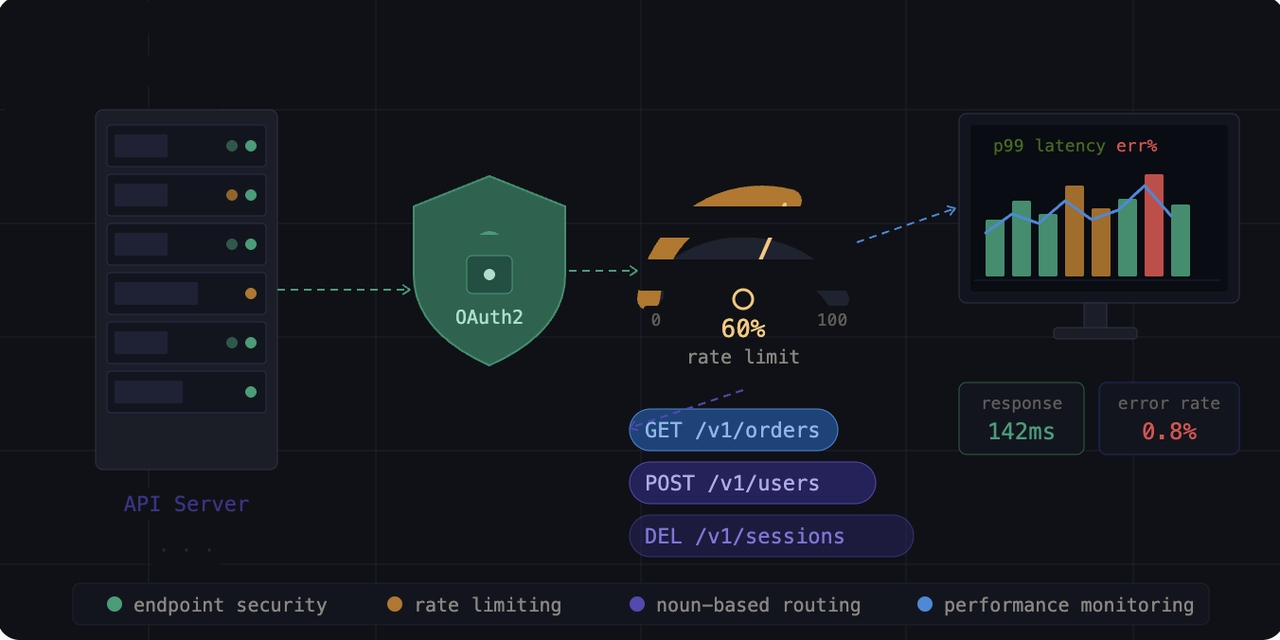
Exposed digital destinations can pose vulnerabilities if not appropriately fortified. Always use robust token based authentication protocols, such as OAuth2 or API keys, to verify user credentials before granting database visibility.
Enforce rate limiting controls
Rate limiting prevents potential system abuse, automated scraping, or distributed denial of service (DDoS) crashes by setting a firm cap on the number of inbound requests a unique user or IP address can submit within a specific timeframe.
Use clean, noun based routing structures
When designing routes, choose clear nouns for paths (e.g.,/v1/orders) rather than verbs (e.g.,/v1/getOrders). The HTTP method itself should handle the action, while the endpoint path identifies the asset.
Maintain active performance monitoring
Consistently track metric data points like average server response times, latency delays, error rates, and peak usage bandwidth to pinpoint processing bottlenecks before they disrupt live user applications
Drag, drop, & deploy: Try Enter Pro for custom software design
Enter Pro is an AI driven visual application building system that simplifies how businesses integrate complex data sources and backend components. Unlike traditional low code development platforms, Enter Pro simplifies backend integrations without forcing teams to configure manual server routes, construct web controllers, or configure API connection logic line by line, Enter Pro utilizes advanced artificial intelligence to automate your digital ecosystem setup.
Step-by-step guide
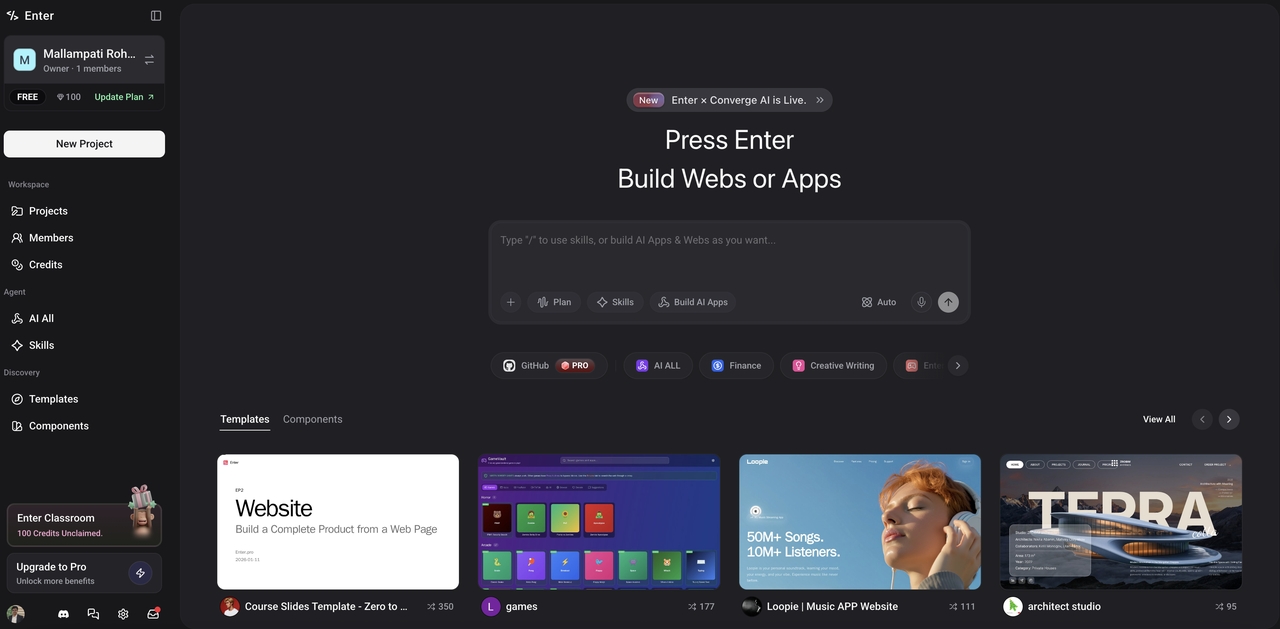
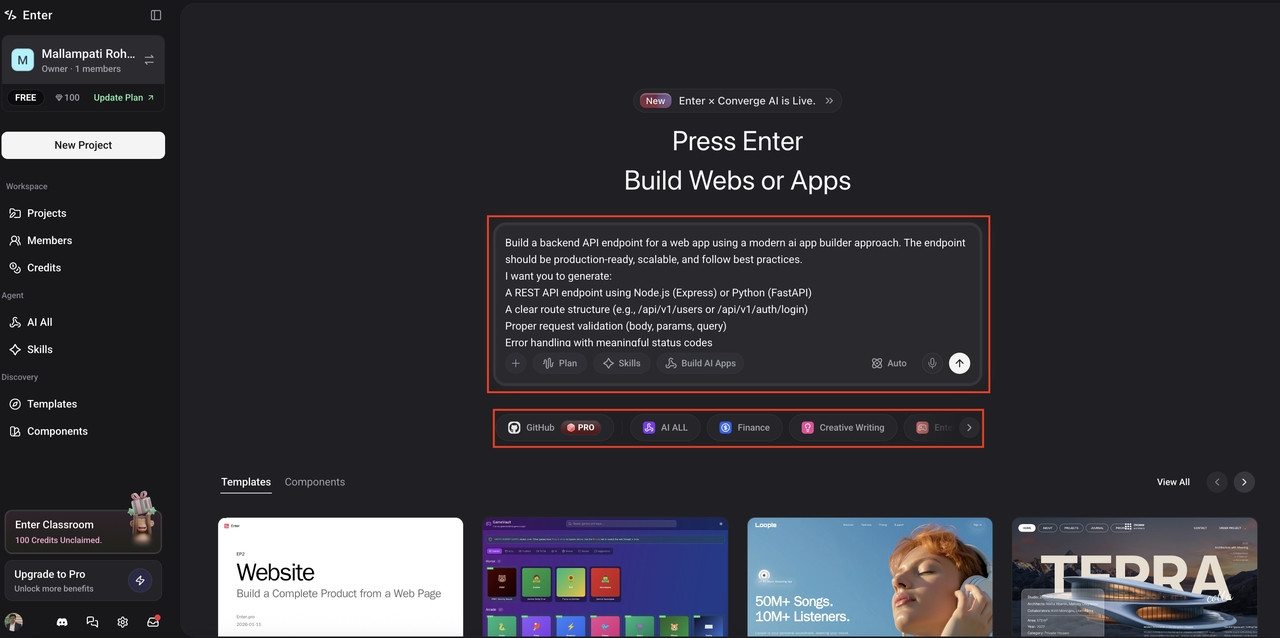
Step 1: Launch Enter Pro and add a text prompt
Open the Enter Pro app dashboard inside your web browser. Type a clear natural language text prompt detailing the custom application workflow you wish to build, outlining any data integrations, color themes, or design features you need. Choose your preferred AI core engine and click the "Generate" button.
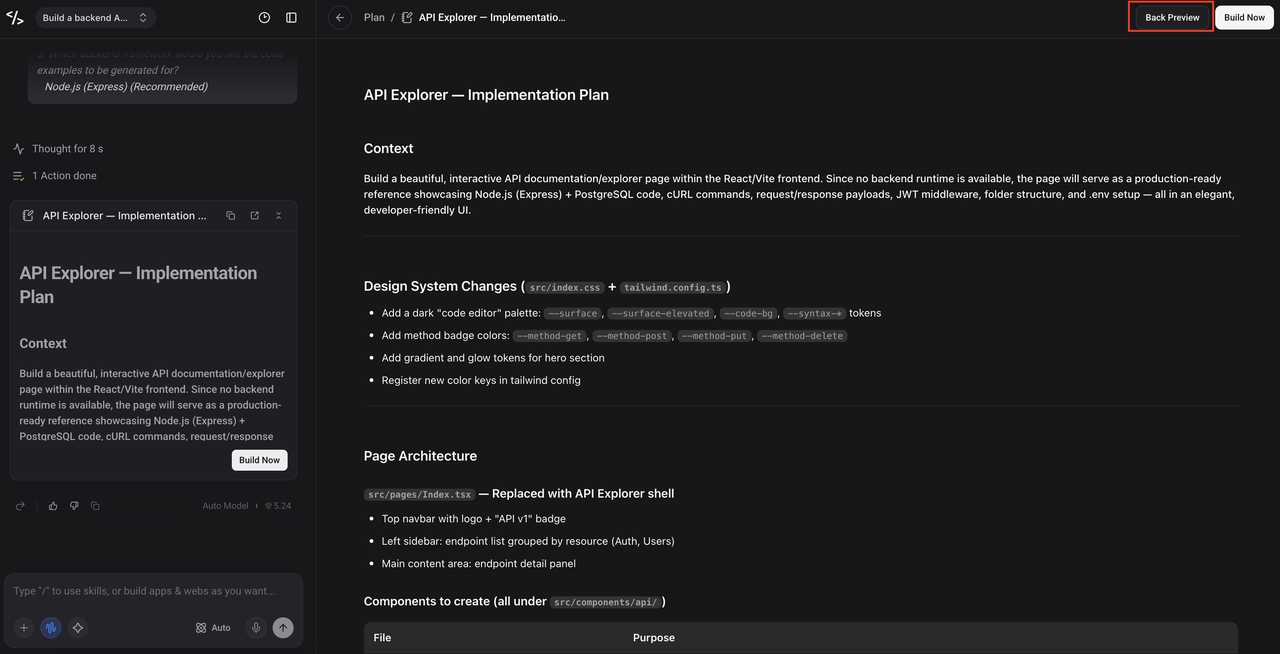
Step 2: Review the Implementation Plan
Once the AI generates your functional foundation, it produces a detailed Implementation Plan in the right panel covering design system tokens, page architecture, and component structure. Hit Back Preview to review how it looks, refine your request in the left chat panel if needed, then click Build Now to execute.
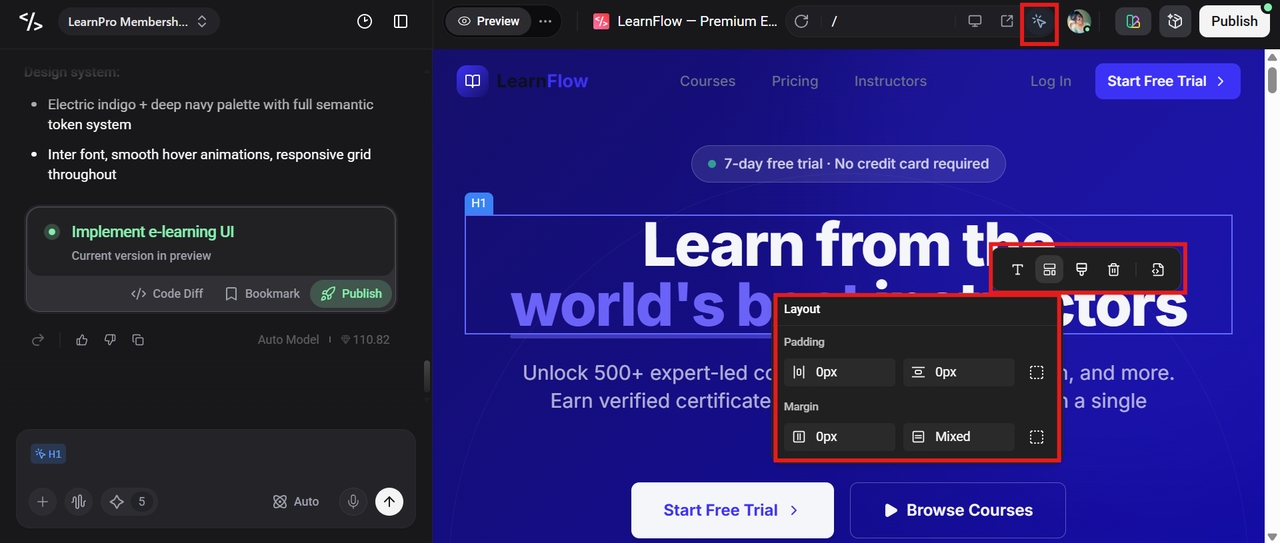
Step 3: Publish and go live
Once the build is ready, preview the interactive application to ensure everything works as expected. When satisfied, click Publish in the upper right corner to deploy your app instantly. No code required.
Key features
- Seamless integrations: Enter Pro comes equipped with prebuilt, production ready connectors that easily link your interface components to relational databases, authentication systems, payment platforms, and external api endpoints.
- 100% code ownership: Unlike restrictive proprietary page builders, Enter Pro grants you full control and ownership over the generated source code, allowing you to export or scale your infrastructure freely.
- AI native core: The system features direct, built in LLM capabilities that handle data translations and integrations automatically, eliminating the hassle of buying or managing individual third party API keys.
Conclusion
Understanding API endpoints is fundamental to modern digital transformation, as they provide essential access points that enable apps to safely communicate with backend data. Whether you are consuming public information feeds or deploying proprietary internal databases, using clean rest api endpoint configurations ensures your digital ecosystem remains stable and scaleable.
By leveraging AI powered application builders like Enter Pro, organizations can connect data sources, integrate systems, and launch custom applications using modern app development tools without the steep overhead of traditional manual development. Start with Enter Pro today to bring your custom app designs and data integrations to life smoothly.
FAQs
What is an API endpoint?
An API endpoint is a specific URL where applications communicate with a server to retrieve, send, or update data. It acts as the connection point between a client application and a backend system. Platforms like Enter Pro simplify endpoint creation and management by allowing users to build backend workflows visually without complex coding.
What is the difference between an API and an endpoint?
An API is the complete framework that enables communication between software systems, while an endpoint is a specific route within that API where requests are processed. Enter Pro helps users manage multiple endpoints and integrations from one centralized platform.
What happens when an API endpoint receives a request?
When an API endpoint receives a request, the server validates the request, processes the required operation, and returns a structured response to the application. Enter Pro simplifies this workflow by automatically generating backend logic and integrations.
Why do API endpoints require authentication?
Authentication protects sensitive data and ensures that only authorized users or applications can access specific endpoints. Enter Pro supports secure integrations and authentication systems to help businesses build safer applications.
Can I connect multiple API endpoints within Enter Pro?
Yes. Enter Pro allows users to connect multiple API endpoints, databases, and external services within one application environment, helping businesses build scalable applications faster without extensive custom development.