
Top 10 Best Tools for Coding Collaboration in 2026
Explore the best tools for remote coding collaboration in 2026, including AI-powered platforms, real-time coding environments, and remote team solutions designed to improve productivity, streamline workflows, and enhance developer collaboration.
Coding collaboration in 2026 has evolved far beyond simple version control it now blends AI-powered development, real-time teamwork, and cloud-based environments. Modern teams rely on intelligent tools that streamline workflows, automate repetitive tasks, and enhance productivity across distributed setups. Among these, Enter Pro stands out with its AI-first approach and seamless team collaboration capabilities. In this guide, we explore the best tools for coding collaboration to help teams build faster and smarter.
What are the best tools for coding collaboration?
Coding collaboration tools are platforms that enable developers to work together on shared codebases through features like version control, real-time editing, and code reviews. They are essential in modern development because they improve efficiency, reduce errors, and streamline workflows. For remote and distributed teams, these tools ensure seamless communication and coordination regardless of location. With the rise of AI, the best tools for coding collaboration now include intelligent features like code generation, smart suggestions, and automated debugging, transforming how teams build software together.
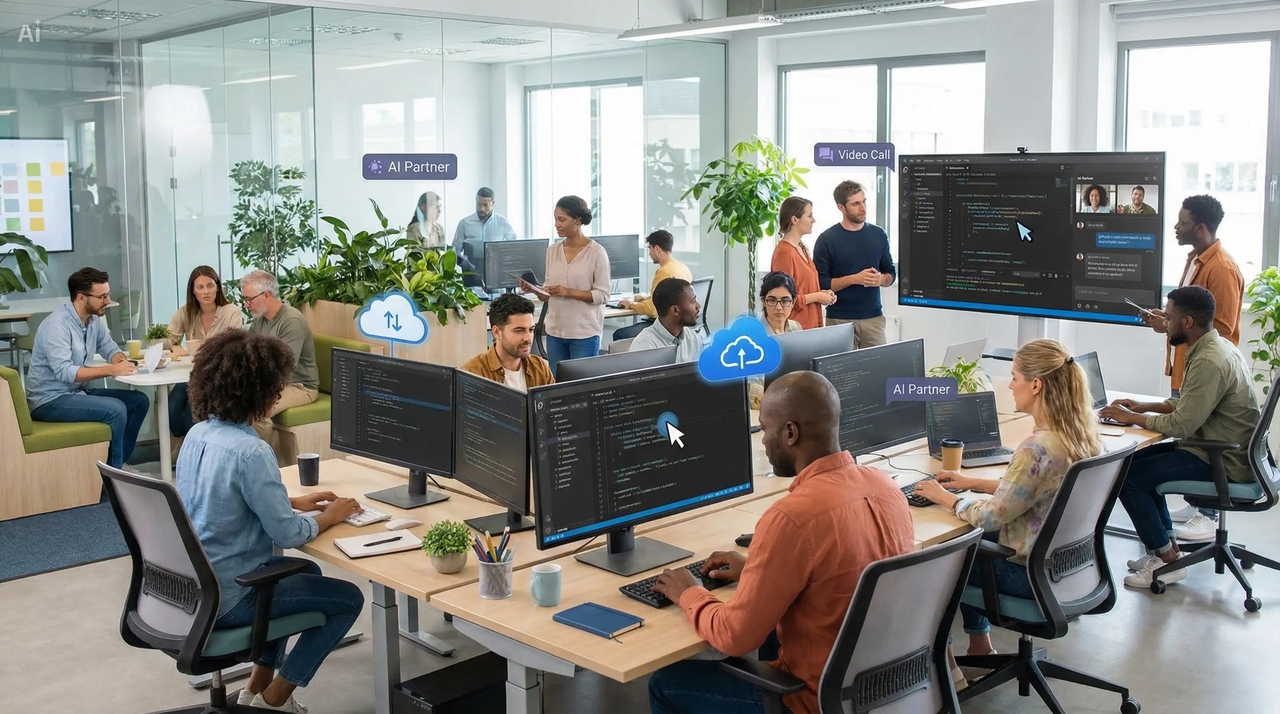
Quick comparison of the best tools for coding collaboration
To help teams choose the right platform, here's a quick comparison of the best tools for coding collaboration. It highlights features, collaboration styles, and ideal use cases for 2026.
| Tool | Best For | Standout Features | Collaboration Style | Pricing |
| Enter Pro | AI-first teams & fast development | Vibe coding, real-time collaboration, full-stack AI generation, backend integration | Real-time + AI-driven | Free + $5/month + pro $35/month |
| GitHub | Version control & team workflows | Repositories, pull requests, CI/CD, issue tracking | Async (PRs, reviews) | Free + $4 or $21/month |
| GitHub Copilot | AI-assisted coding | Code suggestions, chat, PR automation, multi-model AI | Individual + team | Free + $10/month |
| Cursor | AI-native coding environment | Full codebase understanding, AI editing, agent workflows | Real-time + AI | Free + ~$20/month |
| Replit | Remote collaboration & beginners | Browser IDE, multiplayer coding, instant deployment, AI tools | Real-time (live editing) | Free + ~$20/month |
| VS Code Live Share | Pair programming | Real-time code sharing, debugging, shared terminals | Real-time pair coding | Free |
| CodeSandbox | Frontend collaboration | Cloud IDE, instant preview, shareable environments | Real-time | Free + ~$9–$24 /month |
| GitLab | DevOps teams | CI/CD pipelines, security, repo management | Async + CI/CD | Free + ~$29 or ~$99 /month |
| JetBrains Space | Enterprise collaboration | Project management, automation, team communication | Mixed (sync + async) | Free + ~$8+/month |
| CodePen | UI/UX collaboration | Live editor, instant preview, code sharing | Real-time | Free+ $12 or $39/month |
Best tools for coding collaboration (2026)
- Enter Pro: Best AI-powered coding collaboration platform
Enter Pro is redefining how teams build software by combining AI-driven development with real-time collaboration. It empowers users to create full-stack applications using simple natural language, eliminating traditional coding barriers. As one of the best AI coding tools for team collaboration in 2026, it enhances productivity and accelerates development cycles. Its collaborative environment ensures that teams can work together seamlessly while leveraging powerful AI capabilities. This makes it a standout choice among the best tools for coding collaboration today.
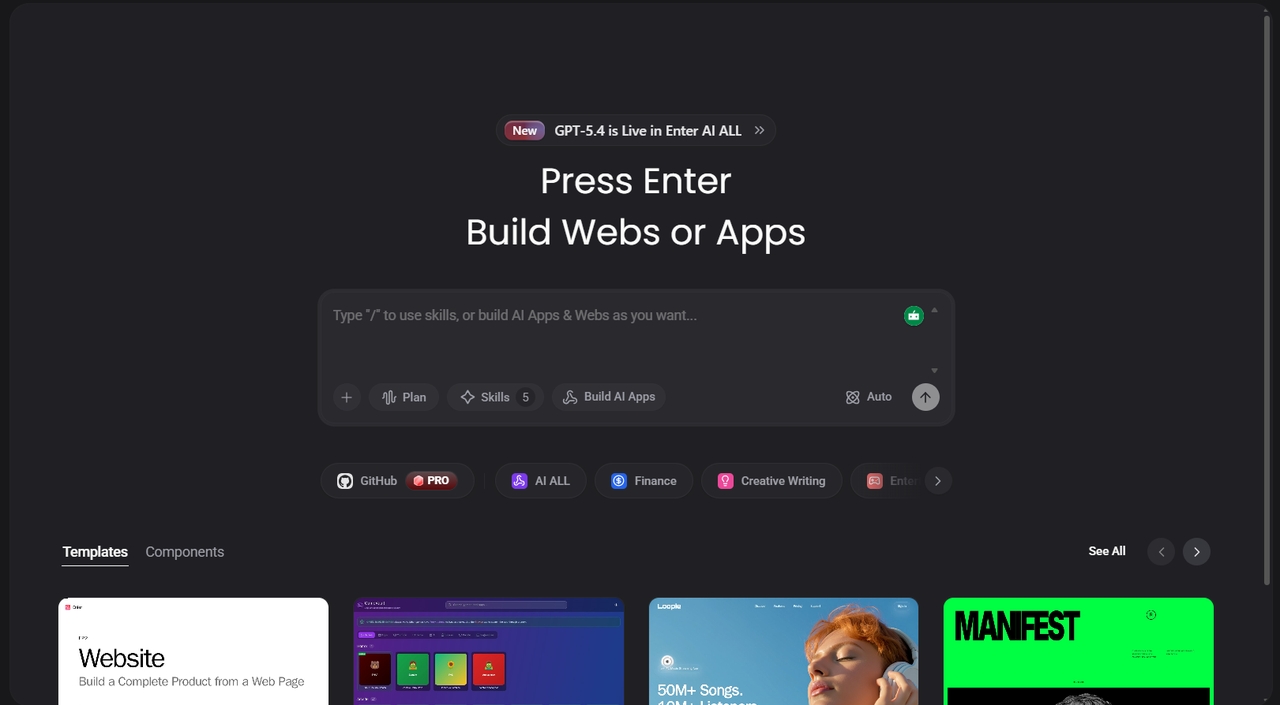
Key features:
- Vibe coding interface (natural language → full-stack apps): Convert simple prompts into fully functional applications without writing complex code. This makes development accessible to both developers and non-coders.
- Real-time multi-user collaboration: Multiple users can work on the same project simultaneously with instant updates. This ensures faster decision-making and smoother teamwork.
- Unified AI API (GPT, Claude, Gemini): Access multiple AI models from a single platform to generate, refine, and optimize code. It simplifies workflows by eliminating the need to switch between tools.
- Built-in backend integration (database + serverless): Seamlessly connect databases and serverless functions within the platform. This reduces setup time and accelerates full-stack development.
- Visual editor with live code updates: A user-friendly interface allows teams to see changes in real time while editing code. This improves collaboration and reduces errors during development.
- Exportable production-ready code: Generate clean, scalable code that can be exported and deployed easily. This ensures projects are ready for real-world applications without extra effort.
Best for: 👉 AI-driven development, non-coders, and teams building full-stack apps using natural language, enabling faster and more efficient collaboration.
- GitHub: The backbone of collaborative coding
GitHub remains one of the best tools for coding collaboration, widely used by developers and organizations worldwide. It provides a reliable platform for managing code, tracking changes, and enabling seamless teamwork. With its structured workflows and powerful integrations, teams can collaborate efficiently across projects of any size. It continues to be essential for modern development, especially in distributed environments.
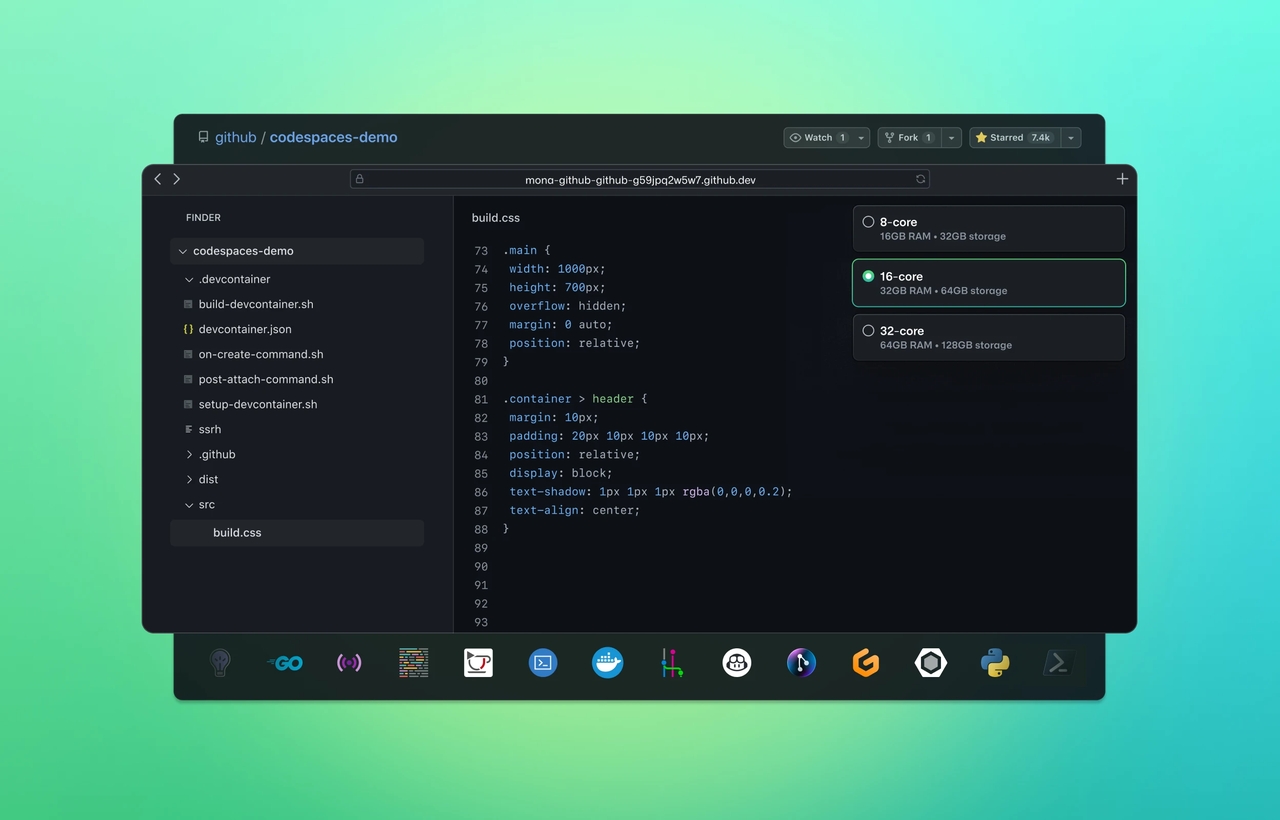
Key features:
- Git-based repositories: Manage and version control code efficiently Store code securely while tracking every change made by contributors. This ensures transparency and easy rollback when needed.
- Pull requests: Review, discuss, and merge code collaboratively Enable teams to review code before merging into the main branch. This improves code quality and encourages team collaboration.
- GitHub Actions: Automate CI/CD workflows Automate testing, building, and deployment processes directly within the platform. This reduces manual effort and speeds up delivery.
- Issue tracking: Manage bugs, features, and tasks Organize and track development tasks in one place. This helps teams stay aligned and manage project progress effectively.
- Branching system: Work on features without affecting main code Developers can create separate branches for new features or fixes. This prevents disruptions to the main codebase during development.
Best for: 👉 Teams manage large codebases and structured workflows, ensuring organized collaboration and efficient development processes.
- GitHub Copilot: The AI pair programmer
GitHub Copilot is one of the best AI coding tools for team collaboration in 2026, designed to assist developers with intelligent code suggestions. It acts like a real-time coding partner, helping teams write code faster and with fewer errors. By understanding context and intent, it significantly boosts productivity. It's an essential addition to modern workflows focused on efficiency and speed.
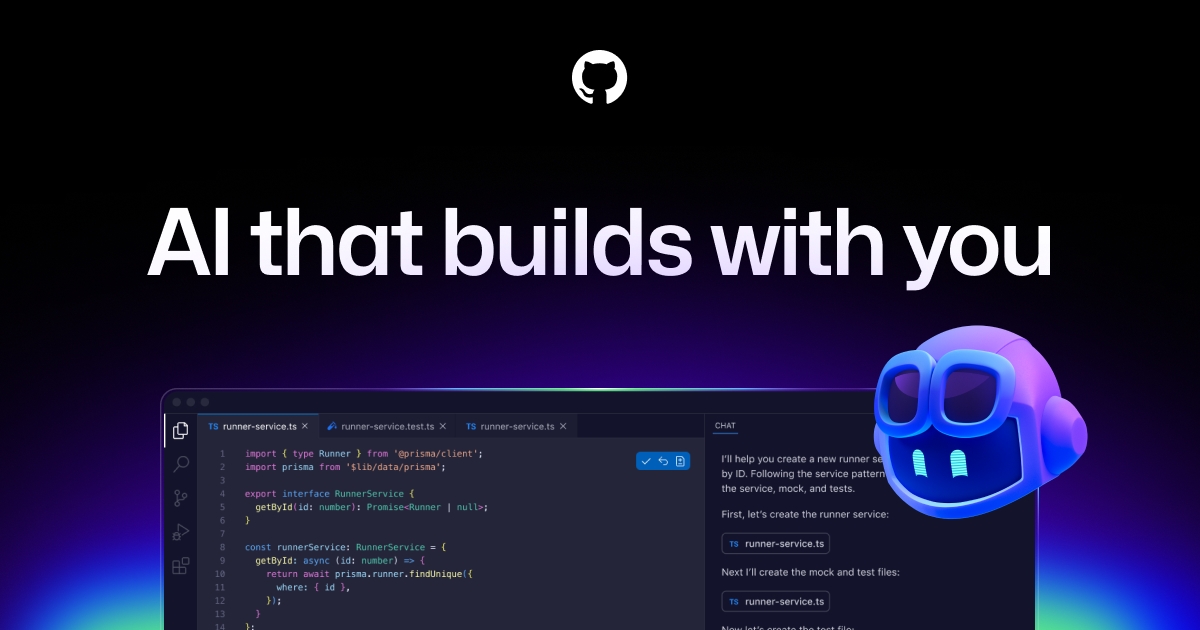
Key features:
- AI code suggestions: Autocomplete entire lines and functions Generates code in real time as you type, reducing manual effort. This helps developers focus more on logic rather than syntax.
- Context-aware coding: Understands project structure Analyzes the entire codebase to provide relevant suggestions. This ensures more accurate and meaningful code completions.
- Multi-language support: Works across popular programming languages Supports a wide range of languages, making it versatile for diverse teams. It adapts easily to different development environments.
- IDE integration: Works inside VS Code and other editors Seamlessly integrates into popular IDEs for a smooth workflow. Developers can use it without switching tools.
- Code generation: Converts comments into functional code Turns simple instructions into working code instantly. This speeds up development and simplifies complex tasks.
Best for: 👉 Developers are looking to speed up coding with AI assistance and improve productivity with smart automation.
- Cursor: The AI-first coding environment
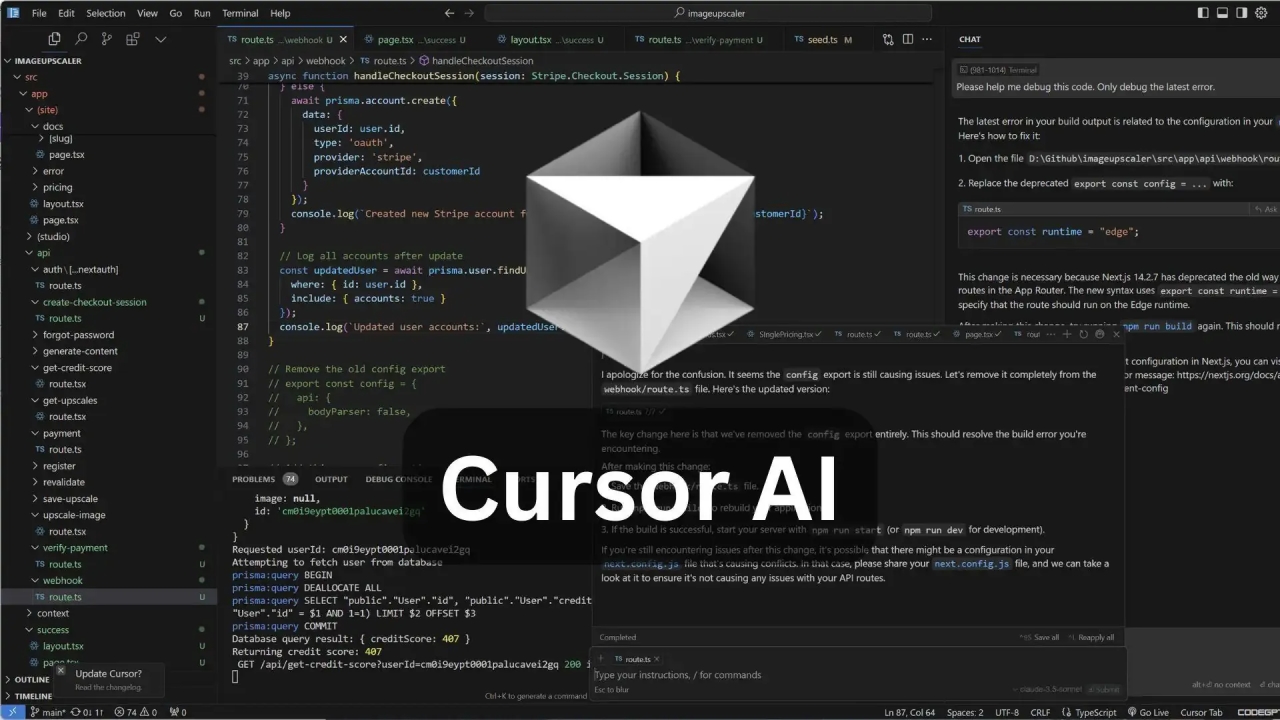
Cursor is a next-generation editor built specifically for AI-powered development workflows. It enables developers to interact with their code using natural language, making coding more intuitive. As one of the best tools for coding collaboration, it enhances both speed and code quality. It's especially useful for teams adopting AI-first development practices.
Key features:
- AI-native editor: Built specifically for AI-assisted coding Designed from the ground up to integrate AI into every step of development. This creates a smoother and more efficient coding experience.
- Codebase understanding: Analyze entire projects instantly Quickly scans and understands large codebases. This helps developers navigate and modify code with ease.
- Natural language editing: Modify code using prompts Developers can describe changes instead of writing code manually. This simplifies complex edits and saves time.
- Smart refactoring: Improve code structure automatically Enhances code quality by suggesting better structures and optimizations. This reduces technical debt over time.
- Integrated chat: Ask questions directly inside the editor Built-in chat allows developers to get instant help without leaving the workspace. This improves workflow continuity.
Best for:
👉 Advanced developers using AI-first workflows to enhance collaboration, automate tasks, and optimize code quality.
- Replit: Collaborative coding in the browser
Replit is a powerful browser-based IDE that makes coding accessible from anywhere. It allows teams to collaborate in real time without installing any software. As one of the best tools for remote coding collaboration, it simplifies development for beginners and professionals alike. Its instant deployment and AI features make it highly versatile.
Key features:
- Browser-based IDE: No installation required Start coding instantly from any device with internet access. This removes setup barriers and saves time.
- Multiplayer mode: Real-time team collaboration Multiple users can code together simultaneously. This enables faster collaboration and teamwork.
- Instant deployment: Launch apps quickly Deploy applications directly from the platform in seconds. This speeds up testing and sharing.
- AI assistance: Built-in coding help Provides suggestions and guidance while coding. This improves efficiency and learning.
- Multi-language support: Works with many programming languages Supports a wide range of languages for diverse projects. This makes it suitable for various use cases.
Best for: 👉 Remote teams and beginners collaborating online, learning, and experimenting with real-time code editing.
- VS Code Live Share: Real-time pair programming tool
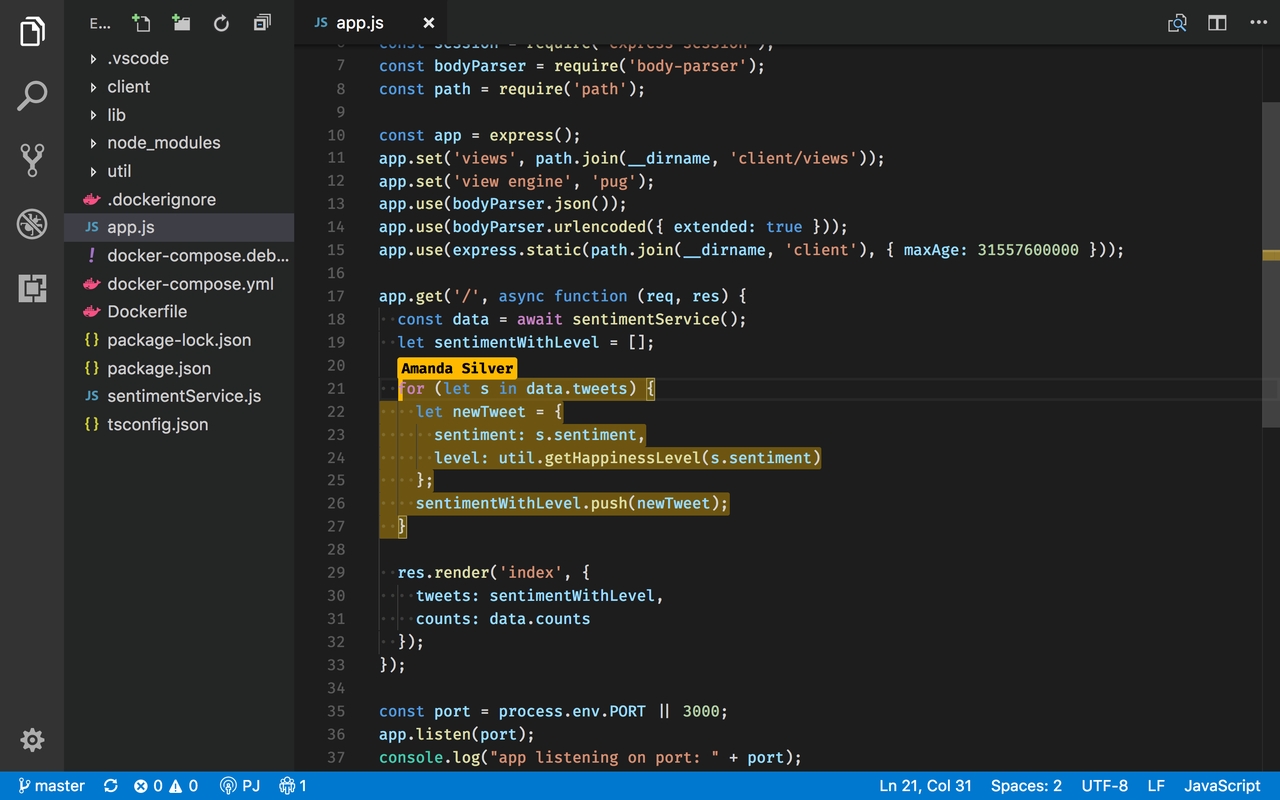
VS Code Live Share is a powerful extension that enables developers to collaborate in real time directly within their editor. It simplifies pair programming by allowing instant code sharing and joint debugging. As one of the best tools for coding collaboration, it enhances teamwork without requiring complex setups. It's ideal for distributed teams working closely together.
Key features:
- Real-time code sharing: Collaborate instantly Share your coding session with teammates in real time. This enables seamless collaboration and quick feedback.
- Shared debugging: Debug together in sessions Work together to identify and fix issues. This improves problem-solving efficiency.
- Shared terminals: Run commands collaboratively Execute commands together within a shared environment. This enhances coordination during development.
- Secure sessions: Controlled access permissions Maintain security with permission-based access controls. This ensures safe collaboration.
- Cross-language support: Works with multiple stacks Supports various programming languages and frameworks. This makes it flexible for different projects.
Best for: 👉 Pair programming and collaborative debugging, especially for teams working in real time across different locations.
- CodeSandbox: Fast frontend collaboration
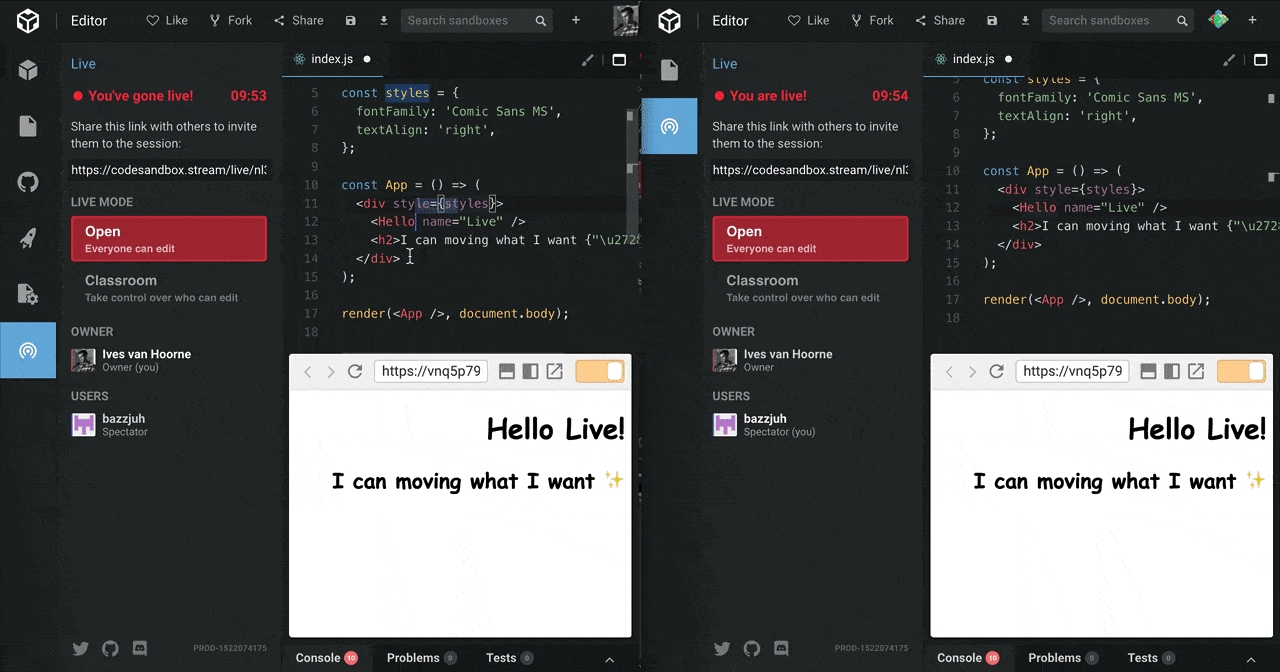
CodeSandbox is a cloud-based development platform designed for fast and efficient frontend collaboration. It allows developers to build and test applications with instant feedback. As one of the best tools for remote coding collaboration, it is perfect for rapid prototyping and sharing projects. Its simplicity and speed make it highly popular among front-end teams.
Key features:
- Cloud development: No setup required Start coding instantly without installing dependencies. Developers can access projects from any device, improving accessibility and workflow speed.
- Live preview: See changes instantly Watch updates in real time as you write code. This allows teams to test ideas quickly and iterate efficiently.
- Shareable links: Easy collaboration Share projects instantly via a simple link. This ensures team members can view, edit, or comment without setup delays.
- GitHub integration: Sync repositories Connect directly to GitHub to keep repositories in sync. This enables smooth version control and a consistent workflow.
- Fast prototyping: Build quickly Rapidly create and test application ideas without complex configuration. This boosts productivity and reduces time spent on deployment.
Best for: 👉 Frontend developers and teams needing rapid prototyping with real-time collaboration. Ideal for designers and developers working on UI/UX projects that require fast iteration.
- GitLab: All-in-one DevOps collaboration platform
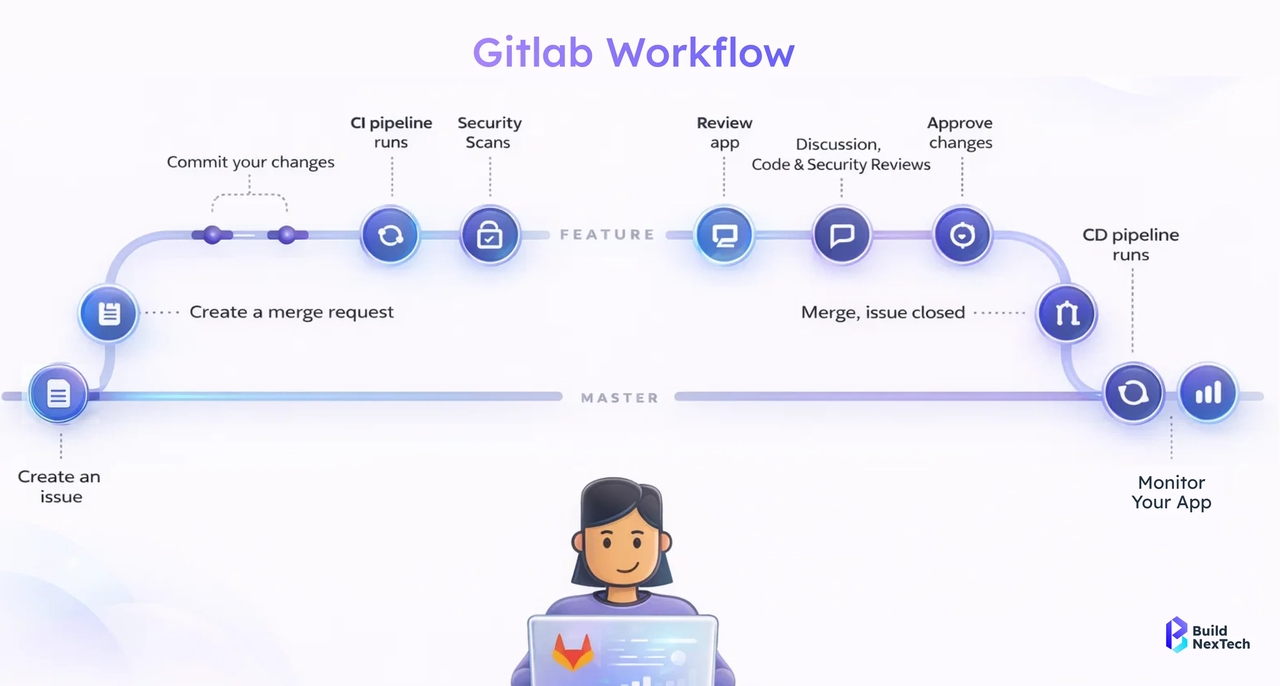
GitLab is a comprehensive platform that integrates development, security, and operations into a single workflow. Recognized among the best tools for coding collaboration, it streamlines the DevOps lifecycle from coding to deployment. Teams benefit from automation, security, and task management in one centralized environment.
Key features:
- Built-in CI/CD: Automate deployment pipelines Automate testing, building, and deployment processes seamlessly. This reduces manual work, ensures consistency, and accelerates delivery cycles.
- Repository management: Store and manage code Keep code organized in a centralized platform. This allows teams to collaborate efficiently and maintain a clear project structure.
- DevOps tools: Plan, build, and deploy Manage the full development lifecycle within one environment. This unifies workflows and reduces dependency on external tools.
- Security features: Built-in vulnerability scanning Detect and fix potential security issues early. This improves code safety and ensures compliance with best practices.
- Issue tracking: Manage development tasks Track bugs, features, and project tasks effectively. Teams stay aligned and can prioritize work efficiently.
Best for: 👉 DevOps teams and CI/CD-driven workflows seeking automation and scalable collaboration. Perfect for organizations that require end-to-end development management in a single platform.
- JetBrains Space: Collaboration for enterprise teams
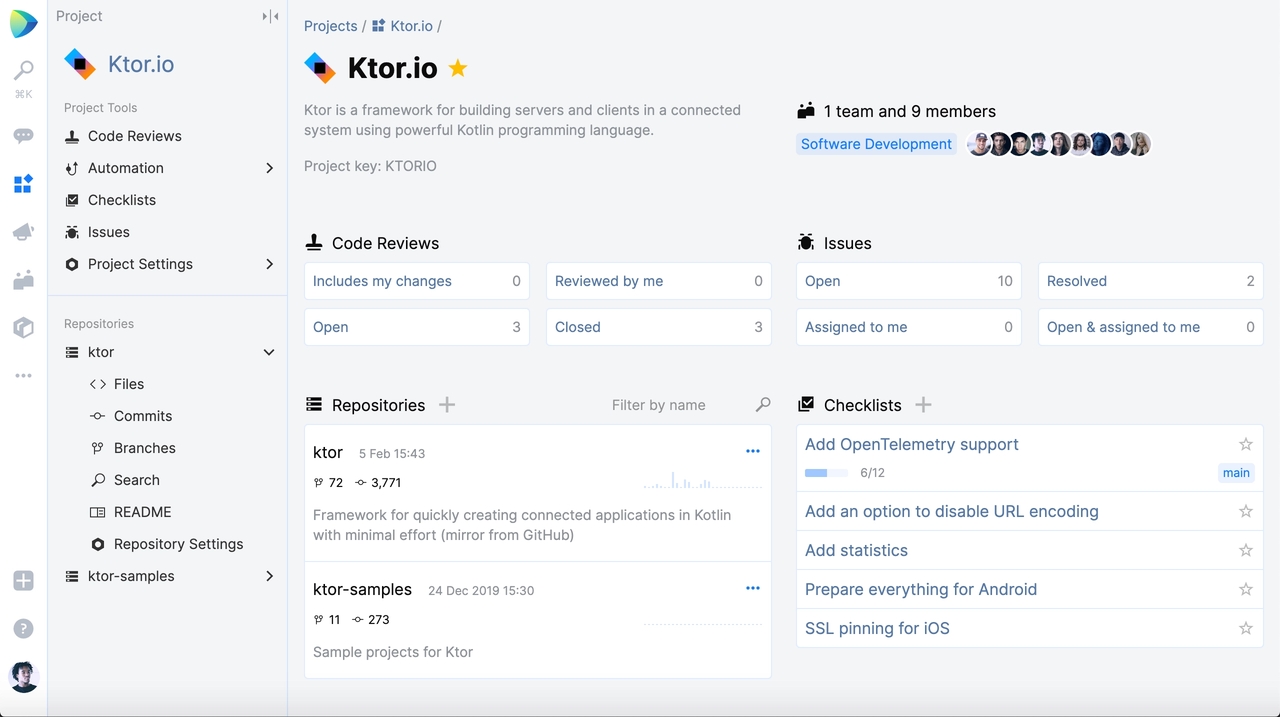
JetBrains Space is an all-in-one collaboration platform for enterprise development teams. It combines code management, communication, and project tracking, supporting both synchronous and asynchronous workflows. As one of the best tools for remote coding collaboration, it centralizes team workflows for greater efficiency.
Key features:
- Code collaboration: Review and manage code Conduct thorough code reviews and manage versions on one platform. This improves code quality while streamlining team collaboration.
- Project management: Track tasks and progress Organize tasks and monitor progress with built-in project tools. Teams can plan sprints and milestones effectively.
- Team communication: Built-in chat and meetings Communicate directly within the platform via chat and calls. This reduces reliance on external tools and keeps conversations contextual.
- Automation: CI/CD pipelines Automate builds, tests, and deployments. This ensures consistent delivery and reduces manual intervention.
- IDE integration: Works with JetBrains tools Seamlessly integrates with JetBrains IDEs like IntelliJ or PyCharm. Developers can code, review, and deploy without leaving their environment.
Best for: 👉 Enterprise teams need centralized collaboration, project management, and automation. Ideal for organizations looking to unify development, communication, and CI/CD in one platform.
- CodePen: Best collaborative UI development platform
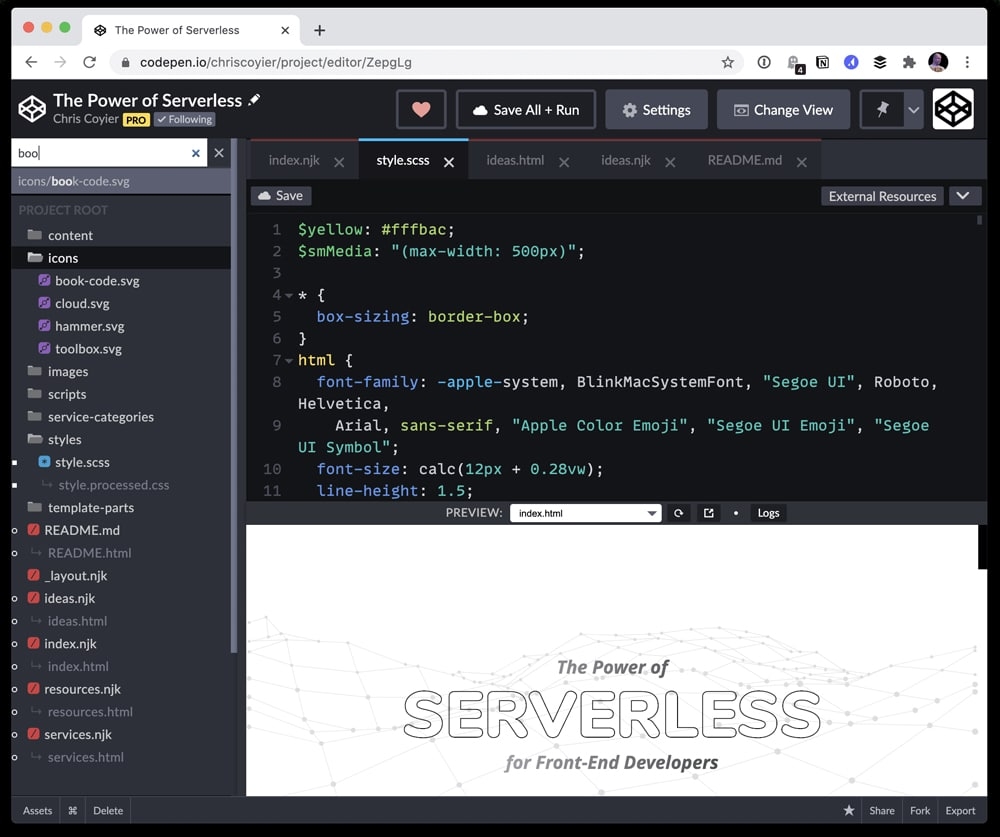
CodePen is a popular platform for frontend developers and designers to create, share, and test UI components. With live previews and real-time collaboration, it encourages rapid experimentation. As one of the best tools for coding collaboration, it's particularly useful for UI/UX development and community-driven learning.
Key features:
- Live editor: Write HTML, CSS, and JS Code directly in the browser with a responsive editor. This simplifies frontend development and removes setup barriers.
- Real-time preview: Instant results See changes immediately as you edit code. This accelerates testing and iteration for UI components.
- Code sharing: Share projects easily Share completed or in-progress work via simple links. Collaborators can view or contribute instantly.
- UI testing: Experiment with designs Test and refine layouts and interactions quickly. This helps designers and developers validate ideas in real time.
- Community access: Explore others' work Gain inspiration and feedback by browsing community projects. This encourages creativity and knowledge sharing.
Best for: 👉 UI/UX designers and frontend teams focused on rapid design, testing, and collaboration. Perfect for prototyping, experimentation, and sharing interactive frontend work.
Essential types of tools for remote coding collaboration
The best tools for remote coding collaboration streamline teamwork and development.
- Real-time collaboration tools: Real-time collaboration tools allow multiple developers to work on the same code simultaneously with instant updates. These are among the best tools for coding collaboration for teams that need immediate feedback and faster iteration cycles. They improve communication and reduce delays in decision-making.
- Version control tools: Version control tools help teams track changes, manage code history, and collaborate without conflicts. They are essential to the best tools for a coding collaboration stack, ensuring code integrity and enabling seamless teamwork through branching, merging, and pull requests.
- AI-powered coding tools: AI-powered tools are transforming how developers collaborate by automating repetitive tasks and generating code suggestions. As part of the best AI coding tools for team collaboration in 2026, they enhance productivity, reduce errors, and accelerate development cycles.
- Cloud-based development tools: Cloud-based tools allow developers to write, run, and share code directly from the browser without local setup. These best tools for remote coding collaboration enable teams to work from anywhere while maintaining consistent environments and easy accessibility.
- Pair programming tools: Pair programming tools enable two or more developers to collaborate in real time, often sharing the same coding environment. They are considered some of the best tools for coding collaboration for improving code quality, debugging, and knowledge sharing.
- DevOps collaboration tools: DevOps collaboration tools integrate development, testing, and deployment into a unified workflow. These tools are vital among the best tools for remote coding collaboration, helping teams automate pipelines, improve efficiency, and deliver software faster.
Benefits of using the best tools for remote coding collaboration
Using the best tools for remote coding collaboration helps teams work smarter, faster, and more efficiently across distributed environments.
- Faster development: The best tools for coding collaboration streamline workflows and automate repetitive tasks, allowing teams to complete projects more quickly. With features like real-time editing, AI code suggestions, and instant deployment, development cycles are significantly shortened, enabling faster delivery of high-quality software.
- Real-time collaboration: Real-time collaboration tools allow multiple developers to work on the same code simultaneously. These best tools for remote coding collaboration ensure instant updates, seamless communication, and faster feedback, which reduces delays and keeps projects on track across distributed teams.
- Better code quality: Using collaborative platforms improves code quality through peer reviews, AI-assisted suggestions, and automated testing. The best tools for coding collaboration catch errors early, enforce coding standards, and provide intelligent refactoring options, resulting in cleaner, more maintainable code.
- Improved teamwork: Collaboration tools promote coordinated teamwork by centralizing communication, task tracking, and version control. The best tools for remote coding collaboration help team members stay aligned, reduce misunderstandings, and work together efficiently, even across different locations or time zones.
- Knowledge sharing: These tools make knowledge sharing effortless by providing visibility into project progress, code history, and team contributions. The best tools for coding collaboration allow developers to learn from each other, document best practices, and onboard new team members more effectively.
- AI-powered efficiency: AI-powered features in collaboration tools automate repetitive coding tasks, generate suggestions, and optimize workflows. The best AI coding tools for team collaboration in 2026 enhance productivity, reduce manual effort, and allow teams to focus on complex problem-solving rather than routine tasks.
Conclusion
In 2026, the best tools for coding collaboration combine AI, real-time teamwork, and cloud-based platforms to boost productivity and streamline workflows. From version control with GitHub to AI-assisted development with GitHub Copilot and Cursor, teams have powerful solutions for remote collaboration. Among all, Enter Pro stands out as a leading AI-powered platform, enabling seamless full-stack development, real-time collaboration, and natural language coding, making it an essential tool for modern teams seeking efficiency and innovation.
FAQs
- What are the differences between cloud-based and local coding collaboration tools?
Cloud-based coding collaboration tools host projects online, allowing teams to work remotely in real time without installing software. Local tools require installations on individual machines and may limit real-time collaboration. The best tools for remote coding collaboration often combine cloud access, version control, and real-time editing to streamline workflows across distributed teams.
- Which coding collaboration tools are best for large teams?
For large teams, tools like GitHub, GitLab, and JetBrains Space are ideal because they offer robust version control, project management, and CI/CD pipelines. These best tools for coding collaboration ensure organized workflows, task tracking, and seamless communication across multiple developers, making them perfect for scaling projects efficiently.
- Which coding collaboration tools are best for beginners?
Beginners benefit from user-friendly, browser-based platforms like Replit, CodeSandbox, and CodePen. These best tools for remote coding collaboration provide instant setup, real-time collaboration, AI assistance, and multi-language support, helping new developers learn, experiment, and contribute without complex configurations.
- How do AI tools improve coding collaboration?
AI tools like Enter Pro, GitHub Copilot, and Cursor enhance collaboration by generating code suggestions, automating repetitive tasks, and providing context-aware assistance. The best AI coding tools for team collaboration in 2026 help teams work faster, reduce errors, and focus on complex problem-solving, improving overall productivity.
- What are the latest trends in coding collaboration tools for 2026?
In 2026, coding collaboration trends focus on AI-powered development, real-time cloud collaboration, and integrated DevOps workflows. The best tools for coding collaboration combine natural language coding, instant code sharing, and automated CI/CD pipelines, enabling teams to work efficiently, regardless of location, and deliver high-quality software faster.