What Is a Headless CMS? How It Works and Why It Matters
What is a headless CMS? Learn how headless CMS platforms enable flexible content delivery, why businesses adopt them, and how Enter Pro supports workflows through practical features, guided steps, and scalable content management.
Content no longer lives on a single website—it powers mobile apps, e-commerce, and smart devices. To keep pace, companies are shifting to a headless CMS. By separating backend content from the frontend display, a headless architecture lets developers build freely while content teams update info independently. You build once, deploy everywhere, and scale effortlessly.
But great architecture is only half the battle. True agility requires seamless collaboration between technical and non-technical teams. This guide is everything you need to know about what a headless CMS is, how it works, and why it's essential. Let's dive in.
What is a headless CMS?
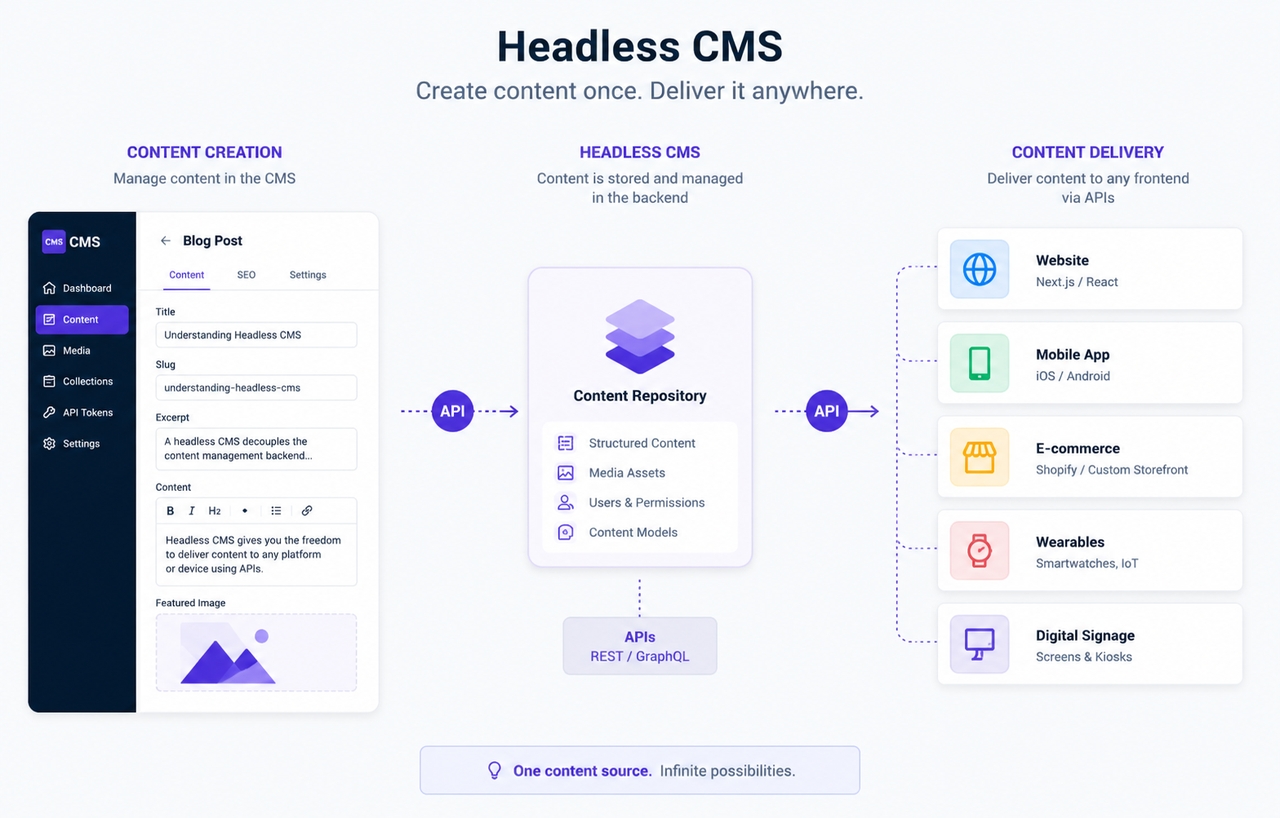
A headless CMS is a content management system in which the storage and creation of content are decoupled from its presentation to the end-user. Whereas traditional systems tightly couple the frontend and backend, a headless CMS allows content to be managed in one place and pushed out to multiple digital channels.
The term headless is derived from removing the "head", the presentation layer, from the "body" that manages the content and serves it up to. The backend of a headless CMS is the "body," essentially a content repository that organizes text, images, videos, and structured data, whereas the frontend can be created with a variety of technologies and frameworks independently of the backend.
Headless CMS vs Traditional CMS: What is the difference?
Choosing between a headless CMS and a traditional CMS depends on how a business creates, manages, and delivers content. While both systems support content publishing, they differ significantly in architecture, flexibility, performance, and development capabilities.
- Architecture: A traditional CMS typically relies on a coupled architecture, which bundles the backend and frontend into a single system. The management and presentation of content are therefore directly tied to pre-existing themes and templates.
- Frontend Flexibility: The problem with traditional CMS systems is that designers have less flexibility when customizing the front end because they usually have to use the CMS's existing themes or framework. Therefore, it is good for designing and developing website templates easily, but not helpful for more design work.
- Content Delivery: Most traditional CMS platforms were built to publish content to a single website using pre-existing templates, but to deploy this content to other platforms, one would need a plugin or duplicate it.
- Developer Control: Traditional CMS systems are generally designed with usability as the primary focus, and most customization occurs through plugins. Although convenient for most development, this can prove quite restrictive when a developer wants to create a unique digital experience.
- Performance: Heavy themes, numerous plugins, and the need for server-side rendering in traditional CMS sites can lead to speed performance issues. Constant tuning will likely be required to maintain speed and optimization.
- Security: Traditional CMS solutions combine content management and presentation in a single system, so there may be more attack vectors to exploit. Plugin flaws can contribute more to these risks. Security is enhanced by the headless CMS because it's split into back-end and front-end components, reducing the attack surface.
- Scalability: Traditional CMS can struggle with growing traffic, multiple sites, or sophisticated content-scapes. Scaling requires, more often than not, extensive development and infrastructure upgrades. A headless CMS is designed with scaling in mind and offers a far more efficient way to support your expanding content needs.
Top 4 Headless CMS examples and platforms
Contentful
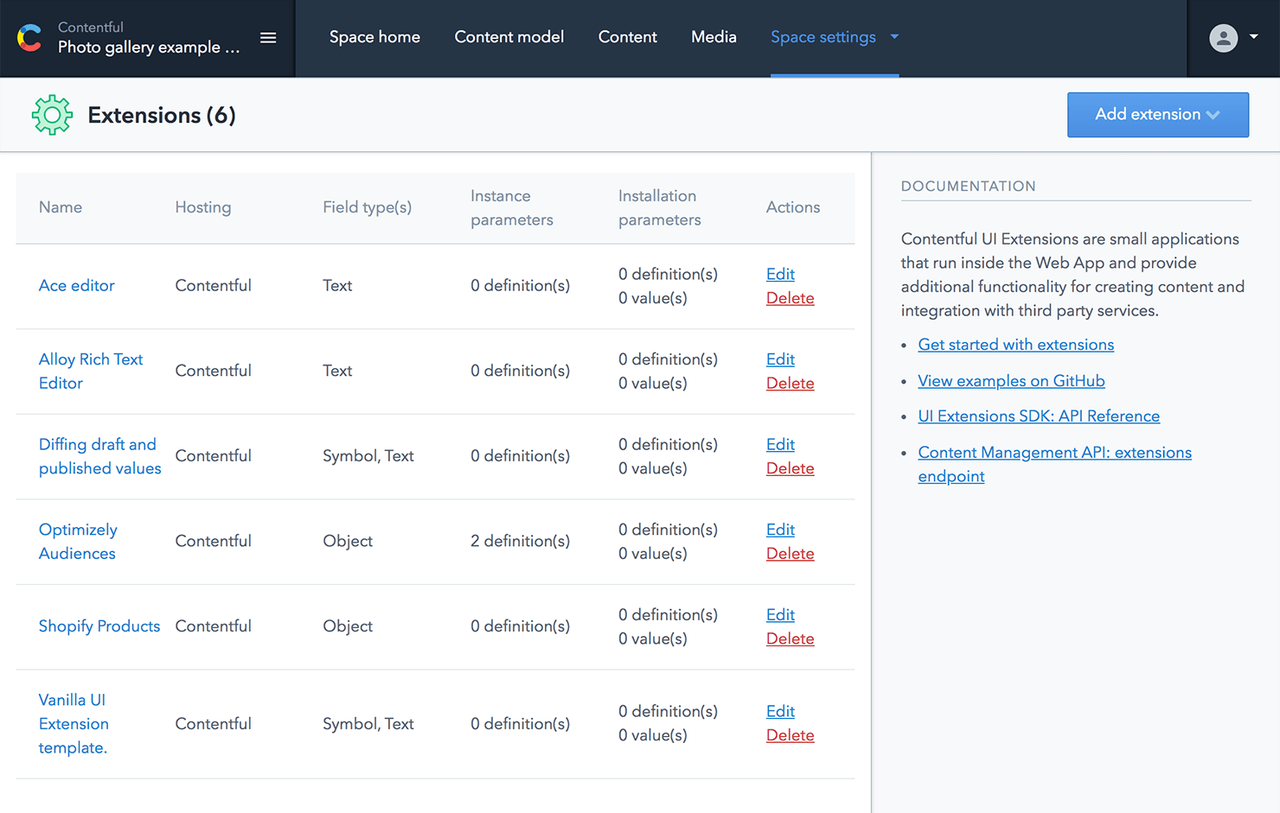
Contentful is a well-known headless CMS platform designed for enterprises that require flexible, API-first content management. The software operates on a cloud-based SaaS model and enables businesses to produce, manage, and deliver content across a variety of digital platforms. It’s respected for its scalability, adaptability, and enterprise-ready features, helping the company to integrate modern development practices and structured content distribution.
Key features:
- API-first architecture supports API integrations that deliver content seamlessly across websites, mobile applications, e-commerce channels, and diverse digital experiences using REST and GraphQL APIs.
- Structured content modeling assists organizations in creating reusable content elements and organizing them easily, adhering to a unified strategy across numerous channels and publishing platforms on a global scale.
- Enterprise collaboration is supported by tools such as workflow definitions, security authorizations, and complementary applications that assist marketers, content producers, and developers in their collaboration.
Strapi
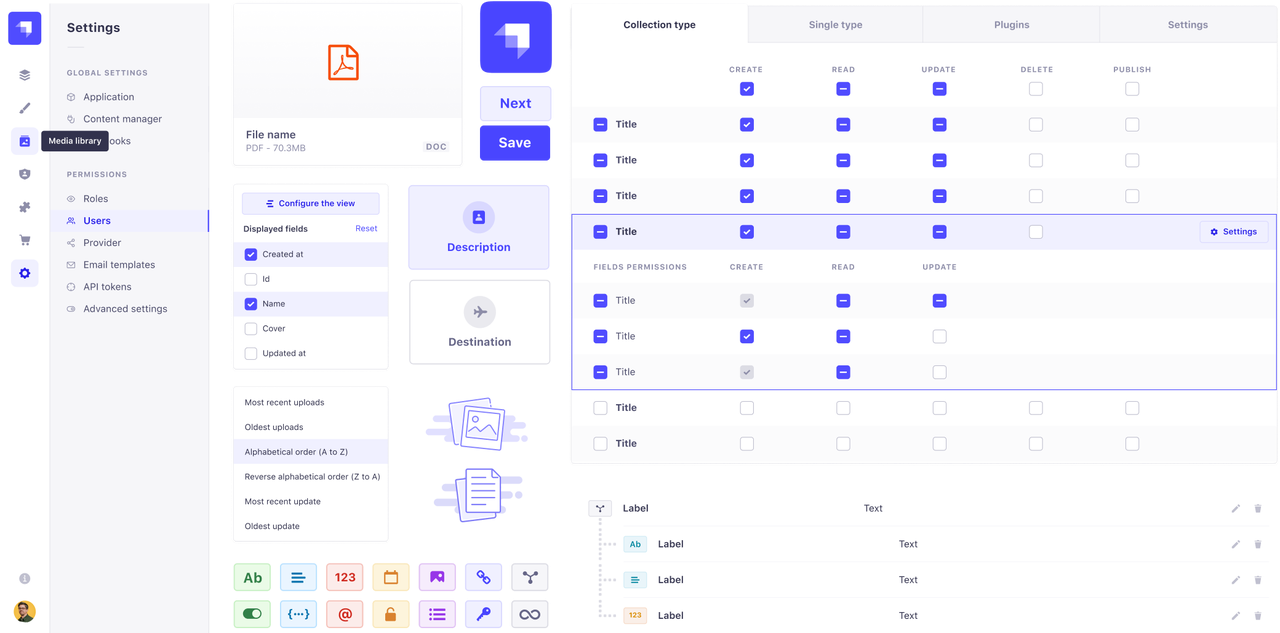
Strapi, an open-source, headless CMS, offers developers more control over how they manage and deploy their content. This system allows developers to self-host rather than use an all-in-one platform, which is why Strapi is ideal for teams that want a highly adaptable and configurable platform. Its API-first nature and easy setup, which make it developer-friendly, have driven Strapi’s popularity among modern web projects.
Key features:
- Its open-source structure allows for complete control over the project's hosting, customizations, integrations, and backend structure, which aids in developing various content management workflows across a multitude of projects.
- Utilize the REST and GraphQL API integrations to deliver content effortlessly to a wide array of websites, apps, stores, and tailored digital experiences across different platforms.
- The customizable content types, combined with its plugins array, allow you to create custom dev environments, improve workflows, foster efficiency, and ensure effective collaboration between tech and editorial teams.
Sanity
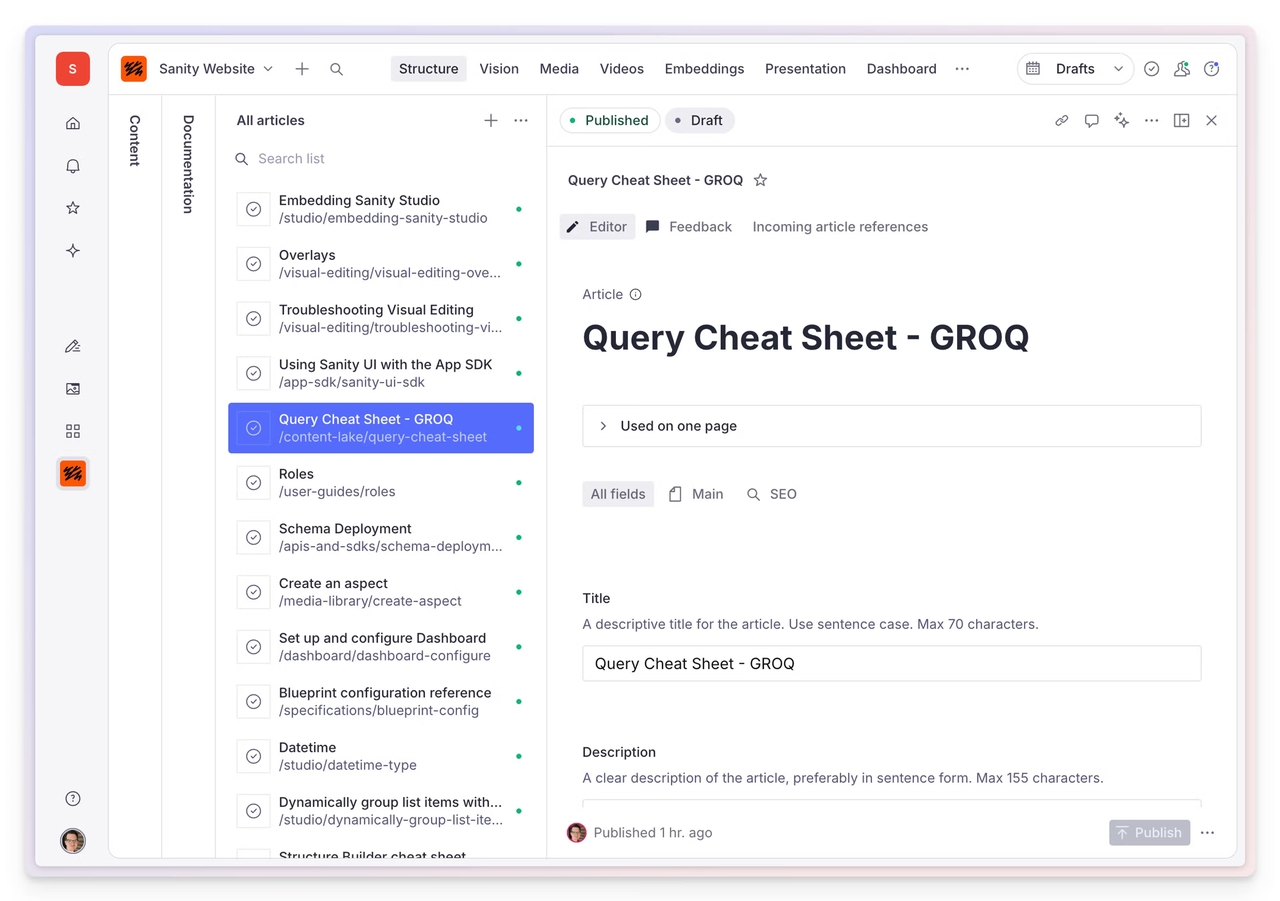
Sanity is a versatile, headless CMS platform focusing on structure and real-time collaboration. Sanity is suitable for creating tailored content workflows while being compatible with contemporary frontend frameworks and API-driven delivery. It is versatile for companies that want to dynamically build content-heavy digital experiences.
Key features:
- Real-time collaboration enables a team to work simultaneously on writing, editing, and managing content, greatly increasing productivity and editorial synergy.
- Customizable content schemas allow developers to build custom content structures that enable reusable, organized content management systems.
- The API-first approach enables content to be delivered dynamically to digital channels such as websites and applications using modern frameworks.
Storyblok
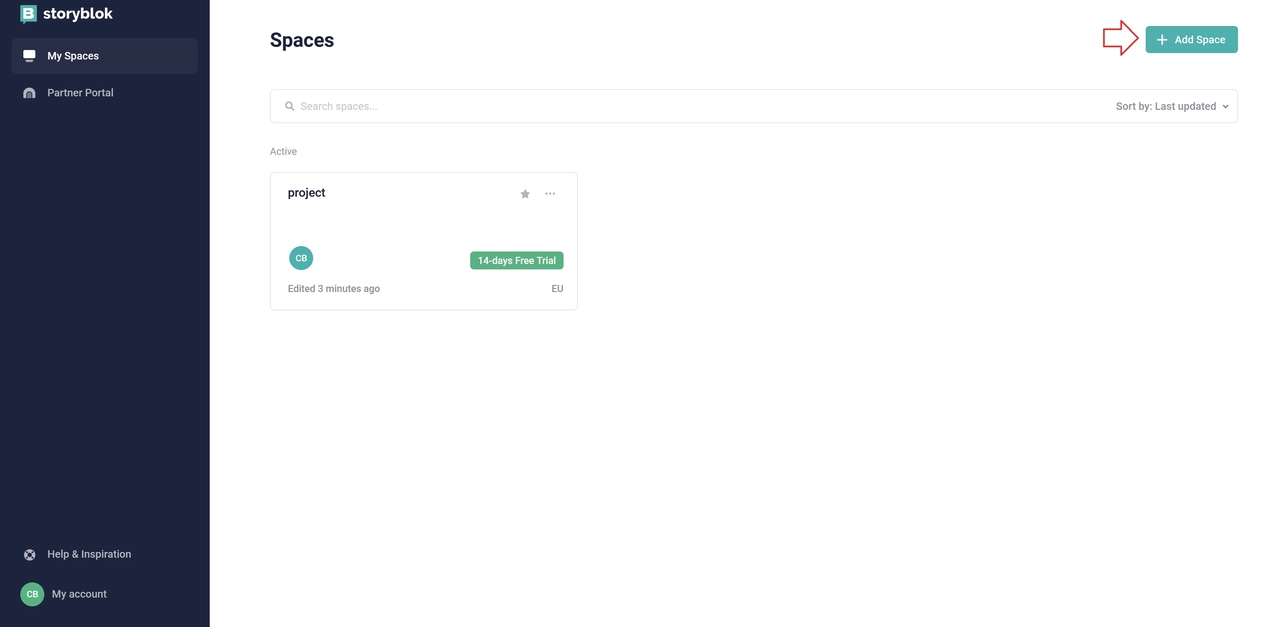
Storyblok is a headless CMS that combines API-first delivery with a visual editing experience, aimed at developers and content teams, while making content easy to manage without hindering frontend capabilities. Storyblok is designed to support modern websites and multi-channel digital experiences, thanks to its component-based architecture.
Key features:
- A visual editor lets content creators and marketers preview, edit, and publish content without relying on developers for day-to-day activities.
- Component-based content architecture enables a system to scale by reusing content and maintaining design consistency across websites and digital experiences worldwide.
- API-first delivery and integration are flexible, enabling seamless content delivery across websites, mobile apps, e-commerce platforms, and various front-end systems.
Challenges of headless CMS
Although a headless CMS offers excellent flexibility and the ability to deliver content in advanced ways, this approach is also fraught with disadvantages. Implementing and using a headless CMS structure, the enterprise may encounter technical, organizational, and workflow obstacles. Awareness of these drawbacks facilitates proper decision-making and successful headless CMS integration.
Higher development complexity
One of the major downsides of headless CMS is that it takes more technical expertise. Since the frontend and backend are not integrated, businesses often need technical skills to build, integrate, and manage a system effectively. Developers need to handle Integrations, APIs, and custom frontend frameworks to deliver content seamlessly. Additionally, managing the separate frontend could also take more development time, resources, and maintenance.
Content preview limitations
A headless CMS may not be as intuitive to use for content preview, since traditional CMS counterparts already offer built-in visual editors. Because content and display are not linked, editors may struggle to view live design changes while editing. Configuring an effective preview can demand some upfront frontend work and settings, and may require a level of reliance on developers, making the content editing process difficult for the end user.
Potential cost considerations
Although a headless CMS gives you a lot of flexibility and scalability, the costs can escalate based on business needs. SaaS based hosted platforms typically have subscription-based pricing plans which grow with your content operation, and for self-hosted options, you have costs for infrastructure, hosting and maintenance. Other costs may be development resources for initial set-up, integration and continued maintenance of your front-end.
Learning curve for teams
Choosing to implement a headless CMS may involve some learning curve on both the developers' and editors' part. Developers will have to be comfortable with working with APIs, understand various front-end frameworks and how to integrate them, and master the workflow process required in a headless system. Editors may require some training in order to get used to structured content models and the unconventional editing process. While this transition may impact productivity at first, teams become comfortable with the process in time.
Support headless CMS workflow with Enter Pro
A headless CMS workflow is so much more than just storing content and delivering it via an API. Organizations require content operations to follow a structured workflow and a platform that provides collaboration features and structured operations. Enter Pro aids in managing these modern content operations by enabling organizations to control and unify their workflows. Enter Pro can slot nicely into a headless CMS process, providing structure and collaboration between the developers and the content team involved in publishing and delivery.
Step-by-step guide
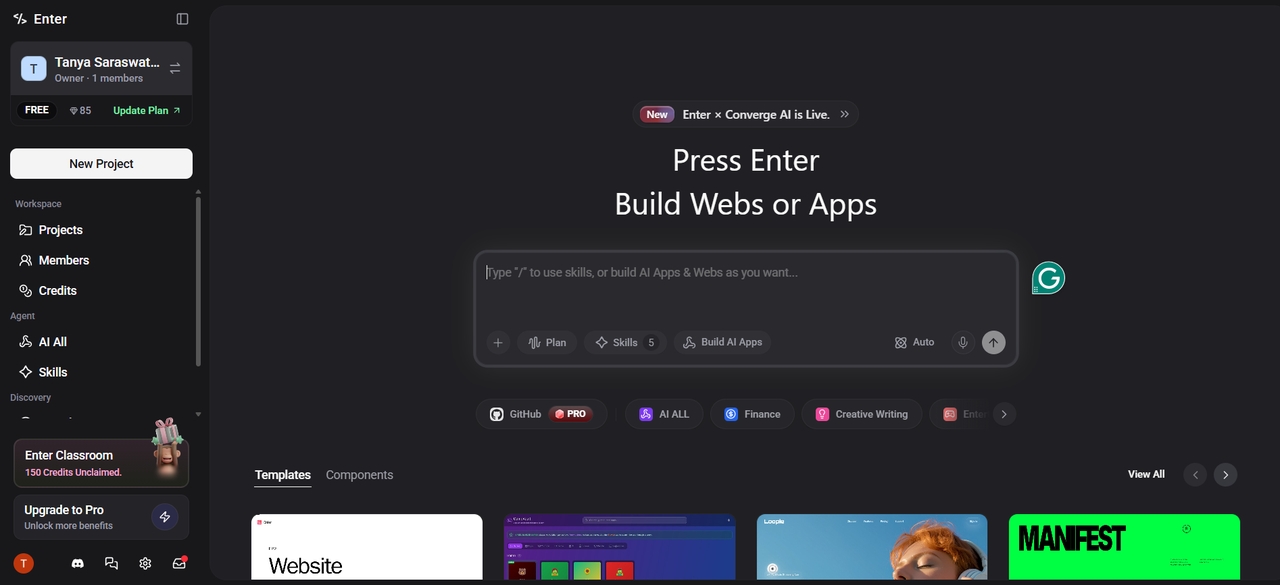
Step 1: Launch Enter Pro and write your prompt
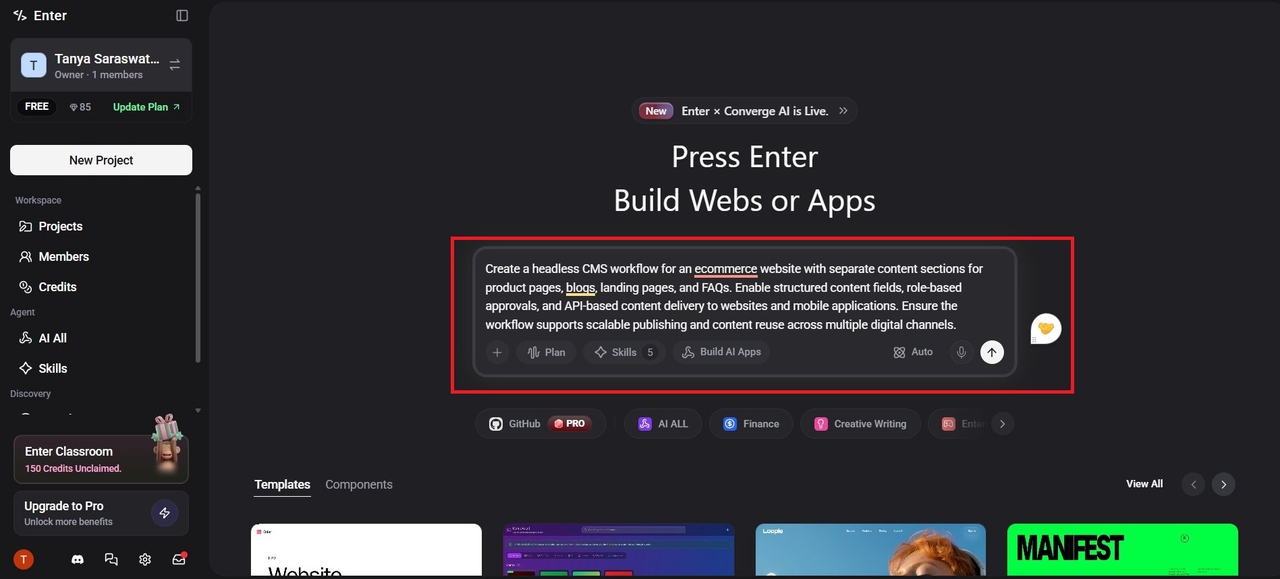
Begin by launching Enter Pro and describing your content requirements through a clear prompt. Define the type of headless CMS workflow, website structure, or digital experience you want to create. A detailed prompt helps guide the setup process and improves workflow accuracy.
Step 2: Configure content structure and workflow
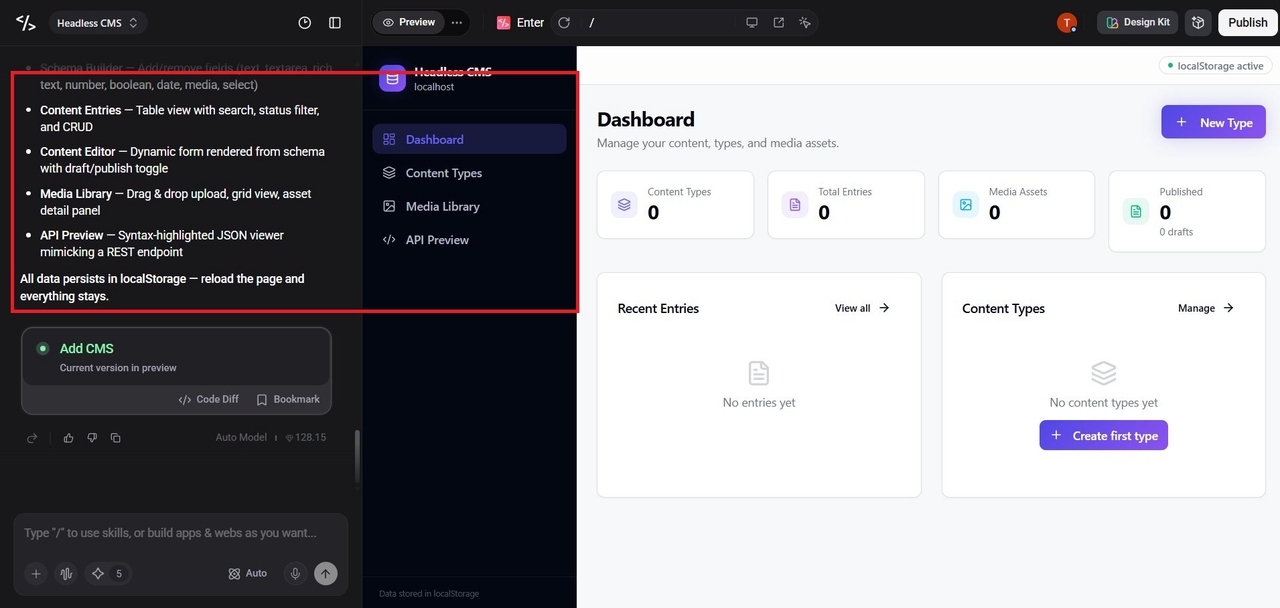
After generating the initial setup, organize content types, fields, and workflow requirements. Teams can establish permissions, collaboration processes, and approval paths to support structured content management. This creates a streamlined workflow for developers and content teams.
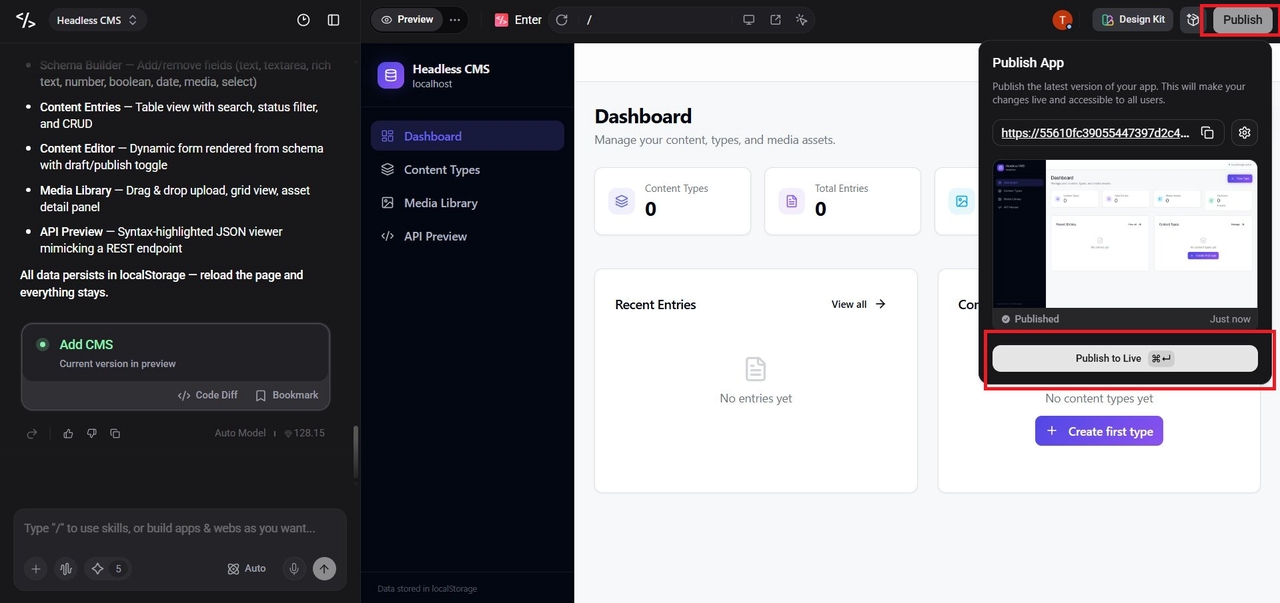
Step 3: Publish and manage content delivery
Once workflows and content structures are configured, manage publishing and delivery across digital channels. Enter Pro can support centralized content operations while maintaining consistency across platforms. This helps teams scale content delivery and maintain efficient headless CMS workflows.
Key benefits:
- Structured content management: Structured content management helps organize content into reusable formats and predefined fields for better consistency. This makes it easier to manage, update, and reuse content across different digital channels.
- API-driven content delivery: API-driven content delivery allows content to move seamlessly from the backend to websites, apps, and connected platforms. It supports faster distribution and greater flexibility in modern digital experiences.
- Scalable multi-channel publishing: Scalable multi-channel publishing enables teams to deliver content across multiple platforms from a centralized system. This supports growing content demands while maintaining consistency and operational efficiency.
Conclusion
Headless CMS bifurcates the content management component from the content delivery part. Businesses can create, manage, and publish their content across numerous digital channels via APIs. Compared to the traditional CMS architecture, this offers more flexibility: developers have the freedom to craft custom frontends and to ensure content operations are insulated from the website's development.
The primary benefit of using a headless CMS is the flexible development structure. Because content is delivered via API, it's possible to build any custom front-end, achieve faster speeds, achieve scalability, and publish across various channels easily.
The major trade-off in using a headless CMS, though, is that they have higher complexity than traditional CMSs; the business needs to consider the maintenance of a separate front end and limitations for content previewing. Depending on the organization's unique business objectives, it may find that a headless CMS or a traditional system is better suited.
FAQs
What is a headless CMS in simple terms?
The headless CMS meaning refers to a system that divides content storage into a content presentation layer. It is responsible for content management and distribution via APIs rather than dictating content presentation. In doing so, it enables organizations to distribute websites, apps, and digital media more easily.
Is WordPress a headless CMS?
WordPress has historically been a coupled CMS; content and design are intertwined. WordPress, though, may be implemented as a headless CMS via APIs to a standalone frontend. In this architecture, WordPress would still be in charge of the content, but a different application would control the presentation.
Is a headless CMS better for SEO?
In conjunction with the right front-end frameworks and faster delivery mechanisms, a headless CMS is likely to perform well for SEO. Increased speeds and development freedom might lead to better user satisfaction and search rankings, but good SEO depends heavily on how it's implemented.
Does a headless CMS require coding?
Coding has always been a major part of the headless CMS development process as it separates frontend and backend components. The API integration, the frontend frameworks, and the way the content is delivered is all a developer's responsibility. This is why technical skills have been emphasized over time.
What are some headless CMS examples?
Some of the leading headless CMS solutions are Contentful, Strapi, Sanity, Storyblok, etc. These are platforms designed for API-first content delivery and modern content management. Factors for choosing between them are usually scalability, hosting, and customizable requirements.