The Ultimate v0.dev Review: From Text Prompt to Live Code
Looking to speed up front-end development? Our 2026 v0.dev review breaks down its React code generation, Figma imports, and whether it’s truly worth the premium price tag. Also, we learn about Enter Pro as the ideal alternative.
The rapid evolution of AI-powered development tools has transformed how developers and founders approach product creation. Among the most talked-about platforms in 2026 is v0.dev, an innovative generative UI builder created by Vercel.
Designed to bridge the gap between creative concepts and functional code, v0 allows users to generate stunning, production-ready React and Next.js interfaces using simple text prompts. Whether you are a seasoned front-end developer looking to accelerate your workflow or a technical founder prototyping a new SaaS dashboard, v0 promises unprecedented speed.
In this comprehensive review, we will explore its capabilities, limitations, and discover Enter Pro as a powerful alternative.
What is v0.dev?
v0.dev is an innovative generative AI tool, specifically designed to revolutionize front-end web development.
It functions as a prompt-to-UI builder, allowing users to describe their desired user interface using natural language text prompts. Unlike traditional drag-and-drop website builders, v0 doesn't just create static mockups; it generates actual, usable code that developers can seamlessly integrate into their existing projects.
As a result, it bridges the gap between design and development, serving as an intelligent coding assistant for building modern, responsive web applications quickly.
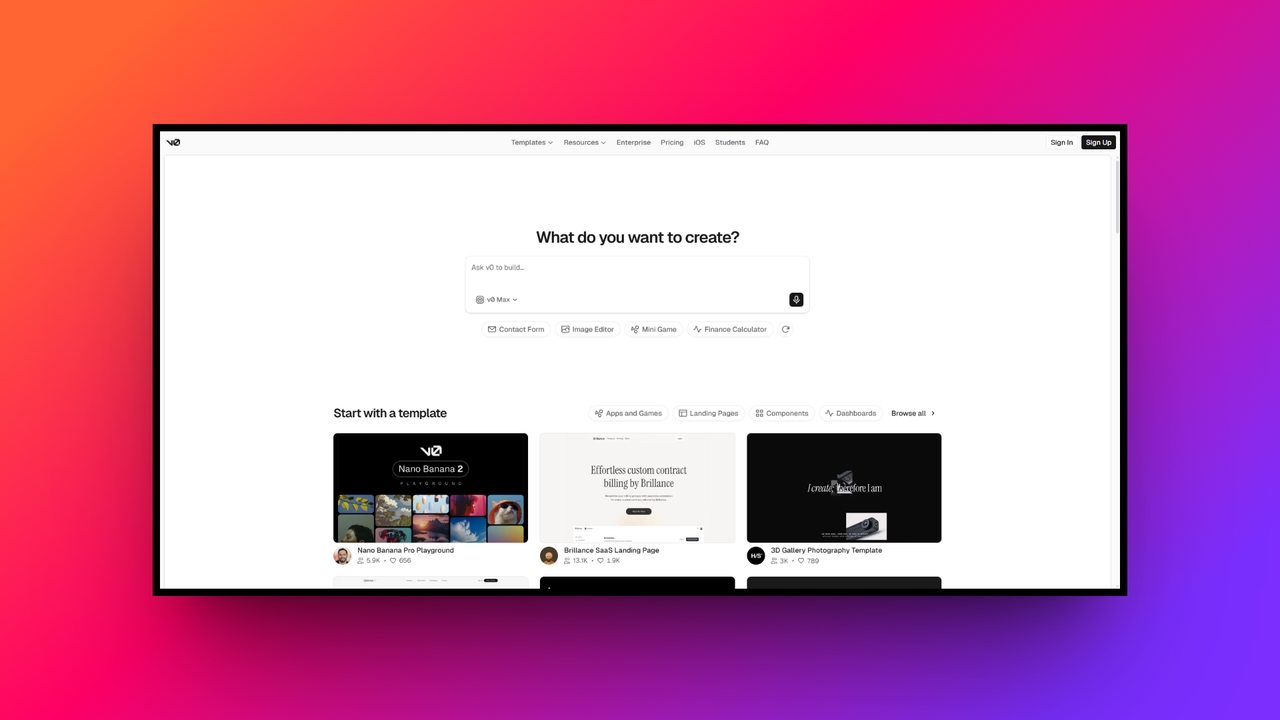
Major features of Vercel v0.dev that makes a difference
v0.dev stands out in the crowded AI landscape with a robust suite of tools designed specifically for frontend creation. Here is a closer look at what makes this platform so powerful.
Prompt-to-UI generation
At the heart of the platform is its remarkable ability to turn natural language descriptions into fully functional code. By simply typing a detailed prompt, users can instantly generate complex user interfaces. The AI intelligently interprets your requirements, applies modern design principles, and outputs visually appealing layouts, drastically reducing the tedious manual coding time required for starting new digital projects.
Clean React and Tailwind code
Unlike legacy visual builders that produce bloated, unreadable code, the platform generates exceptionally clean React and Next components styled with Tailwind CSS. This sophisticated output perfectly mirrors what a professional human developer would write, ensuring that the generated code is easy to maintain, highly scalable, and fully ready to be directly integrated into existing production environments without requiring extensive refactoring.
Iterative design adjustments
The platform excels at continuous refinement through an iterative design process. If the initial output requires adjustments, you do not have to start over. You can highlight specific elements and provide follow up prompts to tweak colors, layouts, or functionalities. This conversational editing experience acts like a smart pair programmer, allowing you to easily fine tune every single visual detail.
Seamless Vercel integration
Because it is built by Vercel, the platform offers a completely frictionless deployment experience. With a single click, users can push their generated prototypes directly to a global edge network. This seamless integration means you can share live, interactive links with team members or clients within seconds. It entirely eliminates the traditional operational overhead associated with hosting early application prototypes.
Figma import capabilities
For dedicated teams that heavily rely on traditional design workflows, the premium tiers offer a very powerful Figma import feature. This bridges the gap between designers and developers by allowing users to feed existing visual designs directly into AI. The system then accurately translates these detailed mockups into responsive, high quality code, drastically accelerating the entire team handoff process.
How to use v0.dev in 3 simple steps?
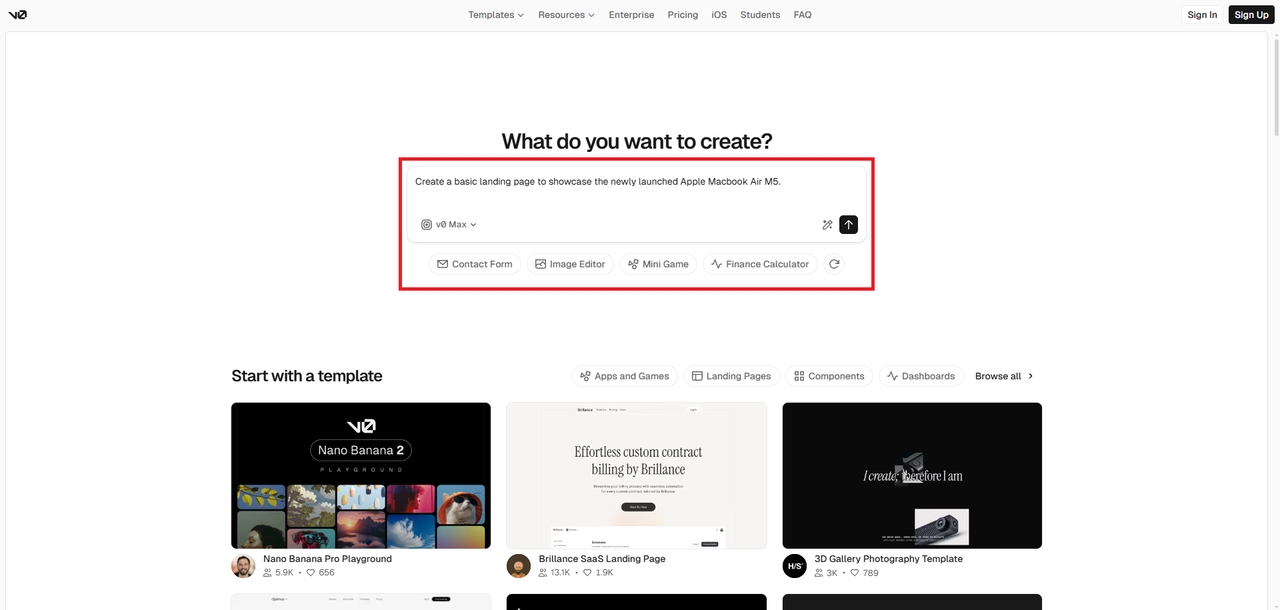
Getting started with v0.dev is remarkably straightforward, thanks to its intuitive, chat-based interface. Follow these three simple steps to transform your initial ideas into functional frontend code.
Step 1: Access the v0.dev dashboard
Open your browser, go to v0.dev. Sign-in or sign-up with your credentials, and then navigate to the dashboard to begin creating or managing AI projects securely.
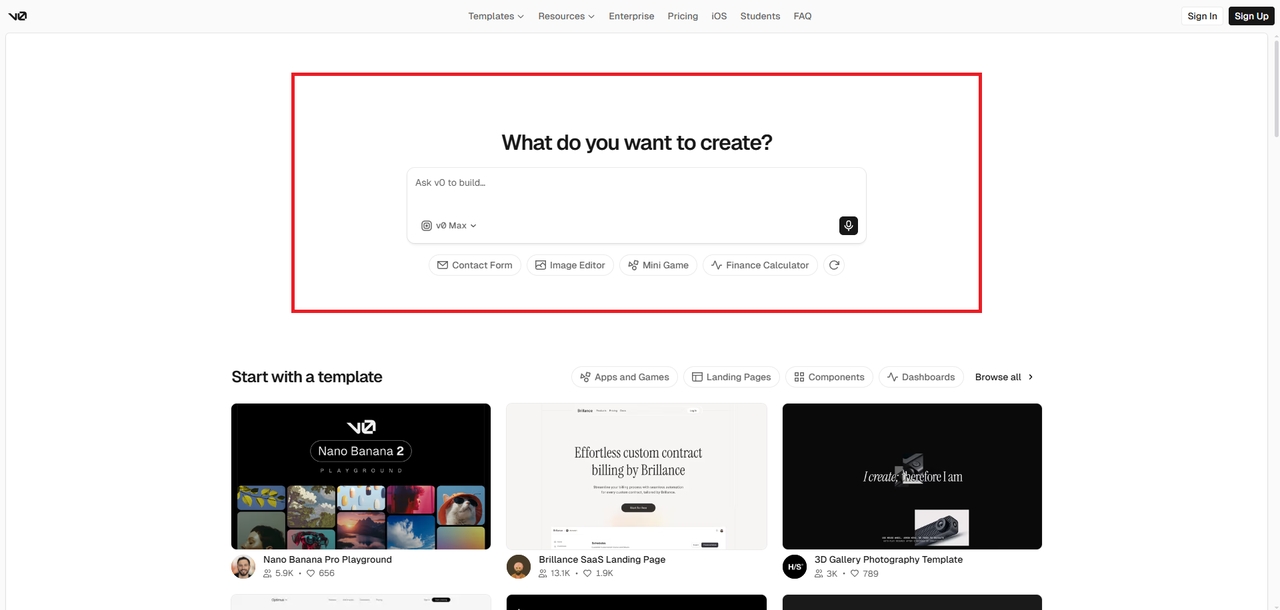
Step 2: Select your AI model
From the dashboard’s model list, review available options. v0.dev offers models such as v0 Mini, v0 Max, v0 Max Fast, etc. Consider latency and capability, then click the model that best fits your task or experiment requirements.
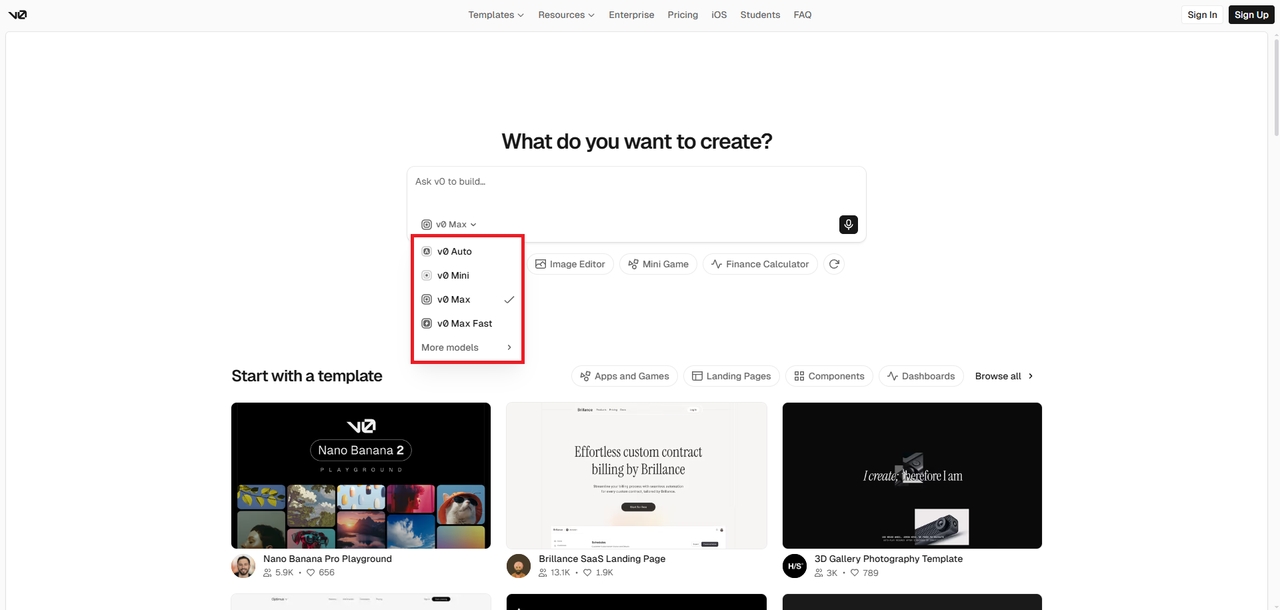
Step 3: Enter prompt and generate your vision
Type a clear, specific prompt into the input area, adjust parameters if needed. Then, hit the generate button, then review and refine outputs until the vision matches your intent.
v0 pricing structure: the overall cost you need to pay
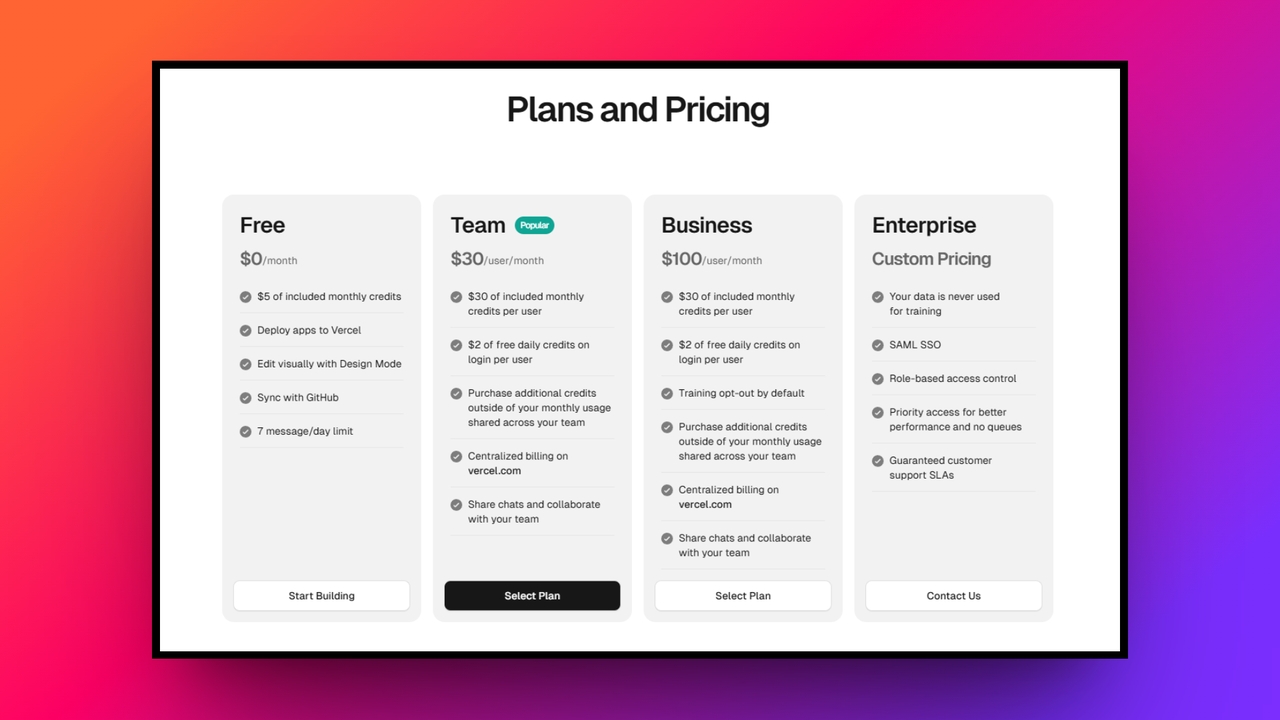
Understanding the cost structure of v0.dev is crucial for developers and teams planning to integrate it into their daily workflows. The platform operates on a flexible, credit-based model designed to accommodate varying levels of usage, from casual experimentation to enterprise-level production.
| Plan | Price | Features Included |
| Free | $0/month | $5 monthly credits, standard AI model, Vercel deployment. |
| Team | $30/user/month | Shared workspaces, centralized billing, full API access. |
| Business | $100/user/month | Training opt-out, shared chats, centralized billing, full API access. |
The "Free" plan is an excellent starting point, offering $5 in monthly credits. This allows solo developers to test the platform's core capabilities, utilize the standard AI model, and deploy simple projects without financial commitment.
For professionals, the "Team" plan costs $30/user/month and provides $30 in credits. This tier unlocks advanced features, including higher attachment limits, access to larger and smarter AI models, and the highly anticipated Figma import functionality.
Larger organizations can opt for the "Business" plan, priced at $100 per user per month. This tier provides shared workspaces, centralized billing, and full API access, making it ideal for collaborative environments.
v0 Vercel: critical pros and cons
Like any development tool, v0.dev has distinct advantages and specific limitations. Understanding these will help you decide if it perfectly fits your project needs.
| Strengths | Weaknesses |
| Rapid prototyping speed: It drastically accelerates the design process, turning simple text prompts into beautiful, functional user interfaces in a matter of seconds.Clean code generation: Produces high quality, production ready React and Tailwind code that professional developers can easily read, maintain, and instantly integrate today.Seamless cloud deployment: Offers effortless, one click deployment directly to the global edge network, making it incredibly easy to share live operational prototypes.Generous "Free" tier: Provides a fantastic entry point with recurring monthly credits, allowing beginners to thoroughly experiment and build without any financial risk. | Limited backend support: Lacks comprehensive database and backend integration capabilities, making it strictly a front end tool rather than a full stack solution.Requires developer knowledge: Despite an intuitive interface, properly integrating and customizing the generated code ultimately requires a solid understanding of modern web development. |
v0 AI: who should use it and who should not?
v0.dev is an exceptional tool for specific user groups, but it isn't a one-size-fits-all solution.
| Ideal audience | Non-ideal audience |
| Front-end developers and UI/UX designers will find v0 to be a massive productivity multiplier. If you frequently build dashboards, landing pages, or complex UI components, v0 acts as an ultra-fast drafting tool.Technical founders looking to rapidly prototype a minimum viable product (MVP) to pitch to investors will appreciate the speed at which ideas become clickable realities.Teams already deeply entrenched in the Vercel, Next.js, and Tailwind ecosystems will find that v0 fits perfectly into their existing architecture, eliminating the friction usually associated with adopting new development tools. | Non-technical entrepreneurs searching for a complete "no-code" solution should look elsewhere. Because v0 outputs raw code that must be integrated and managed, it requires foundational programming knowledge to be truly useful.Developers seeking a full-stack builder that handles backend logic, database architecture, user authentication, and API integrations straight out of the box will be disappointed. v0 is strictly a frontend UI generator. If you need a platform that manages both the visual interface and the underlying server infrastructure, you will need a more comprehensive tool. |
Why can Enter Pro act as a full-stack alternative to v0.dev?
While v0 excels at generating interfaces, its severe lack of backend support and reliance on technical knowledge often hinder founders. Enter Pro perfectly bridges this exact gap today.
As a true full stack vibe coding agent, Enter Pro handles databases, business logic, and interfaces simultaneously, empowering anyone to build complete software applications or websites, without ever touching a single line of code.
Key features of Enter Pro as a v0.dev alternative:
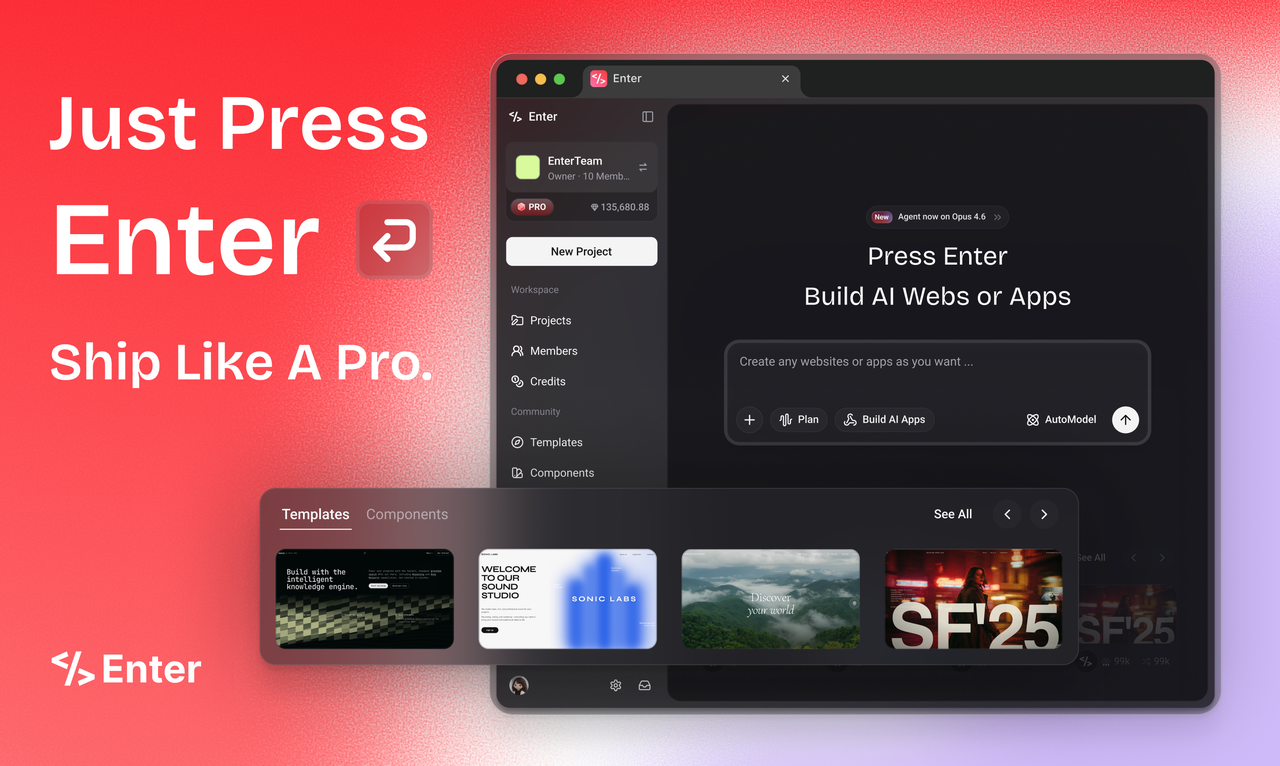
- Full-stack vibe coding architecture: Enter Pro operates as a comprehensive master agent, seamlessly orchestrating both the visual user interface and complex backend infrastructure. It translates natural language into fully functional, production-ready full-stack applications instantly.
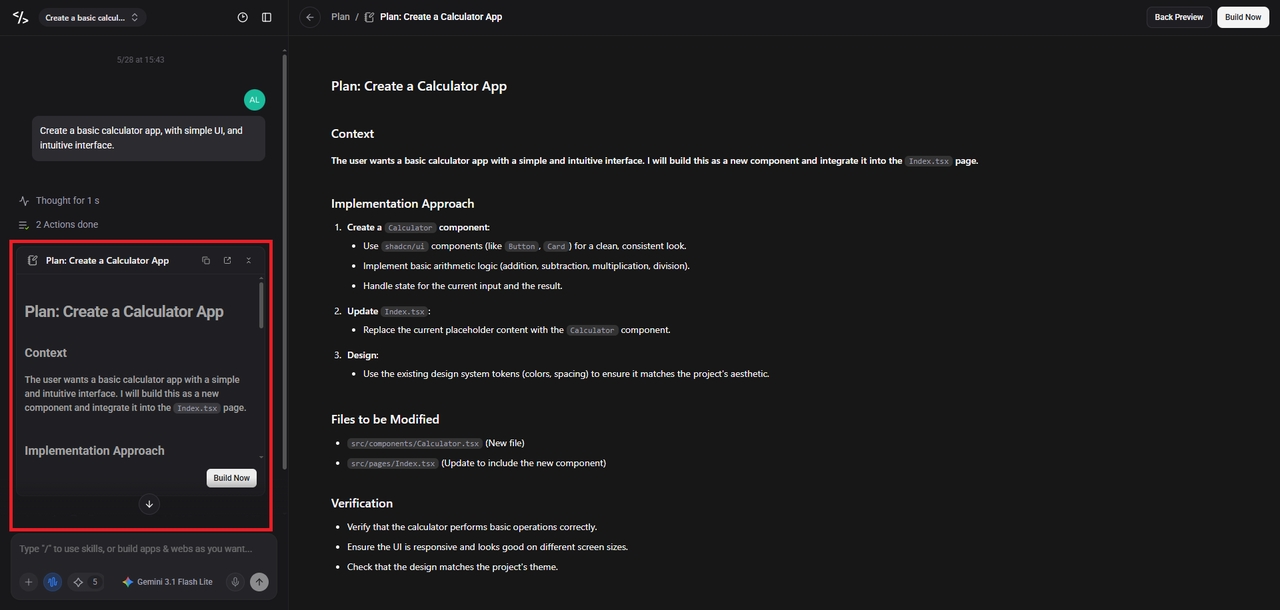
- Architect-first "Plan" mode: Acting as your AI project manager, "Plan" mode meticulously analyzes your prompt to draft a structural roadmap first. This ensures structural integrity and perfectly tailored database schemas before building begins.
- One-click cloud integrations: Enter Pro eliminates DevOps barriers with built-in integrations for Stripe and Supabase. With a single click, your fully configured application is hosted and deployed live to a custom domain.
- True software sovereignty: Go beyond generic subscriptions by building custom internal tools you truly own. Enter Pro provides complete access to underlying code, ensuring absolute control over your data and intellectual property.
How to use Enter Pro in 3 simple steps?
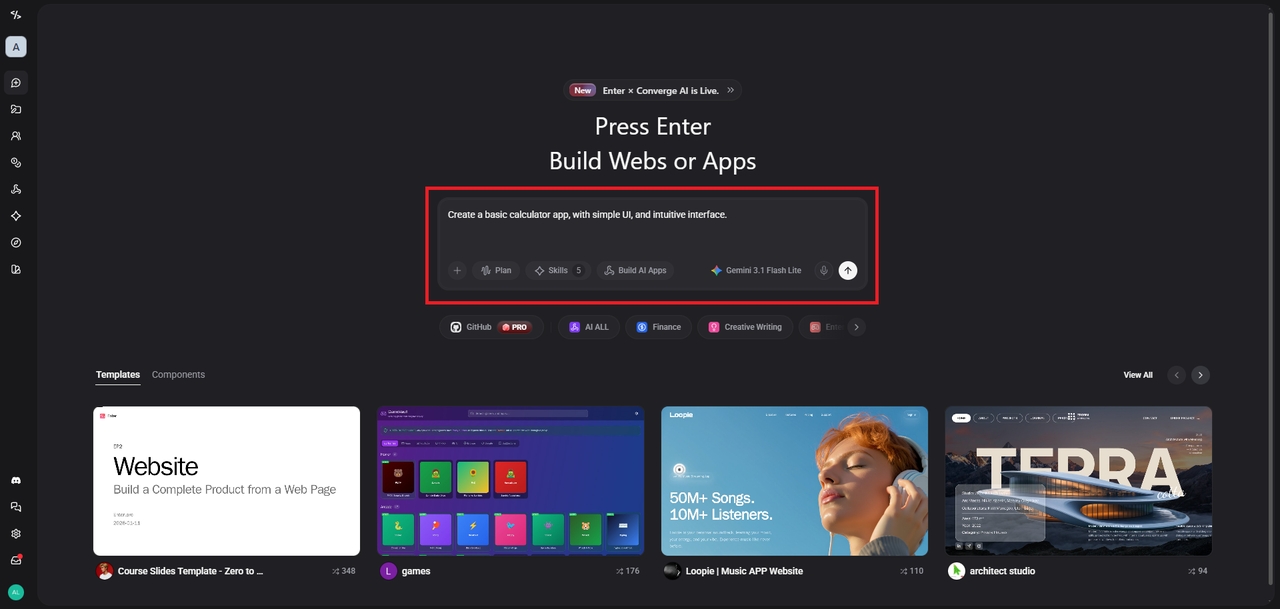
Step 1: Define your concept
Type a conversational prompt outlining your entire software concept. Describe both the visual interface and the required backend functions. Additionally, select your preferred AI coding model, be it Claude, Gemini, or any other.
Step 2: Review the architecture
Enter Pro activates "Plan" mode to clearly outline your application/website architecture. Review this generated roadmap to ensure the database structure and logical flow match perfectly.
Step 3: Build and deploy
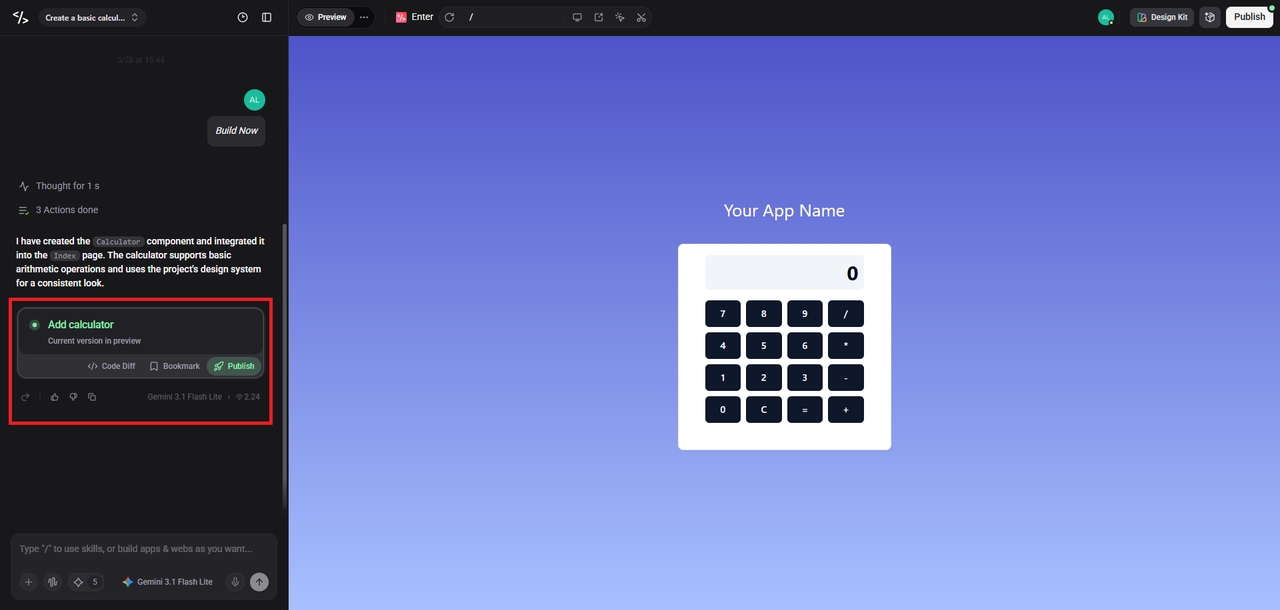
Instruct the AI to begin building. Use the visual editor for minor tweaks, then click deploy to instantly launch your complete application to the web.
Wrapping up
The AI development landscape is evolving at a breakneck pace, offering powerful tools tailored to different needs.
For experienced developers seeking to accelerate their UI workflows, v0.dev remains an unparalleled front-end prototyping solution. Its ability to generate pristine React code instantly is truly revolutionary. However, for entrepreneurs and non-technical visionaries who want to build complete, functional SaaS businesses quickly, Enter Pro emerges as the superior full-stack alternative.
By handling databases, logic, and design simultaneously through simple conversation, Enter Pro democratizes software creation. Ultimately, your choice depends on whether you need a brilliant coding assistant or a complete AI development team.
FAQs
What is the main difference between v0.dev and Enter Pro?
v0.dev focuses exclusively on generating front-end user interfaces and React components, whereas Enter Pro is a complete full-stack platform that simultaneously builds the frontend, backend databases, and complex business logic completely autonomously.
Do I need programming experience to use v0.dev effectively?
Yes, primarily because v0.dev outputs raw React and Tailwind code snippets. You must possess a foundational understanding of modern web development to properly integrate, customize, and maintain the generated frontend components successfully.
Can Enter Pro handle user authentication and subscription payments?
Absolutely. Enter Pro is strictly designed for production applications. It seamlessly integrates powerful third-party services like Stripe for billing and Supabase for secure authentication, requiring only natural language prompts to configure them.
How does the pricing for v0.dev accommodate individual freelance developers?
v0.dev currently offers a generous free tier with five dollars in monthly credits for basic experimentation. Freelancers can then upgrade to the "Premium" $20 monthly plan for higher limits and Figma imports.
Which platform is better for building a complete SaaS startup?
Enter Pro is definitely the better choice for SaaS startups. It acts as an autonomous digital developer, managing the database architecture, server logic, and user interface without requiring you to write code.