Cursor AI Review: Is It Really Worth It?
Stop fighting boilerplate and start shipping. Our 2026 guide reveals how Cursor's AI-native IDE masters your entire codebase and squashes bugs instantly. Compare pricing and explore Enter as the best no-code app-building alternative.
AI coding partners reduce boilerplate and squash bugs fast. Today, we will define the Cursor AI code editor, explore Cursor AI features, break down Cursor AI pricing, and look for a smart alternative, Enter Pro, for your next vibe coding agent.
What is Cursor AI, and how is it changing development?
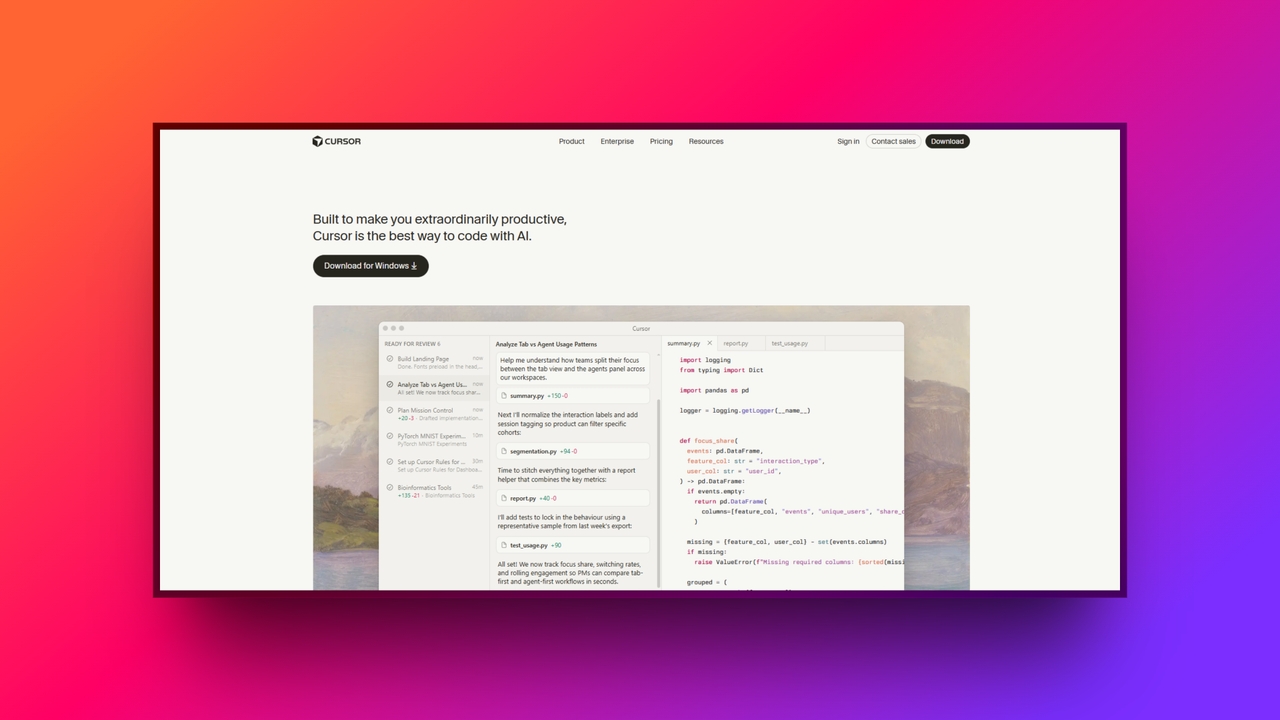
Cursor is fundamentally an AI-first code editor built specifically for modern software development.
Engineered as a direct fork of Visual Studio Code, it retains a highly familiar interface, ensuring a seamless transition for developers already accustomed to the VS Code ecosystem. Though early adopters might recognize its historical domain, Cursor.io has since evolved into a mature, standalone application.
The core philosophy of the Cursor editor fundamentally distinguishes it from traditional AI programming assistants. Unlike conventional plugins such as GitHub Copilot, which simply attach to a standard IDE as an extension, Cursor was constructed from the ground up with artificial intelligence native to its architecture. This deep integration allows the AI to systematically understand and interact with every function, terminal, and file, offering comprehensive repository context rather than simple line completions.
Exploring the most powerful Cursor AI features
The Cursor editor acts like a senior developer sitting right next to you, actively collaborating rather than just responding to prompts. These Cursor AI features are designed to deeply understand your intent, dramatically accelerating your workflow while maintaining exceptional code quality.
Feature 1: tab autocomplete (Copilot++)
Cursor's advanced tab autocomplete goes far beyond standard line-by-line suggestions. Copilot++ anticipates your next move, predicting entire multi-line blocks of code with astonishing accuracy. It even catches mid-line edits and variable changes, allowing you to breeze through repetitive boilerplate without breaking your coding flow.
Feature 2: the composer (multi-file edits)
The Composer allows Cursor to generate and apply features across multiple files simultaneously. For example, if you ask it to add a dark mode toggle, it will intelligently update your CSS stylesheets, React components, and state management files all at once, saving you from tedious manual syncing.
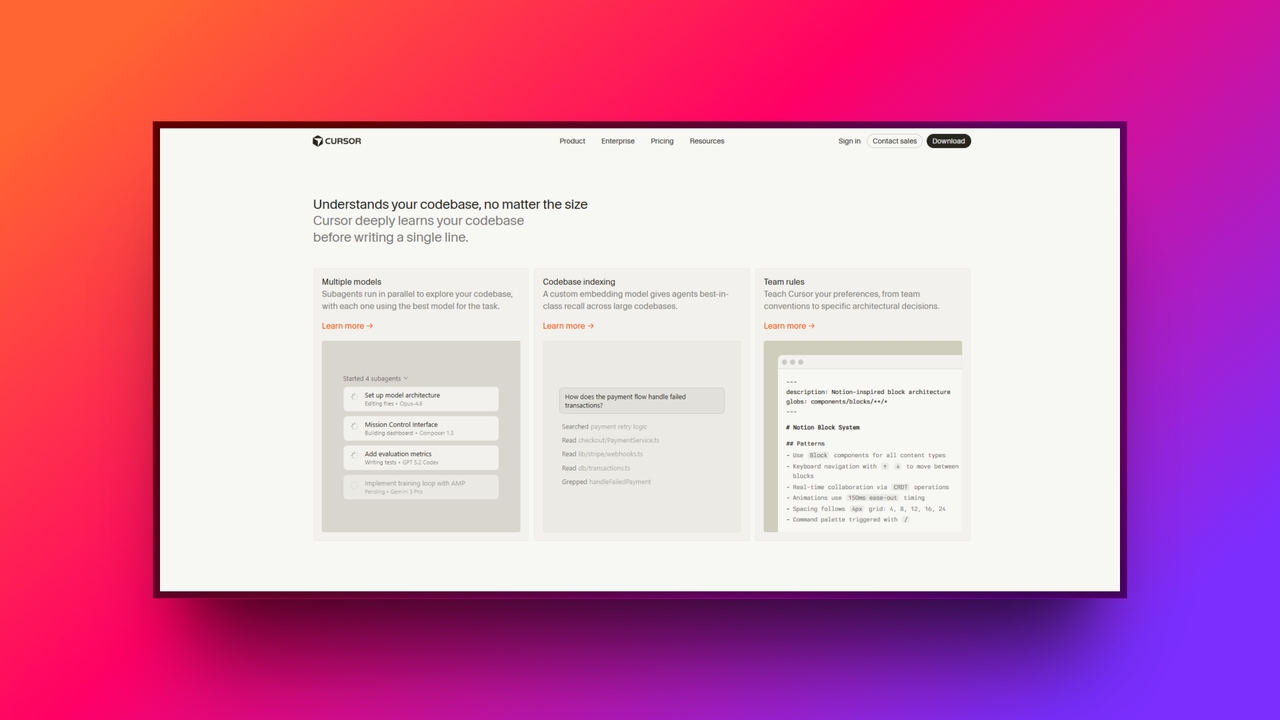
Feature 3: codebase indexing
By pressing Cmd+Enter keys, you can chat directly with your entire repository. The AI reads and indexes your existing codebase, ensuring it provides contextually accurate answers and code snippets. This prevents hallucination issues common in other tools, making it invaluable for exploring massive, undocumented projects.
Feature 4: AI terminal & bug fixing
Say goodbye to copying and pasting stack traces into external browsers. Cursor features an integrated AI terminal that automatically reads runtime errors or failed builds. It instantly diagnoses the root cause of the issue and provides a precise, one-click fix right inside your Cursor AI code editor.
Feature 5: natural language editing
With the powerful Cmd+K command, developers can simply highlight a specific block of code and type natural English instructions. Whether you need to refactor a messy function, optimize performance, or rewrite logic in another language, the Cursor AI seamlessly executes the requested changes inline.
Cursor AI pricing: Is Cursor free to use?
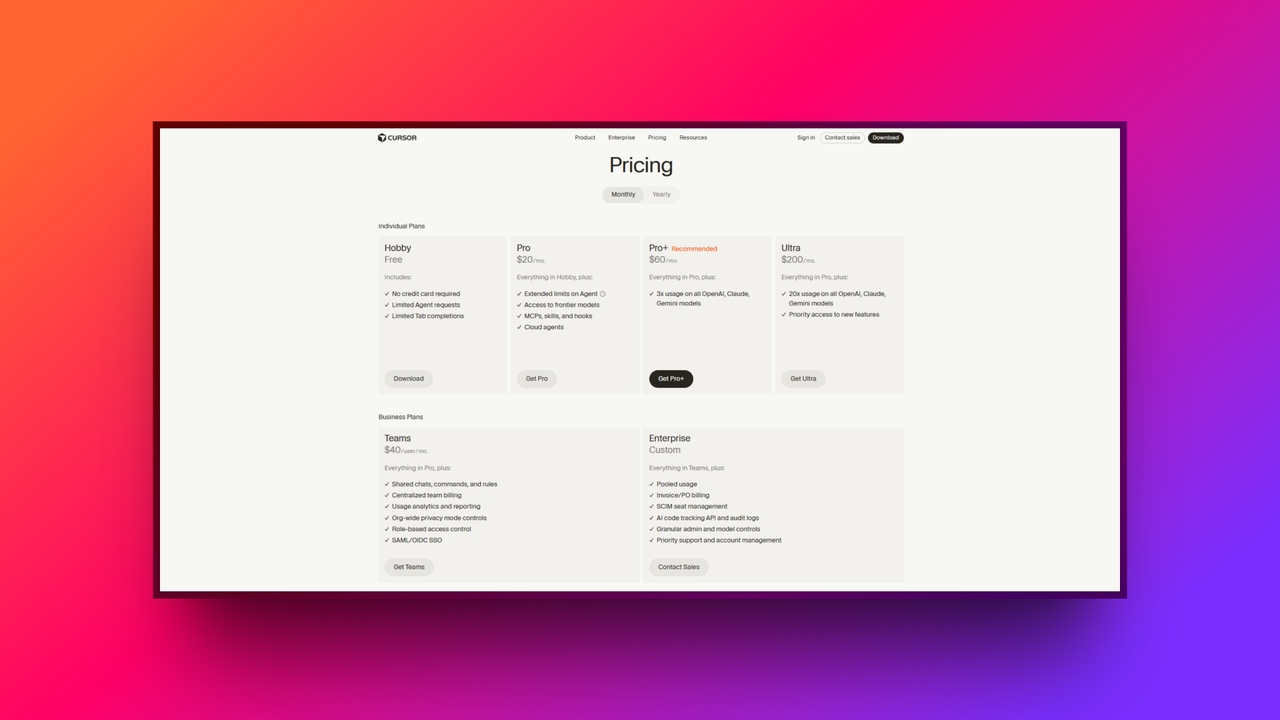
Cursor AI deploys a freemium model. Under the "Hobby (Free)" tier, users get a basic taste of the product without needing a credit card. It includes limited agent requests and limited tab completions. Because access to industry-leading models is highly restricted, it is difficult to rely on this tier for full-time, heavy-duty software development.
For serious developers, Cursor AI's pricing model centers on the "Pro" tier, which costs $20 per month. This tier unlocks extended limits on the agent, access to frontier models, MCPs, skills, hooks, and cloud agents. For power users, Cursor also offers a "Pro+" tier ($60/mo), which grants 3x the usage across OpenAI, Claude, and Gemini models, and an "Ultra" tier ($200/mo) that scales that up to 20x usage with priority feature access.
For larger organizations, Cursor offers business plans: the "Teams" tier ($40/user/mo) and a custom "Enterprise" tier. These focus heavily on enterprise-grade security and collaboration, offering shared rules, centralized team billing, org-wide privacy mode controls, SAML/OIDC SSO, and granular admin controls
| Tier | Price | Key Features | Best For |
| Hobby (Free) | $0 / month | No credit card required, limited agent requests, and limited tab completions. | Beginners or developers testing the waters. |
| Pro & Pro+ | $20 - $60 / mo | Extended Agent limits, frontier models, MCPs, Cloud agents, up to 3x usage. | Professional developers need daily AI assistance. |
| Ultra | $200 / month | 20x usage on all frontier models, priority access to new features. | Superpower-users with massive workloads. |
| Teams / Enterprise | $40/user/mo+ | Org-wide privacy controls, centralized billing, SAML/OIDC SSO, and role-based access. | Organizations & teams with strict security needs. |
The value proposition: Is a paid tier worth it? For a professional developer, the return on investment is almost undeniable. If the tool saves you even one hour of debugging, hunting for syntax errors, or writing boilerplate code per month, the subscription pays for itself multiple times over in the time it saves.
Who is Cursor built for: Top 5 best use cases
While the Cursor editor is undeniably powerful for general programming, its true potential is unlocked when applied to specific developer workflows. It shines brightest when tackling complex, context-heavy tasks that typically slow down human engineers, transforming bottlenecks into rapid, automated execution.
Legacy code refactoring
Cursor's codebase indexing allows developers to instantly understand, document, and modernize outdated or poorly documented codebases. Instead of manually reading thousands of lines, you can ask the AI to map out complex dependencies and safely refactor legacy architecture into modern standards in a fraction of the time.
Rapid prototyping for experienced devs
Senior engineers can leverage the multi-file Composer to scaffold boilerplate APIs and basic UI components in mere minutes. By automating the mundane setup phase, experienced developers are freed up to focus entirely on crafting complex business logic, accelerating the journey from a blank canvas to a functional prototype.
Bug squashing & error resolution
Relying on Cursor's AI Terminal instantly transforms how you handle cryptic build errors or runtime crashes. Rather than context-switching to search the web, the editor automatically reads the terminal output, precisely diagnoses the underlying issue, and suggests exact, one-click code fixes inline to keep you moving forward.
Learning new frameworks & languages
When developers cross over to an unfamiliar language, such as a Python expert learning Rust, Cursor acts as an interactive tutor. You can use conversational chat to explain complex syntax, translate logic, and implement framework-specific best practices on the fly, drastically reducing the traditional learning curve.
Complex multi-file feature implementation
The true advantage lies in using natural language to orchestrate sweeping architectural changes. You can command Cursor to update a database schema, adjust the corresponding backend routes, and tweak the frontend UI simultaneously. It handles cascading updates across your entire stack with flawless precision and speed.
Looking for an alternative to Cursor AI? Meet Enter Pro
While Cursor is an incredible tool for seasoned engineers who want to stay deeply immersed in the code, what if you are a PM, designer, or non-technical founder completely blocked by the code wall?
Enter Pro is a revolutionary "vibe coding agent" designed specifically to turn anyone into a full-stack developer, shifting the focus from writing syntax to executing a vision.
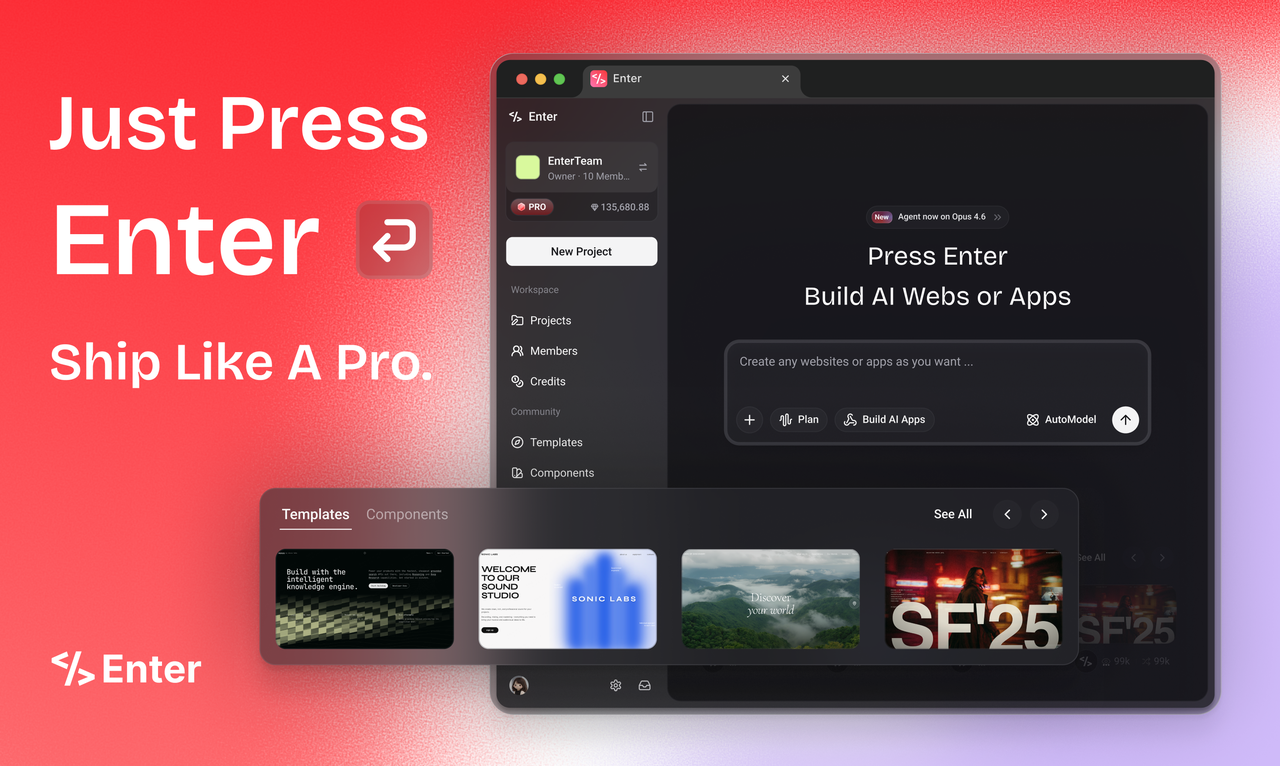
At its core, Enter Pro is tailored for AI-first builders, visionary architects, and no-code upgraders. Its primary mission is to empower creators to build production-ready SaaS MVPs fast, effortlessly bridging the gap between a great idea and a live, scalable product without ever needing to open a traditional IDE.
Key features of Enter Pro:
- Professional apps from scratch, no coding required: Unlike a traditional IDE that requires complex programming logic, the Enter Pro Agent literally turns your conversational words into deployed applications. Whether you're a designer crafting a layout or a founder testing a market, you can build professional-grade apps equipped with real backend logic and deploy them with a single click.
- Visual editor for precision control, real-time results: Stop guessing with abstract text prompts in an empty terminal. With the interactive Visual Editor, developers and designers can click any element directly on the live canvas to instantly tweak its styles and underlying code. This provides the pixel-perfect precision of manual hand-coding alongside the sheer, unprecedented speed of AI.
- Production-ready integrated ecosystem: It seamlessly integrates with critical industry staples like Stripe for payments, Supabase for backend databases, and Google Analytics. From your very first prompt, your application is architecturally ready for real users, live transactions, and scalable growth, completely eliminating the headache of manually wiring up complex third-party APIs.
- Model freedom (always best-in-class): Never suffer from FOMO as new AI models drop. Enter Pro lets you instantly switch between the latest cutting-edge models, such as Claude, GPT, and Gemini Pro, all under a single subscription. Plus, it features an AI-Native core with zero configuration required, meaning there is absolutely no need to apply for or manage individual API keys.
- 100% code ownership (no lock-in): Enter Pro directly addresses the single biggest fear associated with no-code platforms: vendor lock-in. With it, you completely own what you build. You have the freedom to export your full, clean source code at any time and deploy it to your own custom servers. Enter Pro acts as your launchpad, not your cage, ensuring full code transparency and ultimate freedom.
Wrapping up
The era of typing every single line of code from scratch is officially over. Today, tools like the Cursor editor and Enter Pro xact as ultimate force multipliers for creators, allowing you to build faster and smarter.
Whether you want to stay deep in syntax or visually generate a full-stack application, AI is reshaping development. Don't just take our word for it, experience the AI revolution firsthand. Download the free tier of Cursor for your next complex project, or try out Enter Pro to launch your next SaaS MVP in minutes.
FAQs
How do you define Cursor in the context of modern software development?
To define Cursor, think of it as an AI-first IDE fork of VS Code acting as your autonomous pair-programmer. If you want a visual, no-code alternative to manual coding, Enter is your best bet.
Is Cursor io the official website to download the tool?
While the project originally launched under the Cursor.io domain, it has since transitioned to a new official URL. Old links safely redirect you, just like Enter Pro ensures seamless access to your visual editor.
Is the Cursor AI code editor better than using standard VS Code with the Copilot extension?
The Cursor AI code editor offers deeper native codebase indexing and multi-file editing than standard Copilot plugins. However, if you prefer generating full apps without writing syntax, Enter Pro visual agent surpasses both.
Can I still use my favorite extensions in the Cursor editor?
Yes, absolutely! Because the Cursor editor is a direct fork of VS Code, almost all standard extensions and themes work flawlessly. Alternatively, Enter Pro provides built-in integrations without needing any third-party plugins or configurations.