Database Types Explained: Definition, Types & Examples
Explore modern database types and understand how SQL, NoSQL, and cloud databases power applications, analytics, and enterprise systems. Learn how to use Enter Pro to make scalable applications without any coding experience.
Databases are vital in modern applications for storing, organizing, managing, and retrieving data efficiently. There are different database types to serve different technical and business needs. Some databases are built for structured data and transaction consistency, while others are built for scalability, flexibility, analytics, or AI workloads.
The guide defines what is database, the major types of databases, key features, examples, and how to choose the right database architecture for your applications. The guide also explains how Enter Pro helps developers build scalable apps with modern backend integrations and development tools.
What is a database: Meaning & definition
A database is an organized collection of data that can be easily accessed, managed, and updated electronically. Contemporary databases enable companies to manage everything from customer data and financial records to analytics and AI-generated data. Database Management Systems (DBMS) are used to control databases and allow applications and users to interact with data in a secure and efficient manner.
Why do different database models exist?
Each application has different needs in how the data is stored and processed. For instance, banking systems require consistency and reliability in their transactions, whereas social media applications need to be massively scalable and offer real-time performance. The differing requirements have led to the evolution of multiple database models to address specific performance, scalability, and architectural problems.
The different types of databases
Now that you know what a database is, let's unveil different types of database options and their popular examples.
Relational databases
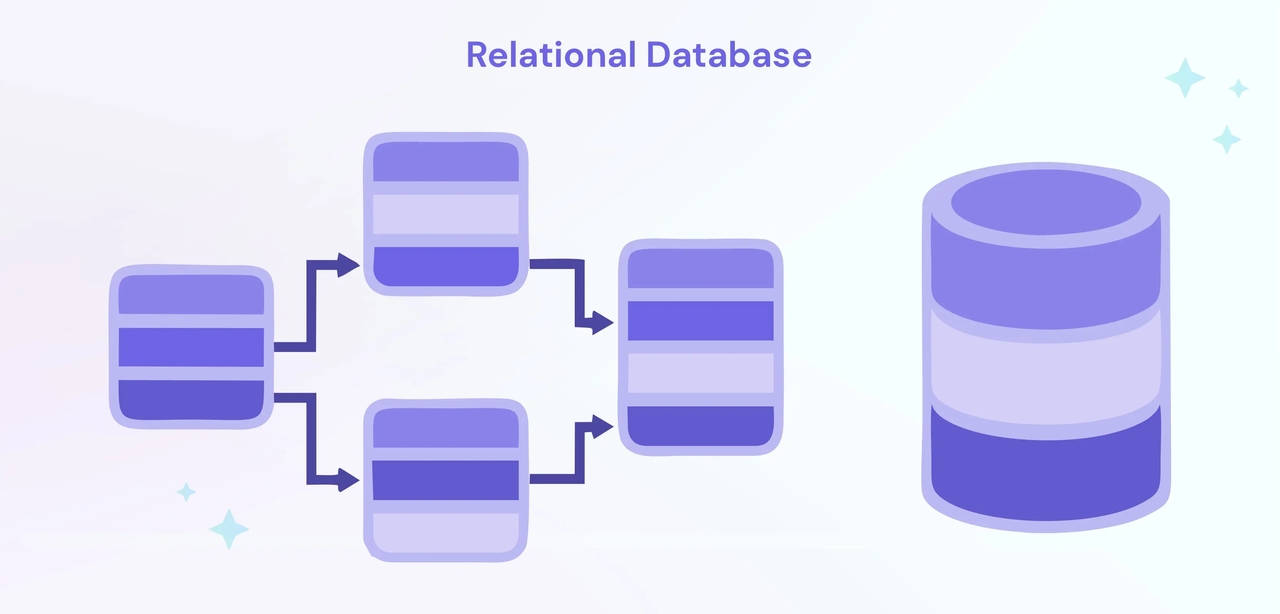
Relational databases are among the most popular database systems in the world. They store data in tables that are organized in rows and columns, and use the Structured Query Language (SQL) to manipulate and retrieve data. These databases are ideal for applications that require a structured schema and transactional consistency.
Key features
- Relational databases have fixed schemas.
- Strong data consistency
- ACID-compliant transactions
Popular relational databases examples
- MySQL
- PostgreSQL
- Oracle Database
- Microsoft SQL Server
NoSQL databases
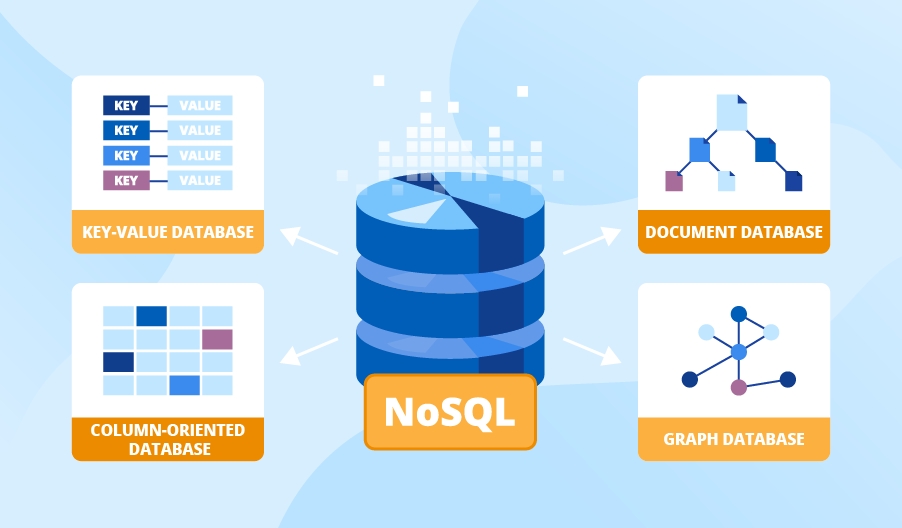
NoSQL databases are built to store unstructured and semi-structured data. They provide flexible schemas and horizontal scalability, unlike relational databases, and are a good fit for modern cloud-native and real-time applications. NoSQL databases are commonly used by social media platforms, streaming services, gaming applications, and IoT systems because they can scale horizontally across multiple servers.
Key features
- Flexible data models
- Distributed architectures
- High-speed performance
Popular NoSQL examples
- MongoDB
- Apache CouchDB
Graph databases
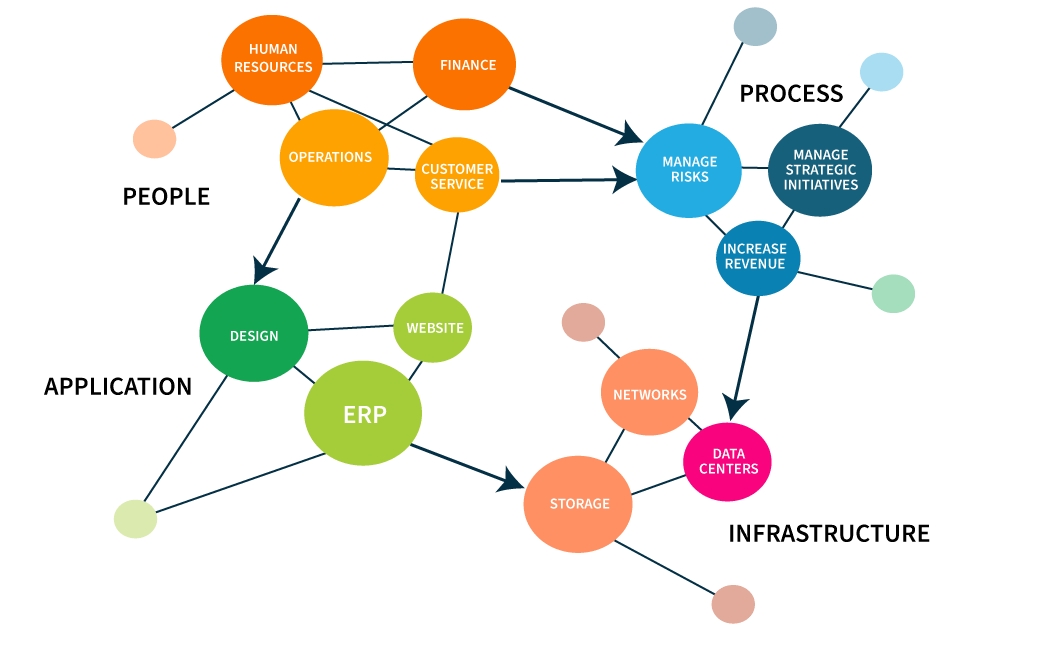
Graph databases are purpose-built for storing and processing highly connected information. They represent information with nodes, edges, and relationships, not tables. These databases are great for complex relationships and interlinked datasets. They can be used for recommendation systems, fraud detection, social networking platforms, etc.
Key features
- Graph databases offer relationship-oriented storage models.
- Enable fast graph traversal operations and flexible relationship structures.
- Simplify complex queries
Popular graph database examples
- Neo4j
- ArangoDB
Wide-column databases
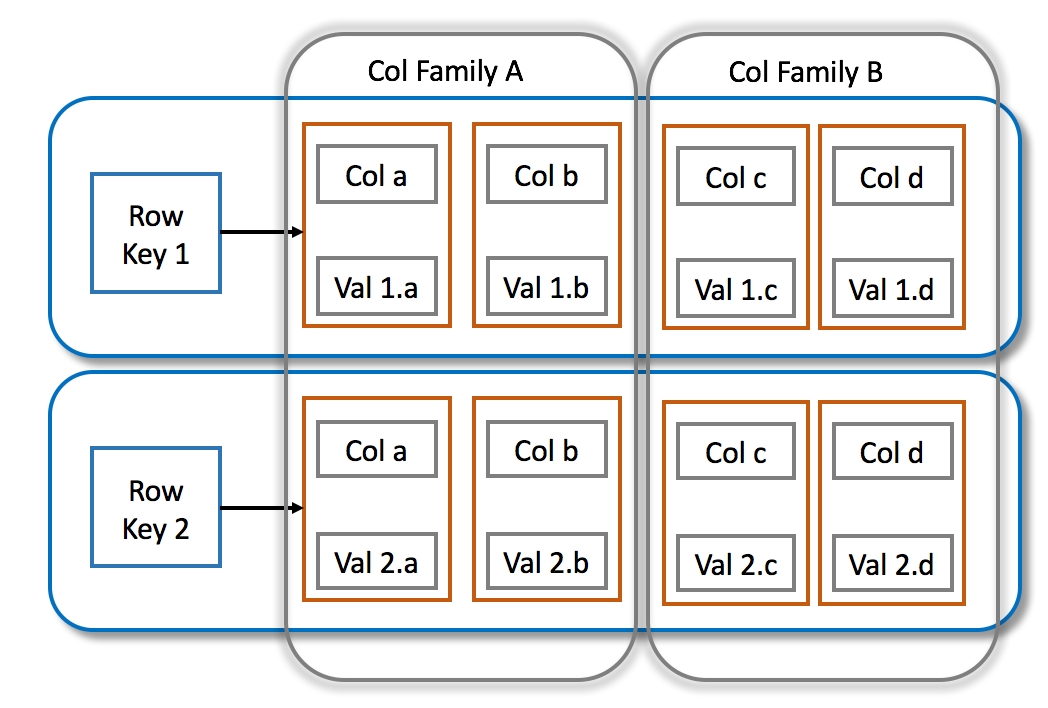
Wide-column databases store data in columns, not rows, and are able to efficiently manage massive, distributed datasets. Their design goals are high scalability and mass data processing. These databases are often used in big data applications, IoT systems and enterprise analytics platforms where performance and scalability are important.
Key features
- Offers distributed data storage, horizontal scalability, and high write throughput
- Well-suited for big data spread across multiple servers and data centres.
- Improve fault tolerance
Popular wide-column database examples
- Apache Cassandra
- HBase
Hierarchical databases
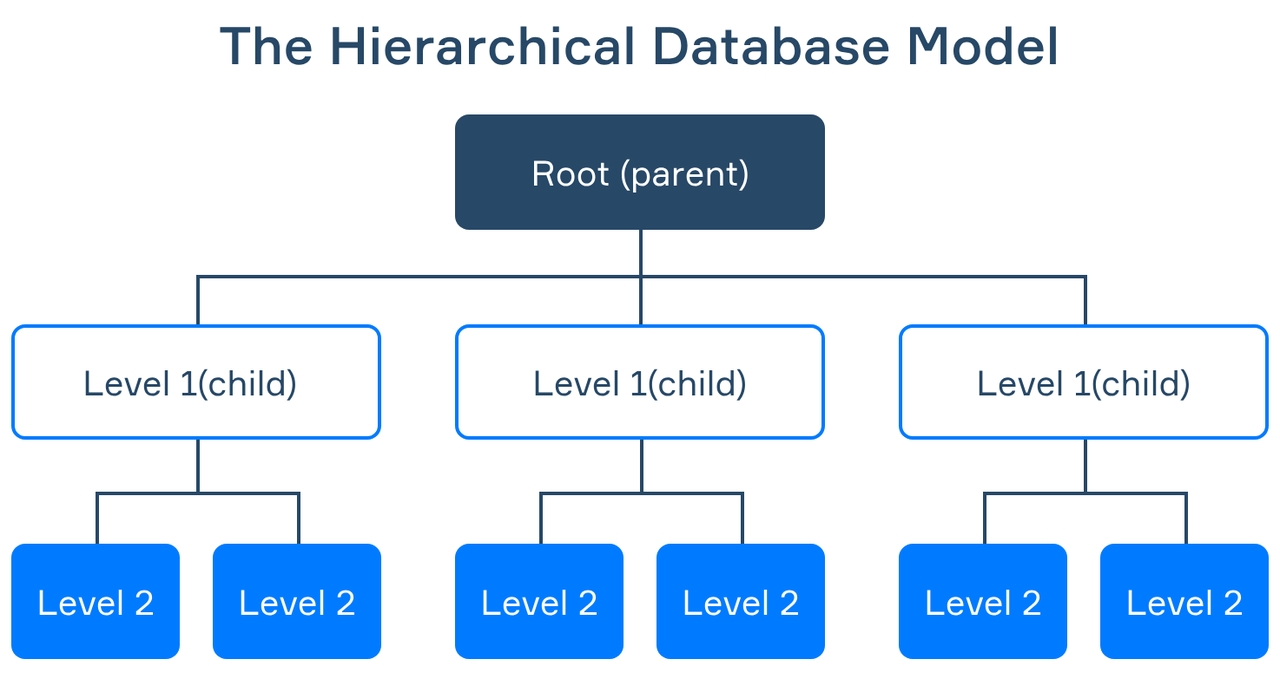
Hierarchical databases are structured as a tree in which each child record has a single parent record. The model was one of the first database architectures to be used in enterprise computing. While modern systems use relational or NoSQL databases, hierarchical databases are still used in some applications where structured parent-child relationships are needed.
Key features
- Provide fast hierarchical data access.
- Navigate fixed and predictable data structures.
- Perform well for applications based on stable hierarchical relationships.
Popular hierarchical database examples
- IBM Information Management System
- Windows Registry
Object-oriented databases
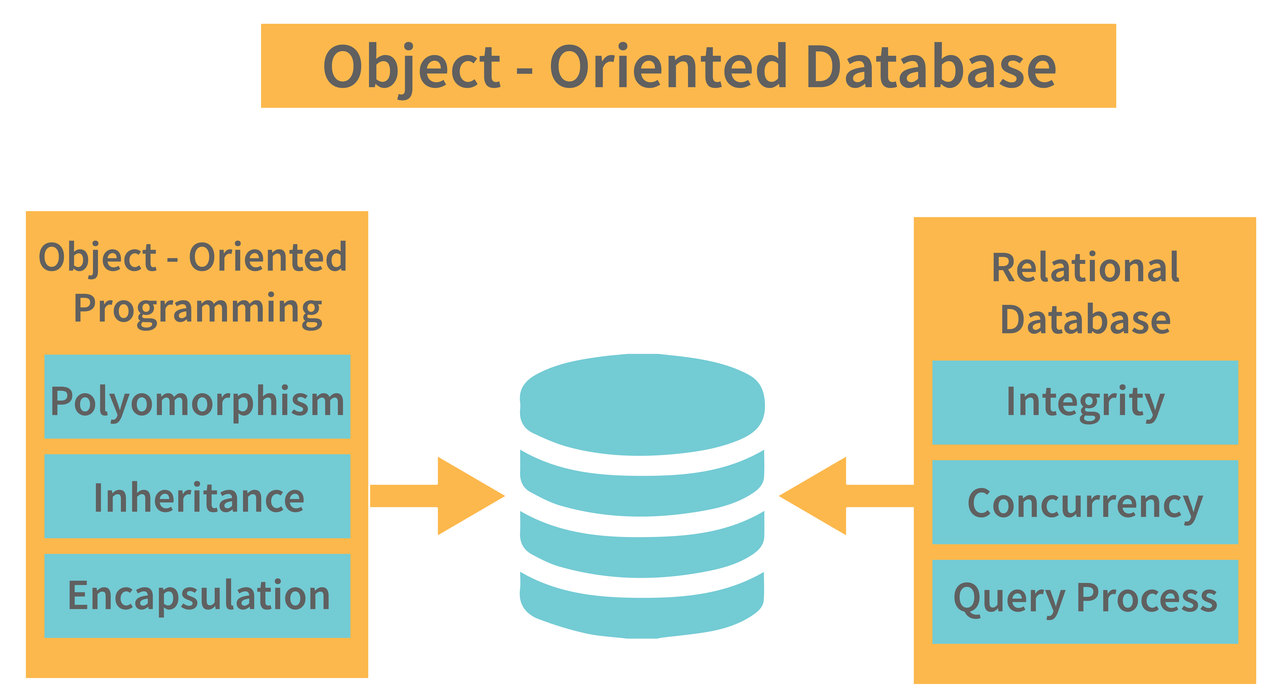
Object-oriented databases store data as objects, much like object-oriented programming languages. They are intended to work closely with software applications that have been developed based on object-oriented development principles. These databases allow storing and retrieving complex data structures such as those used in engineering, multimedia, and scientific applications.
Key features
- Support object storage, inheritance, and encapsulation
- Direct integration with programming languages.
- Increase the performance of applications involving complex relationships in data
Popular object-oriented database examples
- ObjectStore
- db4o
Vector databases
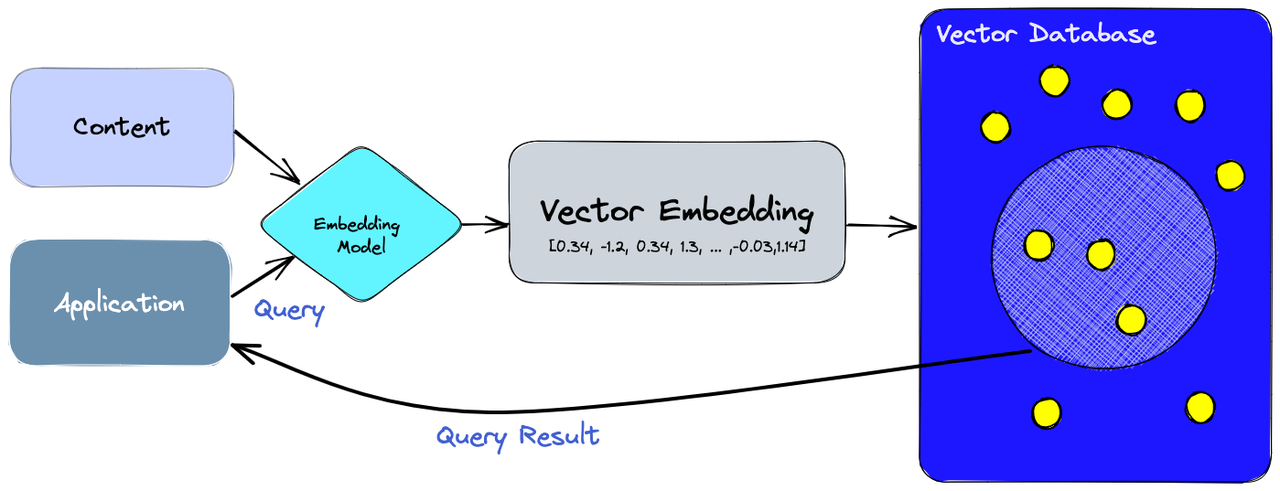
Vector databases are specialized databases that are used for artificial intelligence and machine learning applications. They store vector embeddings that power semantic search, recommendation engines and AI-powered retrieval systems. As generative AI and machine learning applications continue to grow in popularity, vector databases have become an essential element in efficiently handling high-dimensional AI data.
Key features
- Vector databases offer vector similarity search, semantic retrieval, and high-dimensional indexing
- Provides AI-focused optimization
- Enable AI applications to quickly find related content based on meaning
Popular vector database examples
- Pinecone
- Weaviate
- Milvus
How to choose the right type of database
- Data structure
The choice of database really depends on the nature and structure of your data. Relational databases are well-suited for applications that need to manage structured and organized data, while NoSQL databases are useful for applications that use flexible, semi-structured, or unstructured data. Graph databases are better suited for connected datasets, and vector databases are used for AI embeddings and semantic search applications.
- Scalability needs
Scalability is the ability of a database to manage more workload, user traffic, and datasets over time. If a business expects to grow quickly or operate at scale, it should first look at databases that are distributed and horizontally scalable.
- Transaction requirements
If your apps require high levels of accuracy and security in transactions, use databases that provide strong transactional consistency. ACID-compliant relational databases are essential for industries like banking, healthcare, payment processing, and inventory management to make sure that transactions are completed reliably without any loss or inconsistency of data. These databases maintain data integrity even in the event of system crashes.
- Query complexity
The complexity of the queries your application issues is also a factor in choosing a database. The more you choose a database that fits your query requirements, the better you will be in terms of efficiency, response time, and optimized system performance.
- Budget considerations
Budget is an important factor in choosing the right database architecture. Organizations need to consider the costs of infrastructure, licensing fees, maintenance costs, cloud hosting, and the need for scalability over the long term. Getting the right balance of performance, scalability, and cost enables organizations to build scalable, cost-effective applications.
Enter Pro: The smart choice for scalable app development
Building scalable applications is a lot more than choosing a database. Companies today need development platforms that accelerate deployment, support flexible integration, and can scale easily as applications grow. Enter Pro lets businesses and developers build scalable apps faster with powerful backend integrations, reusable templates, app remix functionality, and flexible deployment support. This AI app builder empowers teams to launch scalable digital products faster, even without coding experience.
Step-by-step guide
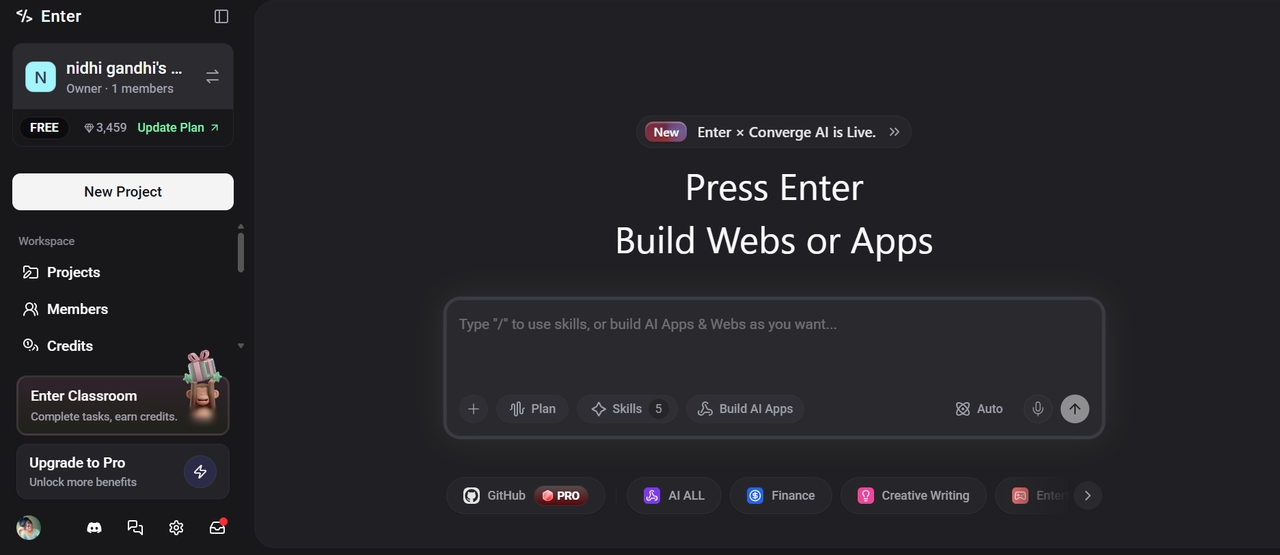
Step 1: Open Enter Pro and add a text prompt
Launch Enter Pro in your browser and describe your application in a simple, plain language. Mention all elements, like niche, color theme, pages included, and more, to guide the AI dev agent. Select the AI model, and click Generate.
Step 2: Use the visual editor to customize the app
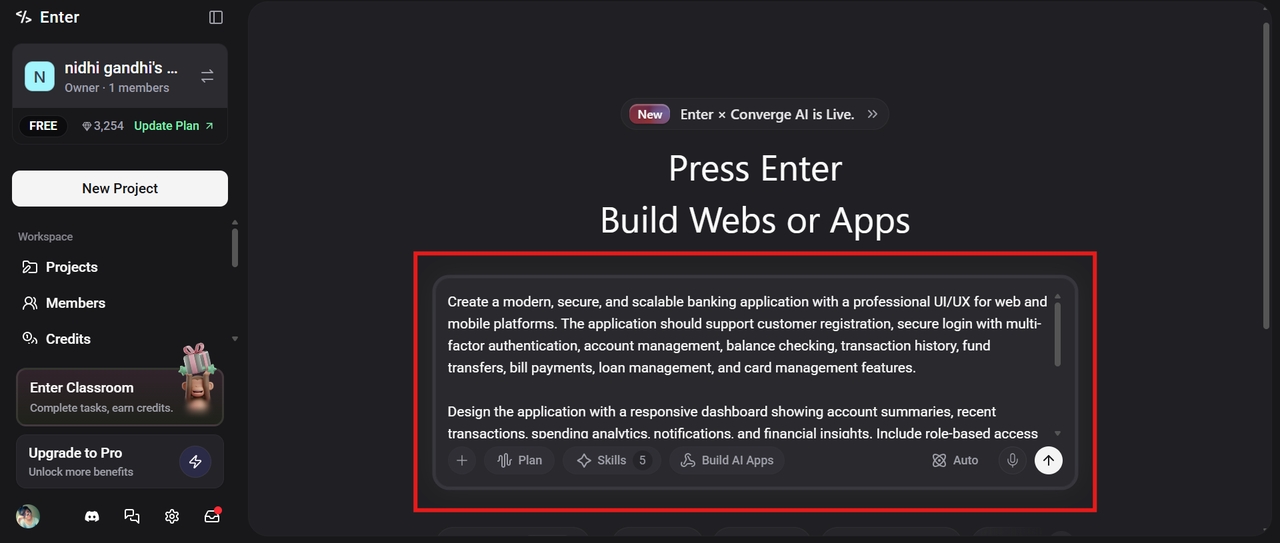
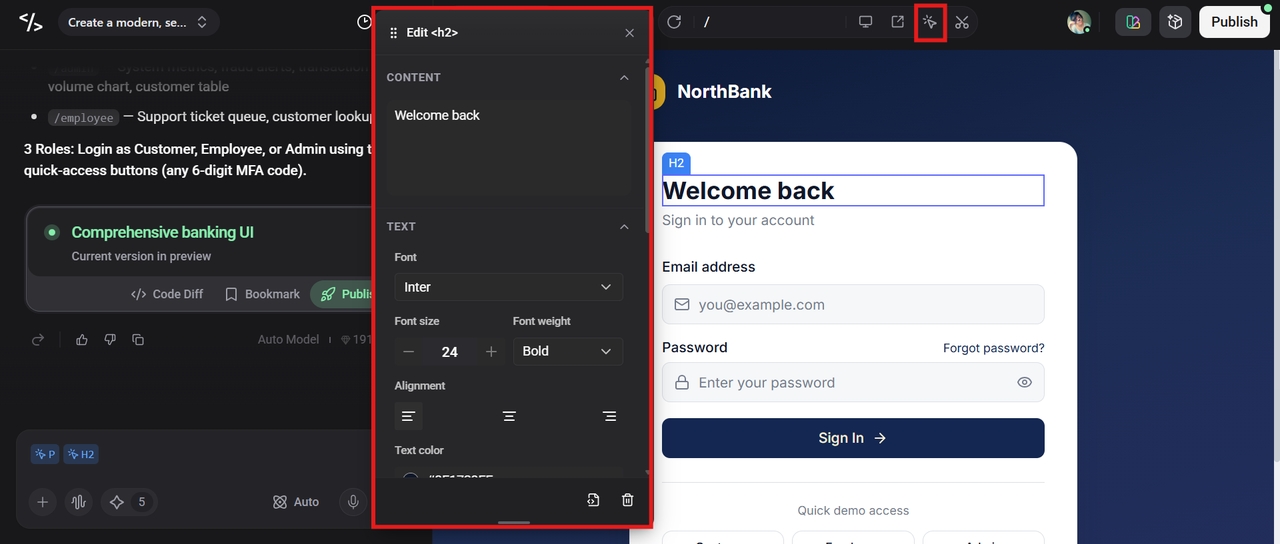
Once the app is ready, use the Visual Editor at the top to customize your application. You can change the font, modify the color and text itself, adjust the layout, and even delete unwanted elements instantly.
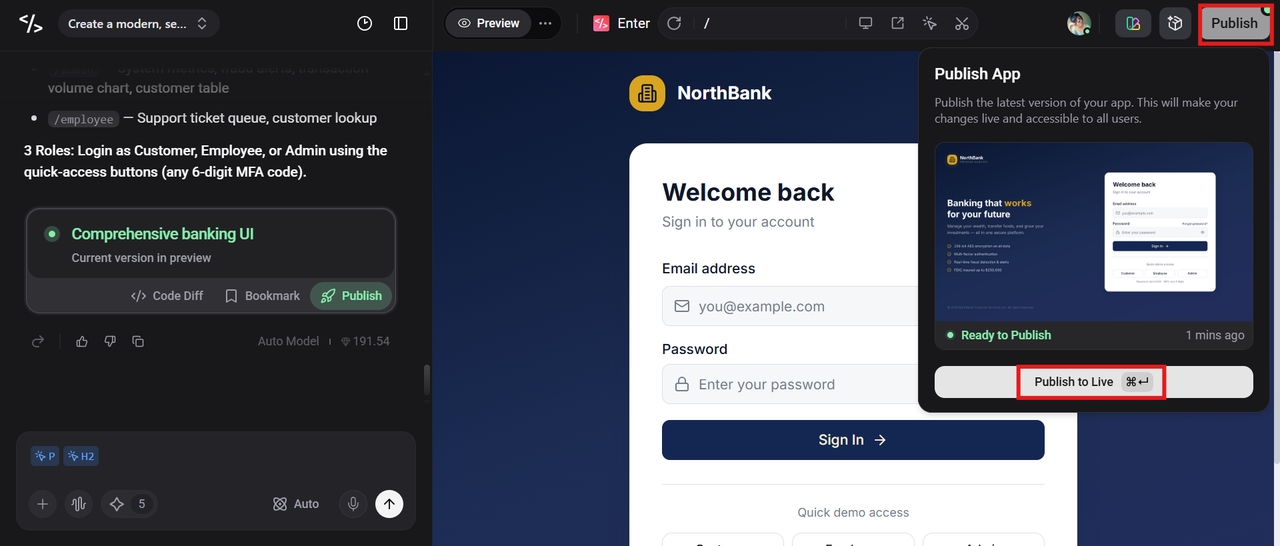
Step 3: Publish the application
If you are satisfied with the final version of the app, simply click the "Publish" button to make your app go live directly from the platform.
Key features
- Backend integrations: Enter Pro offers plenty of backend integrations and connects to databases, APIs, and payment gateways to simplify development.
- Ready-made templates and app remix: With Enter Pro, developers can launch applications quickly with the help of reusable templates and have the flexibility to customize them.
- 100% code ownership: Enter Pro offers 100% code ownership, thus allowing you to scale the application whenever needed.
Conclusion
Databases are the backbone of modern applications and are key to the efficient storage, management, and processing of information. From relational databases and NoSQL systems to graph and vector, different database types are designed to solve specific technical and business challenges. A good database architecture can improve scalability, application performance, reliability, and long-term growth opportunities. Scalable app development is easy with platforms like Enter Pro that offer backend integrations, reusable templates, flexible deployment options, and full code ownership. Start building scalable, future-ready apps today with the right database strategy and development platform.
FAQs
What are the main types of databases?
The main types of databases are relational, NoSQL, graph, wide-column, hierarchical, object-oriented, and vector databases. Each type of database is built for specific use cases and data management requirements, and the choice depends on query complexity, budget, and data structure.
What is the difference between SQL and NoSQL databases?
Structured schemas and tables with rows and columns are used by SQL databases to organize data. They support ACID transactions and are best suited for applications requiring strong consistency and complex queries. NoSQL databases, on the other hand, offer flexible schemas and distributed architectures supporting horizontal scaling. They are more suited for handling unstructured data or rapidly changing data.
Which database type is best for scalable applications?
The best type of database for a scalable application depends on the workload, the volume of traffic, and the application architecture. NoSQL databases, wide-column databases, and distributed cloud databases are often used for highly scalable applications as they are horizontally scalable across multiple servers.
What are graph databases used for?
Graph databases are made to deal with highly connected data and the relationships between data points. They are widely used in recommendation engines, fraud detection systems, social networking platforms, supply chain management, and knowledge graph applications.
Why are vector databases important in AI?
Vector databases are essential for AI and machine learning applications. They store and process vector embeddings that are used for semantic search and similarity matching. They enable AI systems to grasp context, meaning, and connections between data points, rather than just matching keywords precisely.