How Designers Can Build a Blog Platform
In the era of AI-driven vibe coding, designers no longer need to rely on traditional development workflows to bring their ideas to life. This article shares a real-world, end-to-end example of how a designer can build a fully functional blog platform — from frontend to backend — using natural language and AI tools. Through practical steps and design-first thinking, it explores how aesthetics, user experience, and product structure can seamlessly translate from Figma into a live, working product.
✨ From Aesthetics to Code — From Figma to a Real, Live Product
Hi guys, I’m April 👋
As a designer with years of professional experience, I’ve always been deeply convinced of one thing: good design deserves to be fully realized, not trapped inside design files.
For a long time, the most familiar workflow for designers has looked like this: we refine visuals, layouts, and interactions in Figma 🖌️, then hand the design over to developers.
What follows is often a long cycle of communication and compromise — pixel accuracy, alignment issues, interaction discrepancies, implementation costs, timelines… sometimes even endless back-and-forth over a single 1px difference 📐😮💨
More realistically, there’s an even bigger issue: without developers, many carefully crafted designs never leave Figma at all.
That feeling — having everything thoughtfully designed, yet unable to bring it to life — is something most designers know all too well 💭😔
That is, until the wave of AI-driven vibe coding truly arrived 🤖✨ And suddenly, everything began to change 🌊
When Designers Can “Write Code” with Natural Language
I’ve never formally studied programming.
But the moment I realized that designers could use natural language to directly turn their design ideas into websites, apps, and admin systems, the excitement was immediate.
You no longer need to become a programmer first. What you actually need is:
- A clear understanding of product structure
- Mature aesthetic judgment
- A strong sense of user experience
- And the ability to communicate effectively with AI
These are precisely the areas designers already excel at.
So I decided to validate this idea through a real-world project: building a complete Blog writing and management platform from 0 to 1.
What Does My Blog Platform Look Like?
Below are a few interface snapshots of the Blog platform:
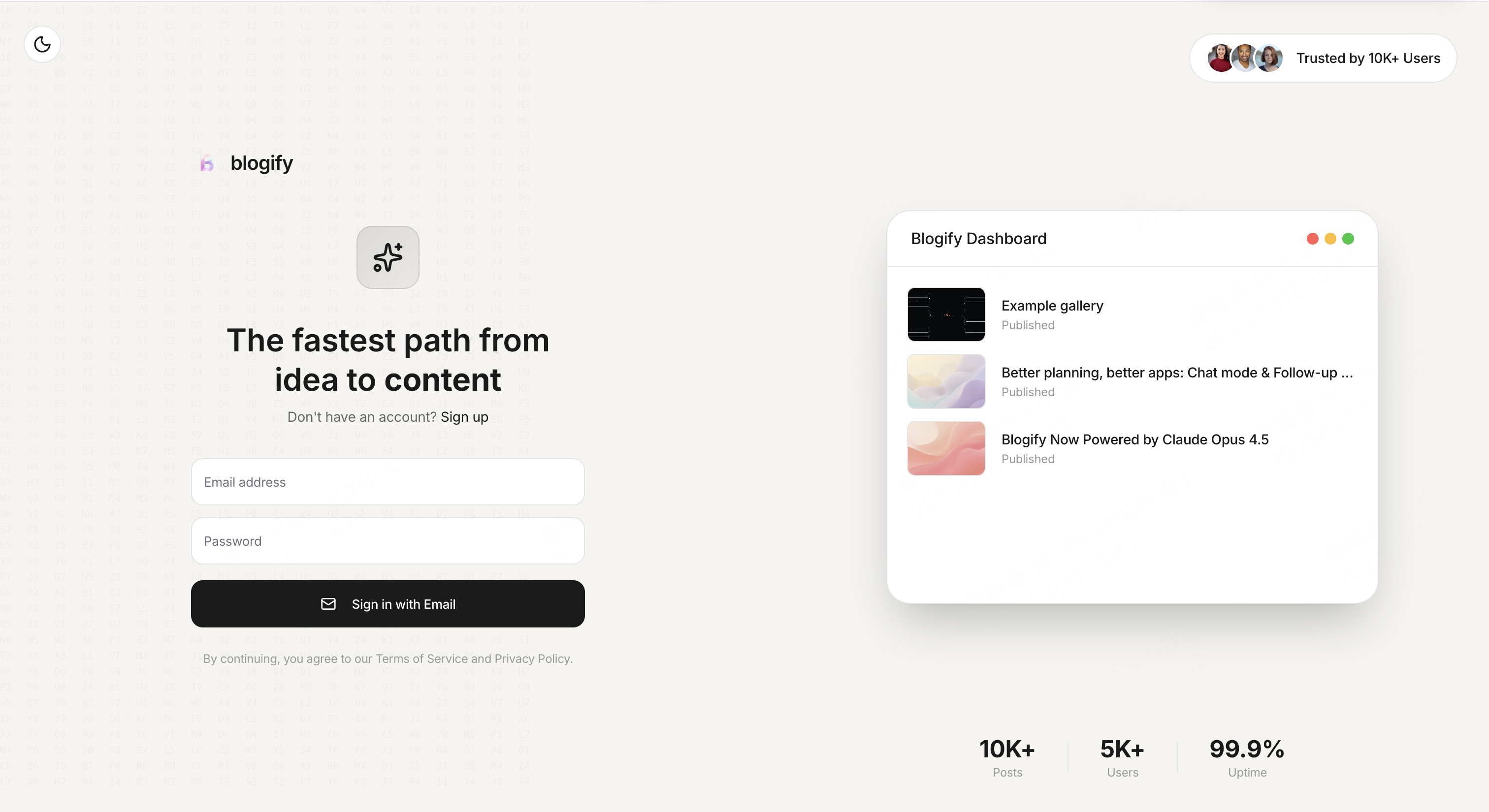
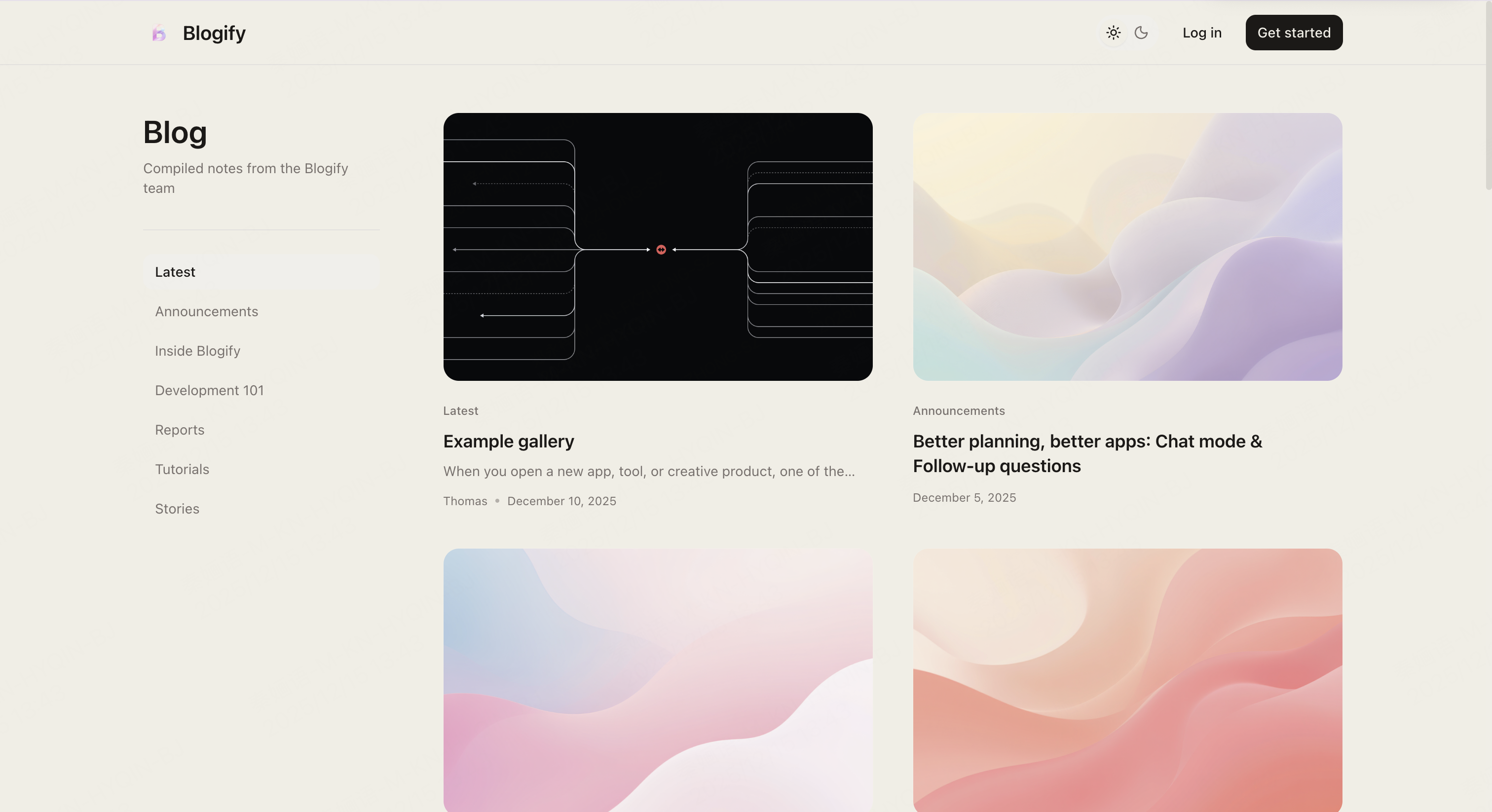
This is a Blog writing and publishing platform built entirely through natural language, without traditional coding.
As you can see, the overall visual system, interface hierarchy, and interaction design all reflect my consistent design sensibilities and professional judgment.
This is not an “experiment.” It’s a fully functional platform — ready for writing, publishing, and managing content.
A Fundamental but Crucial Concept: Frontend & Backend
Before getting hands-on, it’s important to briefly understand the basic structure of building a website — from a designer’s perspective 🎨💻.
1. Frontend ✨
The frontend includes everything users can see 👀, such as:
- The Blog homepage 🏠
- Article lists 📃
- Article detail pages 📖
- Typography, layouts, images, animations, light/dark modes 🎨🌙☀️
For designers, the frontend is essentially an extension of design itself 🎨.
2. Backend ⚙️
The backend is where content is created and managed 🛠️, including:
- Creating, editing, and publishing blog posts ✍️📰
- Status management (draft / published) 📑
- Image, video, and file uploads 🖼️🎥📁
- Permissions and user account systems 🔐👤
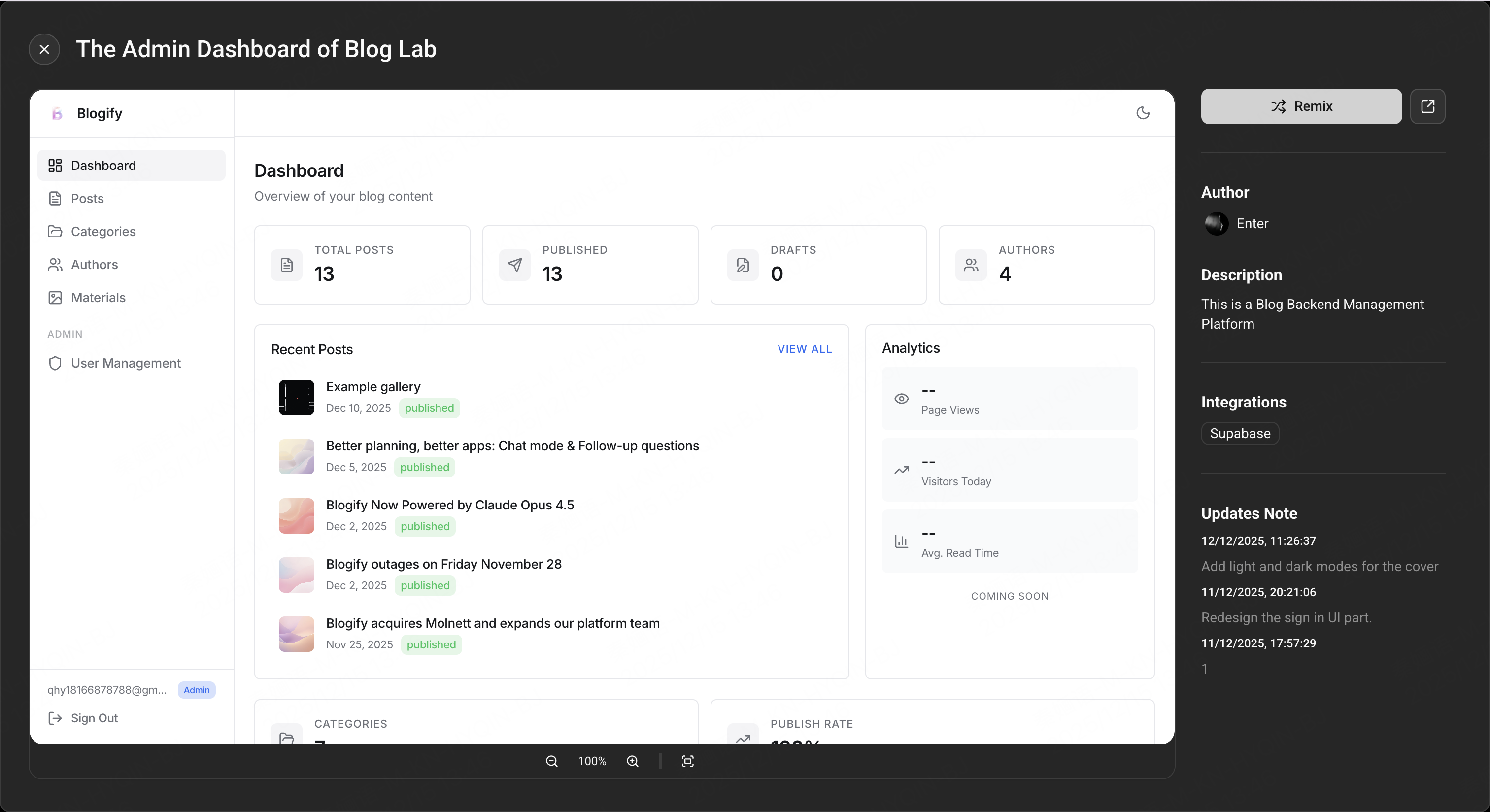
In short, this is the Blog admin dashboard 🖥️.
3. Database 🗄️
All articles, media assets, and user data need to be stored somewhere 💾.
The AI platform I used, Enter, comes with built-in integration for Supabase 🔗, so traditional high-barrier tasks like databases, authentication, and storage required very little effort on my end 😌.
Build Your Own Blog Platform in Just Four Steps
Step 1
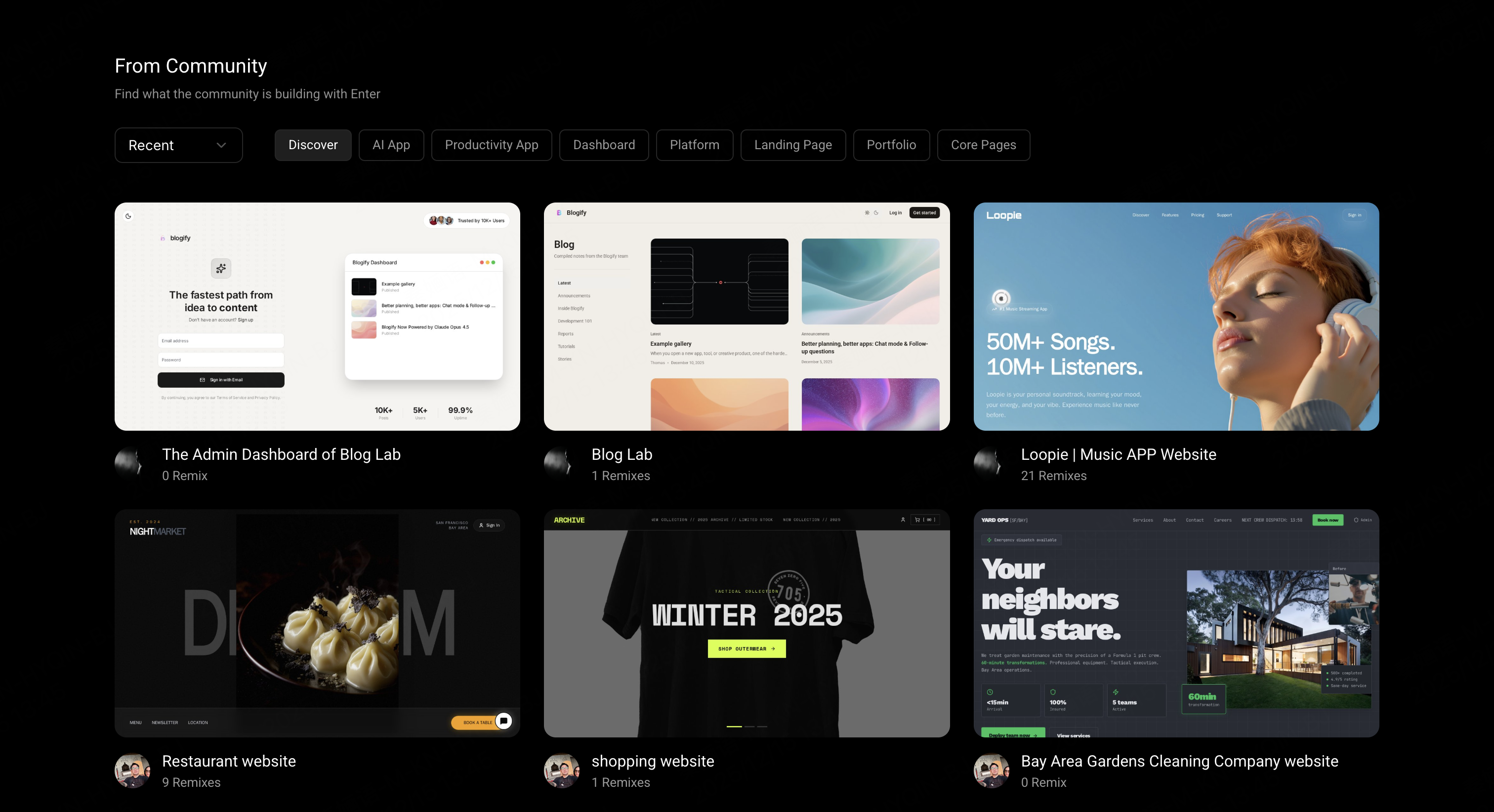
Go to https://enter.converge.ai and browse the community templates. Find the two relevant templates, remix both of them, and you’ll instantly have a basic Blog frontend and backend setup.
Step 2
Connect Supabase and make sure both projects point to the same database. If you’re not sure how to do this, here’s a step-by-step tutorial: https://enter.converge.ai/blog/level-up-your-app-connecting-supabase-in-enterpro
Step 3
Run a functionality check. Verify that both projects are correctly reading from the database in real time — for example, when you create or update a blog post in the admin dashboard, it should immediately appear on the frontend.
Step 4
Refine the interface and user experience. This is your home turf as a designer, so I won’t go into detail here.
✅✨That’s it — everything is ready. All that’s left is to publish.
🚀 This Is an Era That Belongs to Designers
The biggest takeaway from building this Blog platform is simple: for the first time, designers truly have the ability to deliver complete products end to end ✨
You’re no longer just someone who hands off designs. You can take a product from concept and design 🎨, through experience and interaction 🧩, all the way to a live, working release 🌍
What designers need to learn now isn’t programming syntax — it’s how to articulate ideas more clearly 💬, and how to translate aesthetic judgment, experience, and intuition into language that AI can understand 🤖
I genuinely believe this is the future designers have been waiting for 🌱
If you are:
- A designer who doesn’t know how to code
- Someone curious about building websites or products
- Or someone who wants to truly bring design to life ✨
Then now is the perfect time to start ⏳🚀
Blog Remix Templates:
https://cd0fdf95653c44b2acc59449289977ed.prod.enterapp.pro/
https://36fd3a093300458899ee43c6cfd7dc0e.prod.enterapp.pro/login