How Much Does It Cost to Build a Website? A Complete Pricing Guide for 2026
Wondering how much it costs to build a website? Explore website pricing in 2026, the factors that affect costs, and practical ways to create a professional website without overspending.
Building a website can cost anywhere from a few hundred dollars to tens of thousands, depending on its complexity, features, and development method. Whether you're launching a personal blog, a business website, or an ecommerce store, understanding the costs involved helps you budget more effectively. This guide explores website pricing in 2026, the factors influencing costs, and a faster alternative for building professional websites.
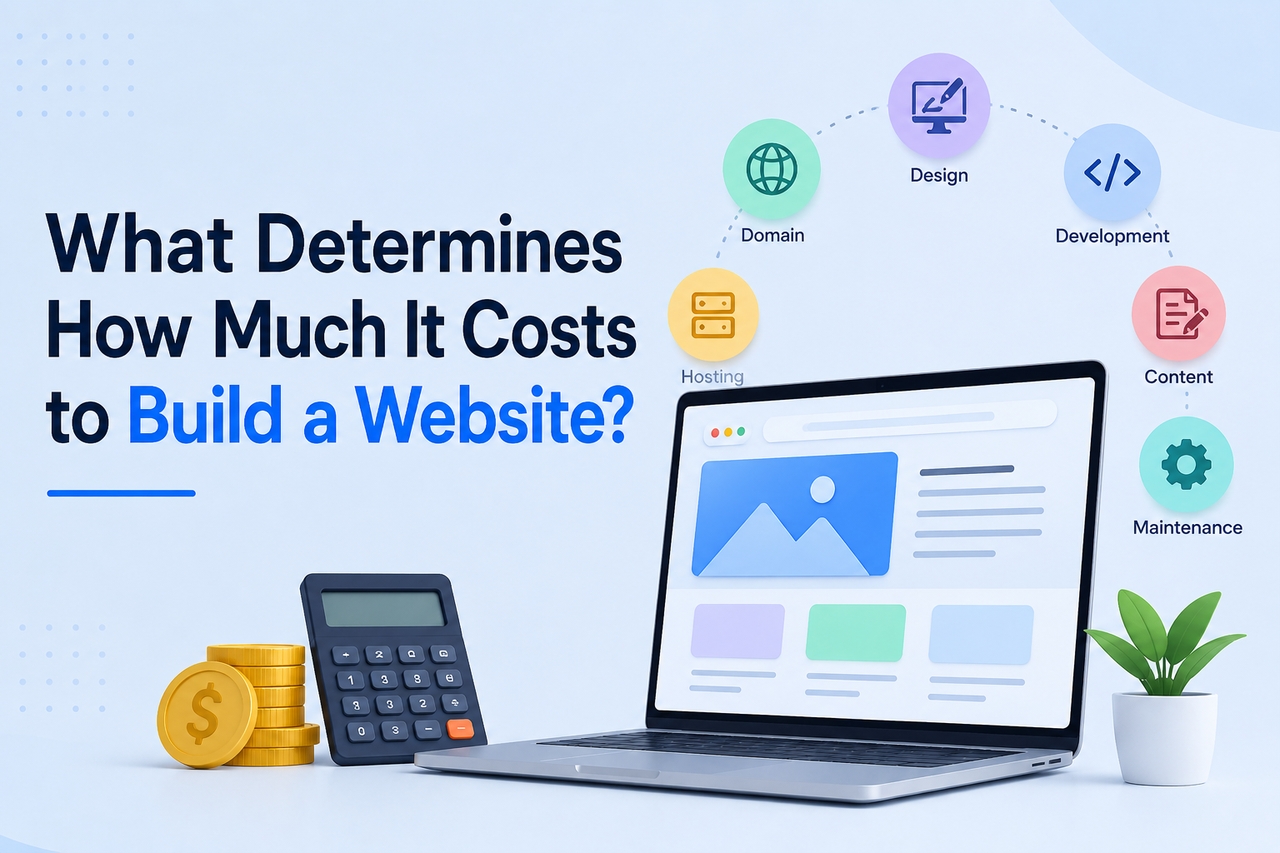
What determines how much it costs to build a website?
There is no universal price for website development because every project has different requirements. A simple informational website requires far fewer resources than an online store with payment processing, customer accounts, and custom integrations. Before estimating your budget, it's important to understand the key elements that contribute to the overall cost.
Domain name
A domain name is your website's online address and is usually the first expense you'll encounter. Standard domain names generally cost between $10 and $30 per year, while premium domains with popular keywords or shorter names can cost hundreds or even thousands of dollars. Although it may seem like a small expense, choosing the right domain helps establish your brand and improves credibility with visitors.
Web hosting
Hosting is the service that stores your website files and makes them available online. The following estimated annual costs represent common pricing ranges in 2026. Actual expenses vary based on storage, bandwidth, traffic, server resources, and your hosting provider.
| Hosting type | Typical annual cost |
| Shared hosting | $30-$150 |
| VPS hosting | $200-$800 |
| Cloud hosting | $300-$2,000+ |
| Dedicated server | $1,500-$10,000+ |
A small business website usually starts with shared or cloud hosting, while larger organizations often invest in dedicated infrastructure for better performance and security.
Website design
Design plays a major role in both user experience and pricing. Businesses can either choose pre-designed templates or invest in custom interfaces created specifically for their brand.
Template-based designs are considerably more affordable because much of the layout is already built. Custom design, however, involves wireframing, UI/UX planning, responsive layouts, and brand-specific visual elements, making it one of the largest contributors to project costs. If you're wondering how much does it cost to build a professional website, custom design is often one of the biggest reasons why pricing increases.
Website development
Development costs depend on the functionality your website requires. A basic informational website may only include a homepage, service pages, and a contact form. In contrast, e-commerce platforms, booking systems, membership portals, and SaaS applications require significantly more development time.
Features such as user authentication, payment gateways, APIs, customer dashboards, and custom databases all increase the amount of work involved. As functionality becomes more advanced, both development time and project costs rise accordingly.
Content creation
Many website owners focus on development costs while overlooking the importance of content. Professional copywriting, high-quality product images, videos, illustrations, and search engine-optimized landing pages all contribute to a better user experience.
Although businesses can create some content internally, investing in quality content often leads to stronger engagement and higher conversion rates, making it a worthwhile part of the overall budget.
Website maintenance
Launching a website is only the beginning. Regular maintenance helps keep your website secure, compatible with new technologies, and running efficiently.
Maintenance typically includes software updates, plugin management, backups, security monitoring, bug fixes, and performance optimization. Depending on the size of the website, annual maintenance costs can range from $200 to more than $5,000.
Website pricing by project type
The purpose of your website has the greatest influence on how much you'll spend. Someone creating a personal portfolio has very different requirements from a retailer managing thousands of products online. The following industry estimates reflect typical website development cost ranges in 2026 and provide a realistic starting point for budgeting. Actual costs vary depending on project scope, design complexity, features, and the development team you choose.
| Website type | Average cost | Best suited for |
| Personal website | $50-$500 | Blogs, resumes, portfolios |
| Small business website | $500-$5,000 | Local businesses, service providers |
| Professional website | $3,000-$15,000 | Growing brands, corporate websites |
| E-commerce website | $2,000-$20,000+ | Online stores |
| Enterprise website | $20,000-$100,000+ | Large organizations |
If you're asking how much does it cost to build a simple website, a website builder or basic CMS can often keep expenses below a few hundred dollars. However, businesses requiring custom branding, integrations, or advanced functionality should expect higher costs.
Similarly, how much does it cost to build a business website depends on the number of pages, required features, and whether you choose a freelancer, agency, or AI-powered website builder. A typical small business website generally falls between $1,000 and $5,000, while more sophisticated business websites may exceed that range.
How to estimate your website budget
Planning your website budget before development begins helps you avoid unexpected expenses and invest in features that deliver the highest value. Instead of focusing only on the initial development cost, consider long-term expenses such as hosting, maintenance, content updates, and future scalability. Following a structured approach makes it easier to choose a solution that aligns with your goals and budget.
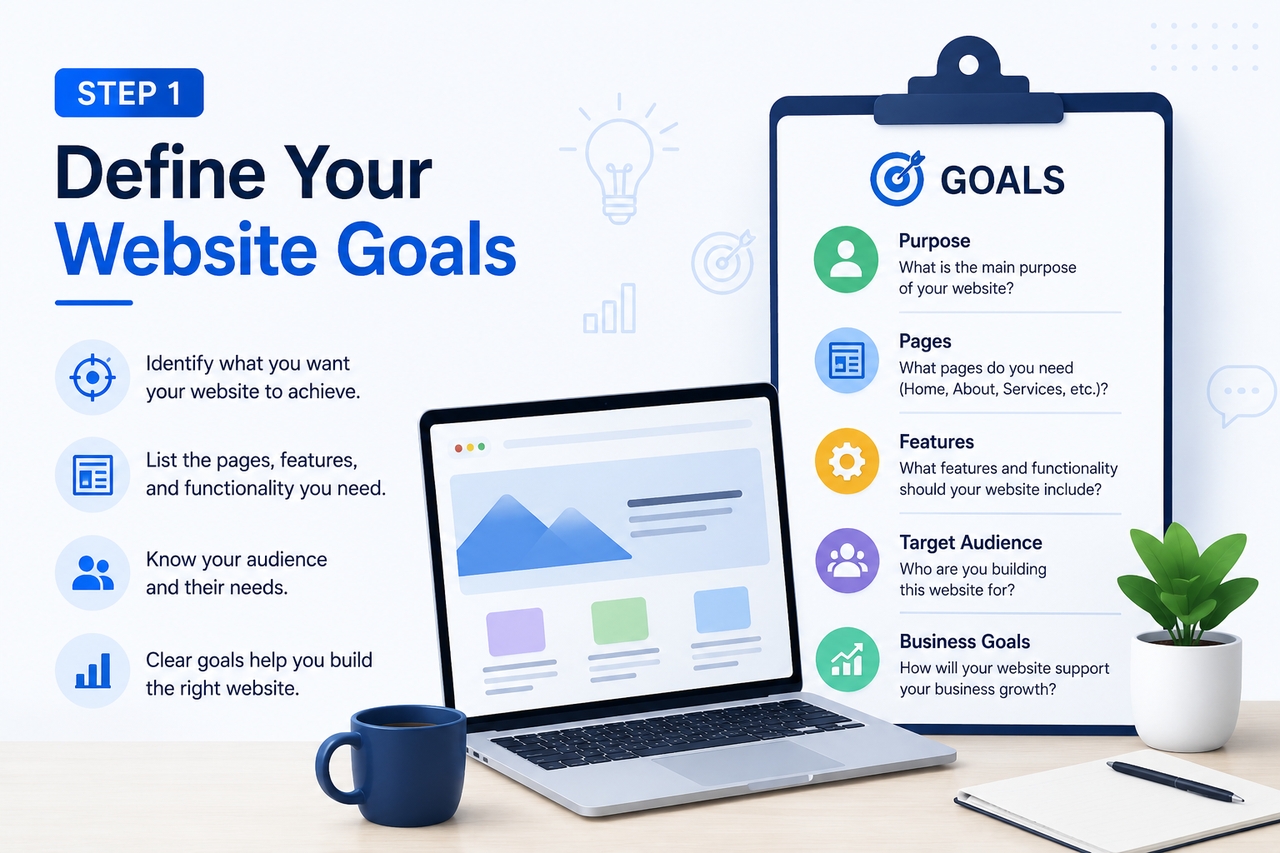
Step 1: Define your website goals
Start by identifying what you want your website to achieve. A personal portfolio or blog requires far fewer resources than an e-commerce platform or a customer portal. List the pages, features, and functionality your website needs before requesting quotes or selecting a website builder. Having clear objectives also prevents paying for unnecessary features that won't benefit your business.
Step 2: Choose the right development approach
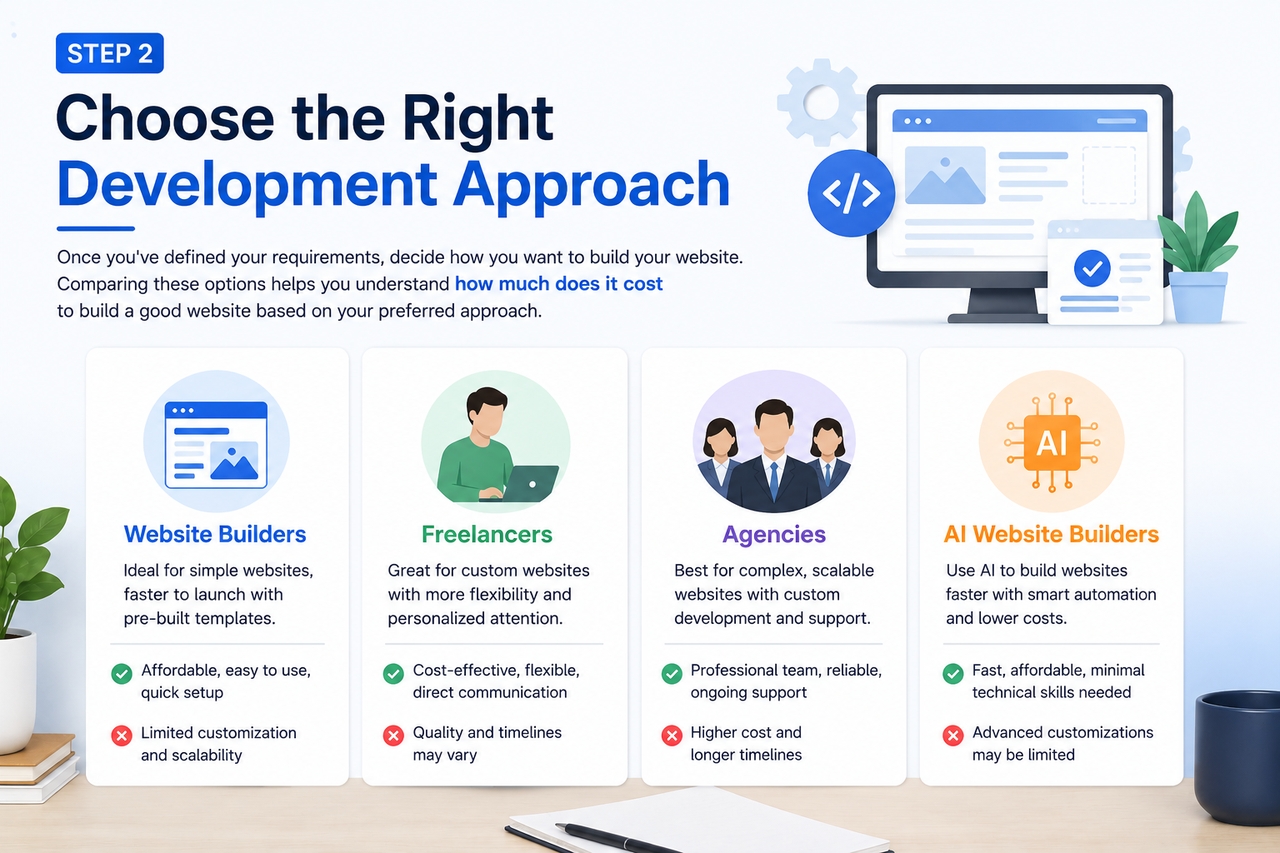
Once you've defined your requirements, decide how you want to build your website. Website builders are suitable for simple projects and smaller budgets, while freelancers provide greater flexibility for custom websites. Agencies are often the preferred choice for complex business websites that require custom development, branding, and ongoing support. Comparing these options helps you understand how much does it cost to build a good website based on your preferred approach.
Step 3: Include ongoing costs in your budget
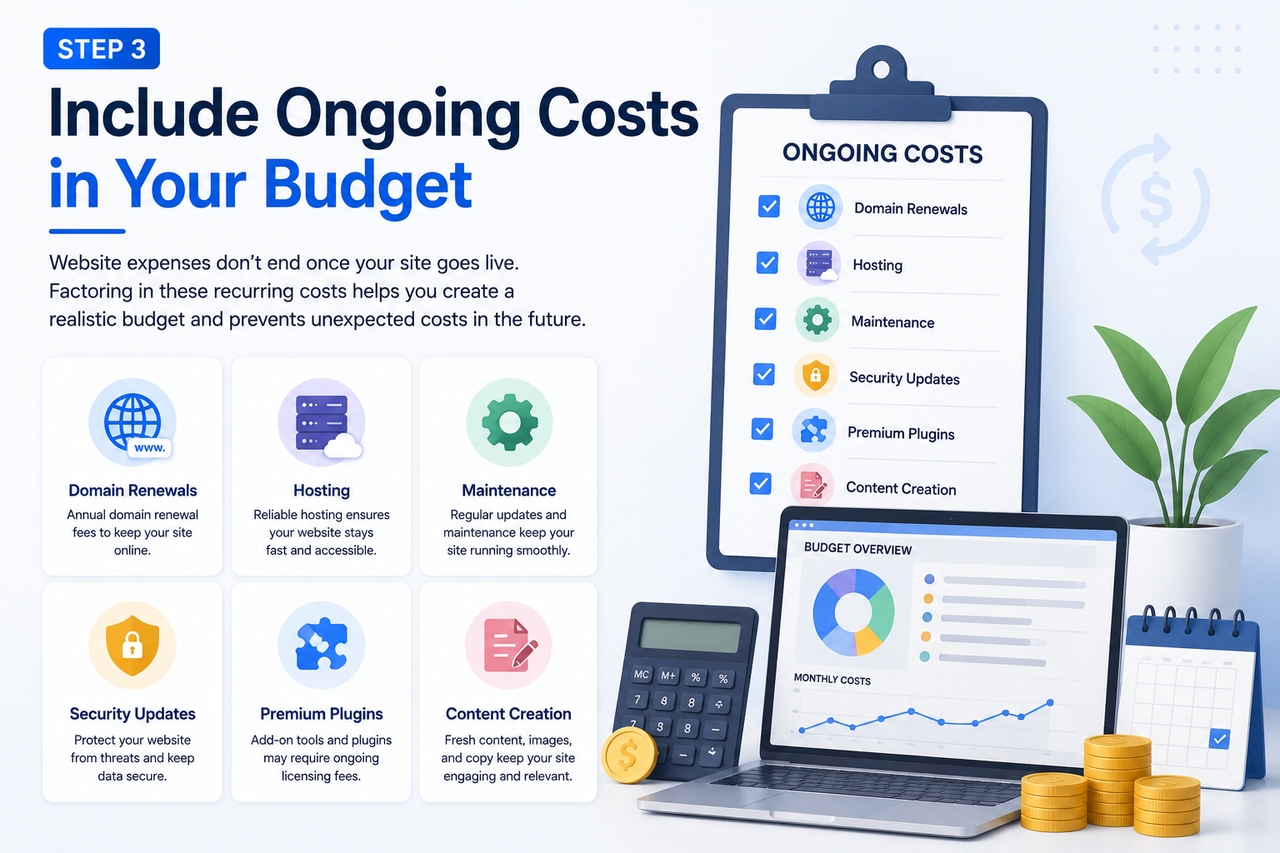
Website expenses don't end once your site goes live. Domain renewals, hosting, maintenance, security updates, premium plugins, and content creation all contribute to the total cost of ownership. Factoring in these recurring expenses helps you create a realistic budget and prevents unexpected costs in the future.
Major advantages and disadvantages of different website-building approaches
There are several ways to build a website, each offering different levels of affordability, flexibility, and customization. The best option depends on your budget, technical expertise, and long-term business goals. Understanding the strengths and limitations of each approach can help you make a more informed decision.
| Approach | Advantages | Disadvantages |
| Website builders | Affordable, beginner-friendly, and quick to launch | Limited customization and scalability |
| Freelancers | Cost-effective for custom projects, flexible collaboration | Quality and timelines may vary |
| Agencies | Professional design, custom functionality, ongoing support | Higher upfront investment |
| AI website builders | Fast development, lower costs, and minimal technical knowledge required | Advanced customizations may still require manual adjustments |
Website builders remain one of the most affordable options for personal websites and small businesses, especially when speed is a priority. Freelancers offer a balance between cost and customization, making them suitable for businesses with unique design requirements. Agencies, while more expensive, are ideal for organizations requiring complex functionality, dedicated project management, and long-term technical support.
AI-powered website builders have also become increasingly popular in 2026. By automating design, layout generation, and content creation, these platforms significantly reduce development time while helping users create professional websites without extensive technical knowledge. For many startups and entrepreneurs, they provide an excellent balance between affordability and functionality.
Whether you're evaluating how much it costs to build a business website or planning a larger digital project, choosing the right development approach can have just as much impact on your budget as the features you include.
Meet Enter Pro: A cost-effective way to build a website
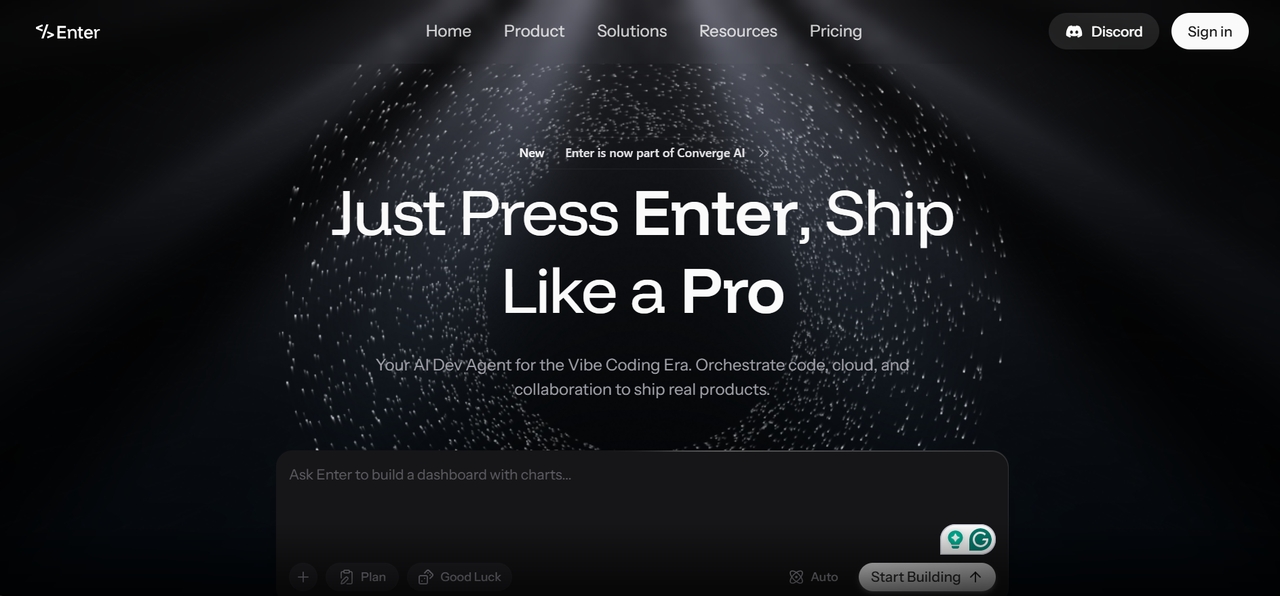
Traditional website development often involves coordinating designers, developers, hosting providers, and multiple third-party tools, which can quickly increase both costs and project timelines. If you're looking for a faster and more affordable way to create a professional website, AI-powered development platforms provide an excellent alternative. Enter Pro simplifies website creation by combining intelligent planning, AI-assisted development, and deployment into a single platform, helping businesses launch websites with less effort and lower development costs.
Why is Enter Pro the better choice?
Unlike traditional website development, Enter Pro streamlines the entire workflow, from planning your website to publishing it online. Instead of spending weeks coordinating different services, you can build and refine your website through simple conversations with AI.
- Conversational website creation: Describe your website in natural language, and Enter Pro generates responsive pages, layouts, and functionality without requiring programming experience.
- Intelligent planning before development: Before generating code, Enter Pro creates a structured project plan that outlines your website's pages, features, and user flow, reducing revisions later in the process.
- Access to multiple AI models: Rather than relying on a single AI model, Enter Pro gives you access to leading models so you can choose the best one for your website project.
- Build, customize, and publish faster: Modify layouts, add new features, and refine your website using prompts instead of manual coding, allowing you to launch projects much faster.
- Lower long-term development costs with Enter Code and Enter CLI: Export your generated code through Enter Code to continue local development or customize your project with your preferred tools. Use Enter CLI to automate builds, deployments, and updates, helping your team reduce manual work, streamline maintenance, and lower the total cost of ownership as your website grows.
How to build a website with Enter Pro in 3 simple steps
Getting started with Enter Pro is straightforward. Instead of configuring multiple tools or writing code from scratch, you simply describe your idea, review the generated website, and publish it when you're satisfied.
Step 1: Create a new website project
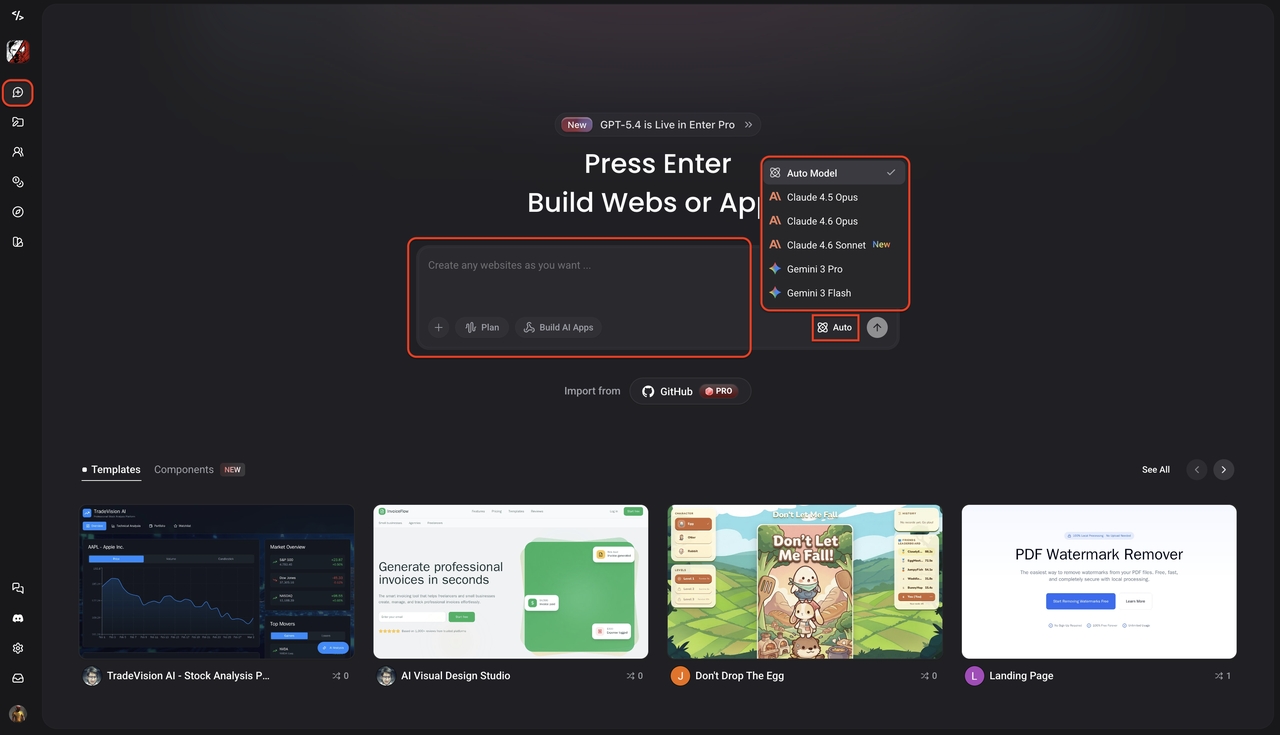
Sign in to Enter Pro and create a new project. Browse the available AI models and select the one that best matches your website requirements before starting the generation process.
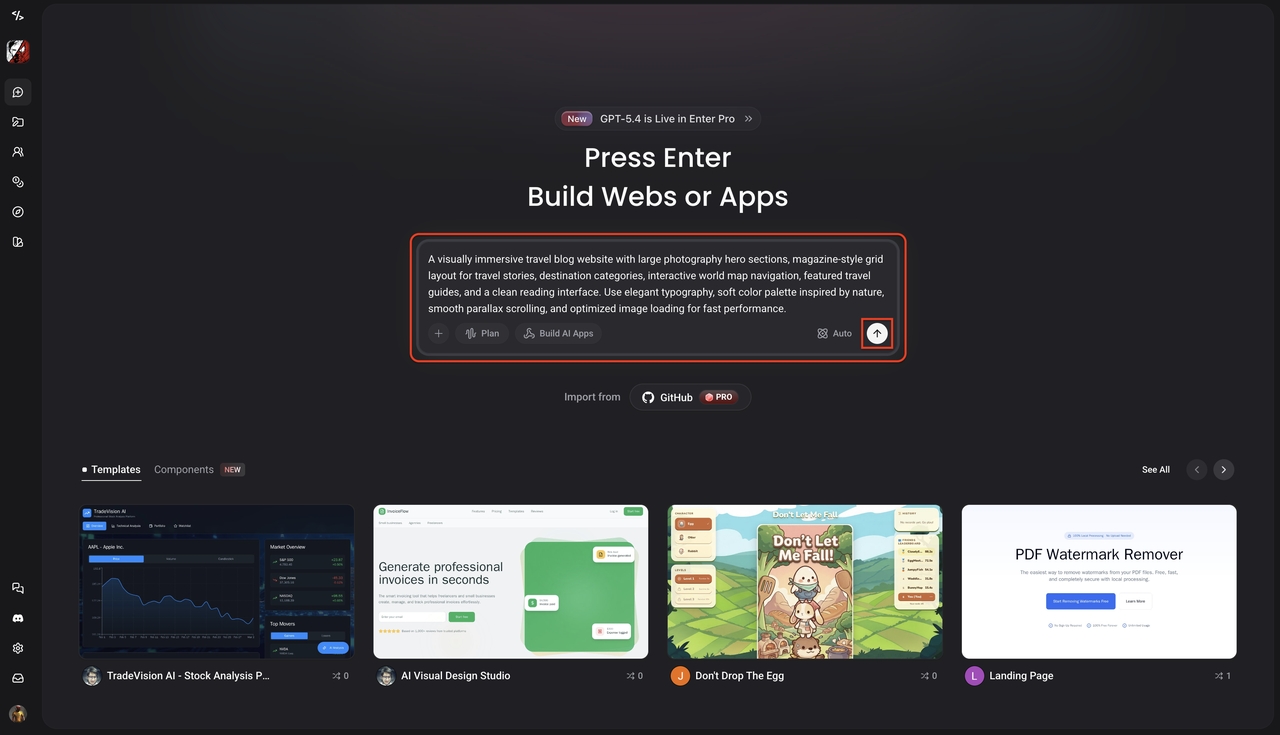
Step 2: Describe your website
Enter a detailed prompt explaining your business, preferred design, pages, branding, and desired functionality. Enter Pro analyzes your requirements and generates a tailored website structure within minutes.
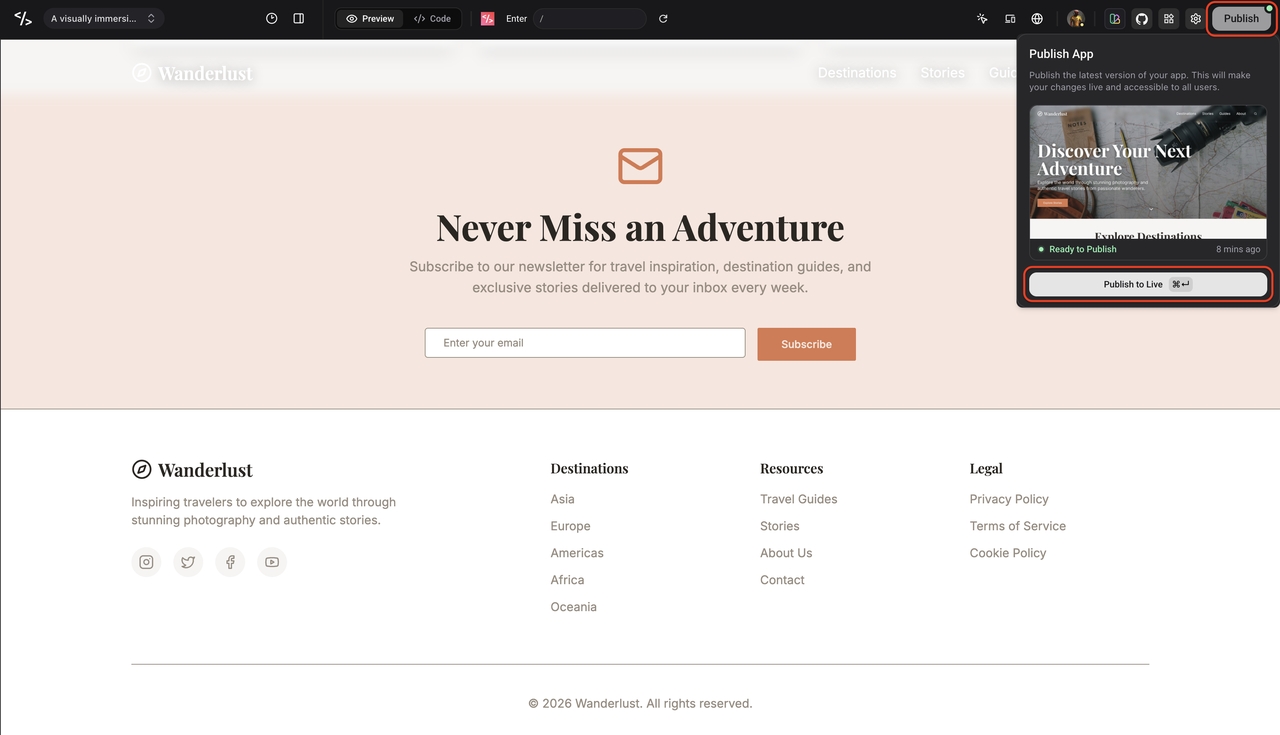
Step 3: Review, customize, and publish
Review the generated website, make any necessary refinements through additional prompts, and preview the final result. Once you're satisfied, publish your website and continue making updates whenever your business grows.
Signing off
If you're wondering how much it costs to build a website in 2026, the answer depends on your website's size, features, and the development approach you choose. Building a website in 2026 doesn't have to involve unpredictable costs or complicated development processes. While freelancers and agencies remain excellent options for highly customized projects, AI-powered platforms are making professional website creation more accessible than ever. By understanding the factors that influence pricing and selecting the right solution for your goals, you can build a website that fits both your budget and your long-term business objectives without compromising on quality or performance.
FAQs
How much does it cost to build a website in 2026?
The cost of building a website in 2026 typically ranges from $100 to $100,000+, depending on its size, features, and complexity. Simple websites cost much less than custom business or enterprise websites.
How much does it cost to build a simple website?
If you're wondering how much does it cost to build a simple website, expect to spend $50 to $500 using a website builder. Costs increase if you need custom design, premium features, or professional content.
How much does it cost to build a professional website?
The answer depends on your requirements, but how much does it cost to build a professional website is generally between $3,000 and $15,000. Custom functionality, branding, and integrations can further increase the budget.
How much does it cost to build a business website?
How much does it cost to build a business website usually ranges from $500 to $5,000 for small businesses. Larger websites with advanced features, ecommerce, or custom development require a higher investment.
Can Enter Pro help reduce website development costs?
Yes. Enter Pro uses AI to generate and customize websites through simple prompts, helping businesses build professional websites faster while reducing traditional development time and costs. With features like Enter Code for exporting projects and Enter CLI for streamlining deployment and ongoing updates, teams can also reduce long-term maintenance effort and total cost of ownership.