How to Remix Community Projects in Enter — A Blog & Blog Admin Walkthrough
This guide explains how to remix projects from the Enter community and turn them into something truly useful, using Blog and Blog Admin as an example.
Visit Enter and Create an Account
Go to https://enter.converge.ai/. If you don’t already have an account, registration only takes a few seconds.
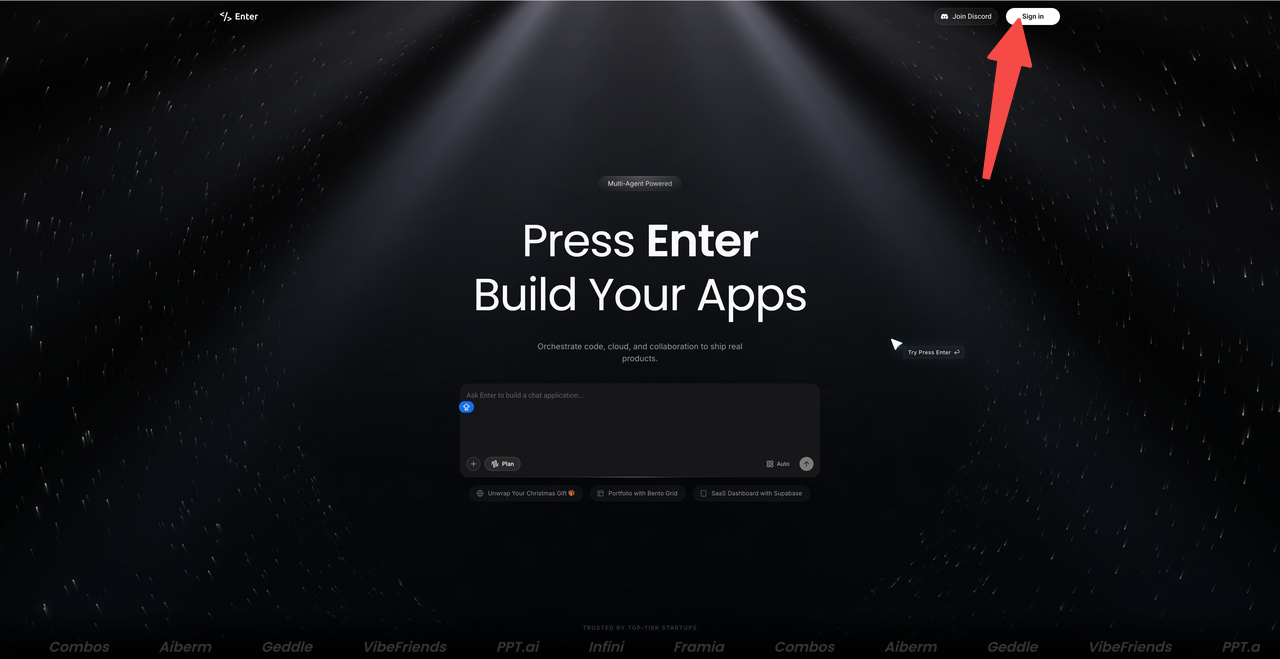
Enter the Community Click New Project to access the community.
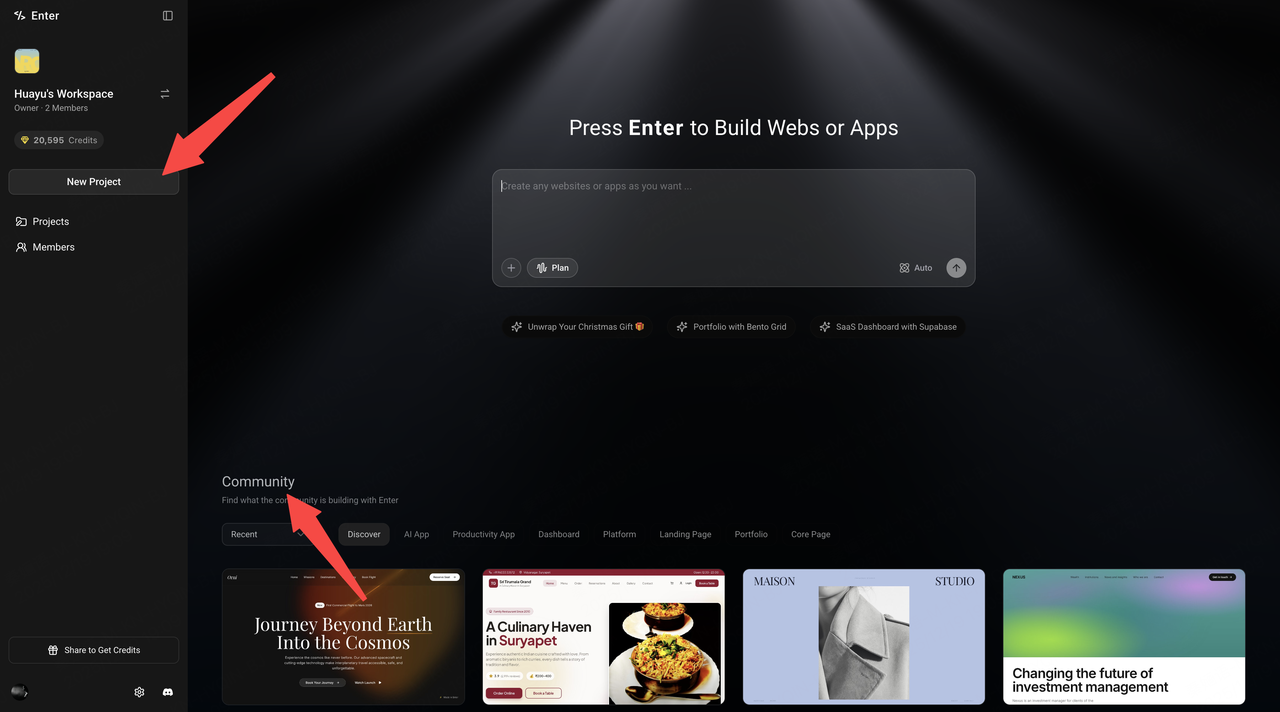
- Find Blog Lab and Blog Admin Browse the community and locate Blog Lab and Blog Admin.
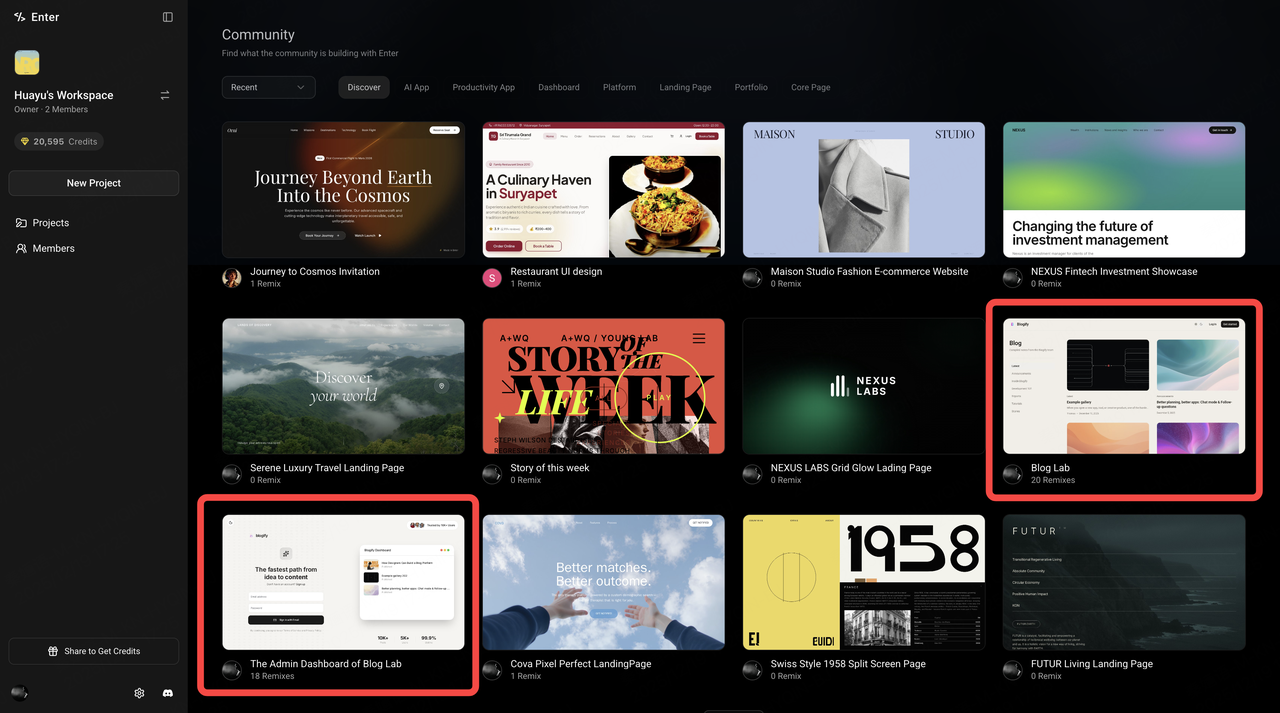
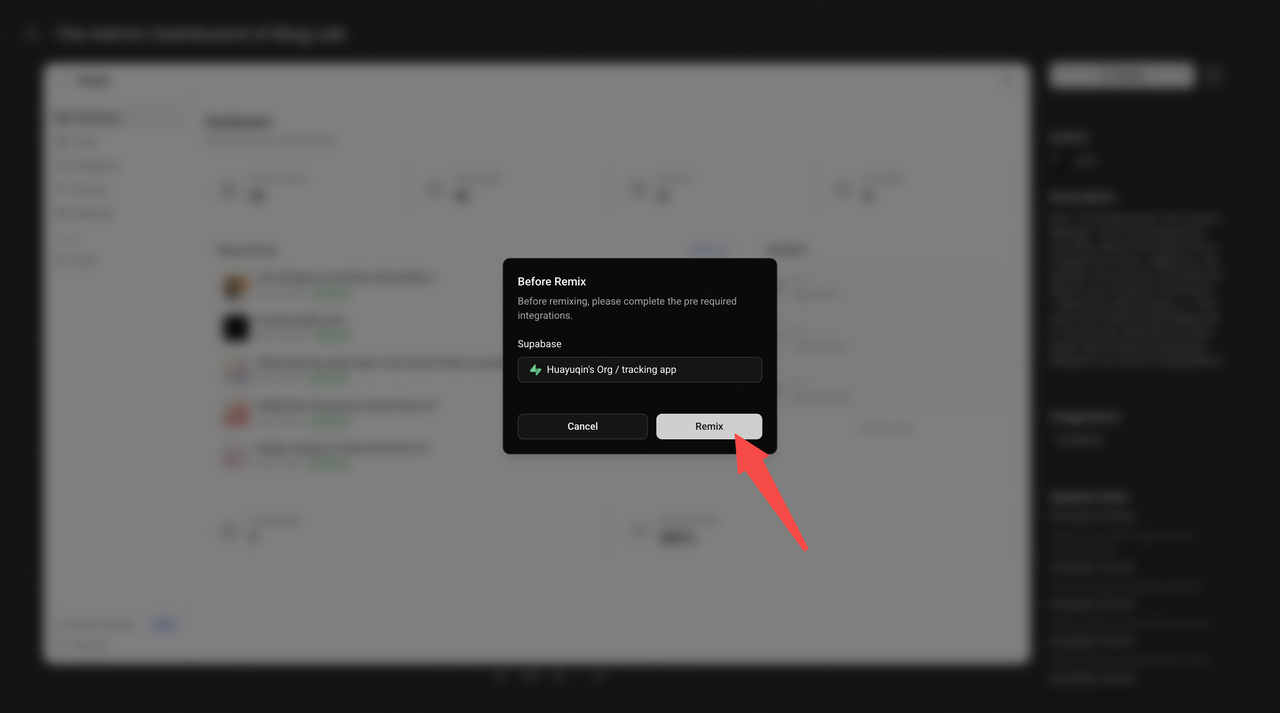
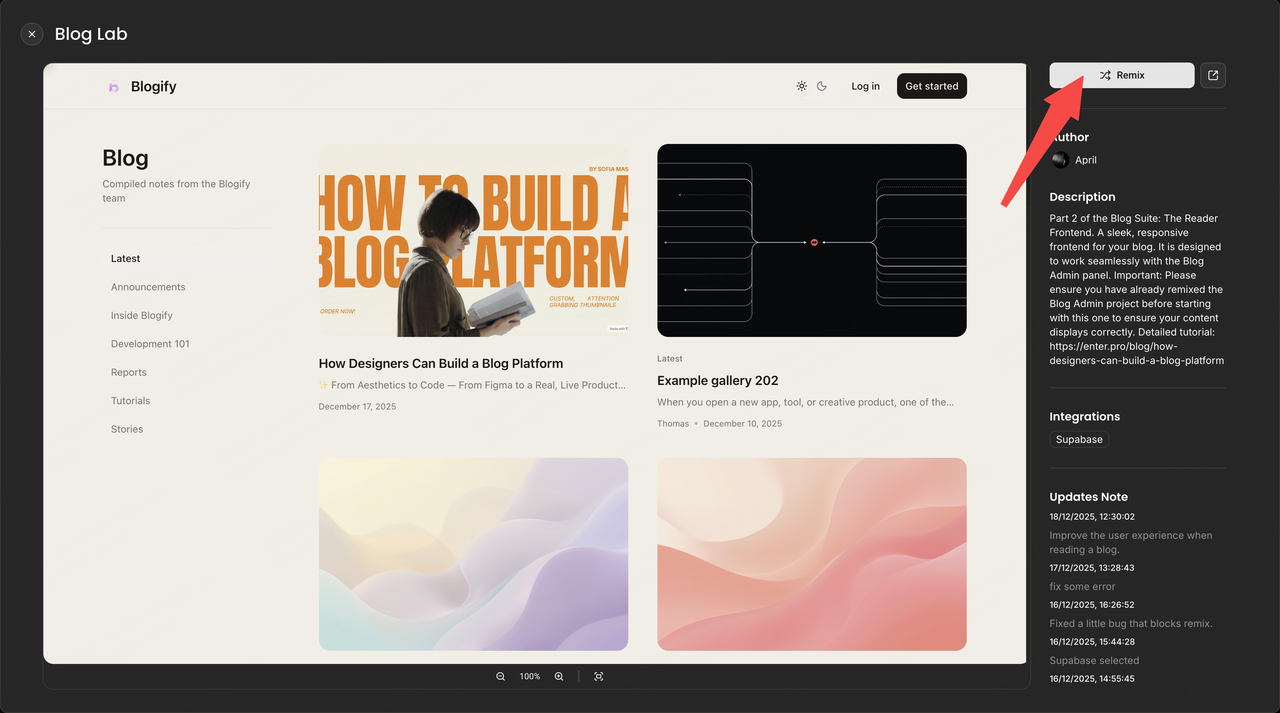
- Start by Remixing the Admin I recommend starting with Blog Admin. Click Preview, then click Remix.
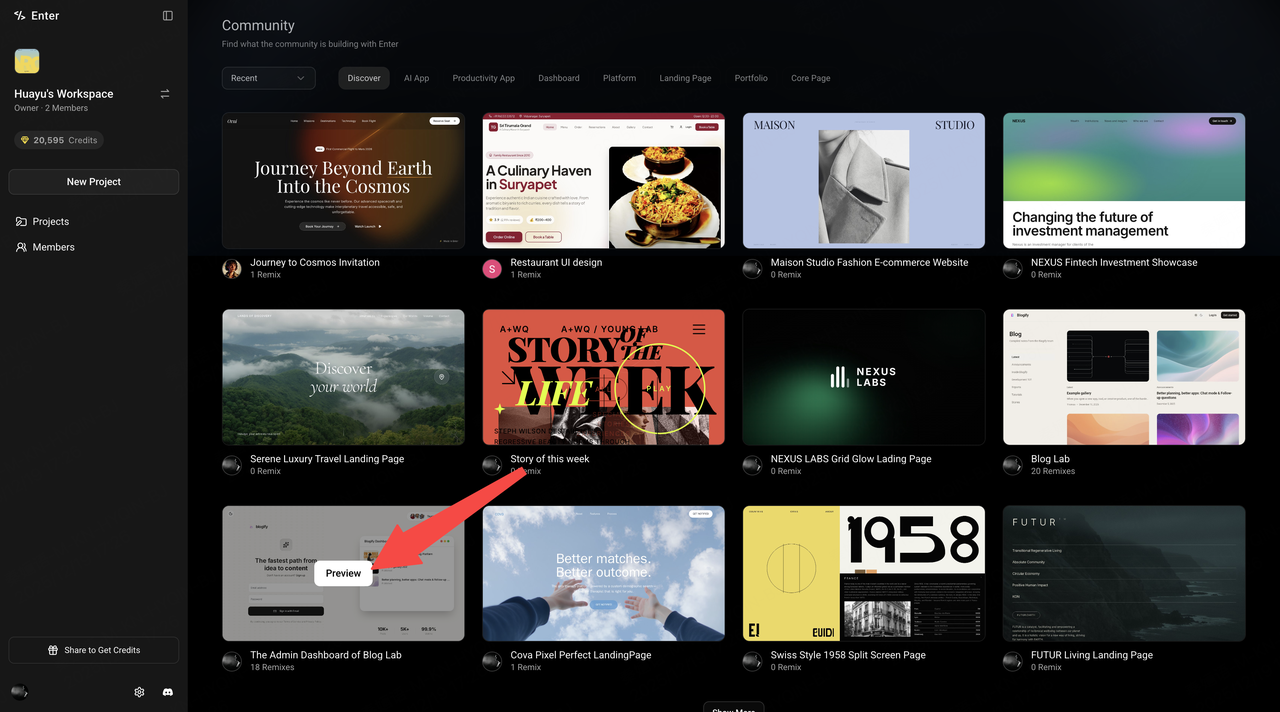
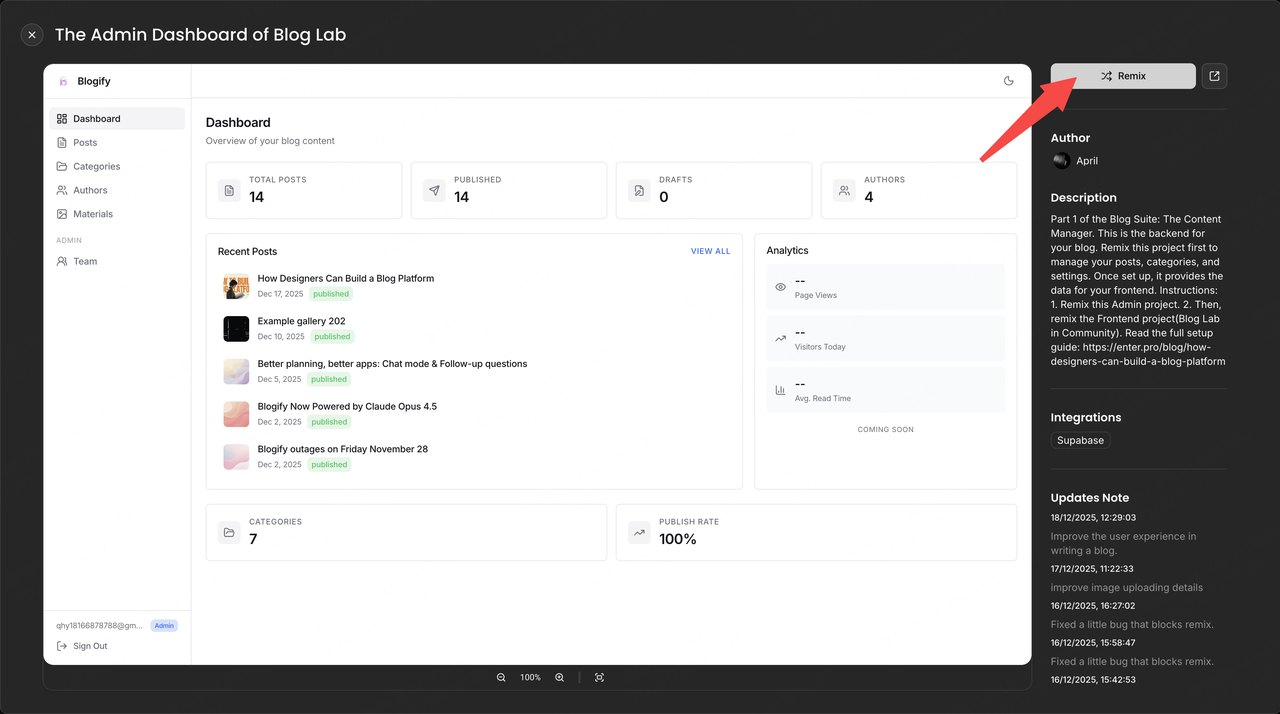
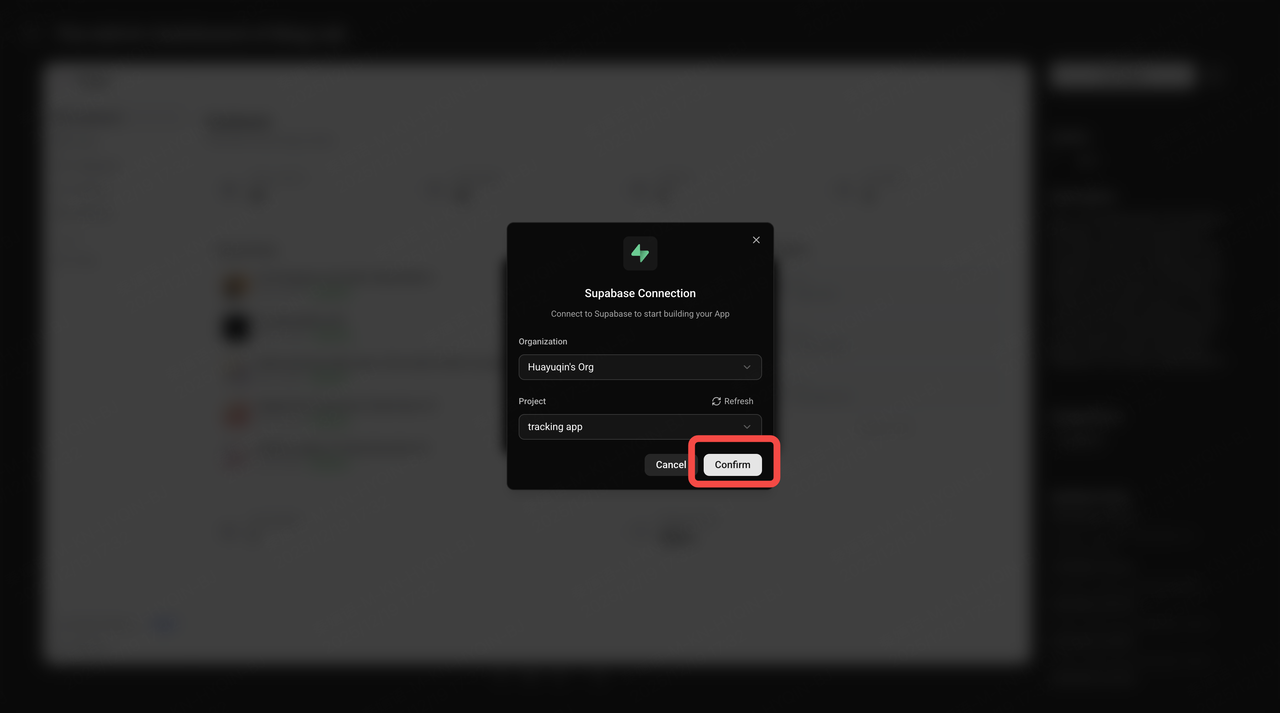
- Connect Your Own Supabase This project requires real-time data storage, so you’ll need to connect your own Supabase instance. Make sure both projects point to the same database.If you’re not sure how to connect Supabase, here’s a step-by-step tutorial: https://enter.converge.ai/blog/level-up-your-app-connecting-supabase-in-enterpro
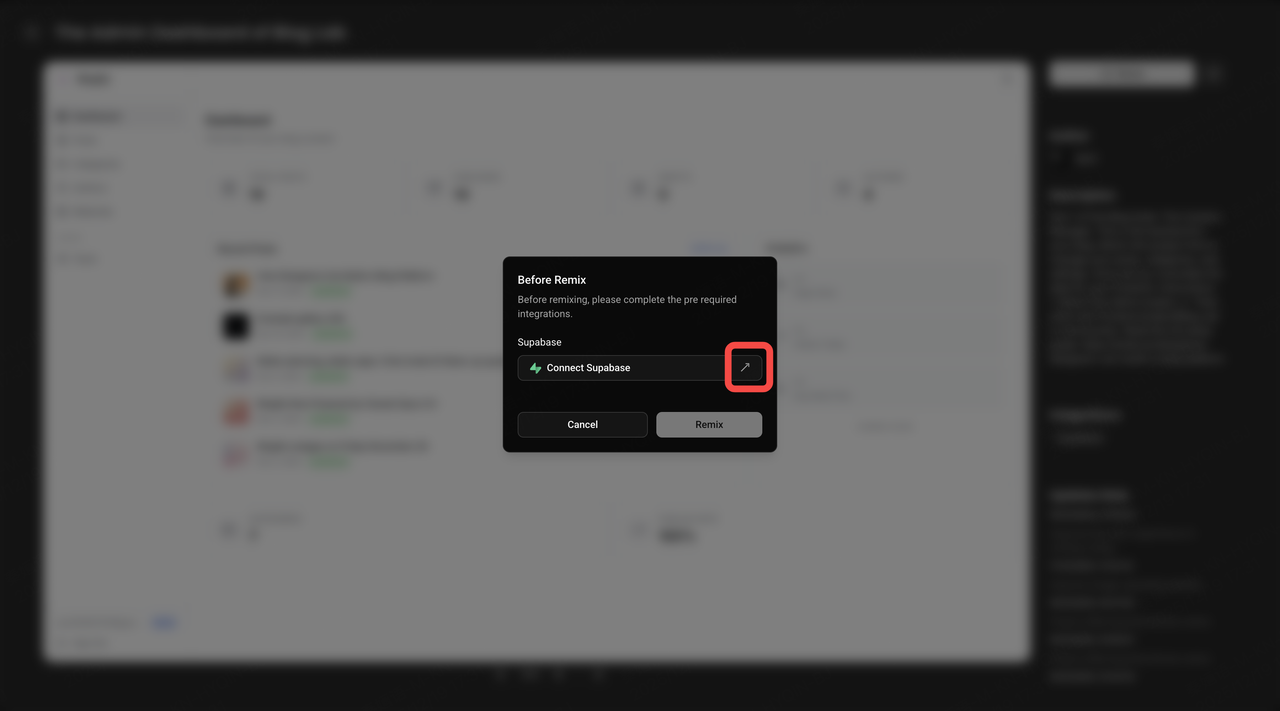
- Remix After Supabase Is Connected Once Supabase is properly connected, click Remix. You’ll now have your own Blog Admin dashboard.
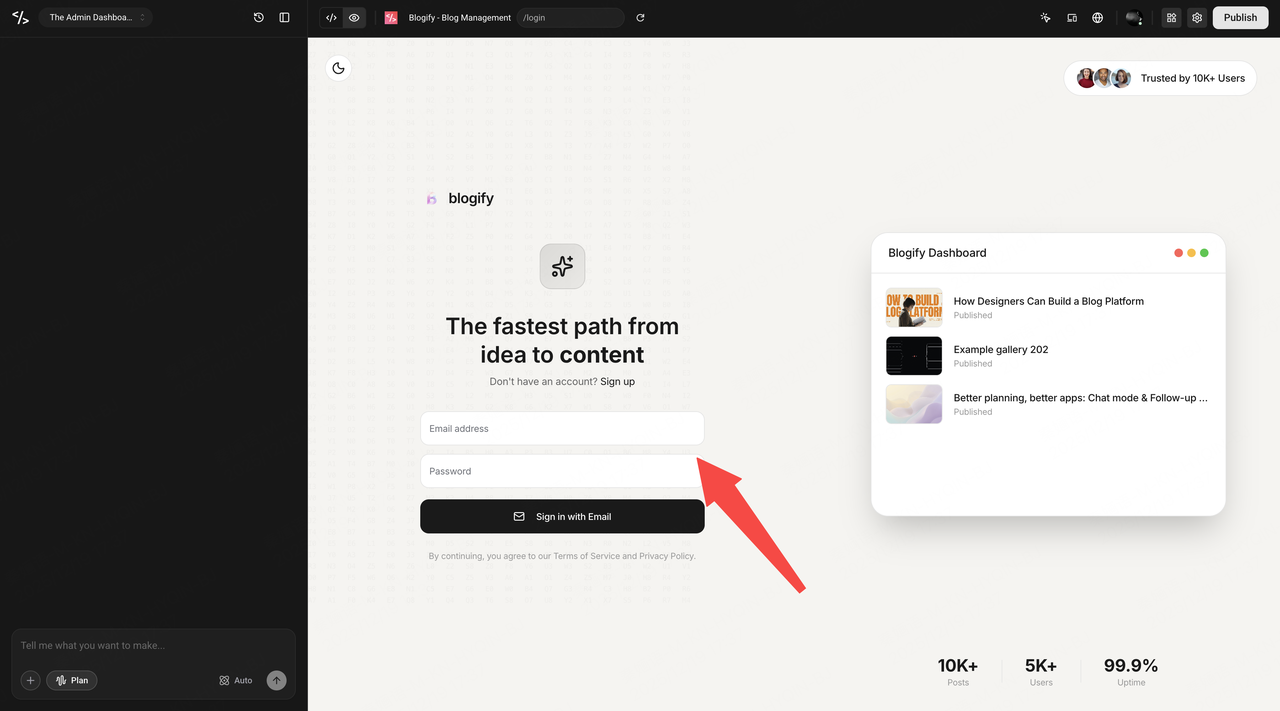
Register a Blog Account
- If you are the first user to register in this Admin system, you will automatically be assigned as an administrator.
- Additional users will need admin approval.
- Administrators can grant admin roles to other members or remove them if needed.
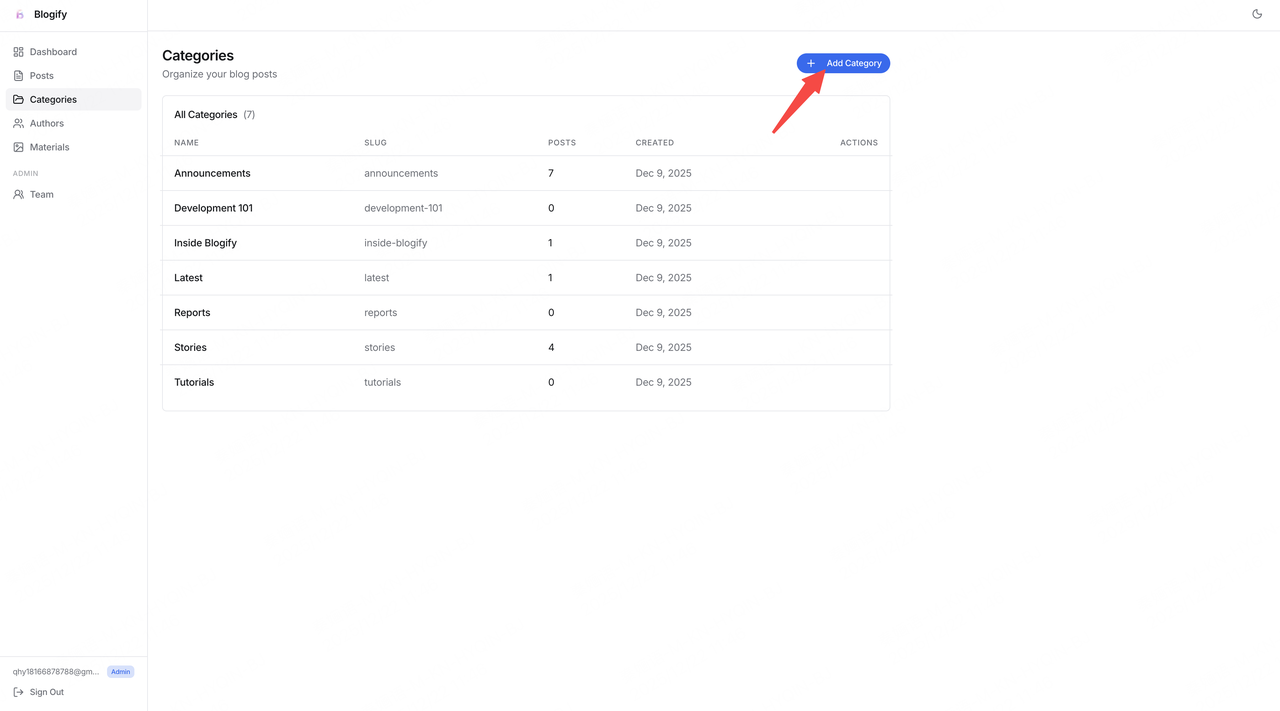
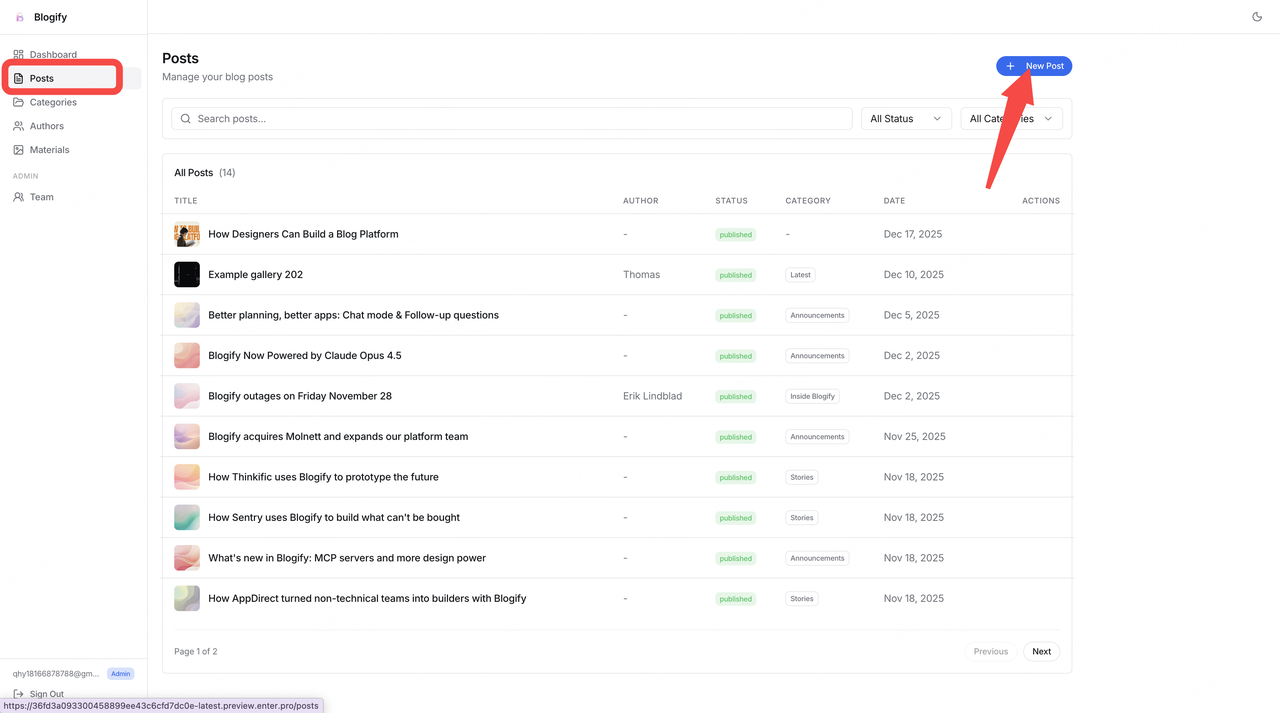
- Add Categories This is where you write your blog. The first step is to create a category.
Write your Blog Click New Post, then New Post to start writing.
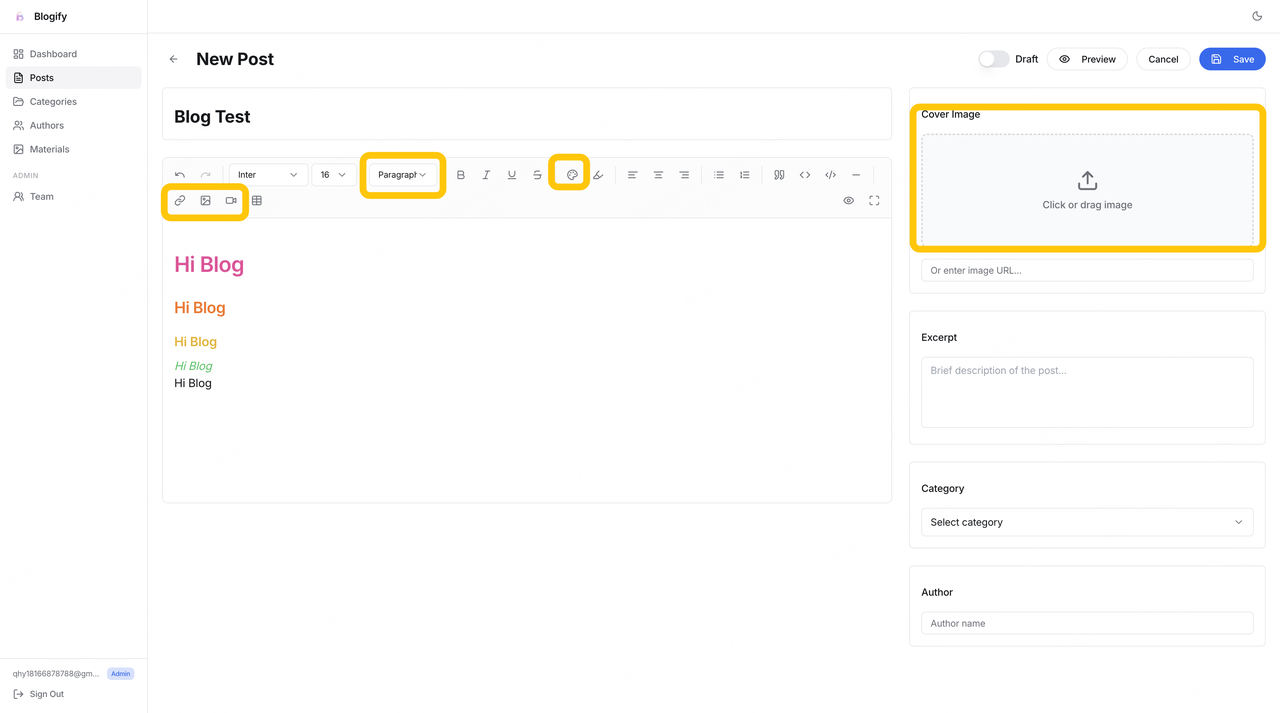
Explore the Editing Features This template includes features such as:
- Font and font-weight customization
- Image and video uploads
- Blog cover images
- Blog categories and author assignment Feel free to explore these options. Remember to upload a cover image, write a description, choose blog category and author.
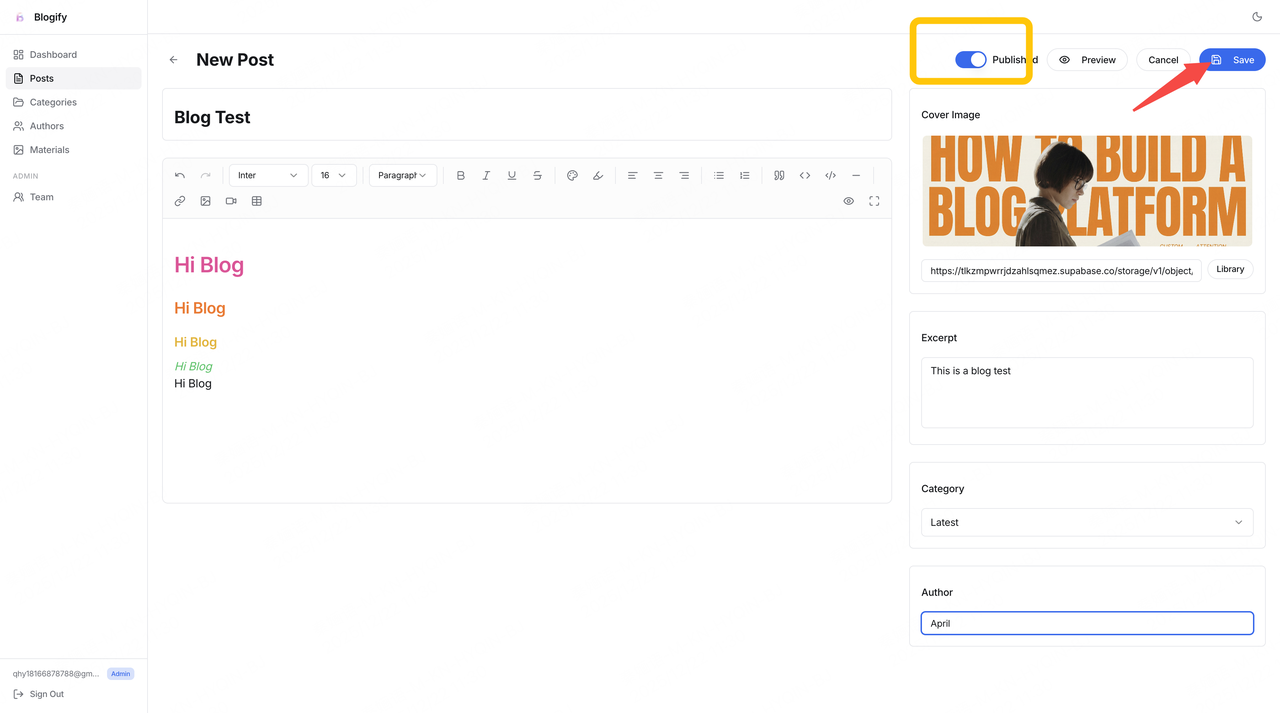
Save and Publish Once you finish writing:
- Click Save to store the post in the Admin dashboard.
- Click Publish, and the post will appear on the Blog frontend.
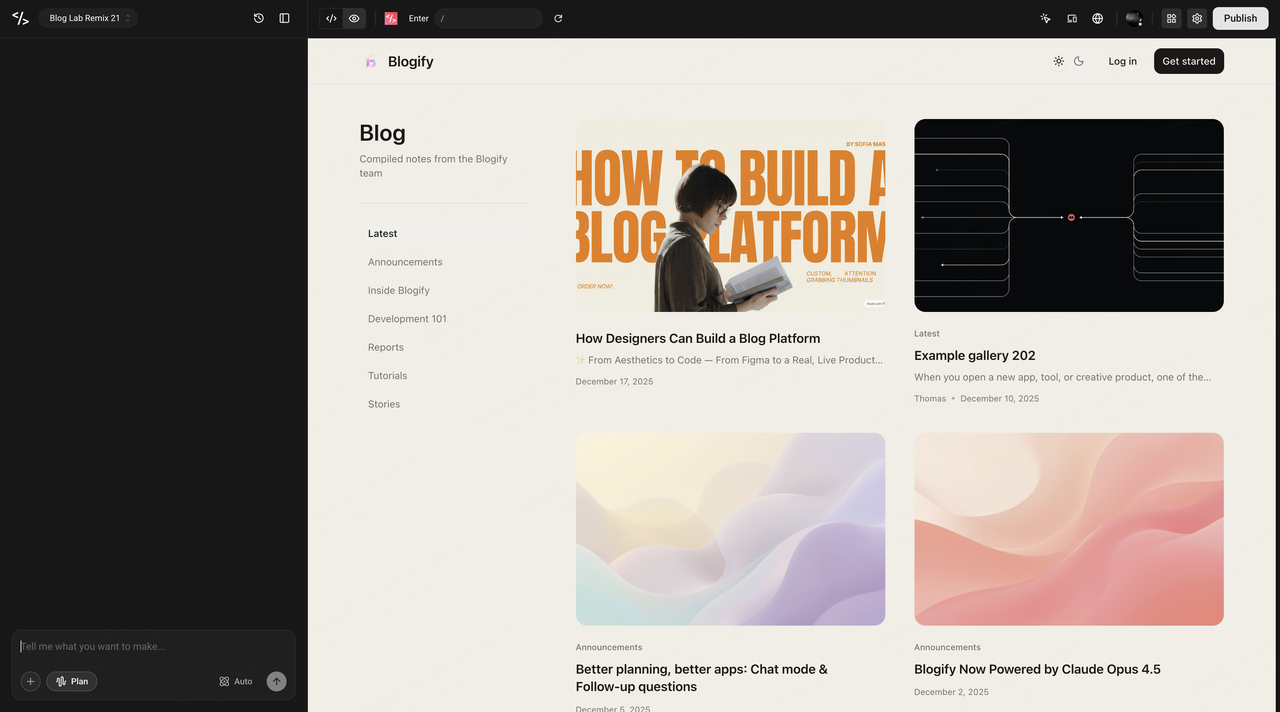
- Remix the Blog Frontend Next, remix the Blog frontend to display your published posts.
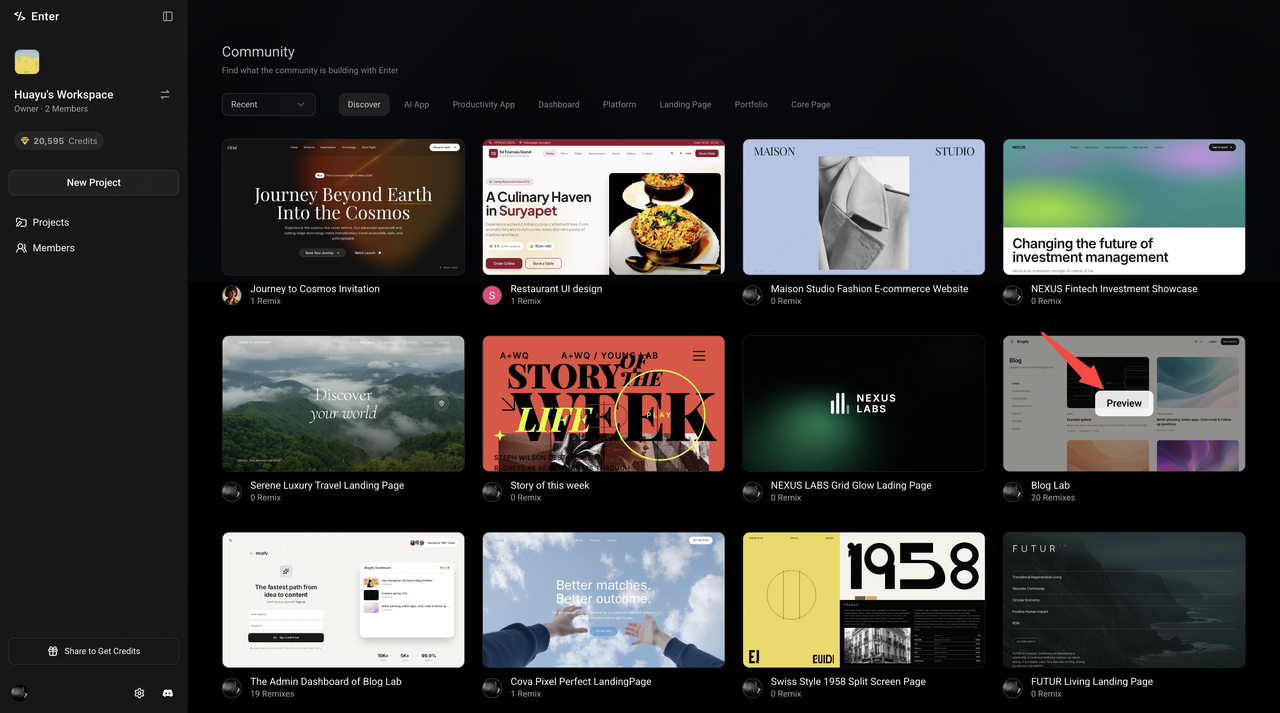
- Connect the Same Supabase Database Repeat the remix process as before. ⚠️ Important: Make sure the Blog frontend is connected to the same Supabase database. This is the most critical step to ensure that posts created in the Admin dashboard appear correctly on the frontend. Once connected, all published blogs will automatically be displayed here.
Final Thoughts
By now, you should have a clear understanding of how to remix projects in Enter. For Blog-related projects, the most important requirement is properly connecting Supabase. Once the remix is complete, you can further customize the project through natural-language conversations, shaping it to better fit your own needs. I’m excited to see the blog systems you build! The Enter community also offers many other interesting templates—go explore and try them out 🚀