Rapid Application Development: Build Faster, Smarter, and Better
Tired of slow software projects that miss deadlines and blow budgets? Discover how rapid application development (RAD) flips the script and how Enter Pro makes it even faster with AI-powered building.
Most software projects drag. That is not an opinion; it is just what happens when you hand a development team a 200-page requirements document and tell them to come back in a year. They come back. The product is wrong. The market has moved. You start over.
RAD came out of frustration with exactly that. IBM was experimenting with faster approaches in the 1980s, James Martin put it in a book in 1991, and the core idea has not really changed since: stop planning so much and start building something people can actually react to.
Is it perfect for every project? No. Does it solve the most common reason software fails, which is building the wrong thing for too long? Pretty reliable, yes.
What is rapid application development (RAD)?
Here is the honest version. RAD is less methodology and more a mindset shift. Instead of treating the original plan as something sacred, you treat it as a rough guess and let user feedback correct it over time.
James Martin's 1991 book formalized what a lot of practitioners had already figured out informally: the gap between what users say they want in a meeting and what they actually need when something is in front of them is enormous. The only way to close that gap is to put something in front of them early, watch what happens, and adjust.
Compared to Waterfall, where every phase locks in before the next one starts, the rapid application design approach has no such commitment to a single direction. You build, you show people, you find out you were wrong about three things, you fix them. That is the whole model, more or less. It is not elegant on paper. It works in practice.
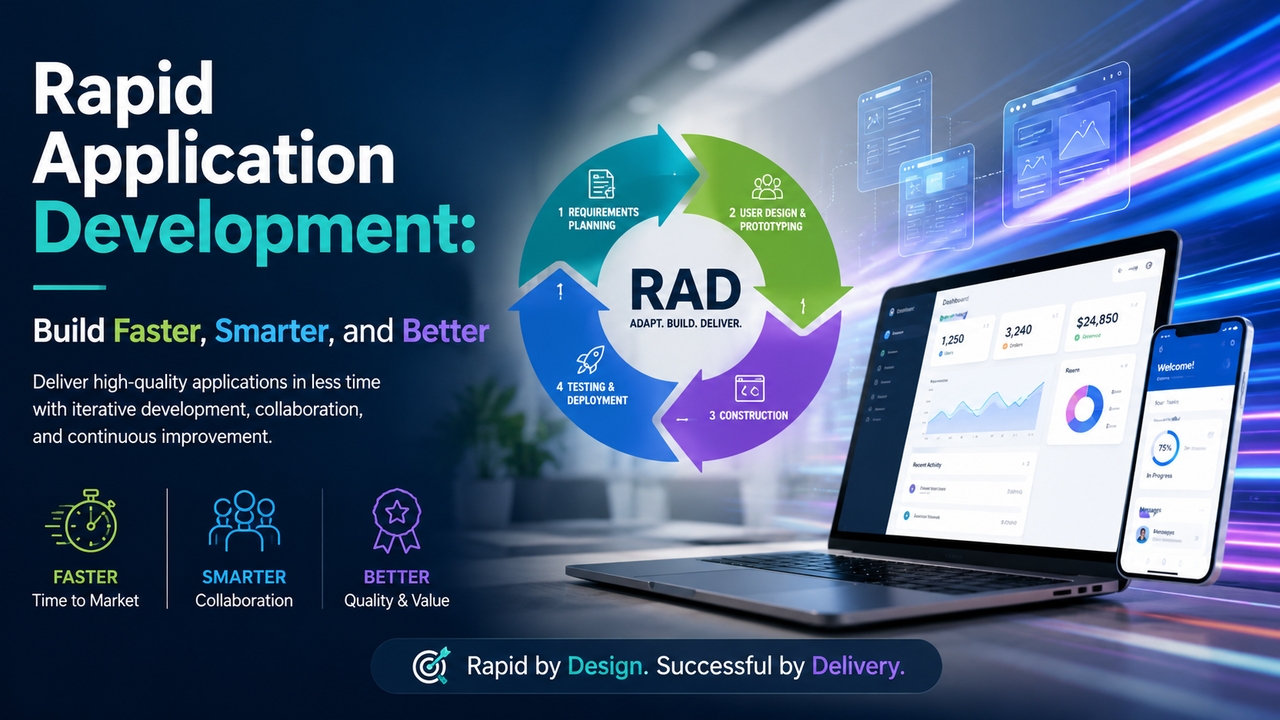
The 4 phases of the rapid application design model

There are four phases, though treating them as strict sequential steps misses the point. They overlap constantly.
- Requirements Planning: Not a specification exercise. More like getting everyone in a room to agree on what problem is actually being solved before anyone writes a line of code. The deliverable is shared understanding, not documentation.
- User Design: Prototypes go out, users interact with them, and feedback comes back. Then you fix things and do it again. How many rounds? As many as it takes. Some projects need two. Some need ten. The phase ends when the prototype is doing what real users actually need, not what was assumed at the start.
- Construction: By this point, most of the hard questions have already been answered through prototyping. Actual development moves faster as a result. You are not making design decisions during construction because those decisions were already made, tested, and validated.
- Cutover: Testing, integration, go-live. User acceptance testing runs here. Because users have been involved throughout the whole process, the acceptance testing phase rarely throws up major surprises.
Key benefits of rapid app development
Speed gets mentioned first, but it is almost the least interesting benefit. Here is what actually matters:
- Faster time to market. Shorter cycles mean your product reaches users faster, which is a major advantage in competitive markets.
- You find out you are wrong early. Every project has wrong assumptions baked in. RAD surfaces them during prototyping, when fixing them is cheap, rather than after launch, when it is expensive.
- Leaner scope. Features get built because users ask for them, not because someone put them in a requirements document two years ago.
- The thing actually gets used. Software built with ongoing user input tends to fit how people actually work. That sounds obvious. It is surprisingly rare.
- Changes do not break everything. When requirements shift, and they will, RAD teams adapt within a cycle rather than triggering a full replanning exercise.
RAD pairs naturally with modern app development tools designed for speed and iteration rather than long-horizon planning.
Rapid application development: Pros and cons at a Glance
Worth being honest about the tradeoffs rather than selling it as universally superior:
| Pros | Cons |
| Faster delivery: Short cycles cut time-to-market dramatically. | Needs user commitment: Clients must stay actively involved throughout. |
| Lower risk: Frequent feedback catches problems early. | Less ideal at scale: Very large, complex systems can be harder to manage. |
| High user satisfaction: Users help shape the product at every stage. | Skilled team required: Teams need experience with rapid tooling and iteration. |
| Cost efficiency: Only essential features get built, reducing waste. | Documentation gaps: Speed focus can sometimes mean lighter documentation. |
| Flexible to change: Changing requirements do not derail the project. | Scope creep risk: Constant feedback can lead to endless feature additions. |
One thing that catches teams off guard: RAD requires genuine user availability throughout the project. If your stakeholders are hard to reach, the feedback loop breaks, and you lose most of the benefit.
When should you use the RAD model?
A few situations where it fits well:
- You need something working and usable within weeks, not a polished product, but a functional one that real people can react to.
- Nobody has a clear picture of exactly what the final product looks like yet. That ambiguity is fine. RAD is built for it.
- Your users are reachable and willing to engage during development, not just at the end.
- The team is small enough that communication does not become its own project.
- You want to test whether an idea holds up before spending serious money on it.
Where it gets harder: regulatory environments that demand formal documentation at every stage, systems with extremely complex interdependencies, or projects where the intended users are too diffuse to meaningfully be involved in testing. Some teams apply RAD principles to specific modules within a larger structured project, which is a reasonable middle ground. Others lean on custom app development approaches that blend RAD with Agile practices.
Development from zero: Build your app the RAD way with Enter Pro
Knowing the RAD model and actually executing it quickly are different problems. Tooling matters more than most methodology discussions admit.
Enter Pro cuts the time between having an idea and having something testable down to minutes. You describe what you want to build in plain language. The AI generates a working application, not a mockup, not a wireframe, something functional with frontend, backend, and integrations already in place.
For a RAD workflow specifically, that matters because the slowest part of traditional prototyping is usually getting the first version in front of users. Enter Pro removes that bottleneck entirely. The iteration cycle that used to take two weeks now takes an afternoon.
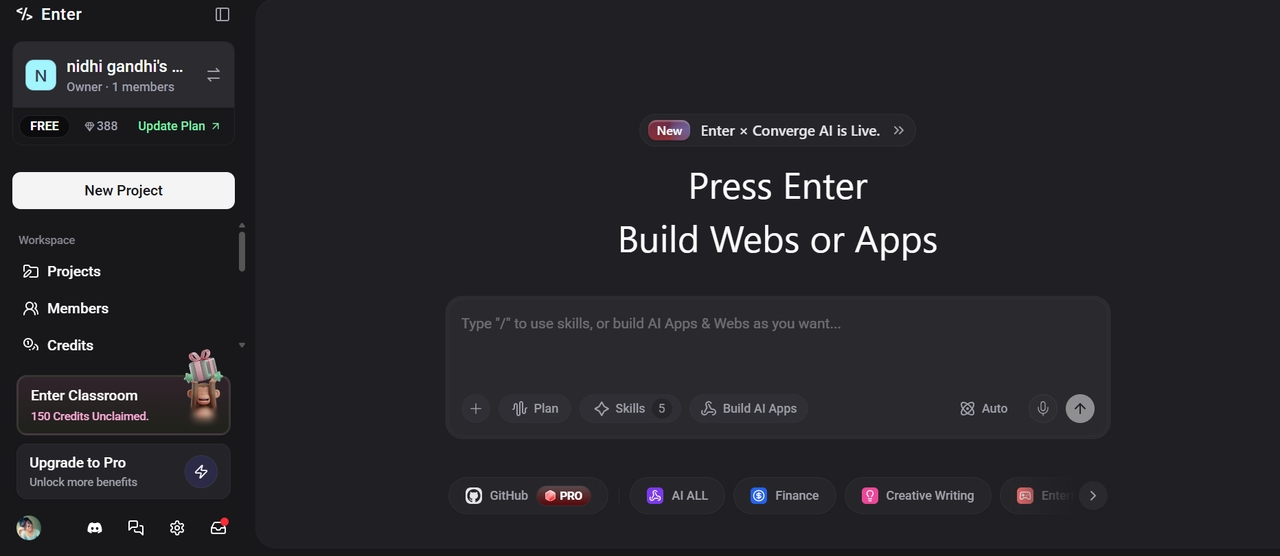
A few things worth knowing about how it works:
- Chat-to-build. Describe the app, get the app. No templates to wrestle with.
- Multiple AI models available. Claude, Gemini, GPT. Switch between them depending on what you are building.
- Visual Editor. Change anything without touching code. Layouts, copy, colors, structure.
- Production integrations included. Stripe, Supabase, and others are ready from day one.
- You own the code. Export it, host it elsewhere, extend it however you need.
Step 1: Launch Enter Pro and describe your app
Open the AI chat in Enter Pro and write out what you need. Not a vague summary, something specific: what the app does, who uses it, what the core features are, what problem it solves. The more you put in here, the less rework you will need after the first generation. Pick your AI model, Claude, Gemini, or GPT, and hit Generate. You will have something to look at in seconds.
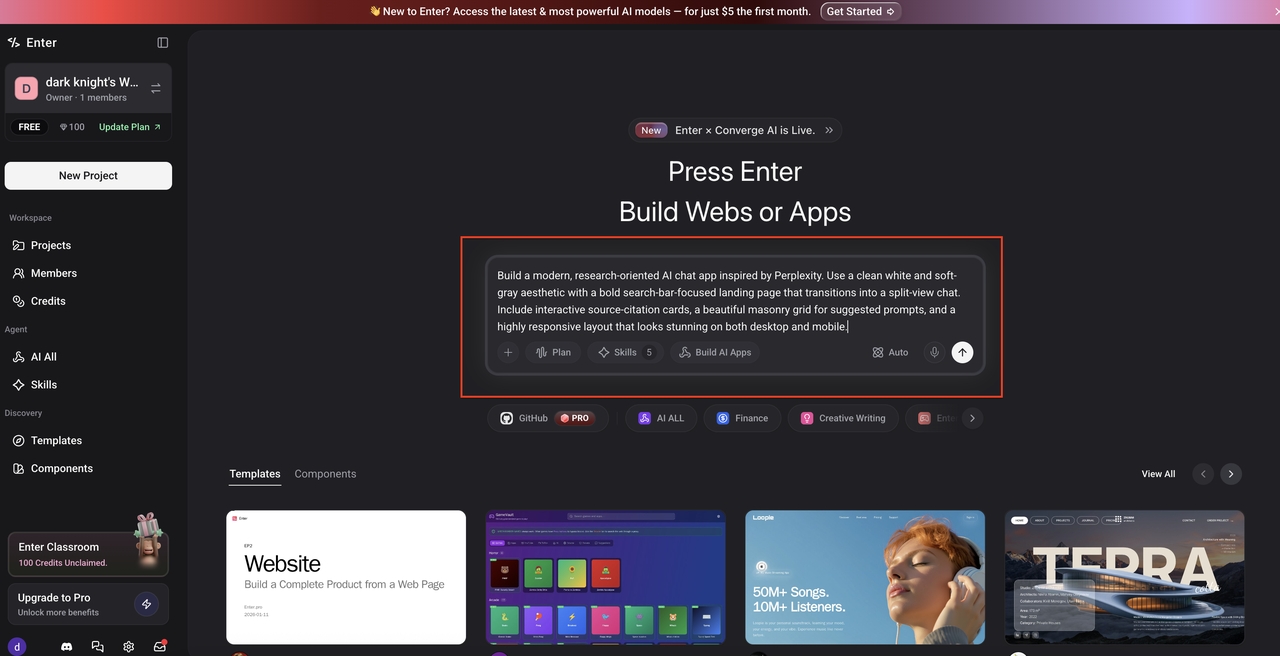
Step 2: Use the Visual Editor to review and iterate
When the first version lands, do not expect perfection. Expect a solid starting point. Open the visual editor and start reacting to what you see. Move things around, rewrite sections that do not fit, remove anything unnecessary. If something needs a more significant change, describe it in the chat and let the AI handle it. This back-and-forth is the RAD loop in action. It is supposed to feel iterative, not finished.
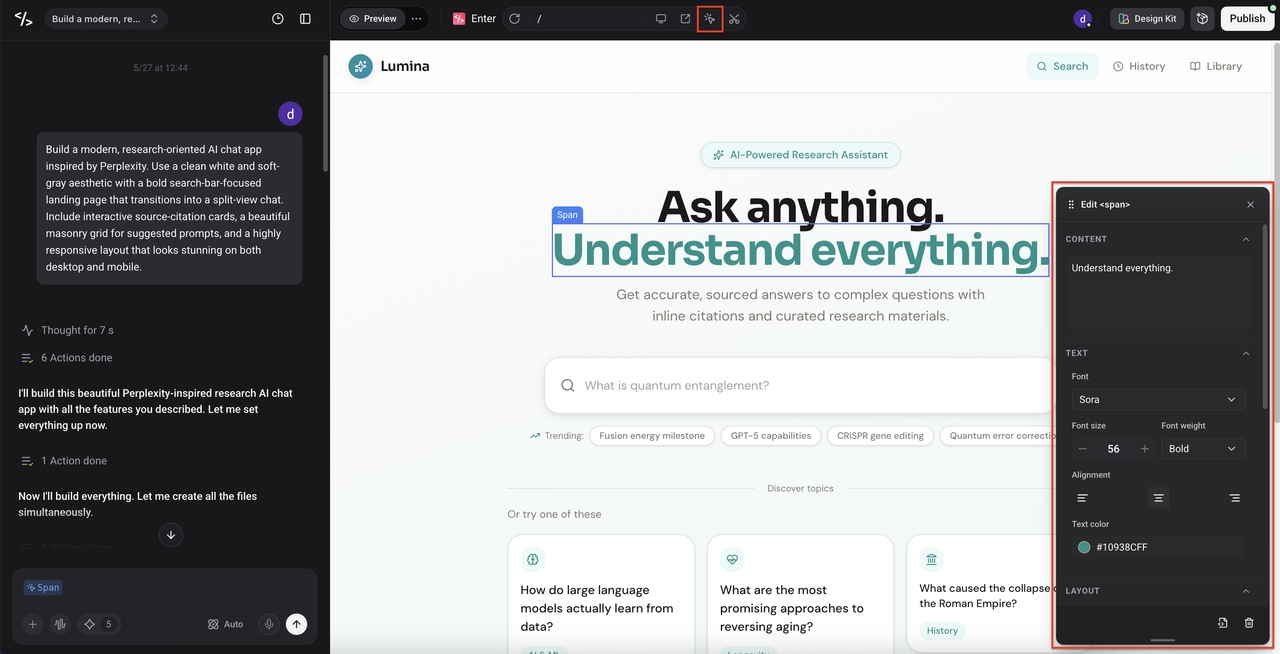
Step 3: Publish and collect real user feedback
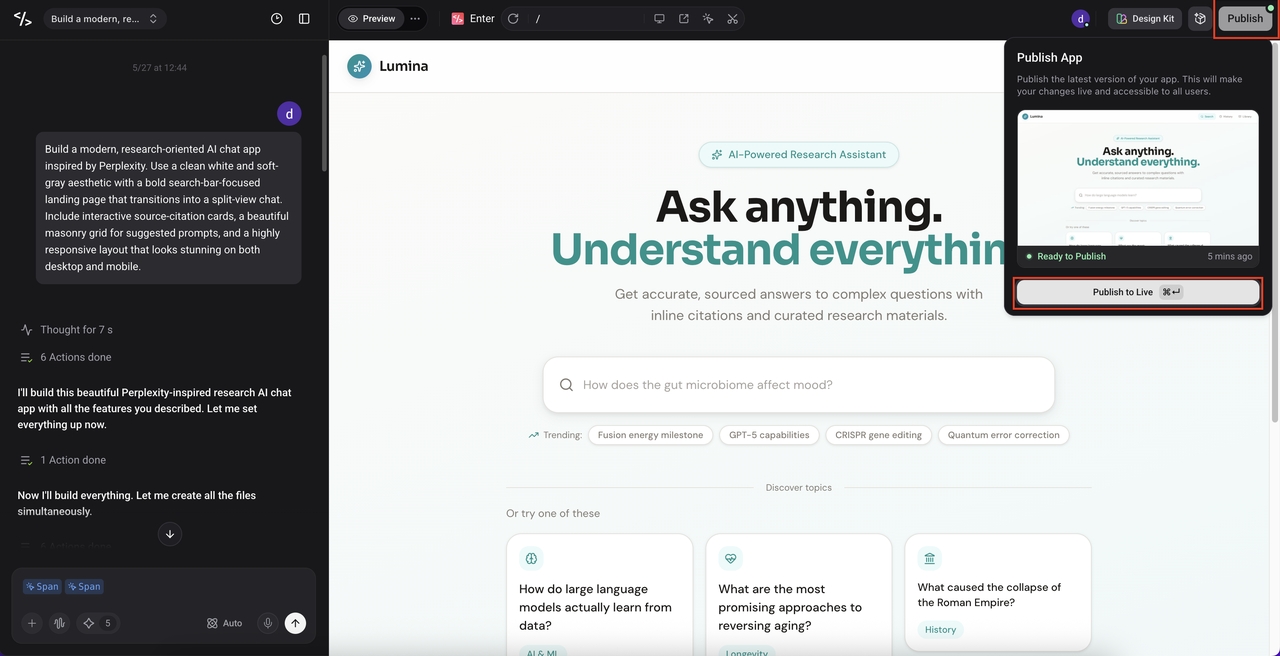
Hit Publish in the top-right corner when it is ready. No hosting configuration, no deployment pipeline. The app goes live immediately and you get a link you can share. Send it to actual users. Watch what they do with it. Bring that feedback back into Enter Pro and run another round of improvements. That is the cycle. Build, publish, learn, improve.
Conclusion
Rapid application development kept getting rediscovered because the alternative, long planning cycles and late delivery, kept failing. The model is not complicated. Build early, show people, fix what is wrong, repeat.
What has changed is how fast the cycle can move now. With Enter Pro handling the initial generation, a prototype that used to take weeks gets done in an afternoon. That changes the economics of the whole approach.
If you have something to build, prototyping tools like Enter Pro are worth a look before committing to anything longer. Run a cycle. See what comes back. Adjust from there.
Frequently Asked Questions (FAQs)
Q1. What is rapid application development (RAD) in simple terms?
Skip the long planning phase, build something rough quickly, put it in front of real users, fix what they point out, repeat until it works. That is the whole model. Tools like Enter Pro make the first part, getting something built quickly, dramatically faster by generating working apps from a plain-language description.
Q2. How is the RAD model different from the Waterfall model?
Waterfall locks everything in sequence. Plan, then build, then test, then ship. Problems found late are expensive to fix. The rapid application design model is iterative by design. You build small, test with real users, learn from what happens, and adjust. Feedback is a feature of the process, not an interruption to it.
Q3. What are the main phases of rapid application development?
Four: Requirements Planning, User Design, Construction, and Cutover. They overlap more than they follow each other. Prototyping often reveals new requirements. Construction begins before User Design is completely finished. The phases are less a rigid sequence and more a general direction of travel.
Q4. Is rapid application development suitable for large projects?
For the right large projects, yes. Where it gets difficult is systems with thousands of tightly coupled components or environments where every step needs formal sign-off. In those cases, RAD principles can still be applied to specific parts of the project. Many large teams use prototyping tools to RAD their way through individual features even when the overall project is running on a more structured process
Q5. Can non-developers use rapid application development?
Used to be harder. You needed people who could build prototypes fast, which meant you needed developers. That constraint is mostly gone now. Platforms like Enter Pro let non-technical people describe what they want and get a working application back within minutes. The iteration loop that previously required a developer at every step can now be driven by anyone who knows what they need to build.