Rocket New Review: Can AI Really Build a Full Website in Minutes?
Can AI really build a full website instantly? Dive into our Rocket New review for pricing, features, and learn how Enter Pro can create websites & apps via vibe-coding and help you scale your venture easily.
The landscape of web development is undergoing a seismic shift, and at the forefront of this revolution are artificial intelligence-driven platforms. Building a website used to require either a deep understanding of coding languages or hours spent wrestling with clunky, rigid drag-and-drop interfaces. Today, AI has completely rewritten those rules.
In this comprehensive Rocket New review, we will dive deep into what makes this platform one of the most talked-about tools in the web development space. We will explore its core capabilities, analyze its pricing structure, and weigh its pros and cons.
Whether you are a solo freelancer, a startup founder, or an agency looking to streamline your workflow, this guide will provide you with everything you need to make an informed decision.
What is Rocket.New?
Rocket.New is a next-generation, AI-powered website and application development platform designed to transform simple natural language prompts into production-ready, fully functional digital assets. Unlike traditional website builders that rely heavily on manual template customization, Rocket.New leverages advanced artificial intelligence to automate the entire development lifecycle.
The core philosophy of the platform is brilliantly simple: you describe the website or application you want to build using everyday language, and the AI handles heavy lifting. It does not just spit out a visual mockup; it generates custom, clean code, constructs backend logic, builds databases, and even drafts SEO-friendly copy, all from a single prompt.
Currently boasting over 650,000 active users across more than 180 countries, Rocket.New has proven its reliability and effectiveness in the real world. It bridges the gap between complex web development and non-technical entrepreneurs, allowing anyone to launch professional landing pages, dynamic web apps, internal dashboards, and full-scale websites in a matter of minutes rather than weeks or months.
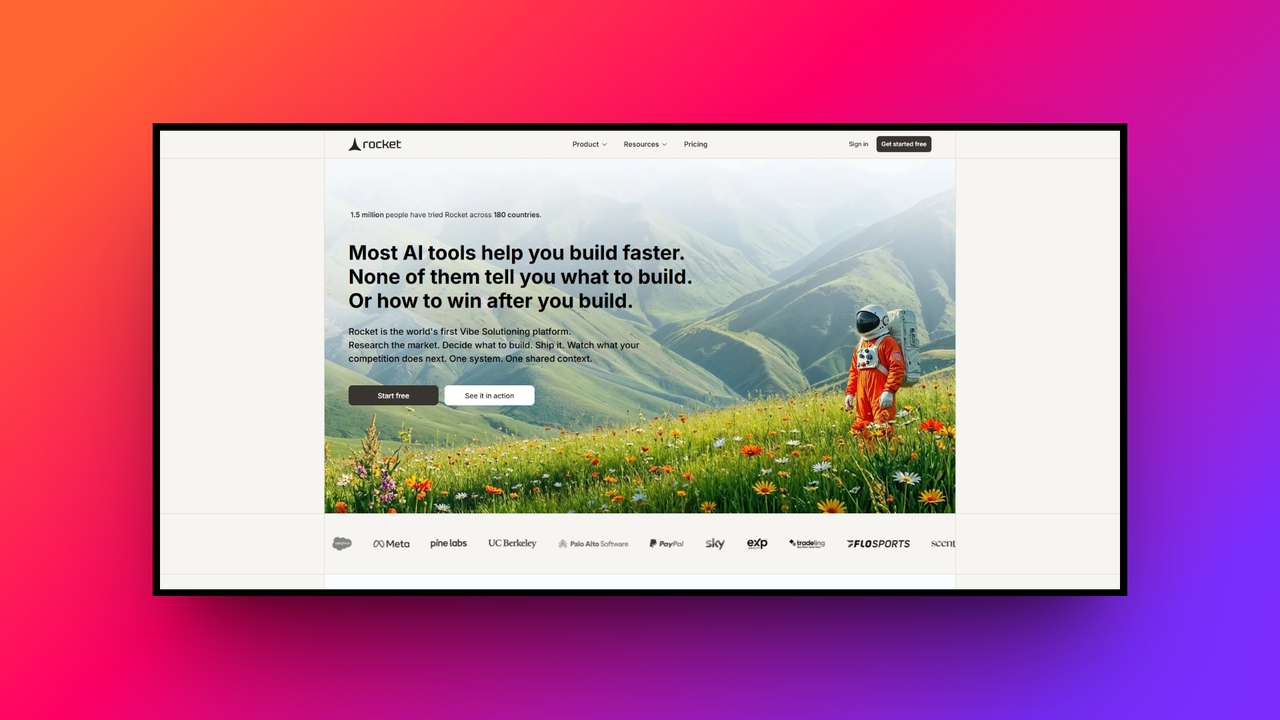
The top 5 major features of Rocket.New AI
Here are the standout capabilities that make this AI builder unique, as highlighted in our Rocket New review:
One-prompt full app generation
Unlike builders requiring piecemeal prompts for every single page, Rocket.New generates an entire, multi-page website from just one comprehensive text description. It builds interconnected layouts, navigation flows, and interactive components simultaneously, saving you massive amounts of time while maintaining design consistency across your entire project.
Seamless Figma integration
For designers, this feature is an absolute lifesaver. You can directly import your custom Figma designs, and the AI instantly converts them into clean, fully functional, and responsive code. It practically eliminates the tedious designer-to-developer handoff, translating your visual concepts into live web elements in mere minutes.
Built-in SEO optimization
Rocket.New doesn't just build visually appealing sites; it ensures they are discoverable. The platform automatically generates optimized meta tags, structures perfect heading hierarchies, implements schema markup, and writes SEO-friendly copy. It gives your website a rock-solid technical foundation to rank highly on search engines from day one.
Backend automation & database gen
Forget complex server configurations. Rocket.New acts as a full-stack developer by automatically generating backend infrastructure. It effortlessly creates necessary database schemas, establishes secure user authentication flows, and builds API endpoints. It turns a standard static frontend into a dynamic application without requiring a single SQL query.
Code export and true ownership
Unlike rigid SaaS platforms that lock you into their ecosystem, Rocket.New provides complete code ownership. It generates standard, clean code in frameworks like React and Next.js, allowing you to export the entire repository. You can modify, scale, or host your website anywhere, ensuring absolute long-term flexibility.
How to use Rocket.New AI app builder?
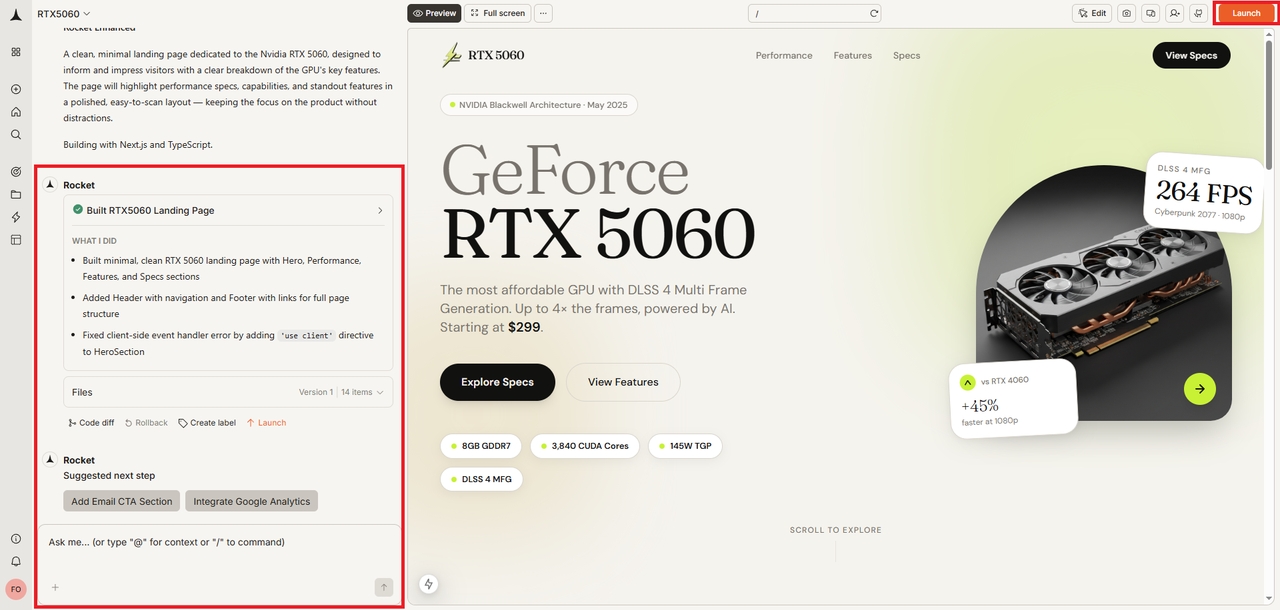
Using Rocket.New is surprisingly intuitive. Here is the step-by-step process to get your site live:
Step 1: Describe your idea and choose your website type
Start by explaining your project in clear, simple language. You do not need to use technical terms; just describe the purpose, style, and features you want. Then choose the format that fits best, such as a landing page, multi-page website, web app, dashboard, or mobile app. This helps the builder understand the structure and direction right away.
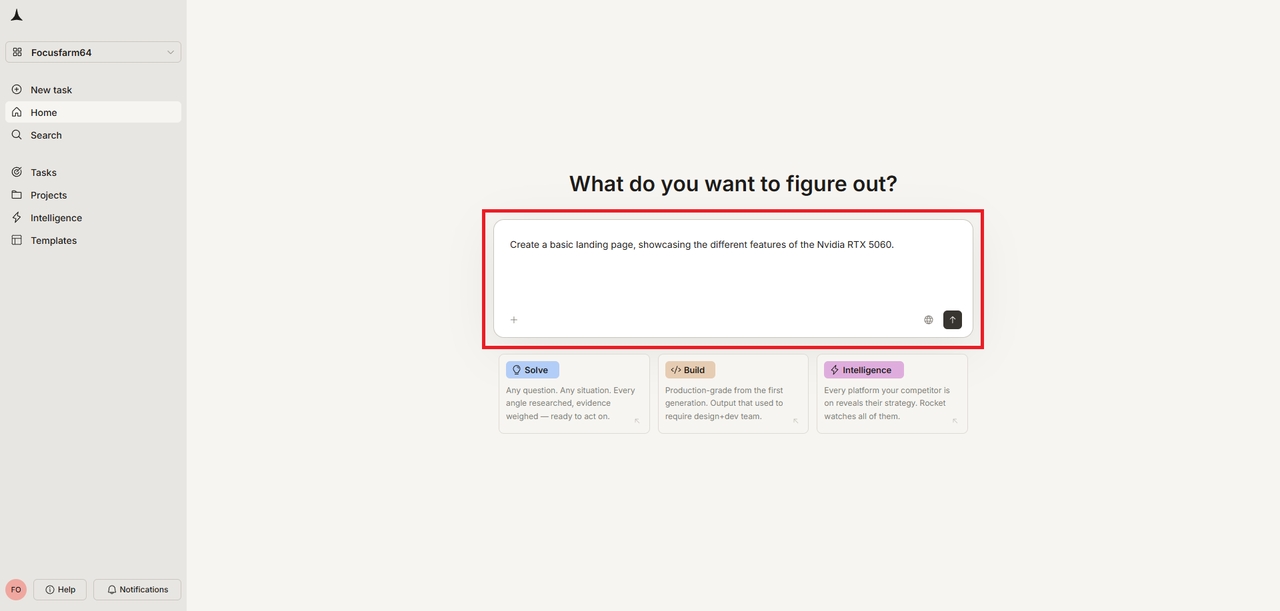
Step 2: Select your tech stack and generate the site
Next, pick the technology setup for your project. You can choose React, Next.js, or simple HTML/CSS, along with JavaScript or TypeScript. If you are unsure, the default options are already optimized. After that, generate the site and watch the builder create the interface, code, copy, and backend together in real time.
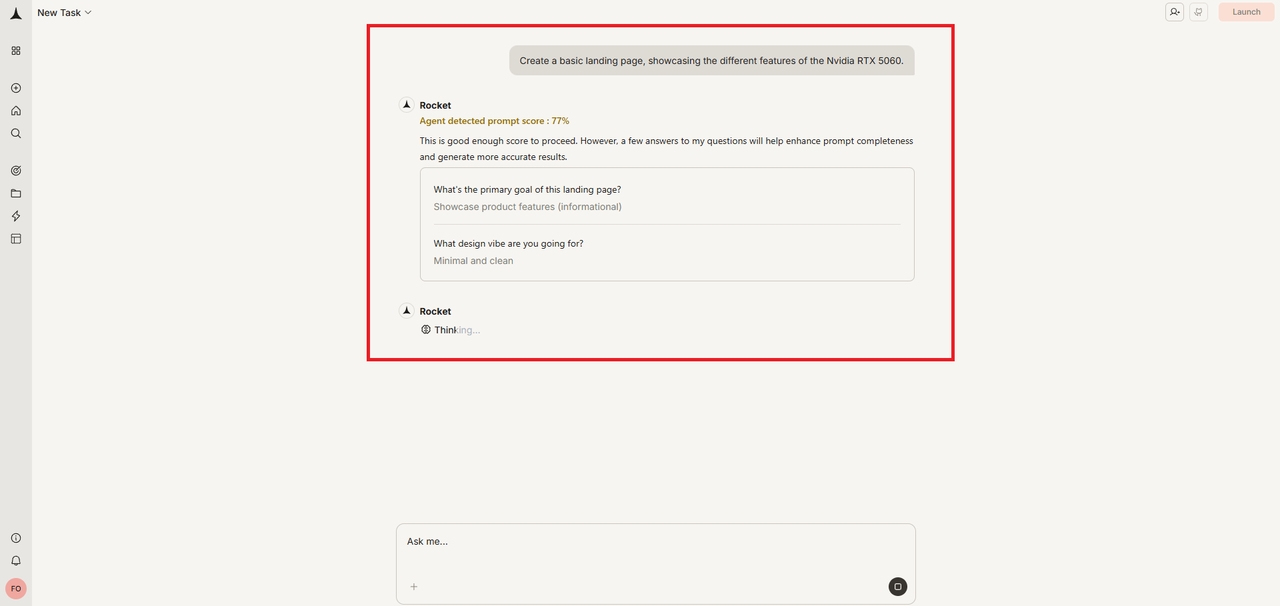
Step 3: Customize and deploy
Once the first version is ready, use the visual editor to make changes with natural language. You can ask for design tweaks, layout changes, or new content without editing code manually. When everything looks right, deploy the site with one click. Rocket.New supports GitHub, Netlify, and custom domains, making publication quick and straightforward.
Rocket.New pricing: how much does it cost?
Rocket.New operates on a unique token-based pricing system. Tokens are consumed when generating apps, converting Figma files, or making AI edits. Fortunately, unused tokens roll over to the next month on paid plans.
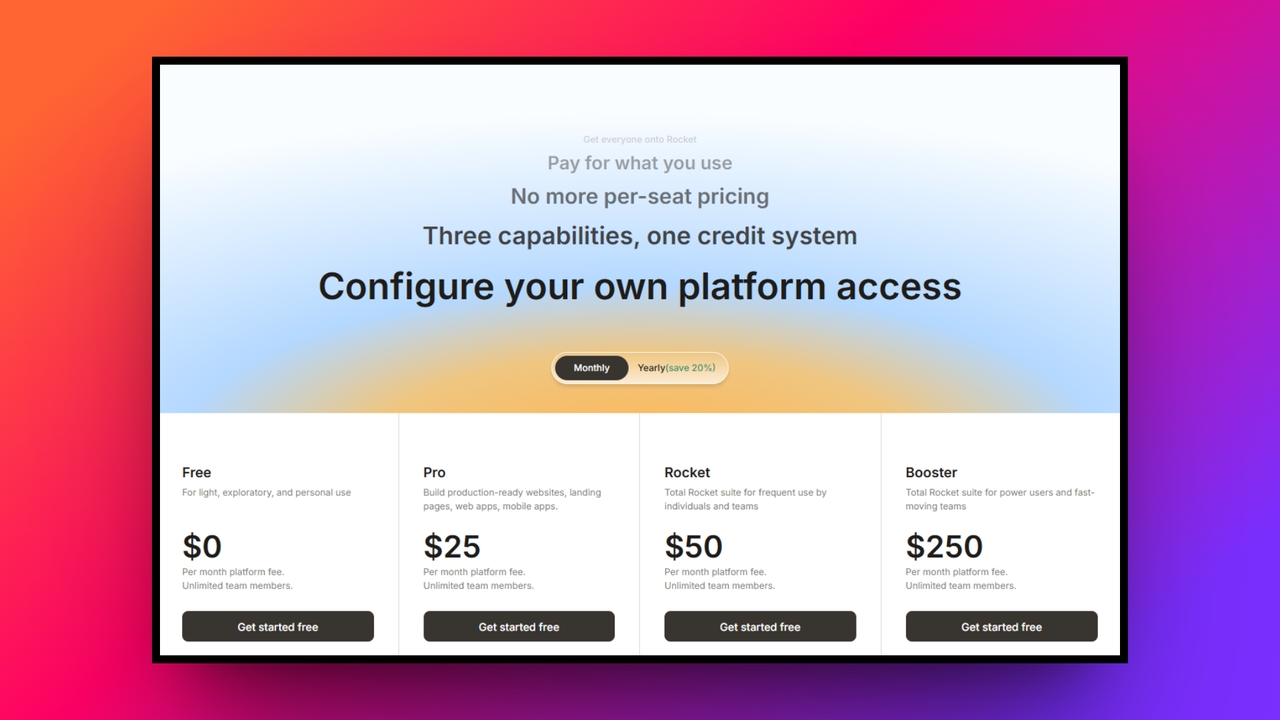
- Starter Plan (Free): Ideal for testing. Offers a one-time allocation of 1 million tokens and allows up to 2 Figma screen conversions.
- Personal Plan ($25/mo or $20/mo annually): Perfect for solo creators. Provides 5 million monthly tokens and 6 Figma screen conversions.
- Rocket Plan ($50/mo or $40/mo annually): The sweet spot for professionals and freelancers. Offers 10.5 million tokens and 12 Figma screen conversions.
- Booster Plan ($100/mo or $80/mo annually): Best for teams and agencies handling high volumes. Includes a massive 22 million tokens and 25 Figma screen conversions.
| Plan | Monthly Price | Annual Price | Tokens | Figma Conversions | Best For |
| Starter | Free | Free | 1M (One-time) | 2 screens | Testing and learning |
| Personal | $25/mo | $20/mo | 5M / month | 6 screens | Solo creators |
| Rocket | $50/mo | $40/mo | 10.5M / month | 12 screens | Professionals & freelancers |
| Booster | $100/mo | $80/mo | 22M / month | 25 screens | Teams and agencies |
Rocket New review: crucial pros and cons
Before you decide on whether you should be using Rocket New, it is important to have a proper understanding of the platform's strengths and weaknesses.
Advantages:
- Unmatched speed: Transforms ideas into live websites in minutes.
- True full-stack: Handles frontend design, backend databases, and copy simultaneously.
- No vendor lock-in: Clean code export (React/Next.js) ensures you own your assets.
- Mobile-ready: Every generated site is fully responsive by default.
- Cost-effective: Drastically reduces the cost of hiring a full development team.
Disadvantages:
- Not for complex enterprise systems: Struggles with highly bespoke, massive-scale enterprise logic.
- Basic collaboration: Lacks the robust, real-time multiplayer editing features needed by large teams.
Who should use Rocket.New (and who shouldn't)?
Deciding whether a tool is right for your specific workflow is just as important as knowing its features. Here is a breakdown of who will get the most value out of this AI builder and who might want to look at other alternatives.
| Who should use Rocket.New | Who should not Use Rocket.New |
| Founders Building MVPs: Perfect for startups validating app ideas fast and needing to launch a production-ready web or mobile app in hours, not weeks.Agencies and Freelancers: Ideal for rapid prototyping and generating quick client sites, dashboards, or portals with consistent underlying code structures.Developers Skipping Boilerplate Setup: Great for technical teams who want to bypass the repetitive setup work of frontend, backend, and database logic, freeing them to jump right into customizing business logic.Creators and Small Business Owners: Highly useful for non-technical users launching simple internal tools, data-driven landing pages, or functional applications without relying heavily on a developer team. | Large Enterprise Teams: Systems that require deep compliance tracking, complex offline logic, or massive edge-case workflows often need manual architectural oversight from day one.Projects Requiring Pixel-Perfect Manual UI Control: While capable, Rocket.New operates mostly through conversational prompts rather than a traditional drag-and-drop editor, which can frustrate designers looking for precise, manual element placement.Completely Non-Technical Users Needing Heavy Logic: While simple apps are easy, users without any technical foundation might struggle when complex prompts require specific logic refinement or debugging.Teams Wanting Full Framework Freedom: If your project requires an unusual tech stack outside of its standard supported frameworks (like React or Next.js), you might find the platform restrictive. |
Beyond Rocket.New: why Enter Pro is the ultimate alternative
While our Rocket New review highlights how incredible the platform is for solopreneurs, rapid prototyping, and standard web applications, it does have its ceiling. When you outgrow the automated constraints of standard AI builders, you need a platform built specifically for limitless scalability and professional-grade control.
Enter Pro is the all-in-one enterprise-grade alternative to Rocket.New. It is designed not just to build websites, but to engineer massive digital ecosystems. Where other AI builders stop at the MVP phase, Enter Pro excels at taking you from a blank canvas to a globally scalable, highly secure enterprise application.
Key features of Enter Pro for professional website/app building:
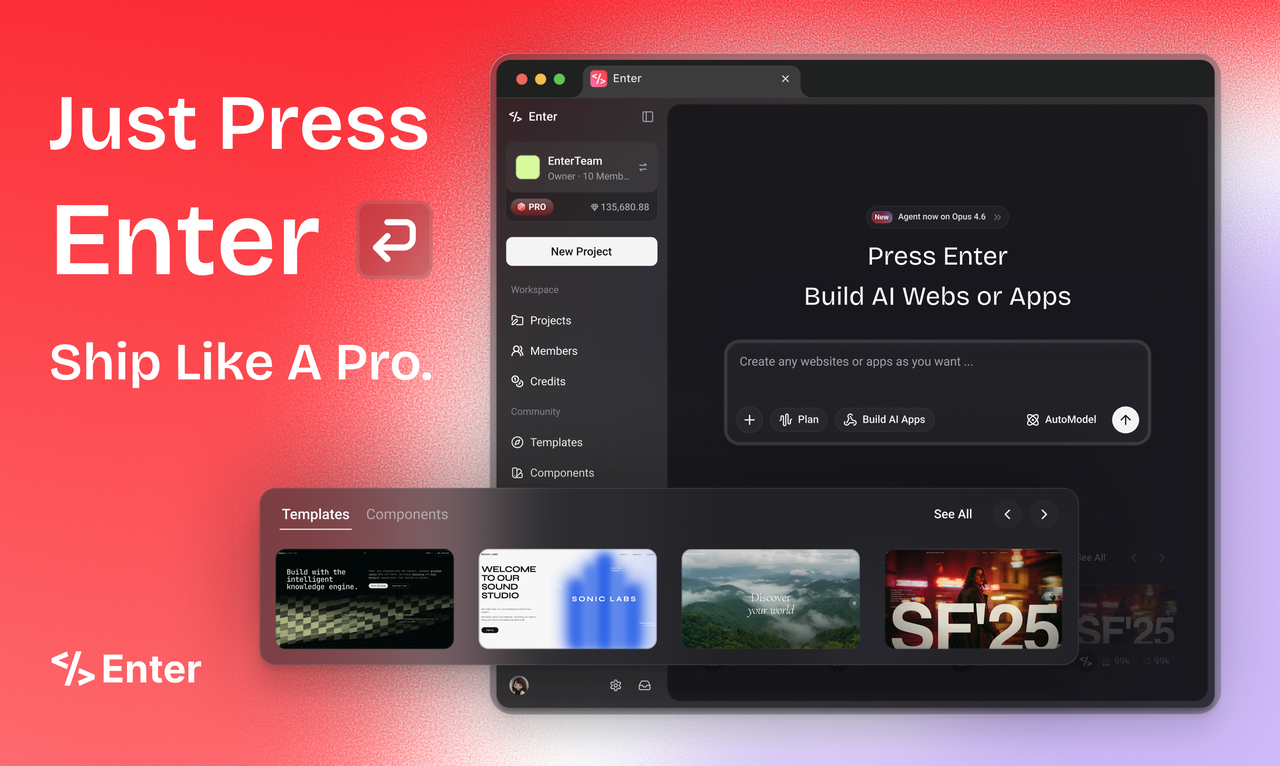
- Professional apps or websites from scratch, no coding required: Whether you are a PM, designer, or founder, the Enter Pro agent turns your words into deployed websites or applications. Build professional-grade websites or apps with backend logic and deploy them with one click.
- The ultimate template marketplace & app remix: Don't start from zero, stand on the shoulders of giants. Remix the community's best templates with a single click. You get a full-stack clone, database, backend, and frontend included, not just a pretty shell.
- Visual editor for precision control, real-time results: Stop guessing with text prompts. With the Enter Pro's "Visual Editor", you can click any element on the canvas to tweak styles and code instantly. It’s the perfect blend of the precision of hand-coding with the speed of AI.
- Production-ready integrated ecosystem: Build real businesses, not just demos. Enter Pro seamlessly integrates with Stripe, Supabase, Google Analytics, and more. From your very first prompt, your app is ready for users, payments, and true growth.
How to Use Enter Pro for Building Websites?
Step 1: Select your preferred AI model
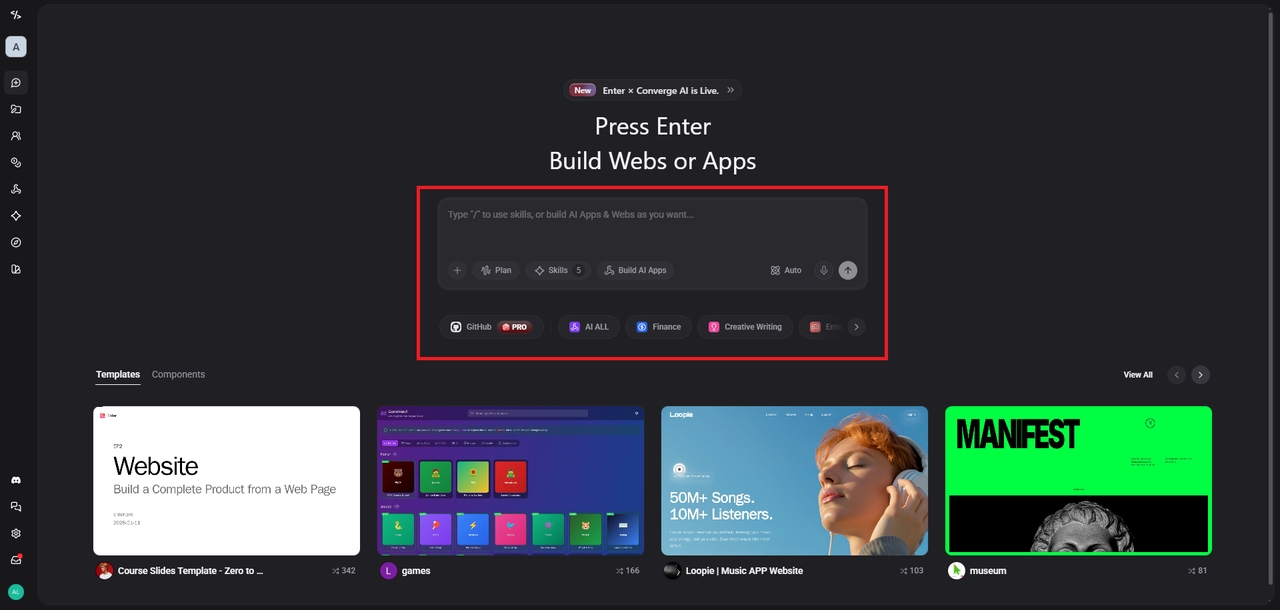
Sign-up for Enter Pro and then access your dashboard section. From there, you need to first select the "Plan" mode and choose the AI model that you will be using. Enter Pro supports AI coding models like Claude, Gemini, etc.
Step 2: Input your website creation prompt
Next, you need to provide your input or prompt for the website you are trying to create. Provide a detailed prompt for the same, so that the AI can understand your exact requirements.
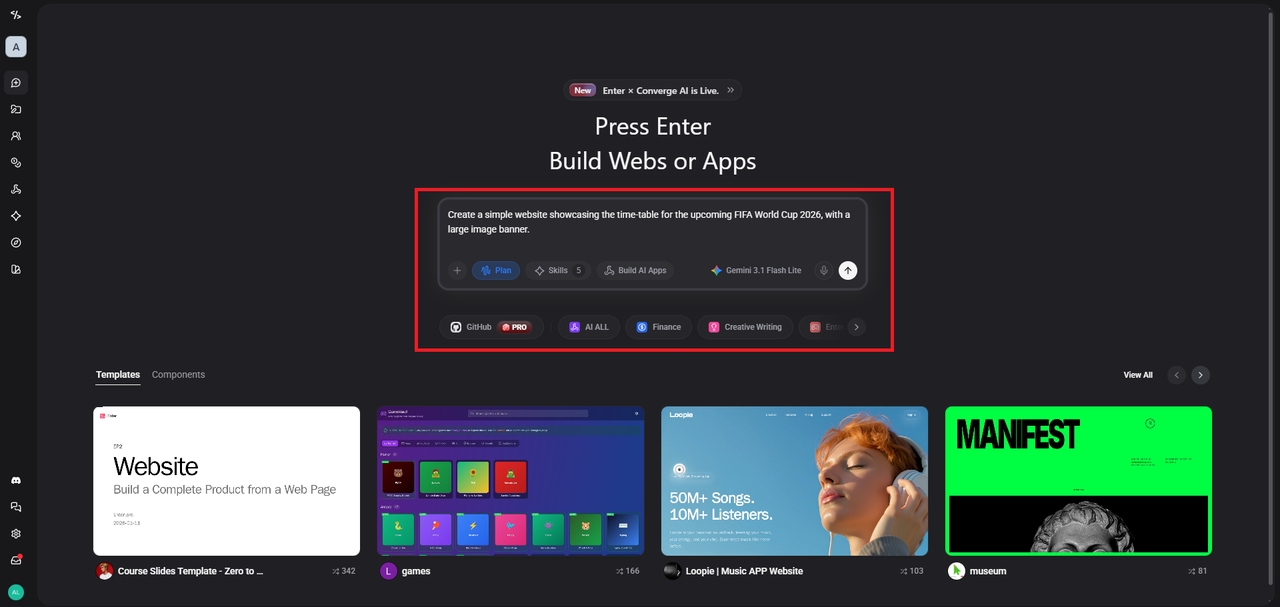
Step 3: Finalize and publish your website
Enter Pro will start its website building process based on your inputs. And once that's done, you will be allowed to further edit and customize it, before publishing it.
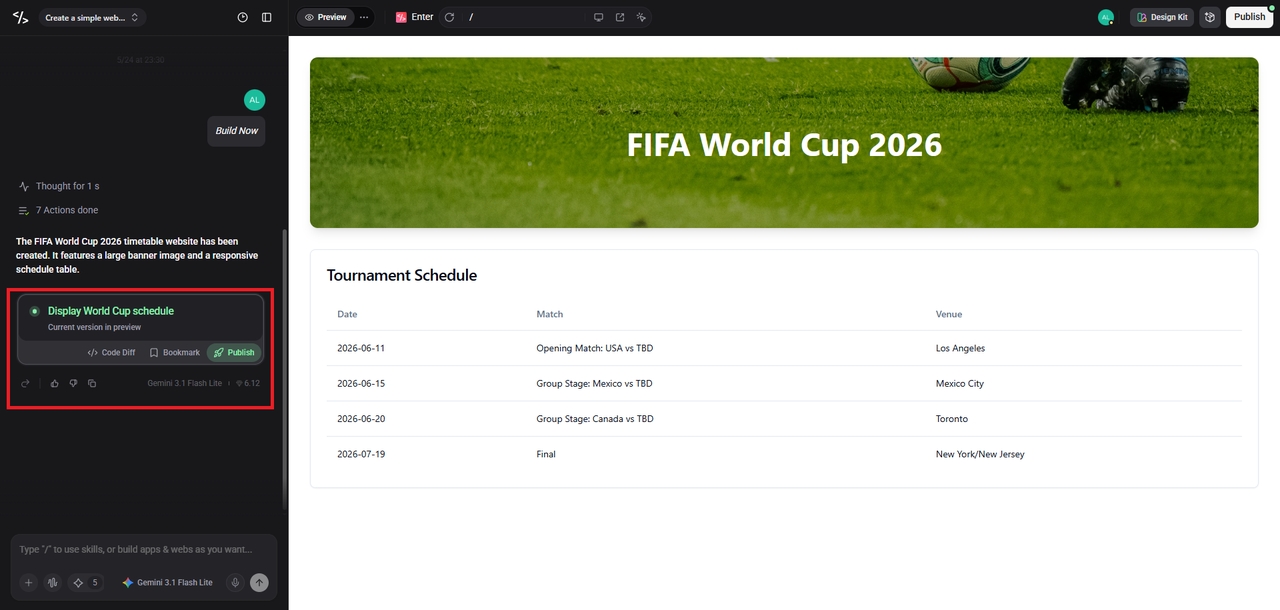
Signing off
The evolution of website building is moving at a breakneck pace. As we have seen in this Rocket New review, AI has democratized web development, allowing anyone to spin up a beautiful, fully functional website or app from a simple text prompt. It is undeniably one of the best tools on the market for freelancers, small businesses, and rapid prototyping, offering an incredible blend of speed, code ownership, and backend automation.
However, technology is not a one-size-fits-all. When your ambitions require massive scalability, intricate team collaboration, and uncompromising design and data control, Enter Pro stands as the ultimate alternative. By understanding the strengths of both platforms, you can choose the right tool for your specific journey.
Frequently Asked Questions (FAQs)
Are websites built by AI builders like Rocket website builder actually good for SEO?
Yes, absolutely. Rocket.New builds sites with a very solid technical SEO foundation. It automatically generates optimized meta descriptions, properly structures HTML tags (H1, H2, etc.), ensures fast loading speeds, and creates XML sitemaps. However, you will still need to execute your own off-page SEO strategy, like link building.
Do I really own the code generated by these platforms?
Unlike platforms such as Wix or Squarespace, Rocket.New or Enter Pro generates standard code (like React and Next.js) that you can fully export. You own this code entirely, meaning you are never locked into the platform and can host it anywhere you prefer.
Is it possible to migrate a project from Rocket.New to Enter Pro later?
Because Rocket.New allows you to export clean, standard code repositories, you can absolutely take that codebase and integrate it into a more robust environment like Enter Pro when your business needs to scale up to enterprise-level architecture.
Do I need to know how to code to use Enter Pro?
While Enter Pro is designed to handle highly complex, enterprise-grade architecture, it uses an intuitive visual interface and AI assistance that significantly lowers the barrier to entry. However, to utilize its most advanced backend custom database features, having a developer on your team will maximize the platform's potential.
How does the token pricing system work?
Tokens are essentially the "currency" used by the AI to perform tasks. Generating a full website might cost a few million tokens, while a small text edit costs a fraction of that. If you are on a paid plan, any tokens you don't use by the end of the month roll over to the next, ensuring you get exactly what you pay for.