Supabase vs Firebase: The Complete Developer Comparison (2026)
Choosing between Supabase and Firebase in 2026? This in-depth comparison explores database architecture, real-time features, pricing, security, and real-world performance to help you choose the best backend for your SaaS, mobile, or web app.
In the competitive world of Backend-as-a-Service (BaaS), the Supabase vs Firebase debate continues strongly in 2026. Firebase, Google's mature NoSQL platform, excels in real-time capabilities and mobile development. Supabase, the open-source PostgreSQL alternative, offers powerful relational capabilities, full SQL access, and more predictable pricing. Both handle auth, storage, and real-time features, yet differ significantly in architecture and scalability. This honest comparison, based on real production experiences, will help you decide which is better for your project.
What is Firebase?
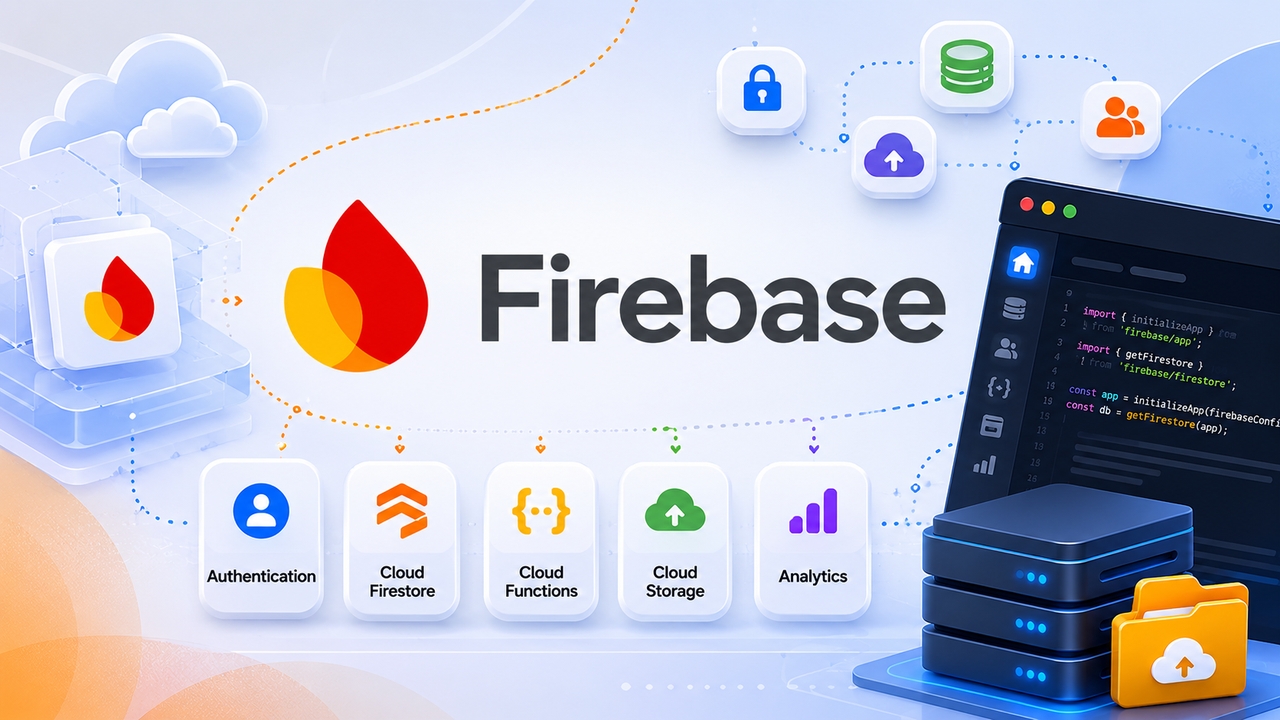
Firebase is Google's Backend-as-a-Service (BaaS) platform, originally built around a real-time database and now evolved into a comprehensive suite of tools for web and mobile developers. Its core offering revolves around Firestore, a NoSQL document-based database that stores data as nested JSON-like documents in collections — no joins, no foreign keys, no enforced schema.
Beyond the database, Firebase includes:
- Authentication: Supports 20+ providers, including Google, Apple, Facebook, phone OTP, and anonymous login
- Cloud functions: Serverless functions triggered by Firestore events, HTTPS requests, or schedules
- Cloud storage: File uploads backed by Google Cloud Storage with CDN-delivered download URLs
- Firebase hosting: Static and dynamic web hosting
- Firebase AI logic: New in 2025/2026, enabling direct Gemini model integration on the client side
Firebase's tight integration with the Google Cloud ecosystem makes it especially attractive if your infrastructure already lives on GCP. It is also the go-to choice for Flutter and native mobile developers, where its SDKs are mature and deeply embedded.
What is Supabase?
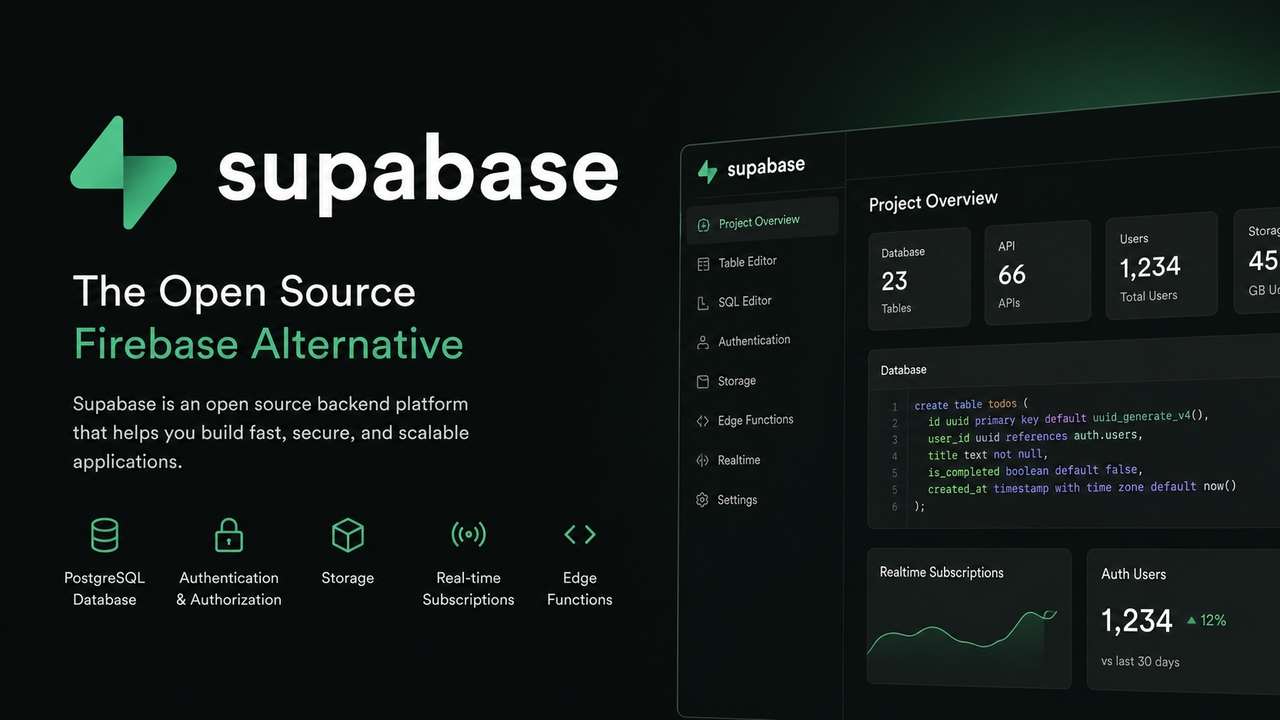
Supabase markets itself as the open-source alternative to Firebase, but that framing undersells it. Rather than mimicking Firebase, Supabase is built on PostgreSQL, the world's most popular open-source relational database, and exposes its full power through a developer-friendly interface.
Its core offering includes:
- PostgreSQL database: Full relational database with SQL, foreign keys, joins, stored procedures, ACID transactions, and full-text search
- Authentication (GoTrue): OAuth, magic links, phone OTP, SAML, and SSO, with Row Level Security baked in
- Realtime subscriptions: Listen to database changes via PostgreSQL's logical replication
- Storage: S3-compatible file storage with built-in image transformations (resize, crop, format conversion)
- Edge functions: Globally distributed serverless functions on Deno Deploy with ~42ms cold starts
Supabase is fully open-source, meaning you can self-host the entire stack if vendor lock-in is a concern. The platform has matured significantly throughout 2025 and 2026, adding database branching, auto-generated TypeScript types, a Claude AI connector for natural-language database management, and an overhauled API key system.
The core philosophical divide: SQL vs NoSQL
Before comparing individual features, it is critical to understand that the database choice defines everything else.
Firebase is built on Firestore, a serverless NoSQL document store. You model data by how you read it, not by how it relates. Because there are no joins, you often must denormalize — duplicating data across documents to avoid multiple round-trips.
Supabase is built on PostgreSQL. You model data by how it relates, then query it however you need. Tables, foreign keys, complex joins, window functions, CTEs, materialized views — the full relational toolkit is available.
| Aspect | Firebase (Firestore) | Supabase (PostgreSQL) |
| Data model | Documents & Collections | Tables & Relations |
| Query language | Firestore SDK methods | SQL + SDK helpers |
| Joins | Not supported (denormalize) | Native support |
| Schema enforcement | None (schemeless) | Full (migrations) |
| Full-text search | Not built-in | Built-in (tsvector) |
| Transactions | Multi-document, limited | Full ACID |
| Data integrity | App-level enforcement | Database-level constraints |
A notable 2026 development: Google launched Firebase Data Connect, integrating PostgreSQL via Cloud SQL into the Firebase ecosystem. This is a tacit acknowledgment that NoSQL-only was a gap. Data Connect does not replace Firestore, but it fills the relational hole Firebase always had. That said, it is a separate product, not a natural part of the Firebase developer experience.
Authentication & authorization
Firebase Auth
Firebase Auth is battle-tested and handles a wide range of login flows with minimal configuration. It supports 20+ providers out of the box, anonymous auth (excellent for onboarding flows), and drop-in pre-built UI components via FirebaseUI.
The key limitation is authorization. Firebase uses Security Rules, a custom DSL that only protects Firestore SDK access. If your Cloud Functions use the Admin SDK, Security Rules are bypassed entirely — authorization becomes the developer's responsibility at the application level.
Supabase Auth
Supabase Auth supports OAuth (Google, Apple, GitHub, Discord, Slack, and more), magic links, phone OTP, and SAML/SSO on Team and Enterprise plans. Its structural advantage lies in Row Level Security (RLS) —policies written in standard SQL that are enforced at the database level for every query, regardless of how data is accessed.
RLS policies apply whether the request comes from your app, a cron job, a migration, or a direct SQL connection. This is a genuine security advantage that Firebase's Security Rules cannot match.
In 2026, Supabase made RLS enabled by default for new tables and introduced a new publishable API key system that auto-revokes leaked keys. These changes address two of the most common production security mistakes.
File storage
Firebase Cloud Storage is backed by Google Cloud Storage, offering virtually unlimited scale, CDN-delivered URLs, resumable uploads, and Security Rules for access control. Thumbnail generation and transformations require Firebase Extensions (Cloud Functions under the hood).
Supabase Storage is S3-compatible and includes built-in image transformations — resize, crop, format conversion on the fly — with no third-party service required. Access control uses the same RLS policies as the database, providing a unified security model.
Advantage: Supabase, primarily due to native image transformations that eliminate the need for a separate service like Cloudinary.

Edge functions & serverless
Firebase Cloud Functions (2nd gen, powered by Cloud Run) support Node.js and Python, trigger natively from Firestore events, Auth, Storage, Pub/Sub, and HTTP, and benefit from Firebase's deep ecosystem integration. Cold starts typically range from 500ms to 2s (reduced with min instances). Firebase AI Logic enables direct Gemini model integration from Cloud Functions.
Supabase Edge Functions run on Deno Deploy, distributed globally at the edge. They have dramatically faster cold starts (~42ms average, following the Deno 2 upgrade — a 97% reduction). They are TypeScript-native with no build step, but the Deno runtime means some Node.js libraries may not be directly compatible. Event-driven patterns require manual wiring via database webhooks or pg_notify rather than native triggers.
Advantage: Supabase for raw performance and global distribution. Firebase for ecosystem integration and trigger depth.
Vendor lock-in
This is the dimension most comparisons bury, but it matters enormously for long-term project health.
Firebase lock-in is structural. Firestore uses a proprietary SDK with no standard query language. Security Rules are Firebase-specific. Cloud Function triggers are Firebase-specific. Migrating a mid-complexity Firebase app to any other platform is typically a 3–6 month effort involving data restructuring, authorization rewrites, and function migration.
Supabase lock-in is recoverable. Your data lives in standard PostgreSQL. A pg_dump moves your entire schema, data, RLS policies, and functions to any Postgres host (AWS RDS, Neon, Railway, or self-hosted). You lose the managed dashboard and auto-generated API, but your business logic and data survive intact. Migration is measured in weeks, not months.
If your project has an exit strategy requirement —investor due diligence, regulatory compliance, or simply peace of mind — this distinction is decisive.
Firebase vs Supabase: Developer experience
Both platforms have invested heavily in DX. Here is how they compare across every dimension that affects day-to-day development:
| Aspect | Firebase | Supabase | Winner |
| Dashboard & UI | Clean, modern, but sometimes overwhelming | Very intuitive, developer-friendly, SQL-focused | Supabase |
| CLI Tooling | Firebase CLI (mature but heavy) | Supabase CLI (excellent, fast, great local support) | Supabase |
| Local Development | Good with emulators, but complex setup | Outstanding – full local stack with Docker | Supabase |
| Documentation | Excellent, large community | Very high quality, clear examples, improving fast | Tie |
| Learning Curve | Easier for beginners & mobile devs | Slightly steeper if new to SQL/PostgreSQL | Firebase |
| Debugging & Observability | Strong with Google Cloud Logging | Good, improving with Log Explorer & Trace | Firebase |
| Frontend Integration | Best React + Flutter support | Excellent with React, Next.js, and SvelteKit | Tie |
| TypeScript Support | Good | Outstanding (auto-generated types from DB) | Supabase |
| Open Source & Self-hosting | Limited | Fully open-source, easy self-hosting | Supabase |
| AI & Modern Tooling | Strong Gemini integration | Good integration + Edge Functions (Deno) | Firebase |
| Vendor Lock-in | High | Low | Supabase |
| Overall DX Score (2026) | 8.7/10 | 9.3/10 | Supabase |
Supabase vs Firebase cost: The pricing breakdown
Evaluating Supabase vs Firebase cost requires looking closely at how they bill for resource consumption.
- Firebase pricing: Follows a pay-as-you-go model tied entirely to operational volume. You are billed based on the precise number of document reads, writes, and deletes. While this makes it incredibly cheap—often free—for small prototypes, a sudden spike in traffic or an unoptimized client-side query loop can trigger unexpected, astronomical bills overnight.
- Supabase pricing: Operates on a much more predictable quota system. The billing scales primarily based on database storage size (compute allocation) rather than individual API read/write counts. This makes budgeting far easier for transactional web apps or high-traffic platforms with heavy read-to-write ratios.
Supabase vs Firebase: Which is better
There is no single winner in the Supabase vs Firebase debate. The right choice depends on your project's specific requirements.
Choose Firebase when:
- Real-time sync is your app's core feature (chat, collaborative editing, live gaming)
- You are building a mobile-first with Flutter, iOS, or Android
- Your team is more comfortable with document-oriented data modeling
- You are already embedded in the Google Cloud ecosystem (BigQuery, Vertex AI, Analytics)
- Your data is naturally hierarchical (IoT, social feeds, threaded messages)
Choose Supabase when:
- Your data is relational (users → orders → products → reviews)
- Your team thinks and works in SQL
- Type-safe, auto-generated database types would meaningfully speed up development
- Vendor lock-in is a concern for your business or investors
- You need image transformations without a third-party service
- You want Row Level Security enforced at the database level, not the application level
Bridging the gap: Vibe coding with Enter Pro and Supabase
As the developer landscape transitions into the modern era of hyper-automation and "vibe coding," the friction of manually wiring up databases is completely disappearing. This shift is best exemplified by next-generation development environments like Enter Pro.
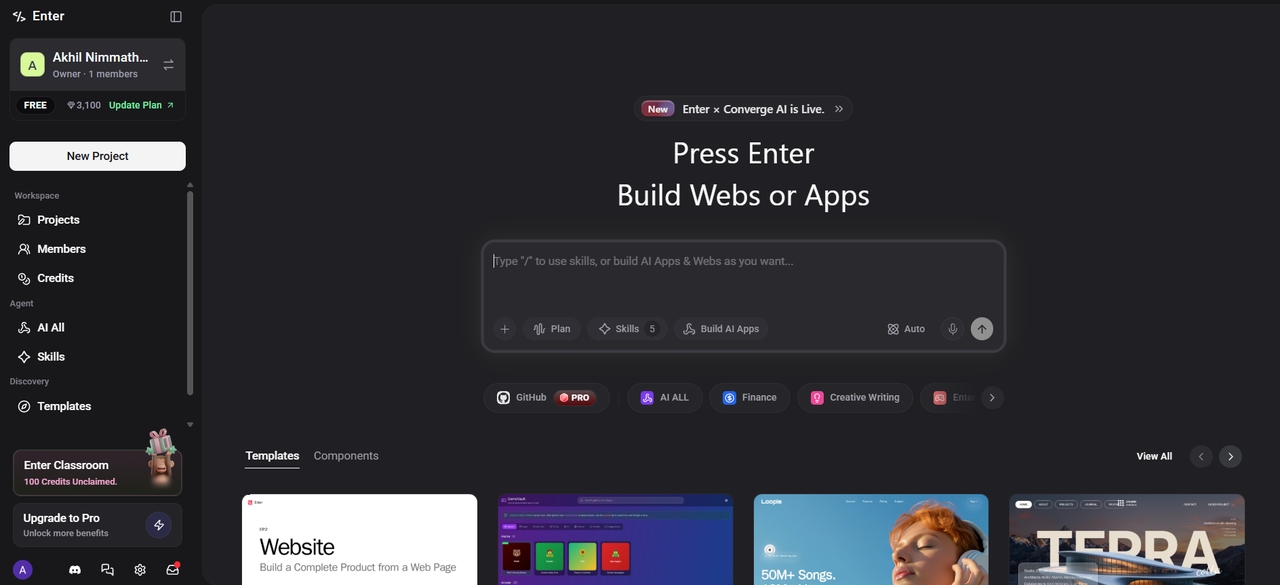
Enter Pro is an AI-powered full-stack app builder designed for the vibe coding era. You describe your product in plain language, and it generates React and Tailwind code with built-in Supabase database integration — tables, auth, storage, serverless functions, and Cron Job scheduling wired up out of the box. Not just a frontend generator — the entire cloud layer comes with it.
Key features
- Chat-to-build: Build complete websites, web applications, and intelligent AI agents simply by describing your idea in natural language. Turn conversations into fully functional production-ready apps quickly.
- Built-in Supabase integration: The entire cloud layer is wired in out of the box: Supabase database, authentication, object storage, serverless functions, and Cron Job scheduling. Not just a frontend scaffold — a complete full-stack starting point.
- Native AI at the core: Access multiple top large language models (like GPT-5.2, Claude 4.5, Gemini 3.1, and Grok) through one unified interface. Switch between models instantly without managing multiple subscriptions.
- Visual editor with real-time preview: Modify fonts, colors, layouts, and components directly on a live preview with visual editor. See changes instantly as you edit, making design adjustments fast and intuitive.
- 100% code ownership: You own and can export all generated code. No lock-in — the same principle that makes Supabase appealing over Firebase.
Conclusion
The Supabase vs Firebase debate in 2026 ultimately comes down to your project needs. Firebase remains a strong choice for mobile-first apps and real-time heavy applications, while Supabase shines with its powerful relational database, predictable pricing, superior developer experience, and open-source flexibility.
For most web and SaaS projects, Supabase currently offers better long-term value and control. However, both platforms are excellent and many teams even use them together. Enter Pro can significantly accelerate your development with its deep Supabase integration, AI-powered chat-to-build features, and smart agent capabilities. You can turn ideas into production apps much faster.
FAQs
What is the main difference between Supabase and Firebase?
The biggest difference is the database type. Firebase uses a NoSQL document database (Firestore), which is flexible for unstructured data. Supabase uses PostgreSQL, a powerful relational SQL database ideal for complex queries and relationships. This affects how you model, query, and scale your data.
Is Supabase cheaper than Firebase?
Yes, in most cases. Supabase offers predictable tier-based pricing focused on compute and storage. Firebase's pay-per-operation model (especially reads) can become expensive quickly as your app grows. Supabase is generally more cost-effective for growing applications.
Can Supabase replace Firebase?
Yes, Supabase can replace Firebase for many applications, especially SaaS platforms and relational database projects. However, Firebase may still be preferable for highly interactive real-time applications, mobile-first apps, and projects relying heavily on Google Cloud services.
Is Supabase fully open-source?
Yes, Supabase is fully open-source. Developers can self-host the platform, customize infrastructure, and avoid heavy vendor lock-in. This makes Supabase attractive for businesses seeking transparency, flexibility, and greater control over backend environments.
Can I migrate from Firebase to Supabase?
Yes, many developers migrate from Firebase to Supabase as applications grow. Migration usually involves restructuring NoSQL data into relational PostgreSQL tables. While the process requires planning, it can improve scalability, query flexibility, and long-term cost management.