Tutor AI: How a Small Idea Became a Code Learning Tool
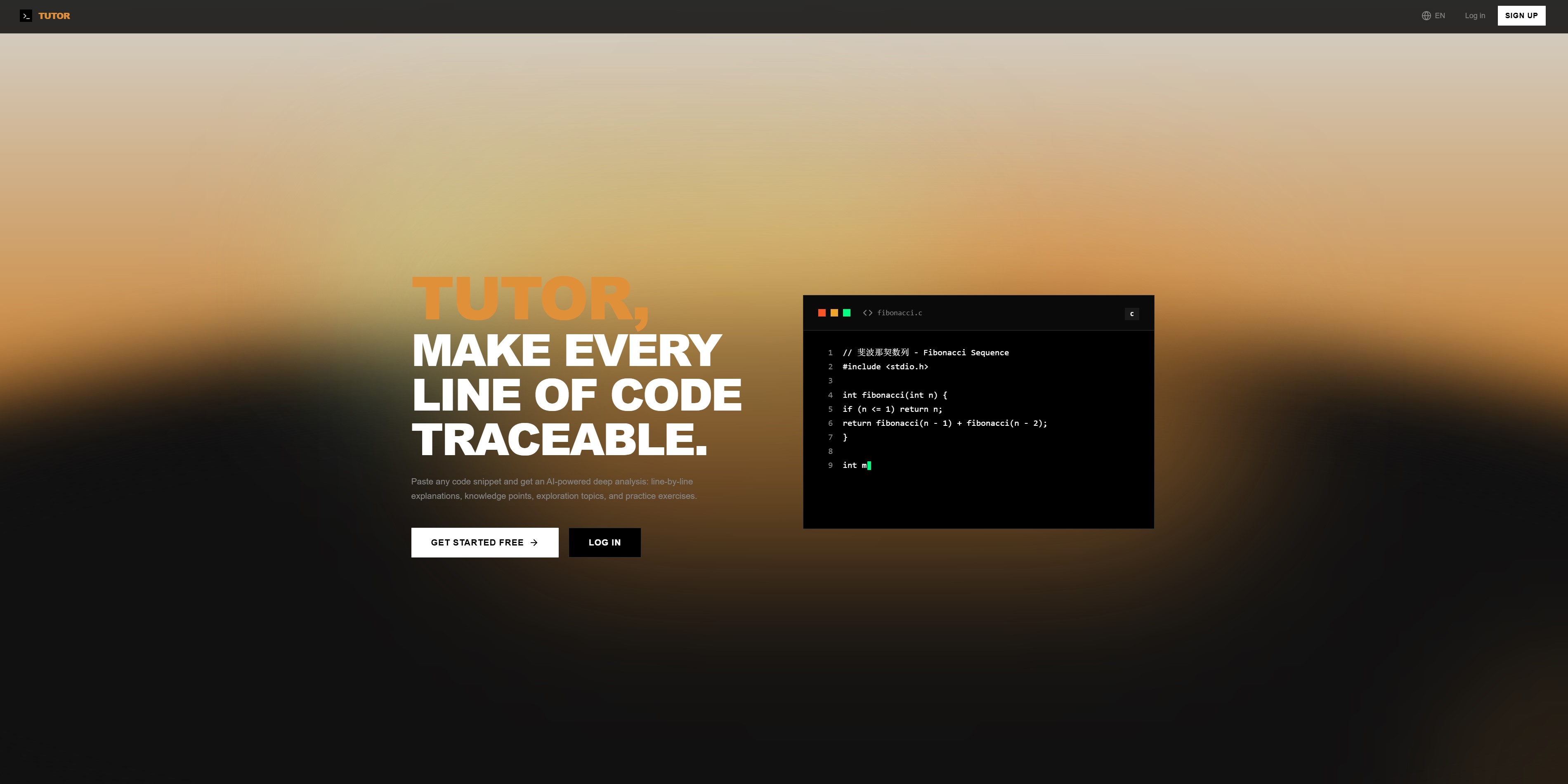
Paste any code snippet and get an AI-powered deep analysis: line-by-line explanations, knowledge points, exploration topics, and practice exercises.
This project didn't start from some grand plan. It came from something small and real. I was watching a relative's kid learn C programming — sitting through their classes, looking at their homework — and I kept thinking: this way of learning feels outdated. The teacher lectures from the textbook, students take notes and do exercises. It's not completely useless, but it rarely helps anyone develop real computational thinking.
What I Actually Noticed
The real problem wasn't that students couldn't find answers. It was that:
- They'd stare at a piece of code and have no idea what each line was doing
- They'd read through it once, feel like they understood, but couldn't explain how things connected
- Most importantly, they didn't know what problem the code was actually solving
Everything they learned was fragmented. I kept coming back to one thought: Learning isn't about collecting dots — it's about connecting them.
That's where Tutor started.
2. How I Built It, Step by Step
2.1 Starting With a Simple Code Explainer
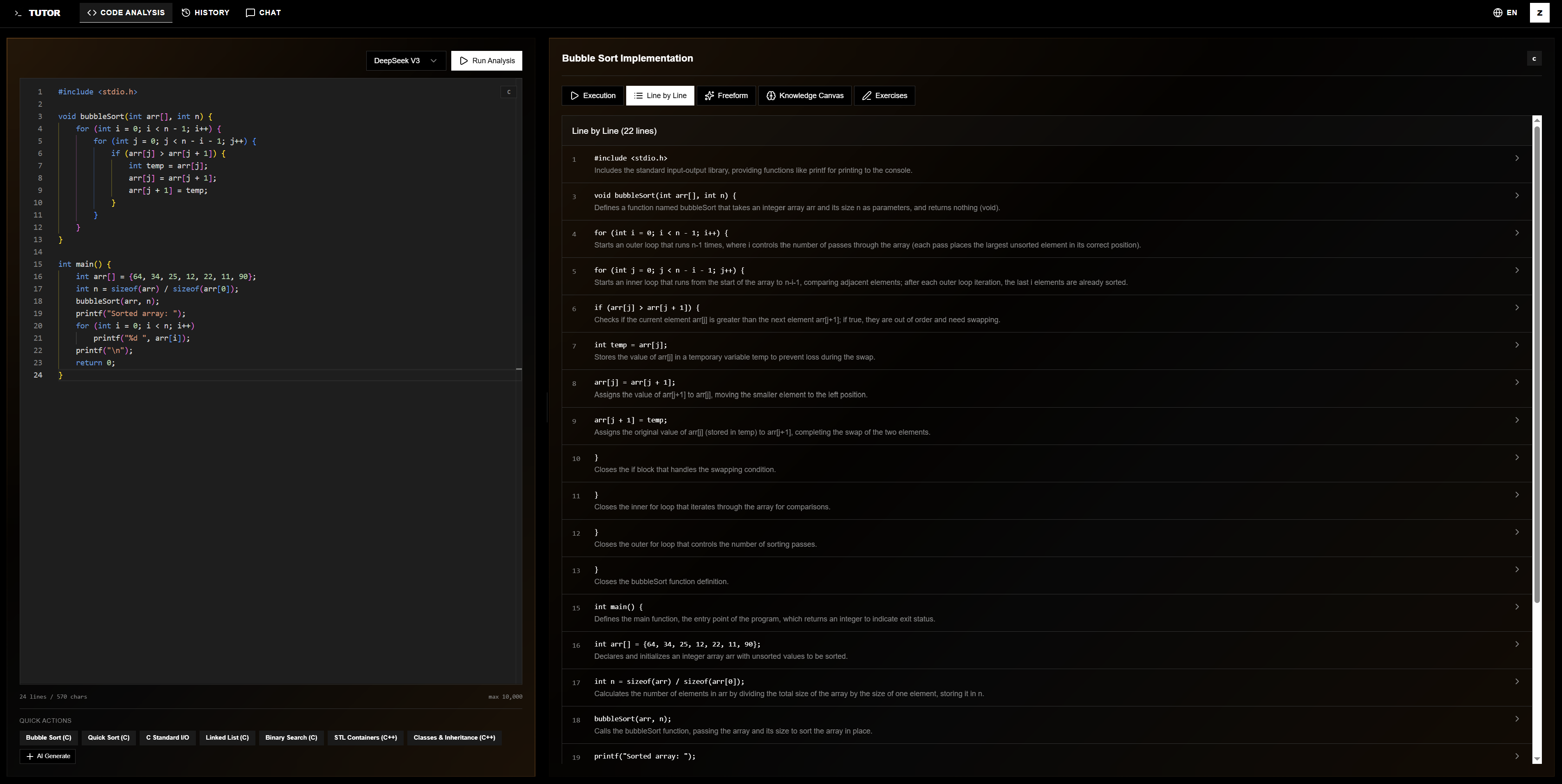
The initial idea was dead simple: paste in some code, and instead of getting a vague summary, see what each line actually does and why it's written that way.
So Tutor's first core feature was line-by-line explanation. It auto-detects over a dozen programming languages and comes with classic C/C++ examples — bubble sort, linked lists, binary search — ready to analyze with one click.
2.2 Explaining Wasn't Enough
Understanding something once doesn't mean you've learned it. So I added three things:
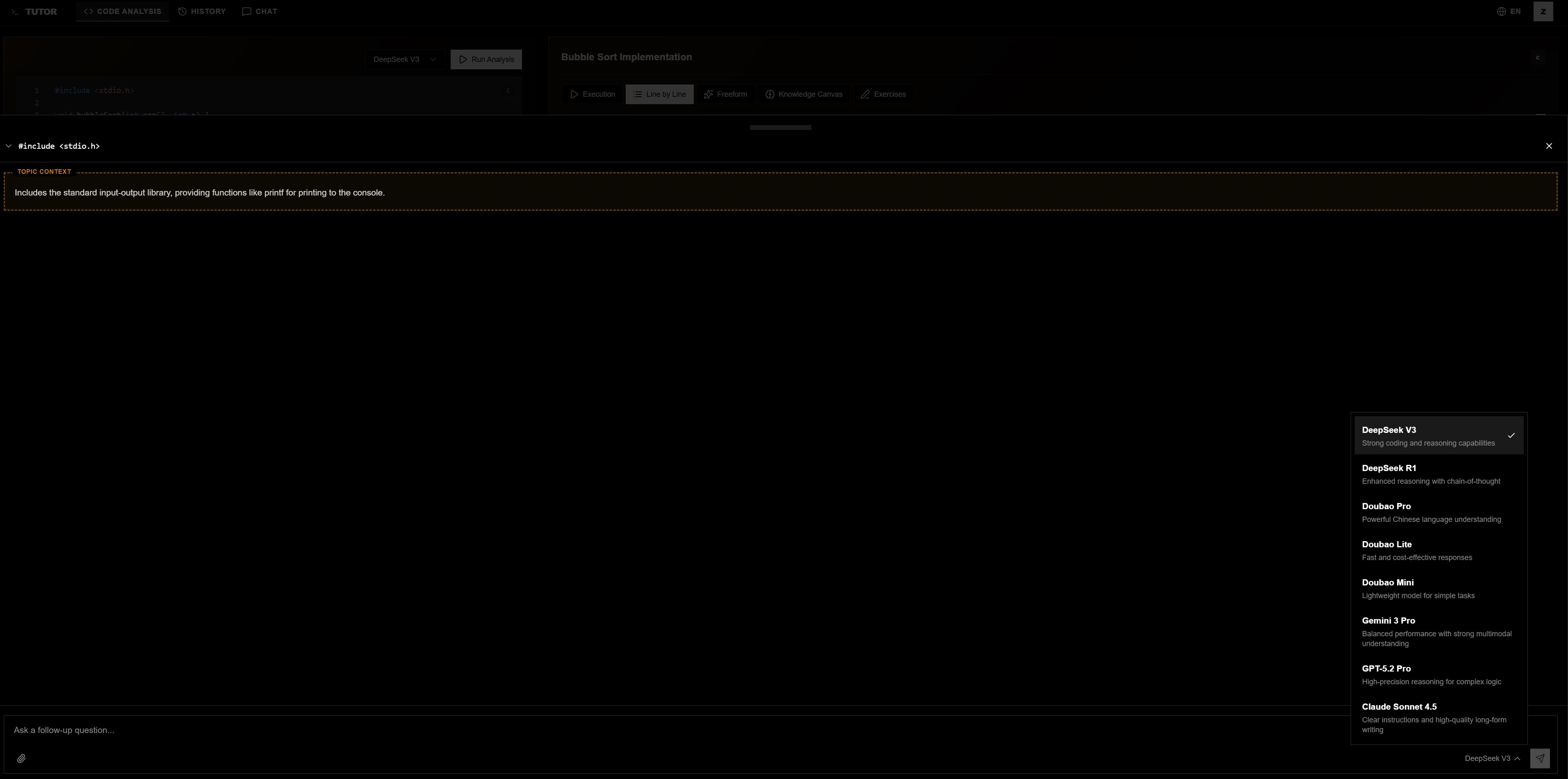
Follow-up Q&A — tap on any line and keep asking questions about it. The AI responds with full context, so you never have to re-explain the background. Freeform analysis — paste any code snippet for separate analysis and discussion.
Practice exercises — auto-generated multiple choice, fill-in-the-blank, and coding questions based on the current code. Need more? Just hit "generate more."
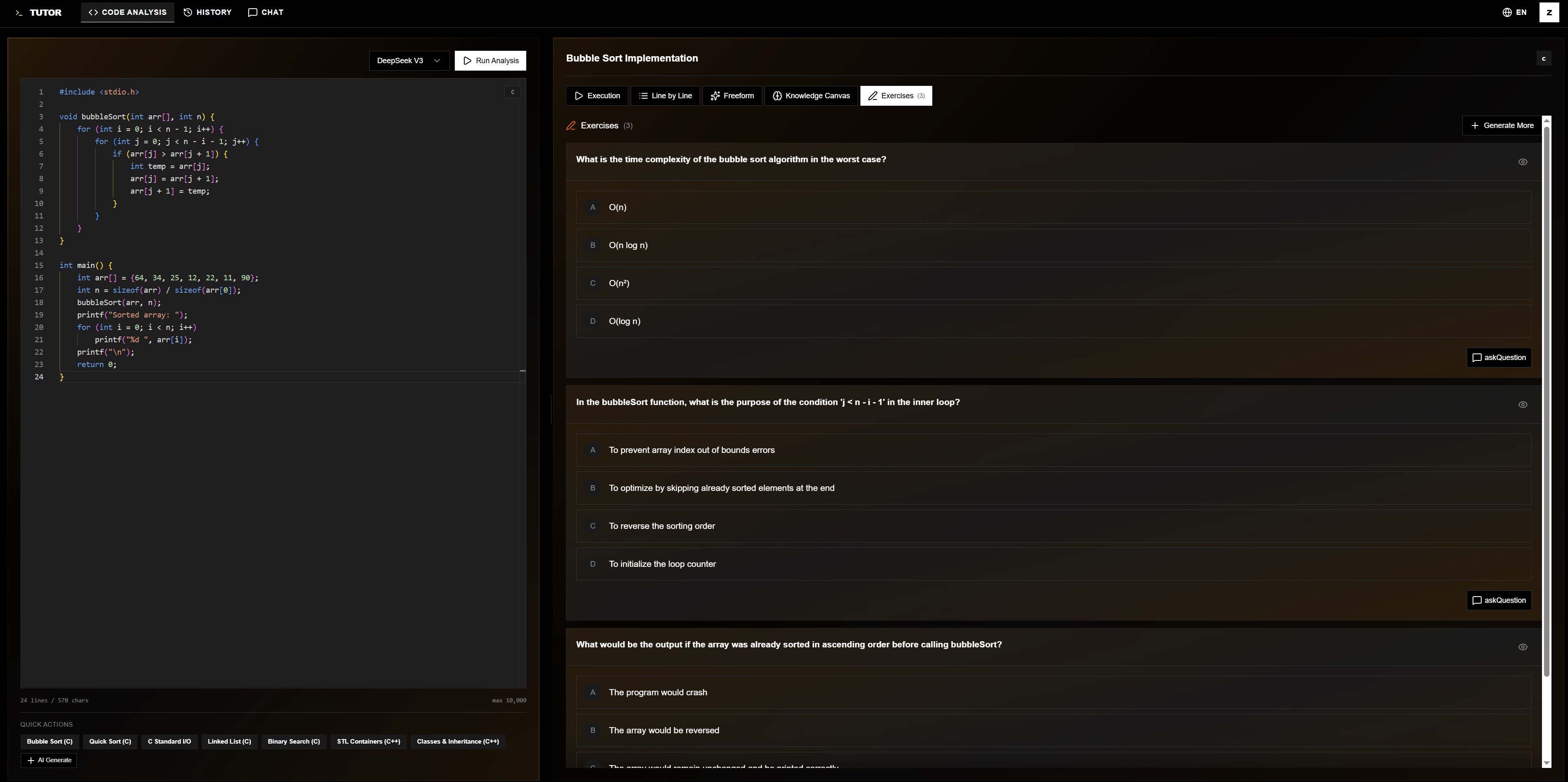
With these in place, it finally started feeling like a learning tool.
2.3 Making Knowledge Grow on Its Own
Even with explanations, Q&A, and exercises, everything still felt like isolated blocks of information. What I really wanted was a sense of knowledge growing organically.
So I built the Knowledge Canvas — an interactive, infinitely expandable knowledge graph. The AI extracts core concepts from your code and maps them as connected nodes. You can "explore" any node to discover related concepts, "expand" it to generate sub-topics, or ask questions directly on a node.
Before you know it, you look back and you've grown your own knowledge map.
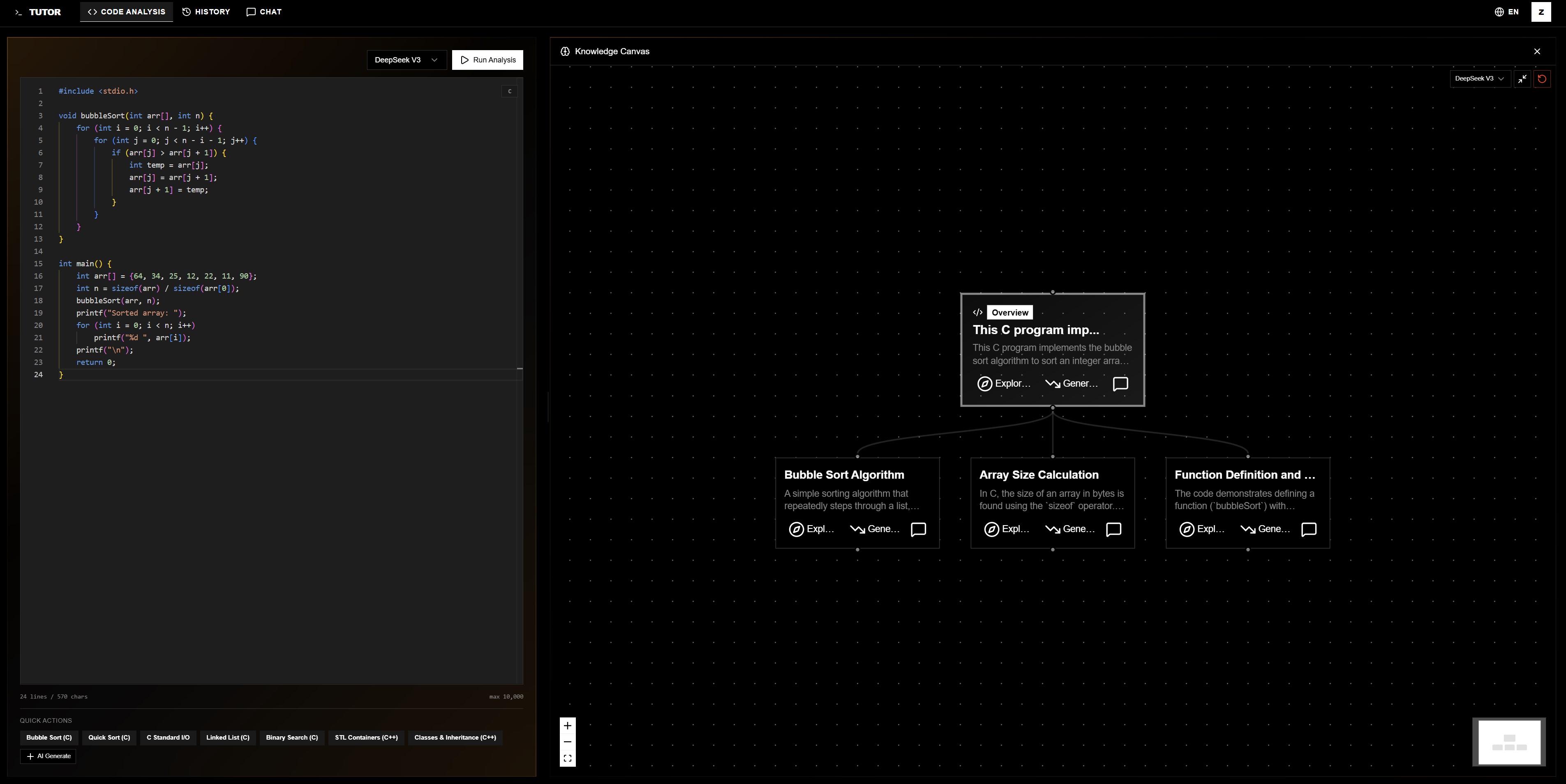
2.4 Code Needs to Run, Not Just Be Read
A key part of understanding code is seeing it run. So I integrated online code execution supporting C, C++, Python, Java, and over a dozen other languages. Users can run code, enter input, and see output right on the page. Every execution is saved, and you can ask the AI about any specific run result.
Run it first → read the analysis → ask follow-ups → do practice. That flow feels much more natural than just reading explanations.
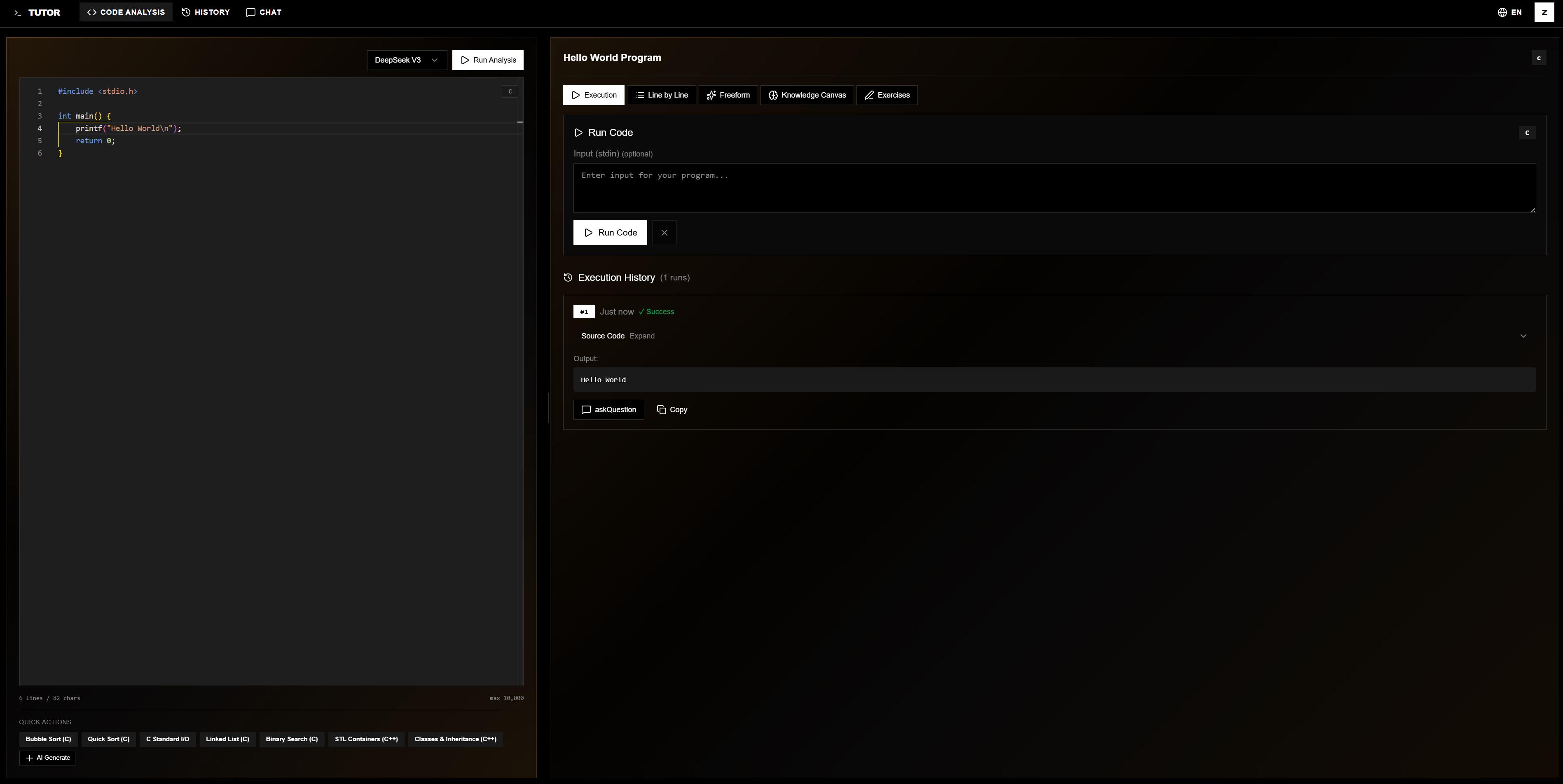
2.5 Why the Building Process Was So Smooth
The whole process went much smoother than I expected, largely because the Enter platform handled so much of the heavy lifting.
- UI components were ready to use out of the box.
- Backend essentials — user authentication, database storage, row-level security — all came through the built-in Supabase integration.
- AI model access was unified: DeepSeek, Claude, GPT, Gemini, Doubao — no need to apply for keys and adapt to each API separately. Just write an Edge Function and call it.
So instead of spending weeks on infrastructure, I could focus from day one on what actually mattered: are the explanations clear enough? Do the knowledge points connect? Does the learning path feel right?
3. How to Use Tutor
3.1 Start From Anywhere
- Have code? Paste it in, hit "Start Analysis"
- No code? Use AI to generate some, then fill it into the editor with one click
- Just browsing? Tap a preset example — you'll see a full analysis in two seconds
3.2 It's a Learning Path, Not a Feature Page
Once inside, users naturally follow a path:
- Run the code to get a feel for what it does
- Read the line-by-line analysis
- Ask follow-up questions on anything unclear
- Do practice exercises to confirm understanding
- Open the Knowledge Canvas and explore outward
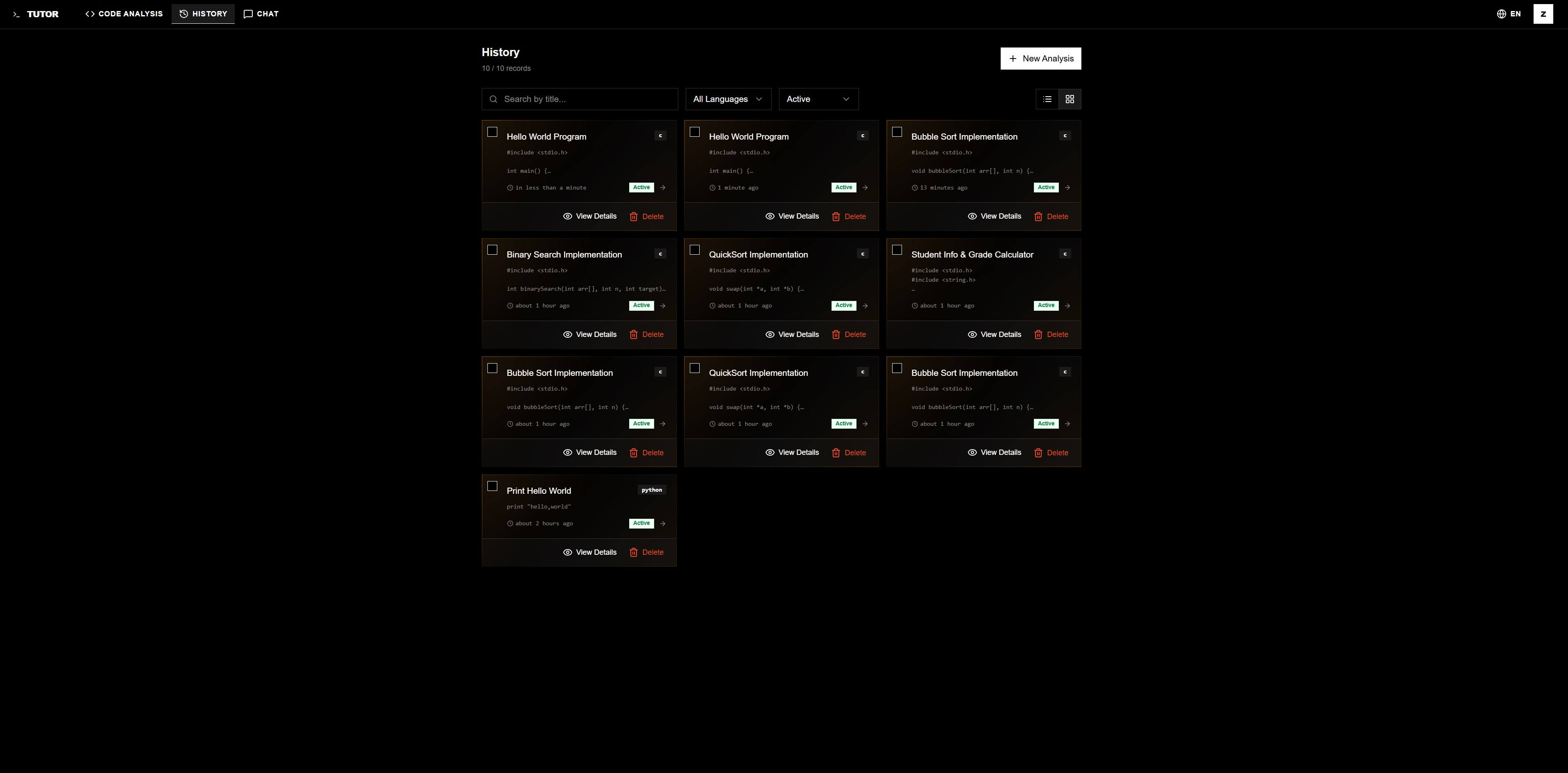
Every step — execution results, conversations, exercise scores, knowledge graphs — is saved automatically. Come back anytime and continue right where you stopped.
4. Looking Back: What It's Really About
Looking back, Tutor is a code explainer on the surface. But what it's really doing is helping people start from a piece of code and connect scattered knowledge into something whole.
Paste code in → run it → understand line by line → ask deeper questions → practice → open the Knowledge Canvas → follow one node to the next → watch the map grow into your own.
This works because of two things. First, the product design — explanation, Q&A, practice, and canvas aren't isolated features; they form a continuous learning path. Second, the foundation that Enter provides — UI, database, AI models, deployment — let me put all my energy into "is the learning experience actually good?" instead of wrestling with infrastructure.
Back to that original thought: Learning isn't about collecting dots — it's about connecting them.
That's what Tutor does. It helps pave that road. So code isn't just something you've "seen" — it's something you've understood, connected, and made your own.
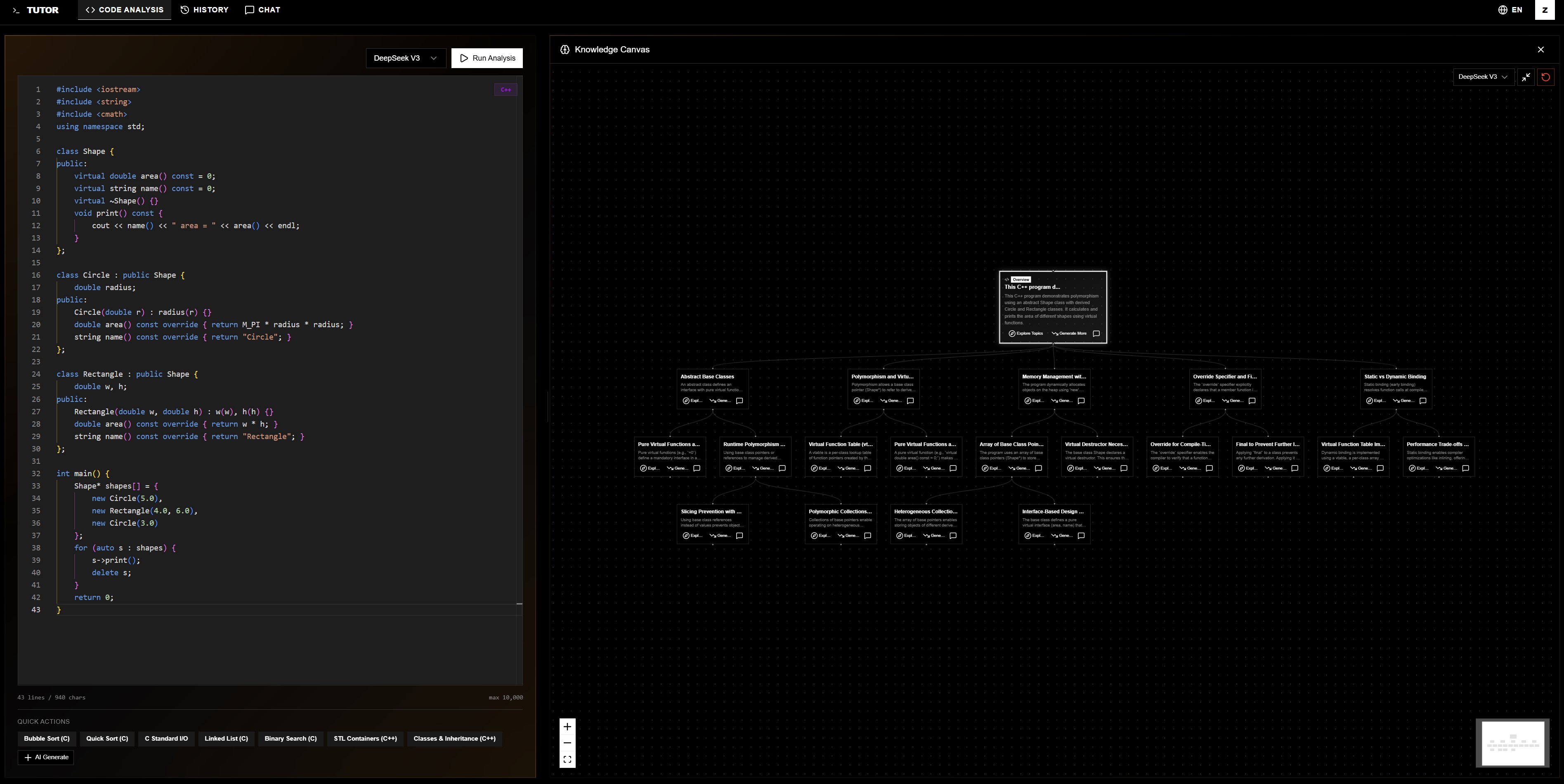
Not just explaining code — helping you grow your own knowledge network