User Authentication Explained: How Secure Login Systems Work
Explore how user authentication works, including passwords, biometrics, and multi-factor authentication. Harness the power of Enter Pro to make safe and secure applications without any coding or technical experience.
User authentication is one of the most important components of modern cybersecurity. It helps websites, mobile apps, and enterprise systems verify users' identities before granting access to sensitive data or digital assets. Whether you are logging into your banking apps or accessing your work systems, authentication is the process that defines who can use the platform.
Modern AI-powered development platforms like Enter Pro are making it easier for developers and businesses to develop safe and secure applications. This guide covers everything about the definition of user authentication, how it works, different methods, and how you can use Enter Pro to simplify the app development process.
What is user authentication: Meaning & definition
User authentication is the process of validating the identity of a user before granting access to an application, network, or digital platform. Authentication systems verify that the user's credentials correspond to those stored in a protected database. These credentials can be passwords, biometric scans, security tokens, or one-time passwords. Authentication is primarily used to verify that access is granted only to those authorized to use protected resources or sensitive information.
The purpose of checking is to prevent anyone who shouldn't be in charge of keeping digital systems safe from cyberattacks from getting in. Authentication is a method businesses use to make sure people are who they say they are before letting them into personal accounts, financial information, or company systems.
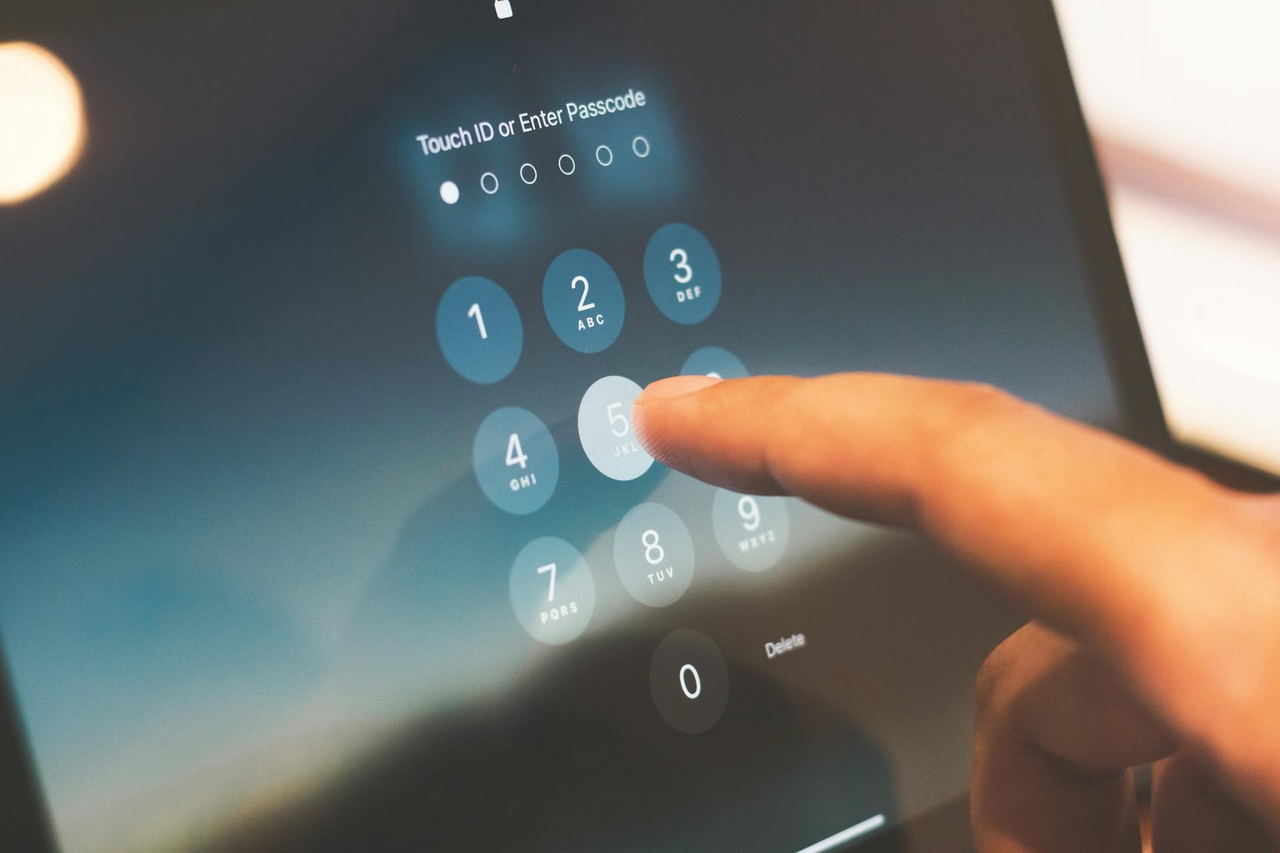
How does authentication work: A step-by-step guide
Wondering about the steps involved in user authentication? Here's how to auth in a few simple steps.
User enters credentials
The login process begins when a user enters data such as a username, password, biometric scan, or one-time verification code into a login form. These credentials are proof of identity and are submitted to the authentication system for verification.
System validates identity
Once the credentials have been submitted, the system verifies the user's identity by matching the information provided against records in a secure database or on an authentication server. Other factors that advanced authentication systems can take into consideration include device information, IP addresses, geographic location, and user behavior patterns to identify suspicious login attempts and enhance security.
Access is granted or denied
The system then validates the credentials provided. Based on authentication, access is granted or denied. The application or platform allows access to authorized credentials and denies access to invalid credentials. Some systems may also have additional verification steps, such as multi-factor authentication, if suspicious activity is detected during the login attempt .
Session management and token generation
Once authenticated, the user is securely logged in, and an access token is generated, allowing them to stay logged in as they move through the platform. Session management and token generation help to keep communication between the user and the application secure and reduce the need for repeated log-ins.
Types of user authentication methods
Password-based authentication
The most traditional and popular way to verify a user’s identity is through password-based authentication. This technique allows users to log in to an application or system by providing their username or email address and a password. Password authentication is popular because it costs very little, is easy to implement, and is well known to users on all digital platforms.
While password-based login systems are easy to use, they have some security weaknesses. Weak passwords, password reuse, and phishing attacks can leave accounts vulnerable to cybercriminals.

Multi-factor authentication (MFA)
Multi-factor authentication is a security system that uses more than one method of authentication from independent categories of credentials to verify the user's identity. MFA adds extra protection to your account by requiring multiple forms of verification (SMS OTPs, authenticator app codes, or hardware security tokens) beyond just a password to make it harder for potential intruders to gain access to your account.
Biometric authentication
Biometric authentication is a way of confirming users by their unique physical or behavioral traits, such as fingerprints, facial recognition, or voice recognition. It is a common method used in smartphones, banking apps, and secure enterprise systems because it offers convenience and more security than passwords.
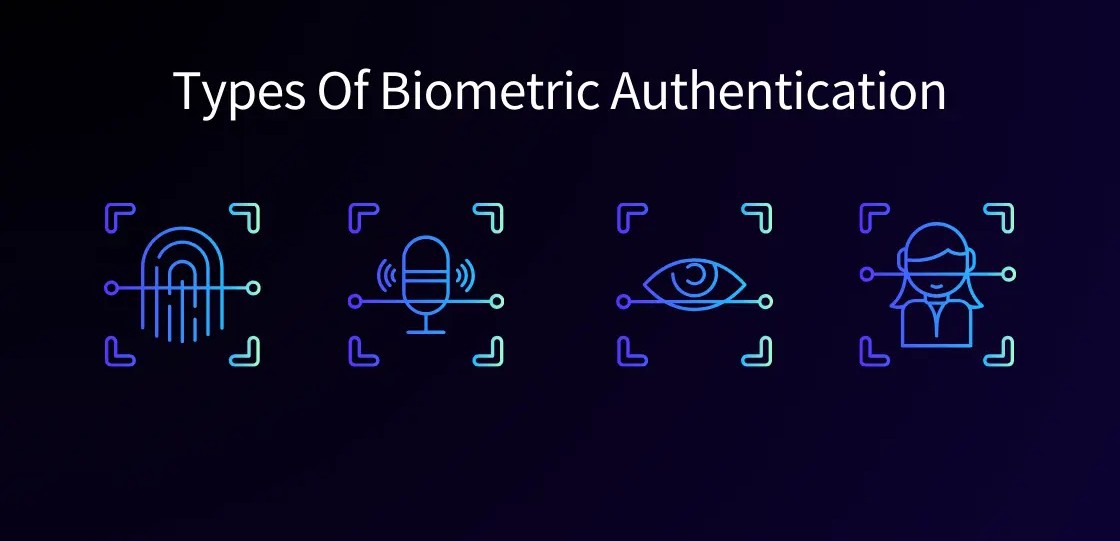
Biometric authentication is difficult to reproduce and thus very useful in terms of protecting user accounts and sensitive information from unauthorized access.
Single sign-on (SSO)
Single sign-on allows users to access multiple applications and services with one set of login credentials. Users log in only once and can access all the connected systems seamlessly without having to log into each platform separately, improving convenience and reducing password fatigue.
SSO is common in enterprise environments where employees use many tools and applications throughout the course of the day.
Passwordless authentication
Passwordless authentication is an alternative to traditional passwords with more secure login methods such as magic links, passkeys, or device-based authentication. This method improves the user experience and security by eliminating the risk of weak or compromised passwords.
Passwordless systems are becoming popular because they lower the risk of phishing, make login experiences easier, and offer better account protection.
Best practices for secure user authentication

- Enforce strong password policies
Strong password policies can help keep accounts safe and reduce the chances of unauthorized access. Use a mix of upper and lower case letters, numbers, and special characters for strong passwords. Businesses should also incentivize users to avoid reusing passwords and to change them regularly to minimize security flaws.
- Enable MFA
Multi-factor authentication is the most effective way to prevent cyberattacks and secure user accounts. MFA adds extra verification steps that make it much harder for an attacker to gain access without authorization, even if they have compromised a password. Deploy MFA across all critical systems and applications to harden security defenses.
- Use passwordless authentication
Passwordless authentication is fast becoming a must-have best practice for modern applications as it removes many of the vulnerabilities of passwords. Passkeys, magic links, or biometric verification can help organizations improve the user experience and reduce the risk of phishing attacks, credential theft, and password-related security incidents.
- Implement rate limiting
Rate limiting is a useful mechanism to protect authentication systems against brute-force attacks by limiting the number of login attempts in a given period of time. Rate limiting slows down attackers who try to guess passwords again and again, thus adding another layer of security that helps reduce attempts at unauthorized access.
- Monitor suspicious login activity
Monitoring suspicious login activity helps organizations identify abnormal behavior patterns and respond quickly to potential security threats. Businesses should keep an eye out for failed login attempts, unfamiliar devices, unusual login locations, and abnormal user activity to identify compromised accounts and prevent cyberattacks before they cause serious damage.
Enter Pro: Build secure applications with AI
Enter Pro is an AI-powered development platform to help businesses and developers build secure, scalable, and production-ready applications faster. The platform makes it easy to build apps with AI-powered workflows and powerful customization options, allowing users to develop secure apps without being expert coders.
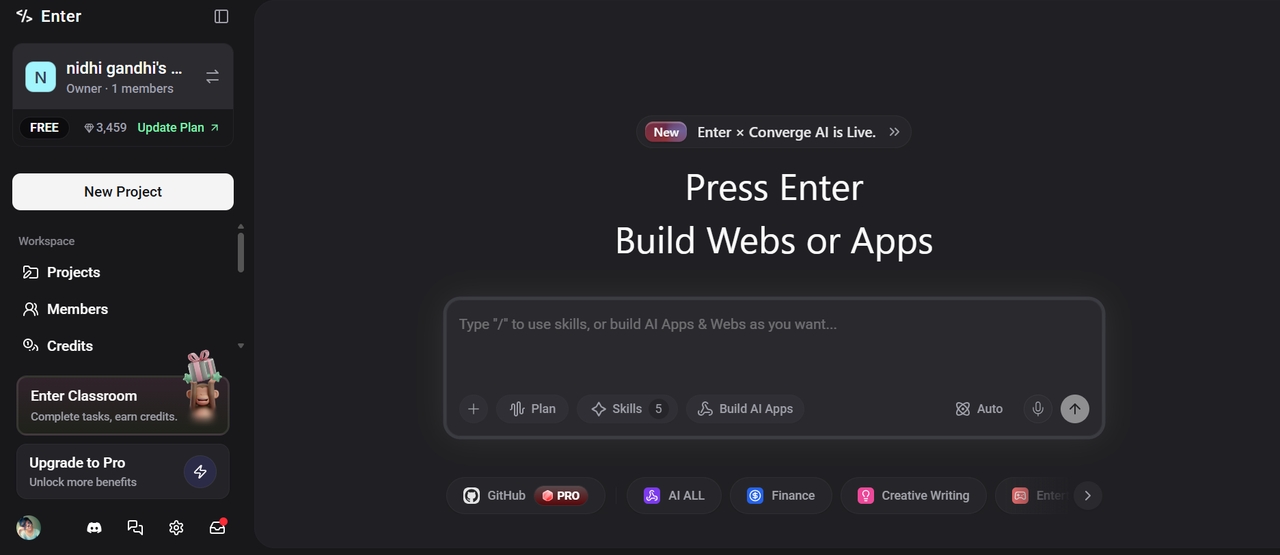
Step-by-step guide:
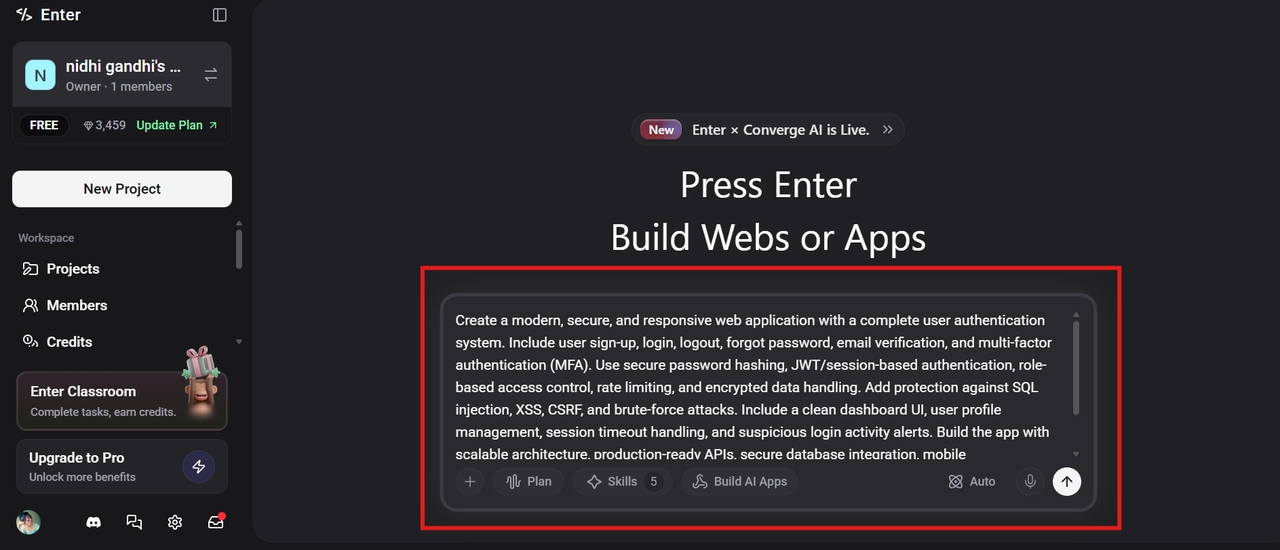
Step 1: Launch Enter Pro and add a prompt
Open the AI app builder, Enter Pro, in your browser, and add a text prompt describing all elements of your application, such as niche, buttons required, theme, and everything in natural language. Select the AI model and click the Generate button to get started.
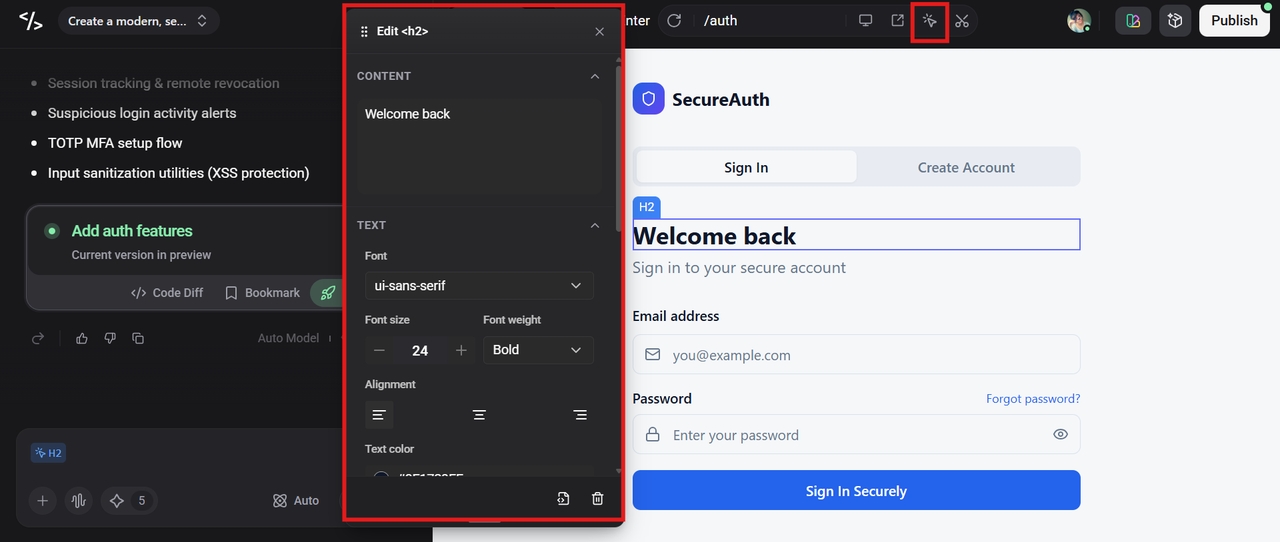
Step 2: Customize the app using a visual editor
Once the app is ready, you can further add a hint of customization by using the Visual Editor option from the top. It allows you to change the text, font, and color, adjust elements and layout, and even delete unwanted elements to make your app production-ready.
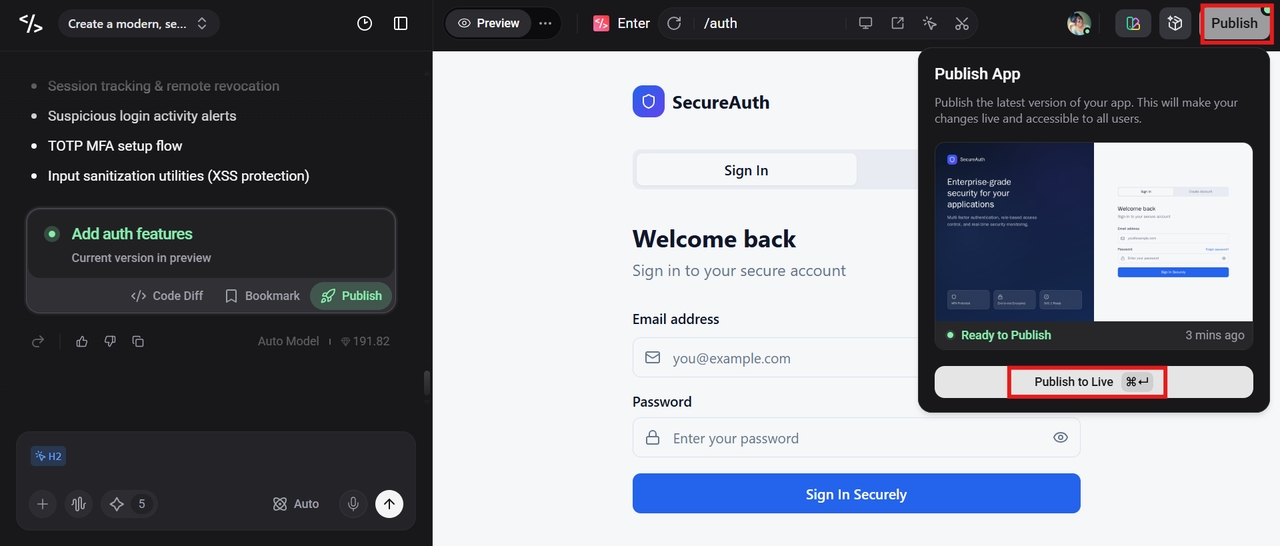
Step 3: Publish the app and go live
Preview the application carefully, and if you are satisfied, click the "Publish" button at the top-right corner to publish the app instantly from the platform itself.
Key features
- Ready-made templates: Enter Pro provides ready-made templates that enable companies to speed up application development by eliminating the need to start from scratch.
- Production-ready integrations: The platform also offers production-ready integrations to connect applications to authentication providers, databases, APIs, payment gateways, and other third-party services.
- 100% code ownership: One of the most valuable features of Enter Pro is 100% code ownership, which enables businesses to have full control over their application source code and deployment environment.
Conclusion
User authentication is an important part of cybersecurity today, helping to protect applications, user accounts, and sensitive business data from unauthorized access. Authentication methods like multi-factor authentication, biometrics, single sign-on, and passwordless login offer enhanced security and user convenience. Organizations can reduce cyber threats and protect their digital assets by implementing authentication best practices.
Besides, AI-driven development platforms, like Enter Pro, make it easier for businesses and developers to build secure applications without any coding or technical experience. Ready to build secure, scalable, and modern applications? Start with Enter Pro to production-ready apps today.
FAQs
What is user authentication?
User authentication is a process where the user’s identity is verified before the user is given access to an application, system, or network. It ensures that access to protected resources and sensitive information is granted only to authorized users.
What is the difference between authentication and authorization?
Authentication and authorization are closely related security processes, but they serve different purposes. User authentication is the process of verifying a user's identity, while user authorization is the process of determining what actions or resources the authenticated user is allowed to access in a system or application.
Why is multi-factor authentication important?
Multi-Factor Authentication (MFA) is very important because it adds additional layers of safety on top of traditional passwords. It requires users to confirm their identity through multiple factors of authentication, such as SMS OTPs, Authenticator app codes, biometric verification, or hardware security keys.
What are the most secure authentication methods?
Some of the most secure authentication methods available today are passwordless authentication, biometric verification, hardware security keys, and multi-factor authentication. The best authentication approach is to combine several of these methods. They provide layered security for modern applications and enterprise systems.
How can developers build more secure authentication systems?
By applying modern security best practices and using advanced authentication technologies, developers can build more secure authentication systems. They can implement strong password policies, encrypt sensitive data, and use secure session management techniques to safeguard user accounts.